
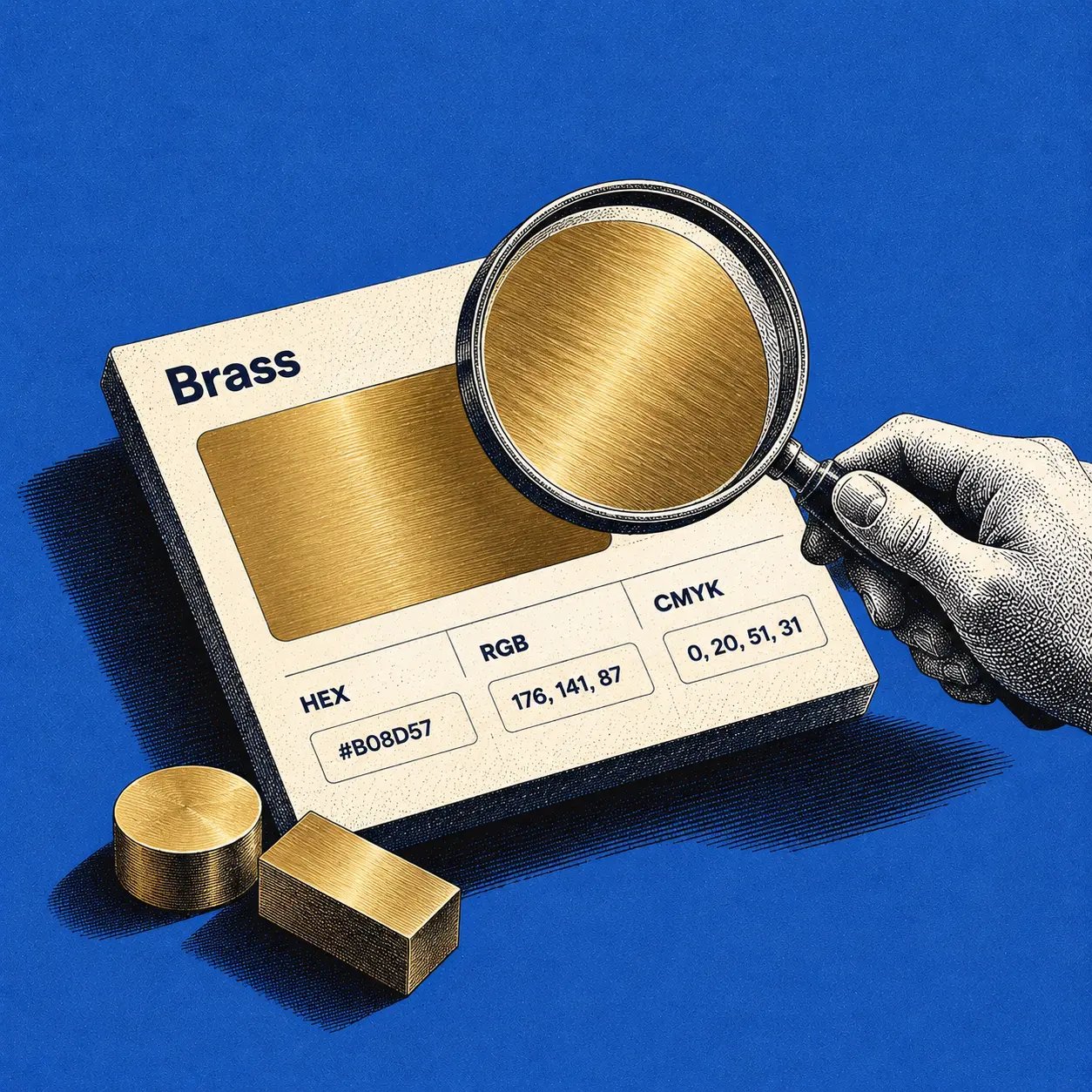
Brass Color Code: HEX, RGB and CMYK Values for Design
The brass color code to copy for a general digital accent is #B5A642. Its brass RGB value is rgb(181, 166, 66), and a simple, approximate brass CMYK conversion is 0%, 8%, 64%, 29%. These describe a muted yellow-gold swatch, not every brass alloy or finish. Use the HEX value as a starting point for screens; confirm print color with your printer's ICC profile and a proof.
Brass Color Code at a Glance
Reference: HEX
Copyable value: #B5A642
What it means: Representative brass color in sRGB
Reference: RGB
Copyable value: rgb(181, 166, 66)
What it means: Screen channels, red, green, blue
Reference: HSL
Copyable value: hsl(52, 47%, 48%)
What it means: Rounded hue, saturation, lightness
Reference: CMYK
Copyable value: 0%, 8%, 64%, 29%
What it means: Approximate conversion, not a press specification
Reference swatch: Brass, #B5A642
The Design Your Way brass reference and Adobe Express brass reference identify #B5A642 as a brass color. Its RGB and HSL conversions describe that digital swatch, not a standardized physical alloy. The alternate Color-Name.com brass entry lists #B1A342 (rgb(177, 163, 66)), which is slightly darker. Another published light-brass-like reference is #E1C16E (rgb(225, 193, 110)). Choose one reference for a token and label alternatives by appearance rather than treating all three as interchangeable.
For a quick CSS implementation:
:root {--color-brass-500: #B5A642;--color-on-brass: #111111;}Use --color-on-brass only after checking the rendered component, including its states and surrounding surfaces. For a complete design system color palette, the token also needs a defined role.
What Color Is Brass?
Brass usually appears warm yellow to yellow-brown, with highlights that can look gold and shadows that can look olive or bronze. The physical material is a copper-zinc alloy. More copper generally moves its appearance toward red; composition, polishing, oxidation, coating, texture and lighting also change what you see. The EBSCO brass alloy overview describes the alloy family, while named grades such as C23000 red brass and C26000 cartridge brass show why one hex cannot represent every sample.
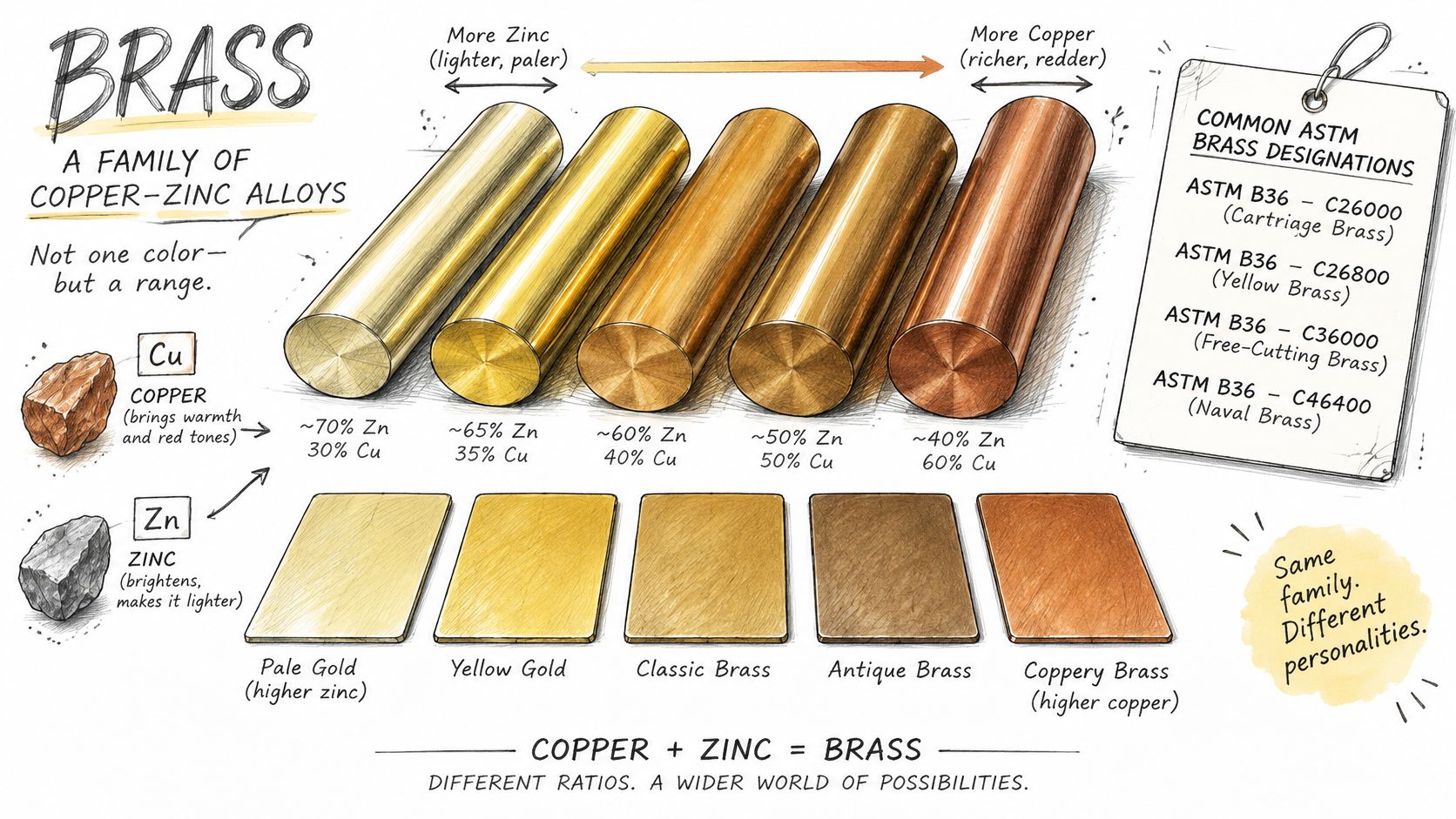
A brass hex code captures a flat screen color, not a reflection. Brushed brass scatters highlights across fine directional marks; polished brass reflects its surroundings more sharply; antique brass often looks darker or patinated. If you are matching a particular product, sample the actual finish under defined lighting. For a brand or interface without a physical reference, #B5A642 is a practical, explicitly named approximation.
Brass Color Variations and Swatches
The codes below are illustrative digital swatches, except where a source is noted. Names such as brushed or polished brass are descriptions of appearance, not official HEX standards. Different vendors can use the same finish name for visibly different metal.
Shade and swatch: Reference brass
HEX: #B5A642
RGB: 181, 166, 66
Suggested role: Default accent
Shade and swatch: Antique brass, illustrative
HEX: #8C7853
RGB: 140, 120, 83
Suggested role: Aged-looking UI accent
Shade and swatch: Brushed brass, illustrative
HEX: #B6A477
RGB: 182, 164, 119
Suggested role: Satin-finish mockup
Shade and swatch: Polished brass, illustrative
HEX: #D7B84C
RGB: 215, 184, 76
Suggested role: Highlight or illustration
Shade and swatch: Dark brass, illustrative
HEX: #655A32
RGB: 101, 90, 50
Suggested role: Decorative shadow
Shade and swatch: Light brass, illustrative
HEX: #E1C16E
RGB: 225, 193, 110
Suggested role: Large decorative surface
Do not interpret the antique brass color example as a universal antique-brass specification. For example, another published antique brass color reference may use a different swatch or naming convention. If a render is meant to depict real hardware, the approved sample or render should decide the final value. The same applies to brushed brass color: a texture and lighting setup matter as much as its base HEX.
Brass Color Palettes You Can Copy
These five brass color palette examples are starting points for visual direction, not accessibility-approved component systems. Each palette assigns a distinct job to the colors so you can swap an accent without losing your background or text hierarchy.
Palette: Warm editorial
Background: #F7F3EA
Surface: #FFFFFF
Text: #24231F
Brass accent: #B5A642
Good starting point: Publishing and portfolios
Palette: Navy and brass
Background: #111C2B
Surface: #1D2C3C
Text: #F4F1E9
Brass accent: #B5A642
Good starting point: Dark product themes
Palette: Forest and antique
Background: #F1F0E9
Surface: #FFFFFF
Text: #193B32
Brass accent: #8C7853
Good starting point: Lifestyle or hospitality
Palette: Charcoal and polished
Background: #191919
Surface: #292929
Text: #F7F3EA
Brass accent: #D7B84C
Good starting point: Promotional surfaces
Palette: Soft stone and brushed
Background: #EDE9E2
Surface: #FAF8F4
Text: #262626
Brass accent: #B6A477
Good starting point: Calm dashboards
To preview the combinations, compare these labeled strips. The swatches show background / text / accent in that order; they are color samples, not simulated accessible components.
Palette preview:
Copyable combination: #F7F3EA / #24231F / #B5A642
Palette preview:
Copyable combination: #111C2B / #F4F1E9 / #B5A642
Palette preview:
Copyable combination: #EDE9E2 / #262626 / #B6A477
In the light palettes, use dark text for instructions, labels and body copy. In the dark palettes, test the actual brass accent against each surface before using it for icons or small type. A pleasing combination does not automatically satisfy WCAG.
Brass vs. Gold vs. Bronze
Brass and gold can both look yellow, but brass often has a more muted, brown or olive cast. Bronze usually reads darker and more reddish-brown. These are useful visual distinctions, not guarantees about the composition of a photographed object. For screen comparisons, specify the exact swatches you mean:
Visual reference: Brass
Illustrative HEX: #B5A642
RGB: 181, 166, 66
Typical visual impression: Muted yellow-gold
Visual reference: Bright digital gold
Illustrative HEX: #FFD700
RGB: 255, 215, 0
Typical visual impression: Saturated yellow
Visual reference: Bronze-like brown
Illustrative HEX: #CD7F32
RGB: 205, 127, 50
Typical visual impression: Warm orange-brown
These are digital examples, not official standards for the materials. Comparing a gold-colored icon with a brass-colored product photo also mixes a flat fill with a reflective surface. If accurate material depiction matters, compare physical samples or approved images under the same light, not just HEX values.
How to Use Brass in UI and Product Design
Brass works best when it has a specific role. A slim rule, icon accent, data-series marker or large decorative form can bring warmth to a neutral interface without taking over the layout. For primary actions, treat brass as a fill that needs a separately approved label color and clearly differentiated hover, pressed, disabled and focus states.
UI element: Button
Practical use: #B5A642 fill with dark label
What to check: Text contrast, focus and disabled states
UI element: Dashboard chart
Practical use: One brass series
What to check: Direct labels or patterns, plus background contrast
UI element: Navigation
Practical use: Brass underline with a selected label
What to check: Selection remains clear without color alone
UI element: Illustration
Practical use: Brass midtone with controlled highlights
What to check: Appearance across target displays
UI element: Body text
Practical use: Prefer a dark text token instead
What to check: Small brass text on light backgrounds is often weak
A design token makes the distinction between the material reference and a component's role explicit. Start with color.brass.500: #B5A642; then create semantic aliases such as color.accent.decorative only where the application is approved. Do not force the decorative brass token into color.focus if the resulting focus indicator is hard to see. Figr's design token guidance and its UI design principles offer further context for assigning colors by role rather than repeating raw HEX values.
A metallic gradient is useful on a large illustrated object, but it does not make every small UI control more legible. Anchor the midtone at #B5A642, derive highlights and shadows for the specific surface, and check any text against every stop it touches. In 3D, metallic material rendering guidance helps explain why roughness and reflections alter the perceived base color. A flat CSS fill cannot replace those material cues.
Brass Color Accessibility and WCAG Contrast
Using the WCAG 2.2 contrast criteria, normal text needs at least 4.5:1 for AA, large text needs 3:1, and meaningful non-text graphics or component boundaries generally need 3:1 against adjacent colors. Ratios are calculated from the rendered foreground and background, not a color name. The relative-luminance method explains the underlying calculation.
Example pair: White #FFFFFF text on brass #B5A642
Approximate ratio: 2.47:1
Design implication: Below AA even for large text
Example pair: Black #000000 text on brass #B5A642
Approximate ratio: 8.5:1
Design implication: Passes AAA for normal text in this exact pair
Example pair: Brass #B5A642 on white #FFFFFF
Approximate ratio: 2.47:1
Design implication: Too low as the sole meaningful non-text boundary
The Figma brass color reference also reports the white and black contrast difference. A near-black such as #111111 is a useful button-label candidate, but test that exact pair rather than inheriting the result for pure black. Gradients, transparency, hover states, neighboring borders and typography can change what users actually see.
Never let brass alone communicate success, selection or an error. Pair color with a word, icon, shape, line style or pattern. A chart with a brass series needs direct labels or a second distinguishing treatment; a selected tab needs an underline or other persistent cue. Figr's design-system accessibility article discusses applying these checks to actual tokens and components.
Brass on Screens, in Print and on Metal
email signature inspiration from SigFinch
HEX and RGB specify screen color in an assumed color space, typically sRGB. The Media.io brass reference also reports a Lab approximation for #B5A642, but a Lab number needs the relevant conversion and viewing assumptions to be useful. Even identical screen values may look different across displays, surrounding colors and lighting.
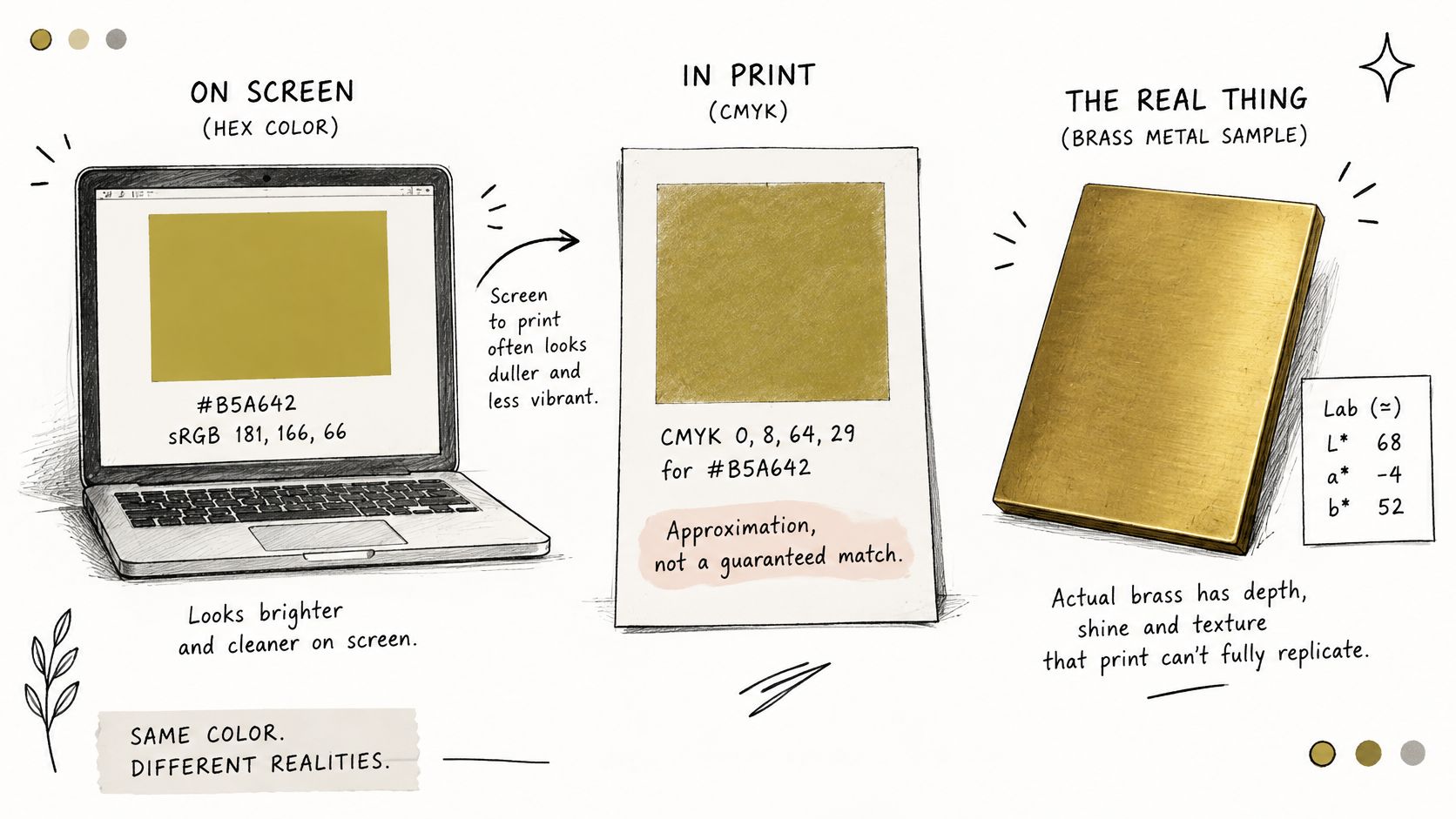
Brass CMYK 0%, 8%, 64%, 29% is only an approximate mathematical conversion of #B5A642. A printer's ICC output profile accounts for a particular printing process; paper, inks and proofing conditions affect the final appearance. Ask for the print profile and an approved proof before locking packaging or collateral. Do not promise an exact screen-to-print match from four percentages.
A printed metallic brass effect may require metallic ink, foil or another physical finish. Standard process inks can approximate the hue but cannot reproduce the directional reflections of metal. Likewise, there is no universal Pantone or RAL number for every brass alloy and finish. When coordinating screens, print and hardware, decide whether the physical sample, printed proof or digital token is the approval reference. Document that hierarchy in your brand guidelines.
Common Brass Color Mistakes
- Treating a search result as a standard:
#B5A642is a representative swatch. Record the alloy or finish if a product's actual appearance matters. - Putting white labels on brass: White on the reference brass falls below WCAG AA. Test a dark label instead.
- Using color as the only status cue: Add text, shapes, icons or patterns for selection and chart meaning.
- Inventing a new brass in each file: One squad uses
#B5A642, another#B1A342, and a third picks a pale gold. Name a default token and document variants. - Overusing metallic gradients: Highlights help large illustrations read as metal but can make compact controls noisy or obscure text.
- Calling brass gold: Distinguish muted brass from saturated digital gold in specs so components do not drift between them.
- Sending approximate CMYK as a print guarantee: A conversion is a starting point; an ICC-managed proof is the approval step.
The remedy is simple: name the reference, its intended role, its approved pairings and the sample that takes precedence when a physical product is involved.
Using Brass Colors With Figr
Figr is an AI product design agent for exploring and iterating on product interfaces in the context of an existing product. Its Design System Intelligence works with supplied components and tokens, so a team can give color.brass.500 a defined role instead of reselecting a shade on every screen. Figr can learn from Figma files, frames, component and token systems, screenshots, CSS and written guidelines; a complete design system is not required to start.
Figr's design-system setup documentation describes providing visual references and instructions to build that context. Its design-system guide distinguishes foundations, tokens, components, patterns, guidelines and governance. Together, those layers let a team specify where brass belongs, which text pairing is approved and what a button or chart should do in each state.
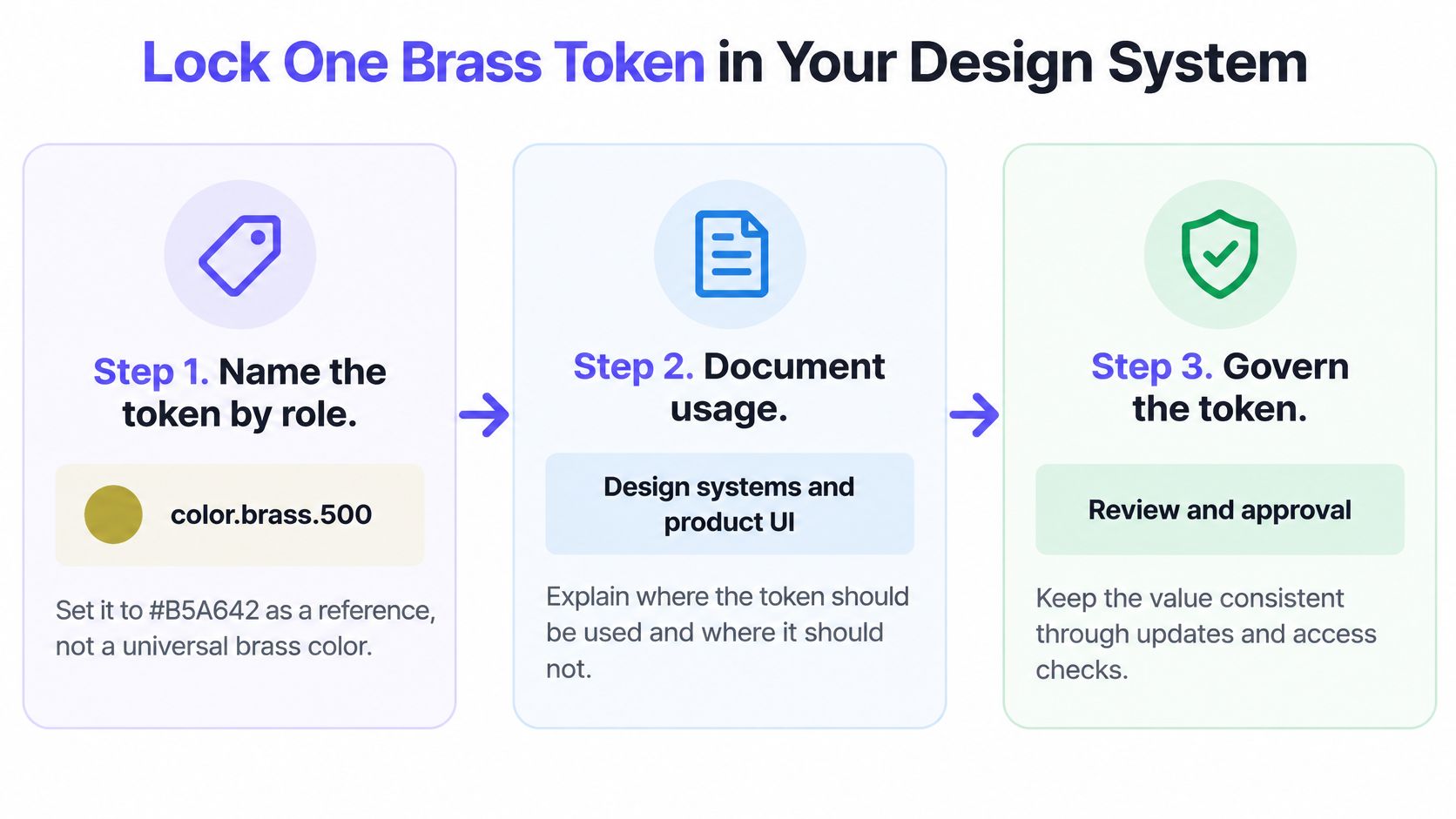
A practical handoff might read:
color.brass.500 = #B5A642Role: decorative accent and approved button fillButton label: test the exact dark-text token against the final fillAvoid: white labels and brass-only status indicatorsVariants: name and sample antique or brushed finishes separatelyFrom there, use Figr to explore screens and component states within the provided design-system rules. Its documented Figma workflow supports working with existing Figma context and Figma-ready output; Direct Editing lets teams adjust designs during review. These capabilities help apply a color decision consistently. They do not make Figr an ICC converter, color standard or Pantone-matching service.
If a brass focus ring fails on a pale surface, give focus its own tested semantic token rather than changing the shared brass swatch everywhere. That separation keeps visual exploration flexible without weakening component accessibility. Consistent design guidelines are most useful when someone owns the token and records why exceptions exist.
Brass Color Code FAQ
What is the HEX code for brass?
#B5A642 is a commonly used representative brass HEX code. Brass has no single universal digital value; different finishes and references use other shades.
What are the RGB values for brass?
For #B5A642, use rgb(181, 166, 66). Those numbers define the selected digital swatch, not every brass object.
What is the CMYK code for brass?
An approximate conversion of #B5A642 is 0%, 8%, 64%, 29%. Final CMYK values depend on the ICC profile, print process and paper; request a proof.
What colors go well with brass?
Try warm white #F7F3EA, charcoal #24231F, navy #111C2B or deep green #193B32. Check each actual text and component pairing for contrast.
Is brass the same color as gold?
No. Brass generally reads more muted or brownish than a bright digital gold such as #FFD700, though lighting and finish can make them appear similar.
Choose #B5A642 when you need a usable starting brass color code, then test it in the component, palette and output medium that matter. For team-wide use, define the token, its permitted roles and its contrast-tested pairings. Figr can help teams explore product designs that respect those existing components and tokens.