
































Design with an AI that already understands your product

Edge cases, flows, and decisions first. Prototypes that reflect it. Ship without the rework.

Trusted by 500+ product teams building complex software

Why most AI design tools break on real products.

A Prompt & PRD are not enough

Most AI design tools start with a prompt. That works for landing pages. It breaks inside real products.

Generic AI tools, try to force context with textual files & folders

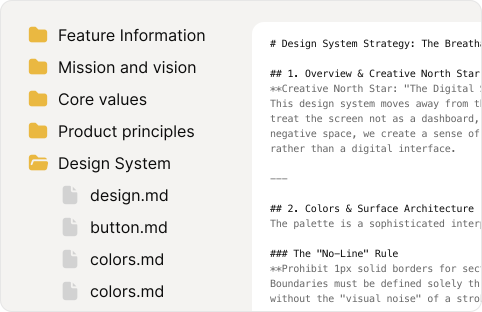
Design system, product flows, interactions, cannot be a text file. They need to be seen and properly understood

Your product has years of decisions behind everything

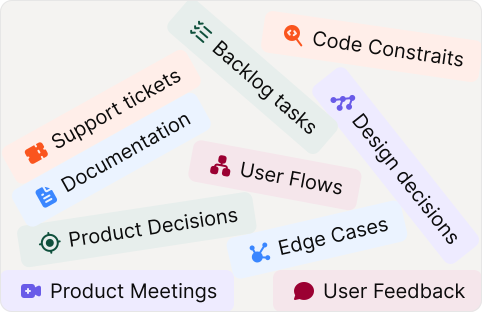
Flows, edge cases, components, analytics, docs, code constraints, and things only one senior designer remembers.

Figr starts by building a living understanding of your product

Not just files and folders, a proper visual and files context map which along with UX principles back every solution.

Teams use Figr when the UX needs to be right, not just fast

“Not only does it Figr produce high-quality designs, but it has all of the tools a designer needs, including the ability to select design elements and provide detailed feedback. I cannot recommend this highly enough.”

Paul Boag

UX Leader

“Figr AI provided: Usability feedback, Risk explanations, prioritised improvement suggestions and insights connected to real user workflows. What made this especially valuable was how it highlighted WHY certain design decisions could help or hurt real users.”

Hana Burianová

UX Lead Visma

"I spent about five minutes capturing our live product with their Chrome extension. After that, it could mock up new features in our own style - same components, same styling. For smaller features, I can now go straight from idea to development without the usual designer handoff loop."

Magnus Handeland

CPO Letta

"What Figr AI does differently is it automates and simplifies product thinking. You give it a problem, and it thinks through flows and edge cases, reviews UX decisions upfront and then generates high-fidelity prototypes that actually resemble real products."

Mayank Singla

Sr. Product Manager, Greylabs AI

"Most AI tools foster a feature factory mindset. Lovable jumps from prompt to output straight on. Other AI tools has no guardrails to protect you from useless solutions. Figr slows you down by demanding context. Figr is about problem solving. It requires you to give the context, reflect, and make choices."

David Pereira

Interim CPO, Mailerlite

"I am really impressed with Figr.design; it is a true game-changer for PMs. I recently tried the brainstorm feature, and the results are incredible. Figr felt like having an extra colleague to collaborate with."

Kishore Kankipati

Lead UX Design

"I must say, Figr is one of the most incredible programs I have used; it works seamlessly with Figma. The ability to iterate is much faster than any tool I’ve used before."

Brandon Marshall

Senior PM

"Figr knows a lot about UX best practices out-of-the-box, and will learn everything about your product."

Nirav Bhandari

Head of Product

"Figr allows us to brainstorm and iterate on new concepts at lightning speed. It's incredibly intuitive to use and one of the very few AI tools we've tried that actually stays in context instead of hallucinating. Our concept and UX development has quite literally become 50 times faster and better."

Anders Scheuer

Founder

"What I like most is that Figr doesn’t just generate screens…It connects PRDs, user flows, edge cases, and interactive prototypes in one workspace. That’s how teams cut weeks of product thinking down to days without losing rigor."

Carlos Gonzalez

CEO Product School

“Not only does it Figr produce high-quality designs, but it has all of the tools a designer needs, including the ability to select design elements and provide detailed feedback. I cannot recommend this highly enough.”

Paul Boag

UX Leader

“Figr AI provided: Usability feedback, Risk explanations, prioritised improvement suggestions and insights connected to real user workflows. What made this especially valuable was how it highlighted WHY certain design decisions could help or hurt real users.”

Hana Burianová

UX Lead Visma

"I spent about five minutes capturing our live product with their Chrome extension. After that, it could mock up new features in our own style - same components, same styling. For smaller features, I can now go straight from idea to development without the usual designer handoff loop."

Magnus Handeland

CPO Letta

"What Figr AI does differently is it automates and simplifies product thinking. You give it a problem, and it thinks through flows and edge cases, reviews UX decisions upfront and then generates high-fidelity prototypes that actually resemble real products."

Mayank Singla

Sr. Product Manager, Greylabs AI

"Most AI tools foster a feature factory mindset. Lovable jumps from prompt to output straight on. Other AI tools has no guardrails to protect you from useless solutions. Figr slows you down by demanding context. Figr is about problem solving. It requires you to give the context, reflect, and make choices."

David Pereira

Interim CPO, Mailerlite

"I am really impressed with Figr.design; it is a true game-changer for PMs. I recently tried the brainstorm feature, and the results are incredible. Figr felt like having an extra colleague to collaborate with."

Kishore Kankipati

Lead UX Design

"I must say, Figr is one of the most incredible programs I have used; it works seamlessly with Figma. The ability to iterate is much faster than any tool I’ve used before."

Brandon Marshall

Senior PM

"Figr knows a lot about UX best practices out-of-the-box, and will learn everything about your product."

Nirav Bhandari

Head of Product

"Figr allows us to brainstorm and iterate on new concepts at lightning speed. It's incredibly intuitive to use and one of the very few AI tools we've tried that actually stays in context instead of hallucinating. Our concept and UX development has quite literally become 50 times faster and better."

Anders Scheuer

Founder

"What I like most is that Figr doesn’t just generate screens…It connects PRDs, user flows, edge cases, and interactive prototypes in one workspace. That’s how teams cut weeks of product thinking down to days without losing rigor."

Carlos Gonzalez

CEO Product School

USE CASES

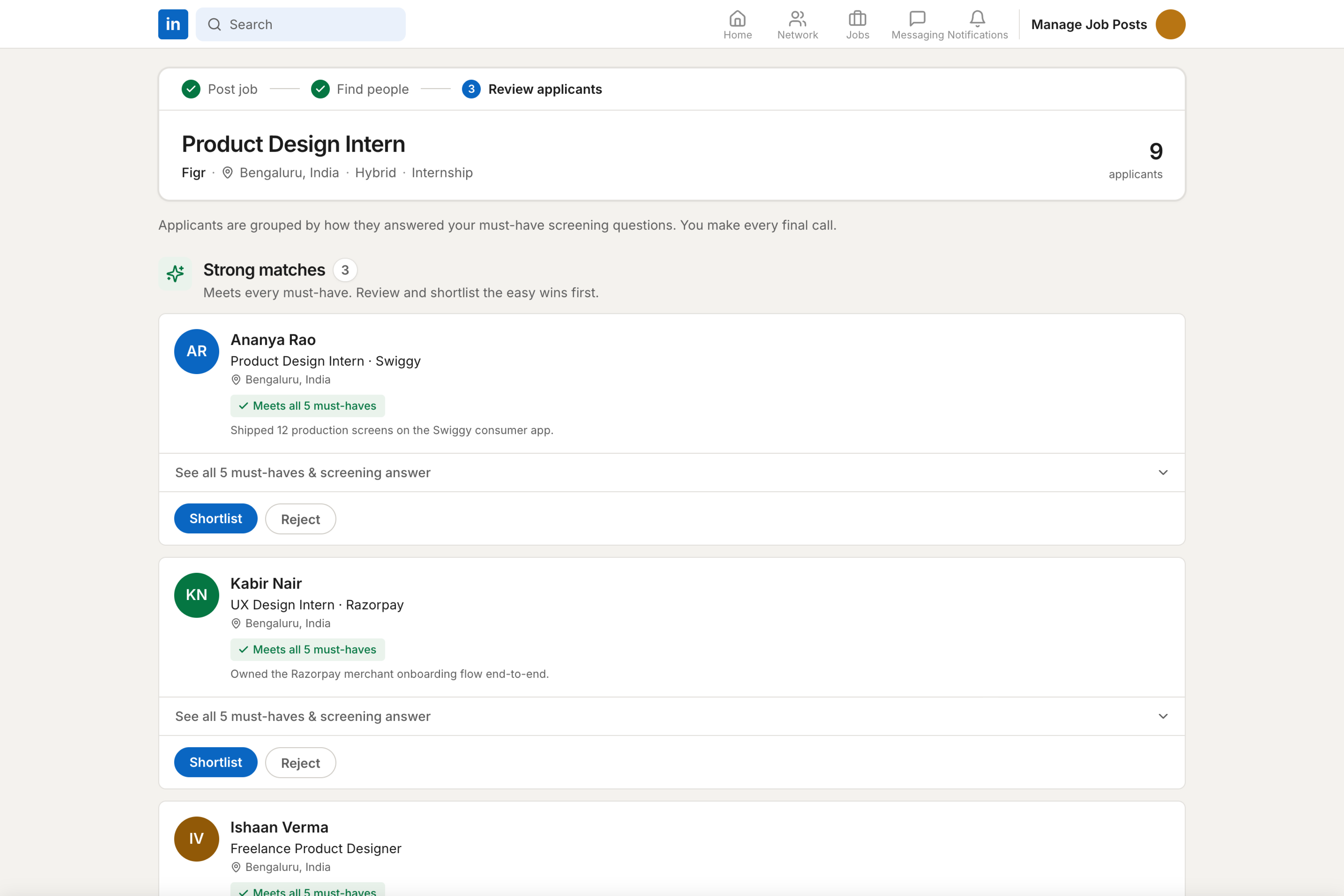
See how Figr thinks through real product problems

Not just screens. Each example shows the context Figr used, the questions it asked, the UX decisions it made, and the artifact it produced.

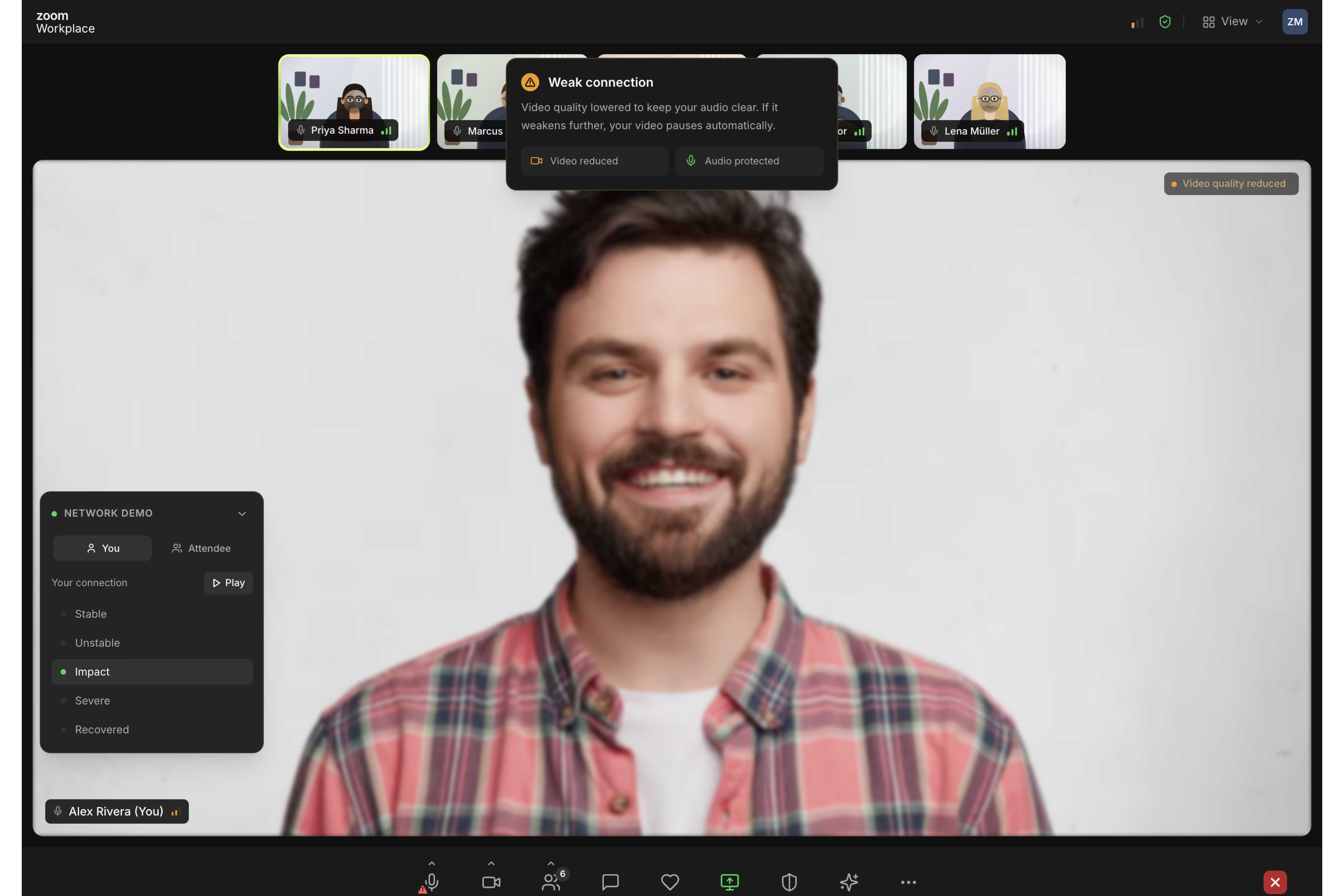
Zoom - Network Degradation States

Edge cases
User flows

X.com Soft Mute

Build on existing

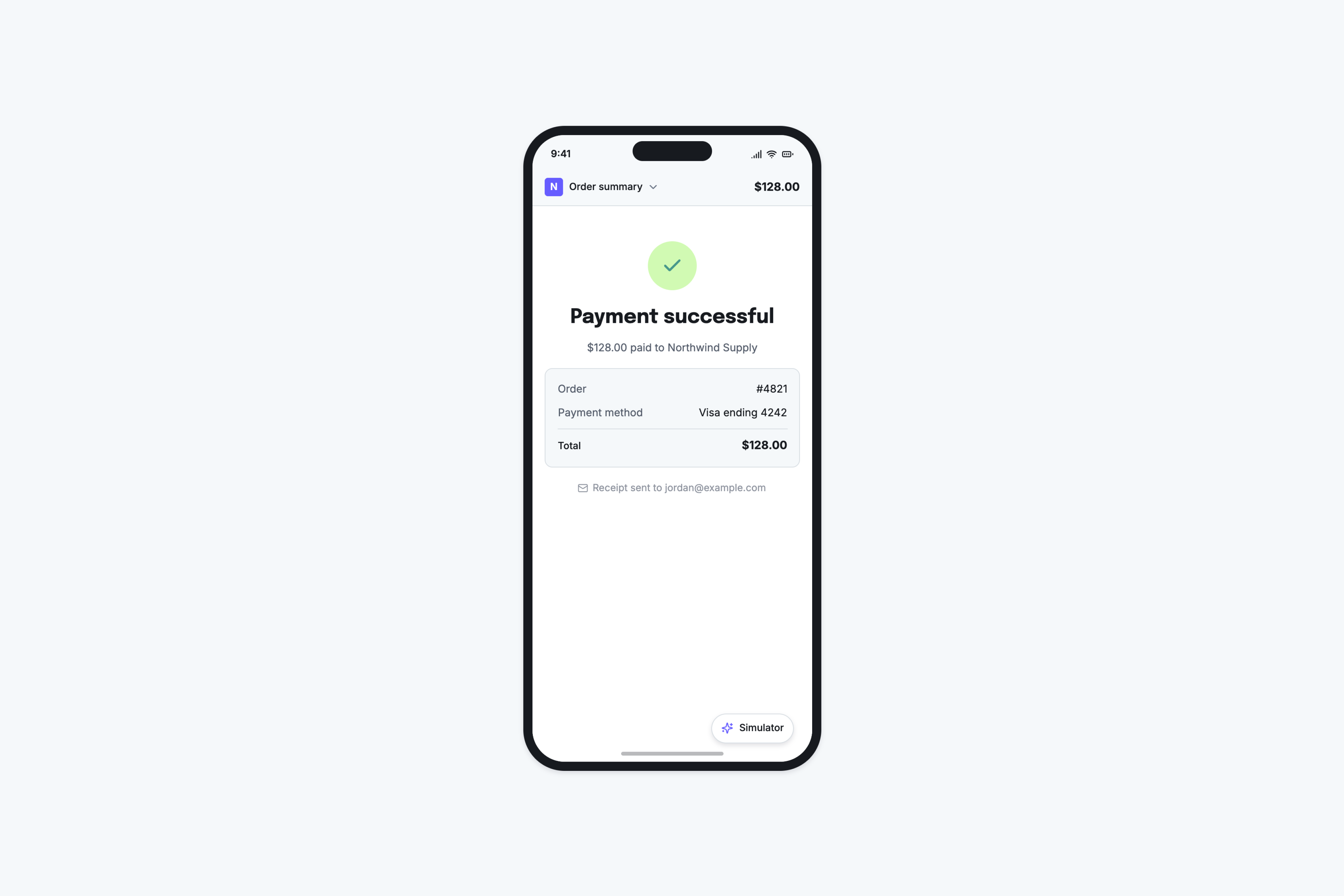
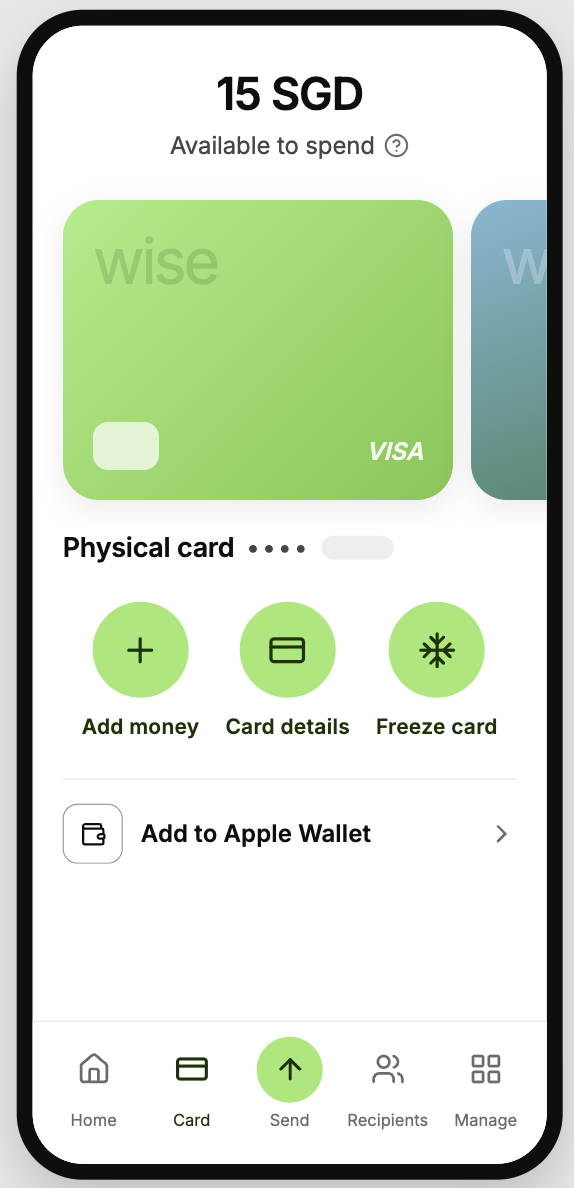
Wise - Card Freeze Flow

Test cases

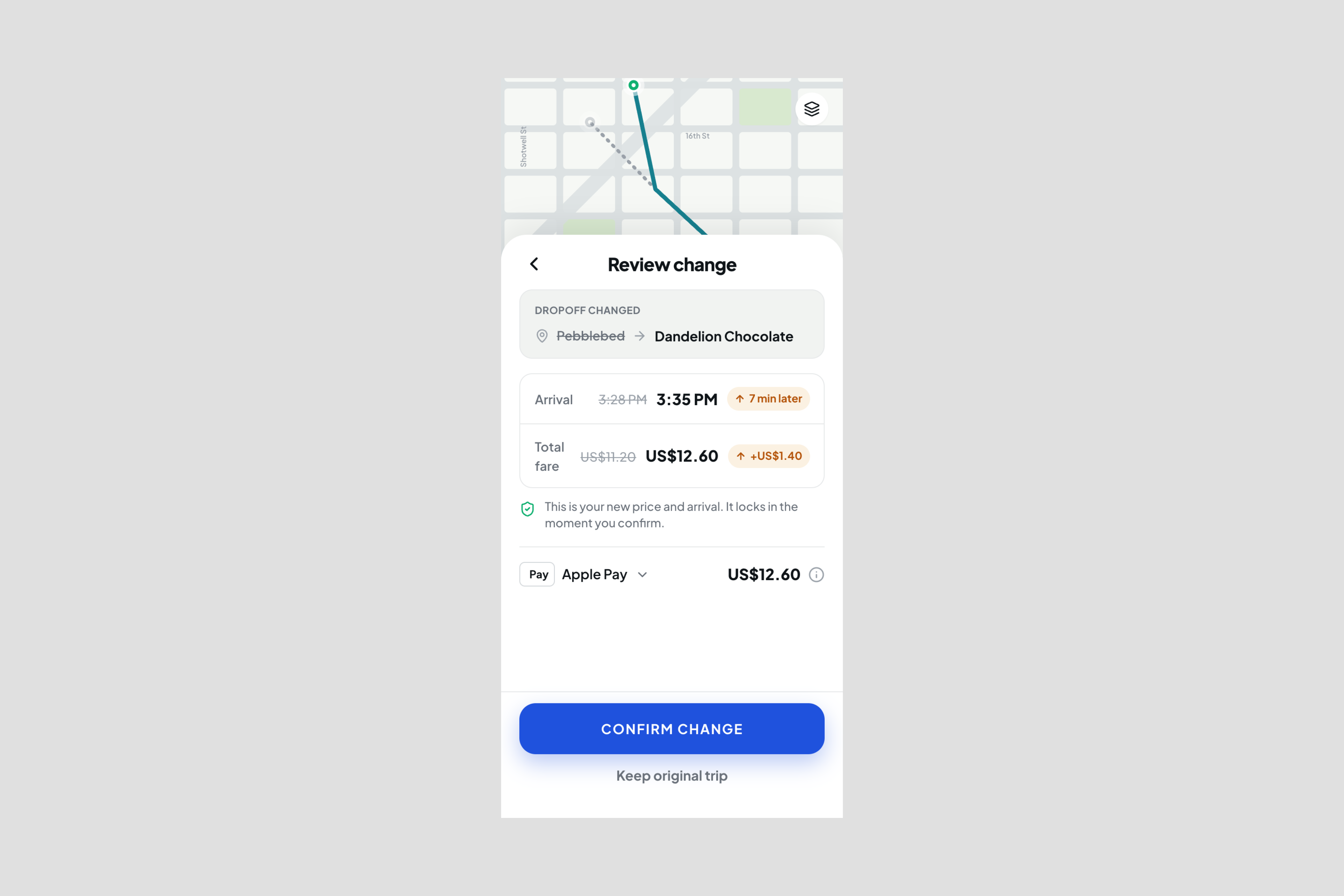
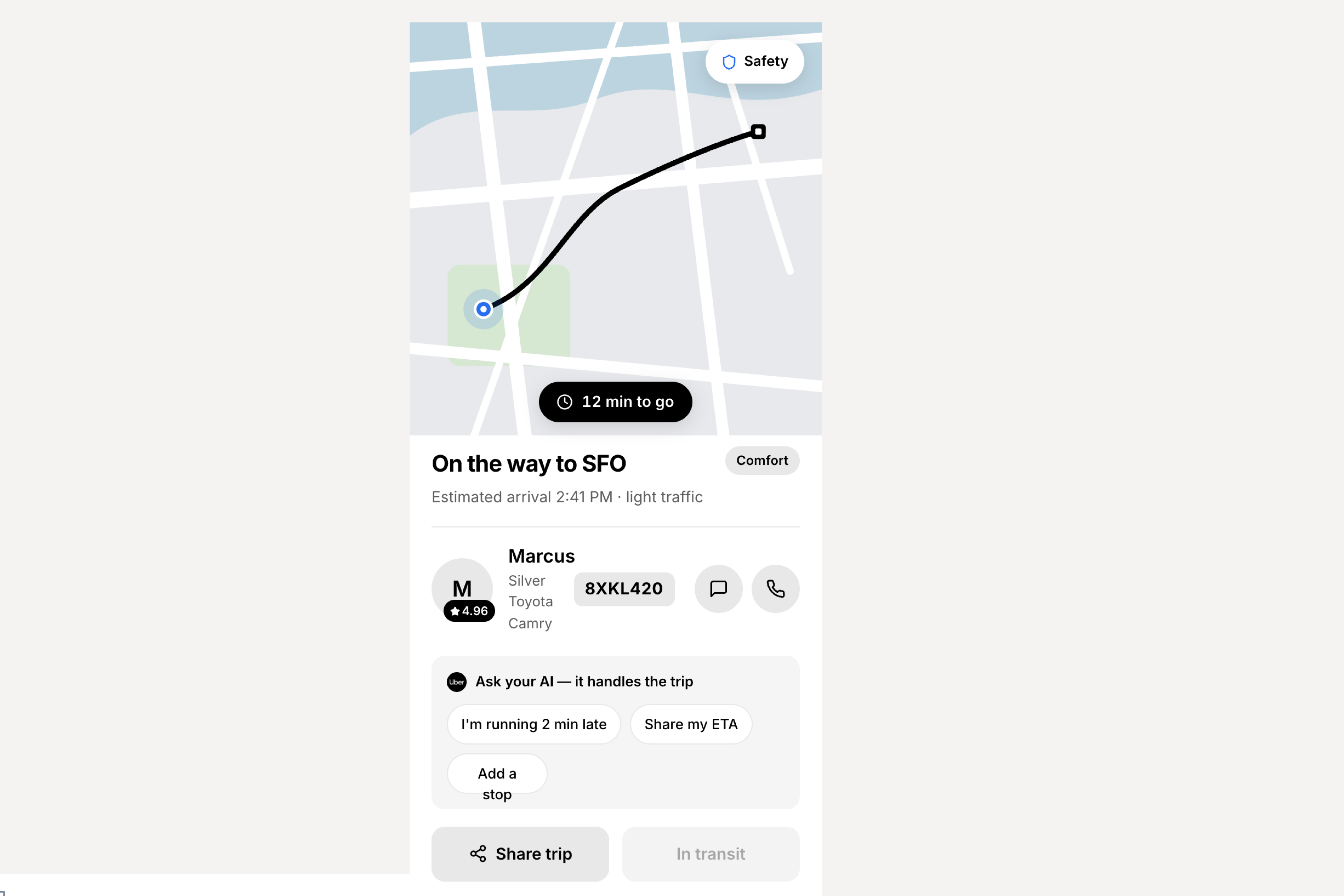
Waymo - Mid-Trip Stop Changes

Test cases
Edge cases

Task Assignment - Component States

Edge cases
User flows

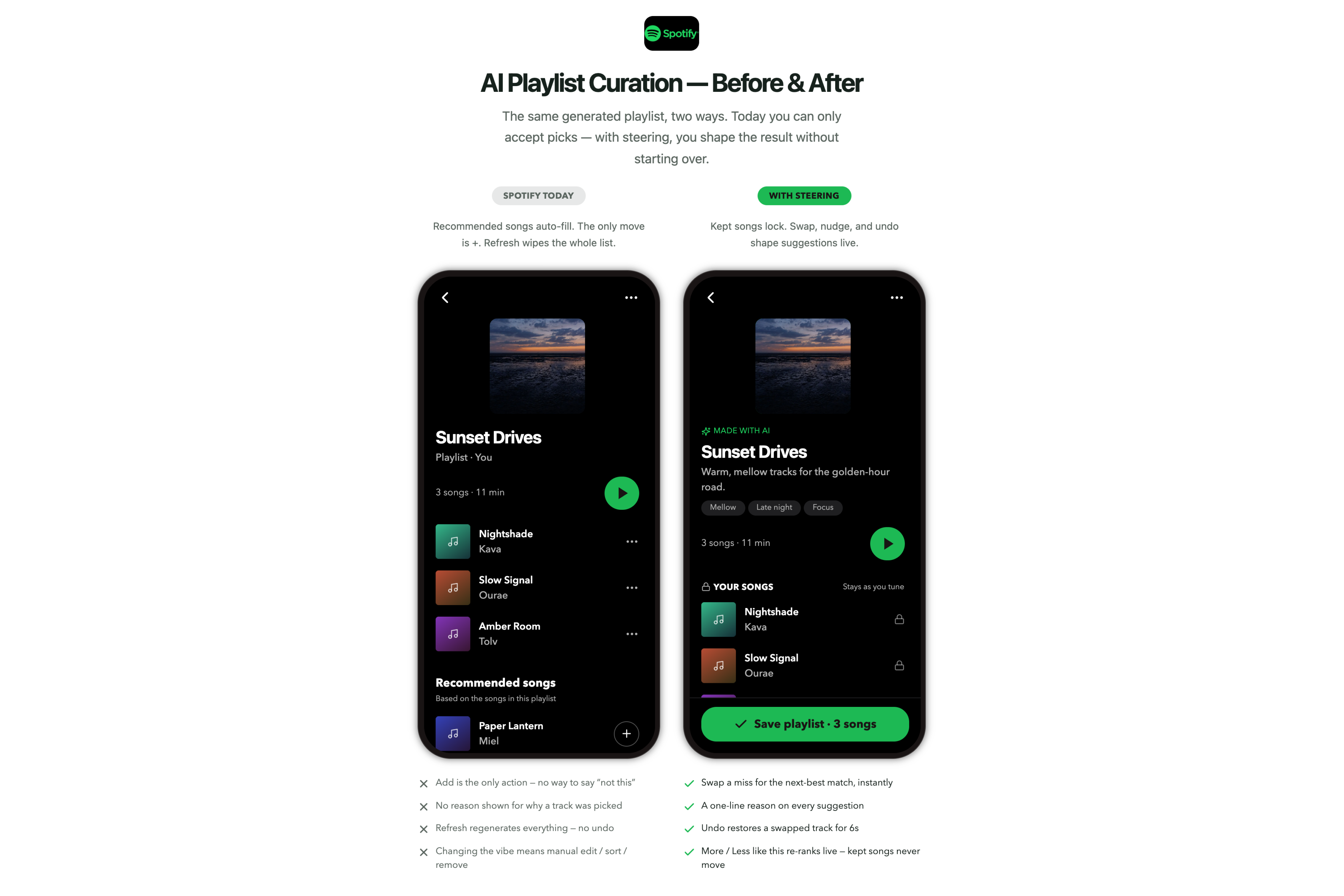
Spotify - AI Playlist Curation

Research & PRD
User flows

Skyscanner - Elder-Friendly Flight Search

UX Review

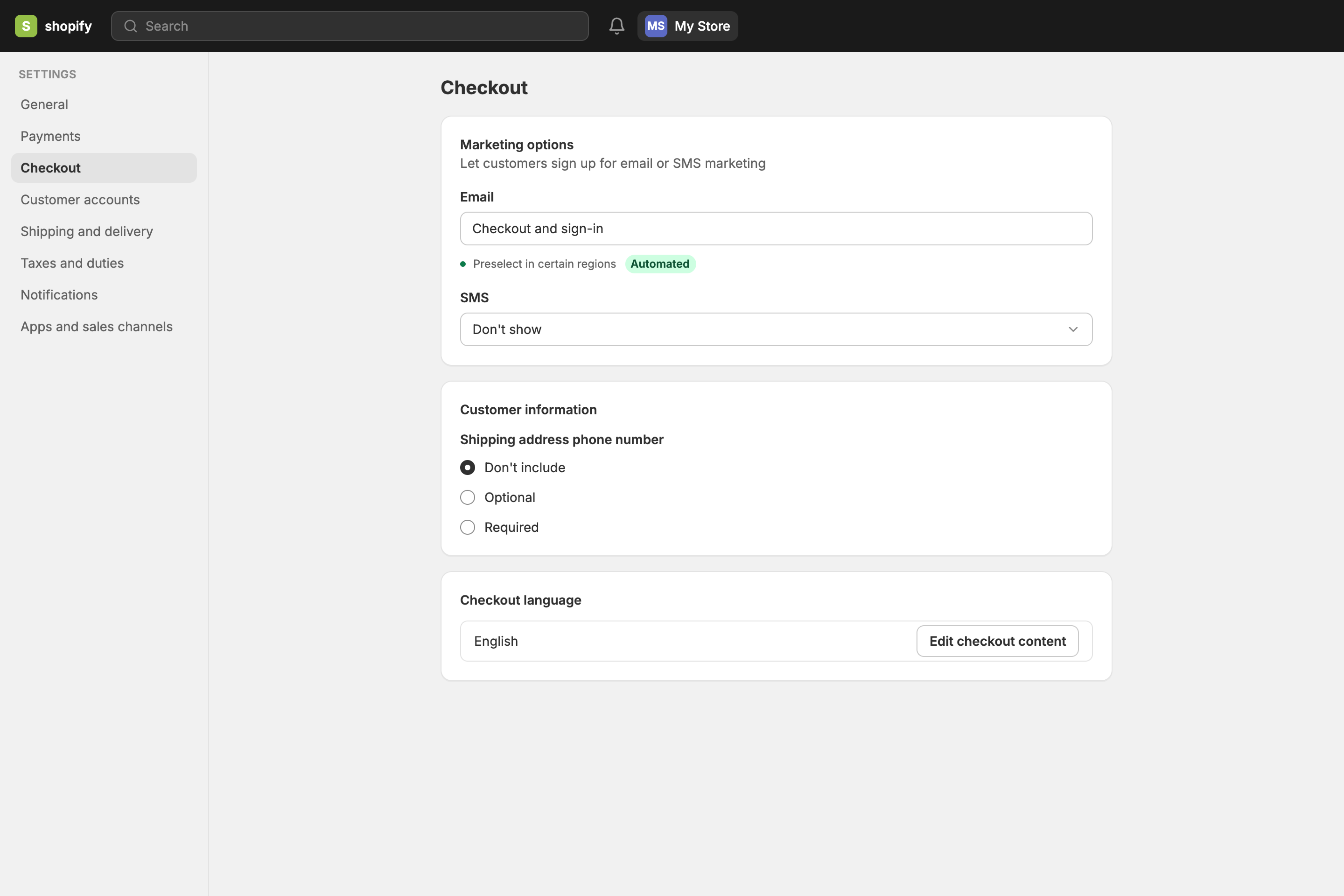
Shopify - Checkout Setup Redesign

Research & PRD
Build on existing

Perplexity - Source Freshness Tags

Build on existing
Add context to get richer, more accurate product insights
Understanding and processing
Live Product Crawl
Knowledge Bases
Web Search
Rules & Memories
WHAT MAKES FIGR DIFFERENT?

Figr works from your product context
WHAT MAKES FIGR DIFFERENT?

Figr does the work teams often rush past before design review.

Asks clarifying questions
Maps flows and states
Finds edge cases
Reviews UX decisions
Checks accessibility
Compares against UX patterns
Explains tradeoffs
Produces artifacts for handoff
Questioned & clarified
What is the major drop-off point?
How do users currently appraoch this?
+2
Searched & analysed 12 files
Company UX Guidelines
Product Onboarding Walkthrough
+10
Referenced 18 relevant UX patterns across 9 products
Reddit Icon
Mapped & flagged 24 edge cases
Applied design system
Brand Colors
Typography
UI Patterns
Button
+10
Solutions based on 12 sources
WHAT MAKES FIGR DIFFERENT?

UX decisions grounded in proven patterns. So you get it right the first time.

WHAT MAKES FIGR DIFFERENT?

Design decisions backed by product data

Researching
Your 14-day trial converts at 8.3%. Industry median for your segment: 18.7%.The gap?
Sources
Requirements Documents
Company Wiki
User Analytics
Feature Design
8 more
Your 14-day trial converts at 8.3%. 
Most drop-off happens after “workspace_created”, before “team_invited”. Enterprise accounts recover when a CSM touchpoint happens within 24 hours.

Your 14-day trial converts at 8.3%. Industry median for your segment: 18.7%.The gap? Three critical moments: Step 2: Email verification before value → 34% drop-off; Step 5: Team invite required upfront → 41% never complete & Step 7: Integration setup with no skip option → 28% abandon.
Successful patterns from similar products; Slack: Show value first, verify later → 2.4x activation lift. Linear: Progressive disclosure of features → 67% reach "aha moment".

Recommendation based on your data: Move verification to post-value. Make team invites optional until Day 3. Add "Later" to integrations. 22% of trials already skip these via URL manipulation anyway.

4 files(s) referenced
Start at any stage of the process
Add context
WHAT MAKES FIGR DIFFERENT?

Figr works from your product context
WHAT MAKES FIGR DIFFERENT?

Figr does the work teams often rush past before design review.

Checks accessibility
Asks clarifying questions
Maps flows and states
Reviews UX decisions
Produces artifacts for handoff
Compares against UX patterns
Finds edge cases
Memories & rules
Explains tradeoffs
WHAT MAKES FIGR DIFFERENT?

UX decisions grounded in proven patterns. So you get it right the first time.

Questioned & clarified
What is the major drop-off point?
How do users currently appraoch this?
+2
Searched & analysed 12 files
Company UX Guidelines
Product Onboarding Walkthrough
+10
Referenced 18 relevant UX patterns across 9 products
Reddit Icon
Mapped & flagged 24 edge cases
Applied design system
Brand Colors
Typography
UI Patterns
Button
+2
Solutions based on 12 sources
WHAT MAKES FIGR DIFFERENT?

Design decisions backed by product data

Researching
Your 14-day trial converts at 8.3%
Source
Requirements Documents
Company Wiki
User Analytics
Feature Design
8 more
Your 14-day trial converts at 8.3%. 
Most drop-off happens after “workspace_created”, before “team_invited”. Enterprise accounts recover when a CSM touchpoint happens within 24 hours.

Your 14-day trial converts at 8.3%. Industry median for your segment: 18.7%.The gap? Three critical moments: Step 2: Email verification before value → 34% drop-off; Step 5: Team invite required upfront → 41% never complete & Step 7: Integration setup with no skip option → 28% abandon.
Successful patterns from similar products; Slack: Show value first, verify later → 2.4x activation lift. Linear: Progressive disclosure of features → 67% reach "aha moment"

Recommendation based on your data: Move verification to post-value. Make team invites optional until Day 3. Add "Later" to integrations. 22% of trials already skip these via URL manipulation.

4 files(s) referenced
Start at any stage of the process
Add context

See how teams ship
winning designs on existing products

30%
Faster product development cycle
"I've tried Claude, Lovable, all of them. They generate screens fast but ignore how your product actually works. Figr thinks through UX principles first. We've arrived at design decisions we never would have reached on our own."
Debarshi Basak
CTO, Adaptive
Read story
45%
Less rework
“One of the biggest benefits is the way Figr is able to come out with multiple variations. When I think of a problem, Figr brings the perspective of having multiple possible solutions.”
Raghavan AG
ByteXL, Head of Product
Read story
40%
fewer revisions
“Working with Figr has been transformative for our product development process. Figr’s AI-driven insights have empowered us to make informed design decisions, leading to better products and happier users.”
Karthik Nethaji
Head of Product, Profit
Read story

Move from product idea to UX direction faster

Find edge cases before review
Turn goals into UX flows
Explore variants with rationale
Use analytics and product docs as context
Export work your designer can actually use
Draft PRDs and test scenarios

Get better inputs from PMs, not cleanup work

Keep output inside your design system
Spot off-system decisions early
Enforce tokens and components
Turn rough ideas into usable Figma starting points
Review states before handoff
Reduce rework from vague specs

Enterprise-grade trust.
Secure. Compliant. Ready.

Soc 2 Type II Certified

IP Protection

Single-sign on