
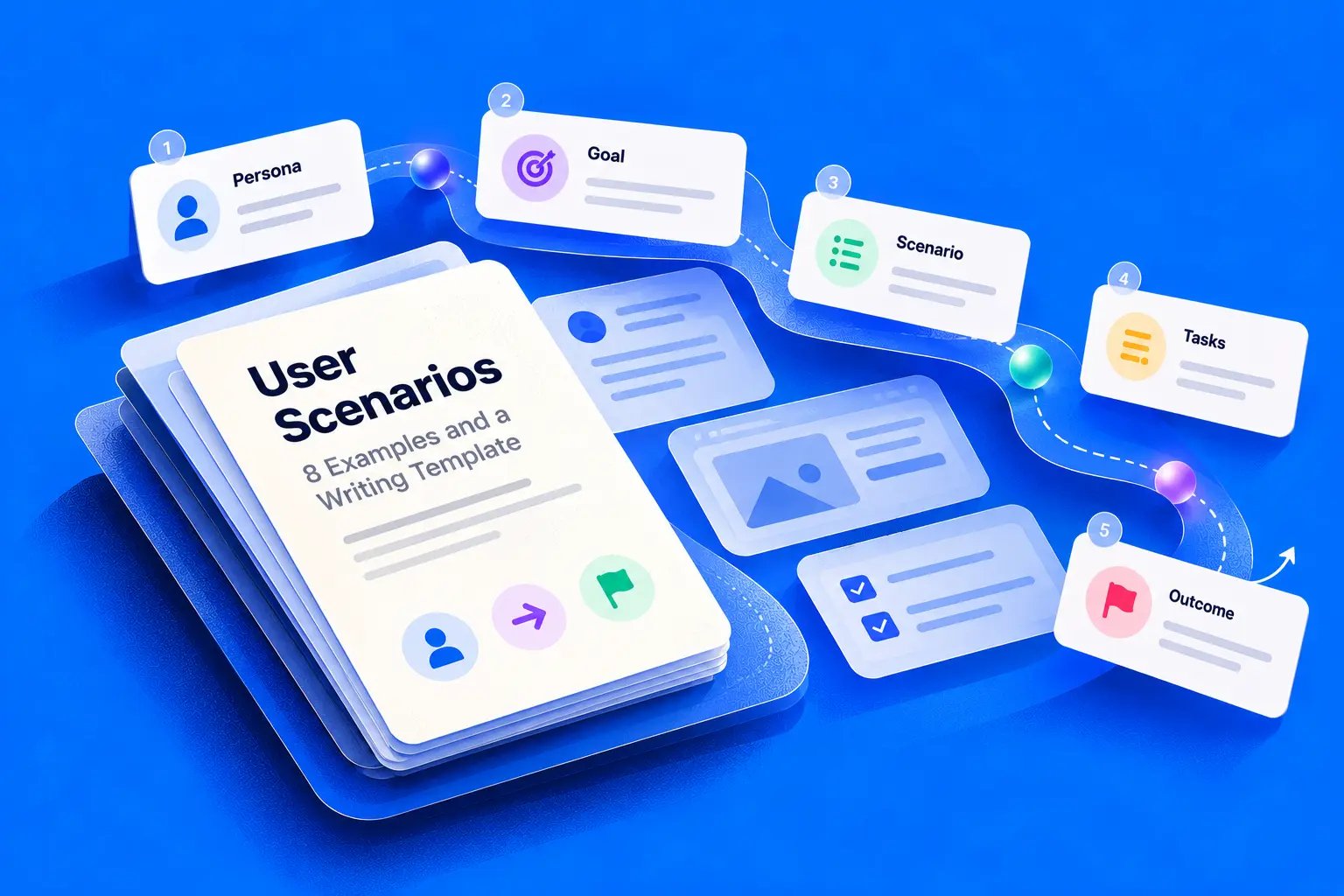
User scenarios describe how a specific actor pursues a goal in a defined context, under real constraints, toward a meaningful outcome. A finance manager selects invoices before a supplier cutoff, only to find some records restricted, some disputed, and one permission changed mid-review. The happy path never mentioned that moment.
When teams document only clean journeys, they ship flows that collapse at the first mixed state. A user retries a payment that already went through. A report looks empty when data is restricted. Product decisions get debated from opinion because nobody wrote down the actor, motivation, and proof of success. Even migration work shows this pattern, as data migration planning for church funds depends on surfacing real operating constraints early.
The eight scenarios below use the same reusable anatomy, actor, context, motivation, goal, constraints, and outcome, then turn weak descriptions into testable ones. You'll see where permissions, timing, accessibility, and recovery change the design. Use them as lenses for discovery, prototyping, and QA, not as fictional stories to file away after a workshop.
1. Invoice approval across permission boundaries
Weak version: A finance manager approves invoices. That sentence hides every decision that matters.
Strong version: Priya, a finance manager, must approve eligible invoices before the supplier cutoff today. Her queue mixes invoices she can approve, restricted records she can route, and disputed items she must leave untouched. She needs partial progress saved, clear reasons for blocked actions, and no exposure of supplier details she lacks permission to see.
Last week I watched a PM demo a bulk-approve flow that worked beautifully until someone asked what happens to the three ineligible rows. Does the whole batch fail? Can Priya approve the rest and route the exceptions? If her permission changes after selection, does the system recheck before submission or trust the earlier screen state?

What this scenario forces you to decide
- Mixed batches: Confirm whether eligible invoices can proceed while restricted ones stay queued.
- Safe explanations: Explain a blocked action without revealing data the actor cannot access.
- Preserved work: Keep selections, notes, and routing choices intact after a permission change or refresh.
The ownership question matters too. Which stakeholder owns approval limits, dispute rules, and audit needs? Clarify that early with stakeholder mapping with Figr so the scenario reflects real authority, not assumed authority. Teams exploring how to automate tutoring invoices face the same boundary between routine approval and exception handling.
Tie the outcome to a review trail. Google reports its mandatory code review process covers changes involving 6,000 engineers and more than 14,000 code authors, which shows how quality checks scale when they're built into delivery. Your scenario should likewise name who can act, what evidence remains, and how a reviewer verifies the result later.
2. Payment recovery after an uncertain timeout
A subscription customer submits payment. The spinner stalls, the connection drops, and the confirmation screen never arrives.
Did the payment succeed?
Strong version: Maya has renewed a subscription she needs for work tomorrow. After submitting payment, she loses the confirmation screen and returns to find an ambiguous status. Her goal is to learn whether she was charged before deciding whether to retry, wait, or contact support. Success means the product gives her a trustworthy status and prevents a duplicate charge.

The design mistake is treating timeout as failure. A timeout means the interface doesn't know yet. That uncertainty needs its own state, its own copy, and its own rules for what the user can safely do next.
Decisions to write into the scenario
- Source of truth: Name the system that confirms transaction status, and show how the interface checks it.
- Pending behaviour: State what Maya sees while status is unresolved, including whether retry is disabled.
- Reconciliation: Ask engineering how retries, idempotency, and reconciliation prevent duplicate charges.
Practical rule: Never invite a second payment until the first one has a known outcome.
This scenario also earns measurable testing. A Nielsen Norman Group case study of Acumbamail reported a 10% reduction in time on task, a 48% reduction in subscription errors, a 29% increase in subscription conversion, and an NPS change from 1 to 51 after quantitative testing, redesign, and validation. That is the standard here. Define completion, errors, and conversion for the subscription recovery scenario before you redesign it, then retest the same scenario against that baseline.
3. Account recovery after losing an authentication device
Weak version: An admin resets two-factor authentication. It's tidy, and it's dangerously incomplete.
Strong version: Daniel, a workspace administrator, replaces a broken phone on a workday morning and can't access his authenticator app. He needs to regain access through an approved route so his team isn't blocked. The product must verify that the request is legitimate, avoid revealing whether an account exists to the wrong person, and show Daniel what happens next if self-service recovery isn't available.
Where does self-service end and organisation-assisted recovery begin? That boundary is a security decision before it's a screen decision. If your scenario doesn't name it, design will invent it, support will improvise it, and attackers may probe it.
Inventory what actually exists
- Available methods: List recovery codes, backup devices, administrator reset, or support verification only if your product offers them.
- Disclosure risk: Review messages so they confirm the next step without leaking account details.
- Waiting state: Describe what Daniel sees while approval is pending, and how he'll know when to try again.
designing for when things go wrong becomes concrete. Recovery copy must balance reassurance with restraint. Say too little and the legitimate admin is stranded. Say too much and you've created an account-enumeration risk.
The basic gist is this: write the scenario with security, support, and product in the same review. Confirm which recovery routes exist, who can approve each one, and what evidence closes the request. Can Daniel prove success by signing in, or does someone else need to confirm the reset? Your outcome statement should answer that plainly, so QA can test the approved path and the rejected path without guessing.
4. Customer-data import with ambiguous fields and duplicates
A customer-success manager uploads a spreadsheet. Dates mix two conventions. Several rows look like existing customers, but names and emails don't match cleanly.
Strong version: Sofia must import customer records into an existing CRM before a handover meeting. She needs to see how fields will map, resolve ambiguous values, and choose what happens to duplicates before anything is committed. Success means she can predict the result, fix problem rows, and receive a report she can act on afterward.
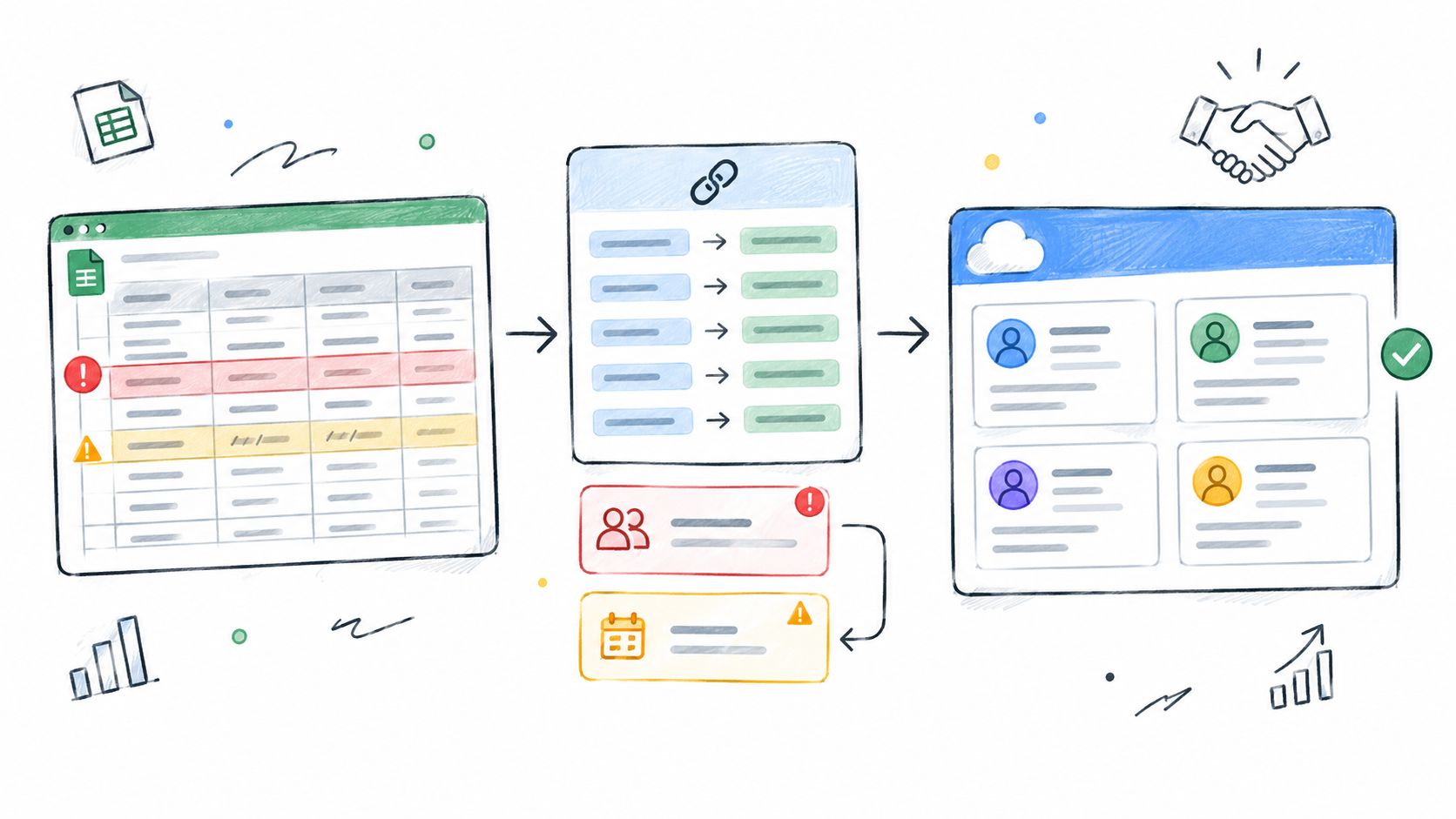
Does duplicate mean skip, update, or create a second record? Teams often use one word for three different behaviours. Your scenario should force the choice into the open while Sofia still has a chance to stop the import.
Make the preview do real work
- Representative values: Show sample data beside each inferred mapping so Sofia can spot a wrong guess.
- Duplicate policy: State the consequence for matching records in plain language before commit.
- Stable references: Keep row numbers consistent between preview, errors, and the final report.
Use this moment to find missing software states before release, especially partial success, cancelled imports, and rows that need manual review. Those states aren't decoration. They're where trust is won or lost.
Ground the scenario in observed behaviour where you can. The UK Government Service Manual advises validating user needs through evidence such as analytics, search logs, call-centre data, prior research, interviews, and observation rather than assumptions. Pull real import failures from support and logs. Then write Sofia's obstacles from those records, not from a brainstorm that imagines clean spreadsheets.
5. Reporting across time zones and access boundaries
Two people open the same weekly report and see different numbers. Neither person is wrong. The dashboard used local time for one viewer, and regional permissions removed records for the other.
Strong version: An operations lead prepares a shared weekly report for regional managers. She needs every recipient to understand which period the report covers and which data scope it represents. Success means an exported report carries its time-zone and access context with it, so readers don't compare figures that were never equivalent.
Why does this matter at scale? Because reporting drives staffing, budgets, and performance conversations. When the numbers travel without their context, teams argue about each other's competence instead of the underlying work. The scenario exposes an organisational trust problem disguised as a date-picker detail.
Context that must travel with the report
- Explicit boundaries: Define start and end rules for the reporting interval, including the reference time zone.
- Export retention: Check whether downloads and scheduled sends preserve time-zone and scope labels.
- Empty versus restricted: Distinguish no matching records from unavailable data where policy permits that disclosure.
Map who defines reporting periods and who can see which regions, and see how Figr helps product teams clarify those decision owners before screens harden around the wrong assumptions.
Context research explains why this depth matters. A study of digital-library use ran 14 contextual-inquiry sessions with four graduate voice students and found recurring activity types described as collect and select and study in detail. The lesson transfers directly. People don't just view reports, they gather, compare, and act on them inside real work. Write the scenario around that work, then let analytics estimate how often each pattern occurs.
6. Accessible appointment rescheduling before a deadline
Weak version: A patient reschedules an appointment online. It assumes a mouse, stable availability, and unlimited time to browse.
Strong version: A patient using keyboard navigation needs to move an appointment before a cancellation deadline. Slots change while she's reviewing options. She needs to reach every control in a logical order, hear about availability changes without losing her place, and avoid cancelling the original appointment before the new one is confirmed.
What happens if the selected slot disappears at the final step? Does focus jump to the top of the page? Is the original appointment still safe? Those answers belong in the scenario, because they determine whether the flow is usable under pressure.
Constraints you can test
- Keyboard completion: Test the entire task without a pointer, including date selection and confirmation.
- Focus behaviour: Define where focus goes when availability updates or an option is removed.
- Protected outcome: Keep the existing appointment intact until the replacement is confirmed.
Accessibility requirements give this scenario hard edges. WCAG 2.2 requires a minimum contrast ratio of 4.5:1 for text, pointer targets of at least 44 by 44 CSS pixels in covered cases, and no more than three flashes per second unless below defined thresholds. Turn each requirement into acceptance criteria for design review and QA.
The blind spot starts earlier, though. Can the patient decide before entering the flow? A 2025 accessibility review found 23% of disabled respondents said vehicle information was unavailable or inaccessible, 21% reported insufficient accessibility information when planning journeys, and 26% wanted details such as slope steepness, surface type, and number of steps. The product lesson is broader than transport. Include pre-task information, data confidence, and fallback paths in the scenario itself.
7. Subscription downgrade with shared workspace dependencies
A workspace owner wants to spend less before renewal. The lower plan looks simple on a pricing page. Inside the workspace, storage and feature use already exceed that plan's limits, and teammates depend on both.
Strong version: The owner needs to understand what will change, what will block the downgrade, and what her team will lose access to, before she confirms. She's motivated by cost, constrained by shared work in progress, and successful only if the transition is informed, timed clearly, and reversible where policy allows.
Is exceeding a limit a blocker, a warning, or a cleanup task? Pricing copy rarely answers that. The scenario must, because each answer leads to a different flow, different support burden, and different risk to customer data.
Separate consequences by type
- Blocking conditions: Name what must be resolved before the downgrade can proceed.
- Informational consequences: Describe features that become unavailable without stopping the change.
- Effective timing: State whether the change applies immediately or at renewal.
- Retention behaviour: Verify what happens to content above the new limit. Don't assume deletion.
A downgrade is a transition plan for a working team, with a price attached.
Measure the redesign against a baseline. Nielsen Norman Group reviewed 99 UX case studies and found average improvement fell from 247% in 2006 to 2008 to 75% in later editions, a 69% reduction. Gains are harder to earn now. Define task success, error rate, and time on task for the downgrade scenario, test before release, and retest after. Visual preference won't tell you whether owners understood the consequences.
8. Offline field updates with synchronization conflicts
A maintenance technician records inspection results in a plant room with unreliable connectivity. At the same time, a coordinator edits the same job from the office. When the technician reconnects, two versions of the truth arrive together.
Strong version: The technician needs to keep working offline, know which updates are only stored locally, and resolve conflicts without losing inspection evidence. The coordinator needs to see what's synchronised and what's still pending. Success means each person's work is visible, attributable, and merged by rules the team agreed before anyone designed a resolve button.
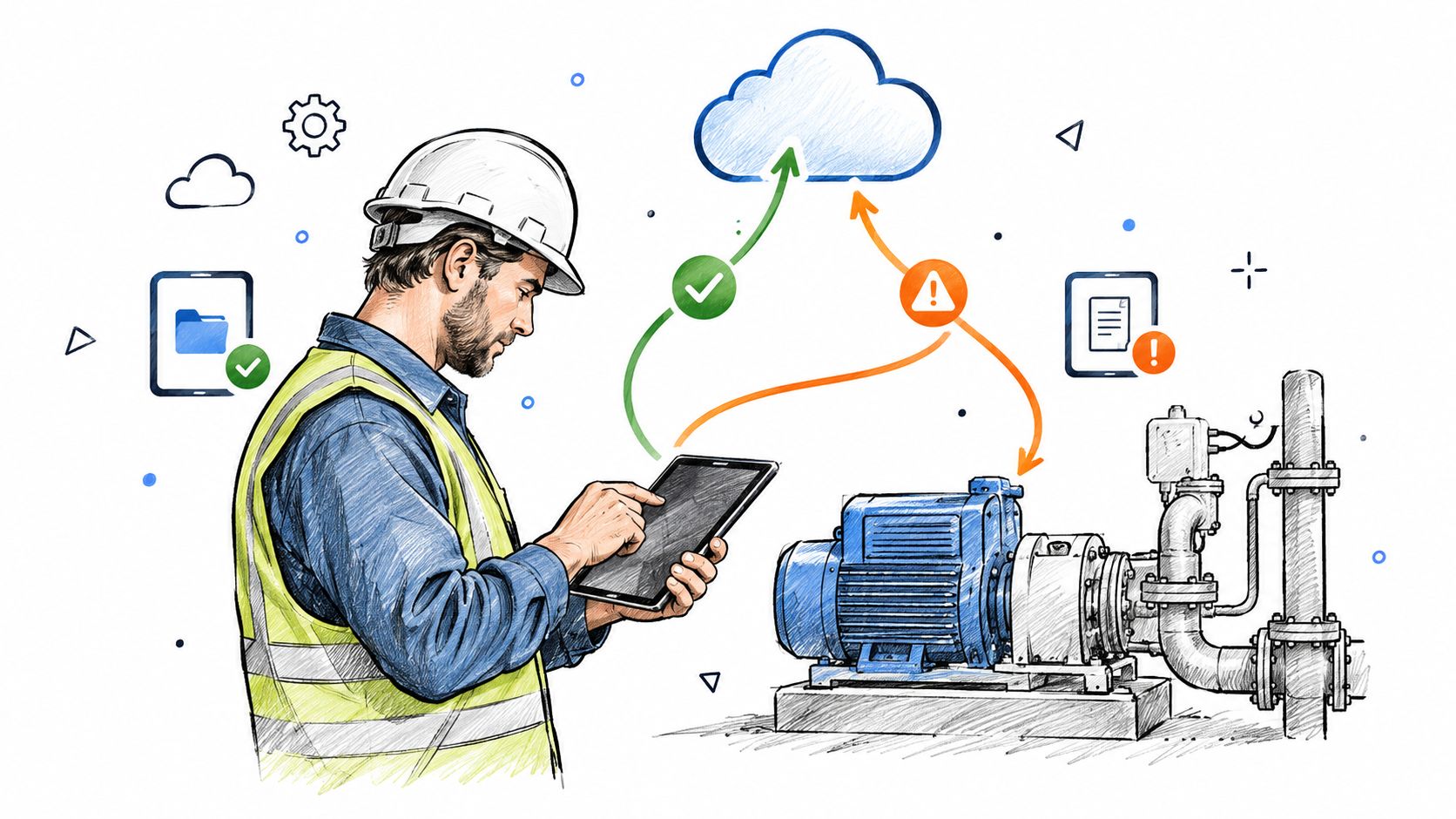
Which edit wins, and who decided that? If the answer is whichever syncs last, you've accepted silent data loss as a product rule. Write the rule down. Test it. Show it to the people whose work it can erase.
Name every state separately
- Local: Saved on the device, not yet queued or sent.
- Queued: Ready to synchronise when connectivity returns.
- Synchronised: Confirmed by the server and visible to others.
- Conflicted: Overlapping changes need a rule or a human decision.
Review retry behaviour so repeated attempts don't duplicate inspections, a failure pattern also visible in doornoc canvassing data sync fixes. Then examine why edge cases cost more after launch before treating offline conflict as a later refinement. Field teams can't redo inspections because a sync state was vague.
Scenario Comparison Matrix
Use this matrix to choose a scenario that matches the product decision your team is debating. The engineering question in each row helps expose dependencies before they become design assumptions.
| Scenario | Implementation Complexity | First Question to Ask Engineering | Evidence to Collect Before Writing | Expected Outcome | Key Advantage |
|---|---|---|---|---|---|
| Invoice approval across permission boundaries | High: mixed permissions and partial processing | Can approval run on eligible invoices while restricted items remain unchanged? | Role rules, invoice states, and batch-processing behavior | Eligible invoices proceed; exceptions have explicit next steps | Preserves progress while clarifying exceptions |
| Payment recovery after an uncertain timeout | High: depends on payment and retry behavior | How can the product confirm whether a timed-out payment was accepted? | Payment-status source of truth, idempotency behavior, and reconciliation paths | The customer sees an accurate status and a safe next action | Separates communication failures from failed transactions |
| Account recovery after losing an authentication device | High: recovery paths require security review | Which recovery methods are allowed, and who can authorize them? | Recovery policies, identity checks, and support or organizational procedures | Legitimate access is restored securely, or required next steps are clear | Reveals recovery dead ends and policy dependencies |
| Customer-data import with ambiguous fields and duplicates | Medium–High: validation and duplicate handling are complex | Which fields can be mapped automatically, and when must a person decide? | Field formats, duplicate rules, and row-level validation behavior | Users can distinguish imported, excluded, and ambiguous records | Surfaces data issues before they create cleanup work |
| Reporting across time zones and access boundaries | High: requires consistent time and permission rules | Which time zone and access scope govern the report and its export? | Time-zone defaults, permission rules, and export metadata | Recipients understand the report period, scope, and freshness | Makes report context explicit and portable |
| Accessible appointment rescheduling before a deadline | Medium–High: dynamic availability and accessible interaction | Can availability update without disrupting keyboard or screen-reader use? | Assistive-technology behavior, booking rules, and availability refresh timing | A replacement is confirmed without losing the original booking prematurely | Connects accessibility with reliable task completion |
| Subscription downgrade with shared workspace dependencies | Medium–High: plan rules and team impacts must be clear | Which shared resources or permissions change when the plan takes effect? | Plan limits, billing timing, retention rules, and workspace access policies | The owner understands blockers and consequences before changing plans | Exposes product and team dependencies before commitment |
| Offline field updates with synchronization conflicts | High: constrained by synchronization architecture | How are concurrent edits resolved, and can the rule be changed by record type? | Local storage behavior, conflict rules, retry handling, and audit requirements | Teams can identify unresolved edits and understand how changes are applied | Makes synchronization decisions testable rather than implicit |
Turn Scenarios Into Better Product Decisions
Start with the distinctions, because the wrong artefact produces the wrong conversation. A persona summarises a user type. A user story frames a need for delivery discussion. A use case specifies system interactions and rules. Scenario mapping organises many scenarios across a journey. A user scenario sits closer to the moment of use, which is why it pairs naturally with user experience flows that show paths and decision points when you explore solutions.
This is what I mean by a lens. The same scenario can guide an interview probe, a prototype state, and a QA case. It stays useful because the actor, context, and outcome remain stable while the design changes around them. When evidence changes, revise the scenario and let the dependent artefacts follow.
A workflow you can run this week
- Pull analytics, support tickets, search logs, and interview notes.
- Mark every assumption you can't yet support.
- Name the actor, context, motivation, goal, constraints, and outcome.
- Add permissions, state changes, and failure recovery.
- Replace generic users with specific actors in specific moments.
- Replace vague success with an observable result.
- Check security, data, accessibility, and policy constraints.
- Record decisions beside the scenario, not in a separate thread.
- Turn the scenario into usability tasks and QA cases.
- Retest after redesign against the original outcome.
Sample size depends on your question. Guidance cited for measurement studies recommends approximately 20 to 30 participants per user group for quantitative comparisons and 5 to 10 per group for qualitative problem finding. Discovery and estimation are different jobs. Choose deliberately.
AI can draft scenarios quickly, but speed creates a provenance problem. A 2025 survey of 800 product professionals found 58% used AI for user research, up 32% from the prior year, while 63% cited time and bandwidth as their leading challenge. Under that pressure, plausible scenarios can pass unchallenged. Require each AI-assisted scenario to carry its source evidence, assumptions, confidence, affected segment, and validation plan. Who approved it, and what would prove it wrong?
In short, treat every scenario as a claim you can inspect. Before handoff, check the actor, context, motivation, goal, constraints, outcome, state changes, permissions, accessibility needs, and test coverage. Replace one happy path in your current project with a constrained scenario this week. You'll find a design question your team hasn't answered yet.
Bring one constrained scenario, your live screens, and your design system into Figr to explore the flow, permission-dependent states, and edge cases as reviewable, Figma-ready output. Keep your team in charge of the evidence and the final call, and use the exploration to sharpen the scenario before handoff.