
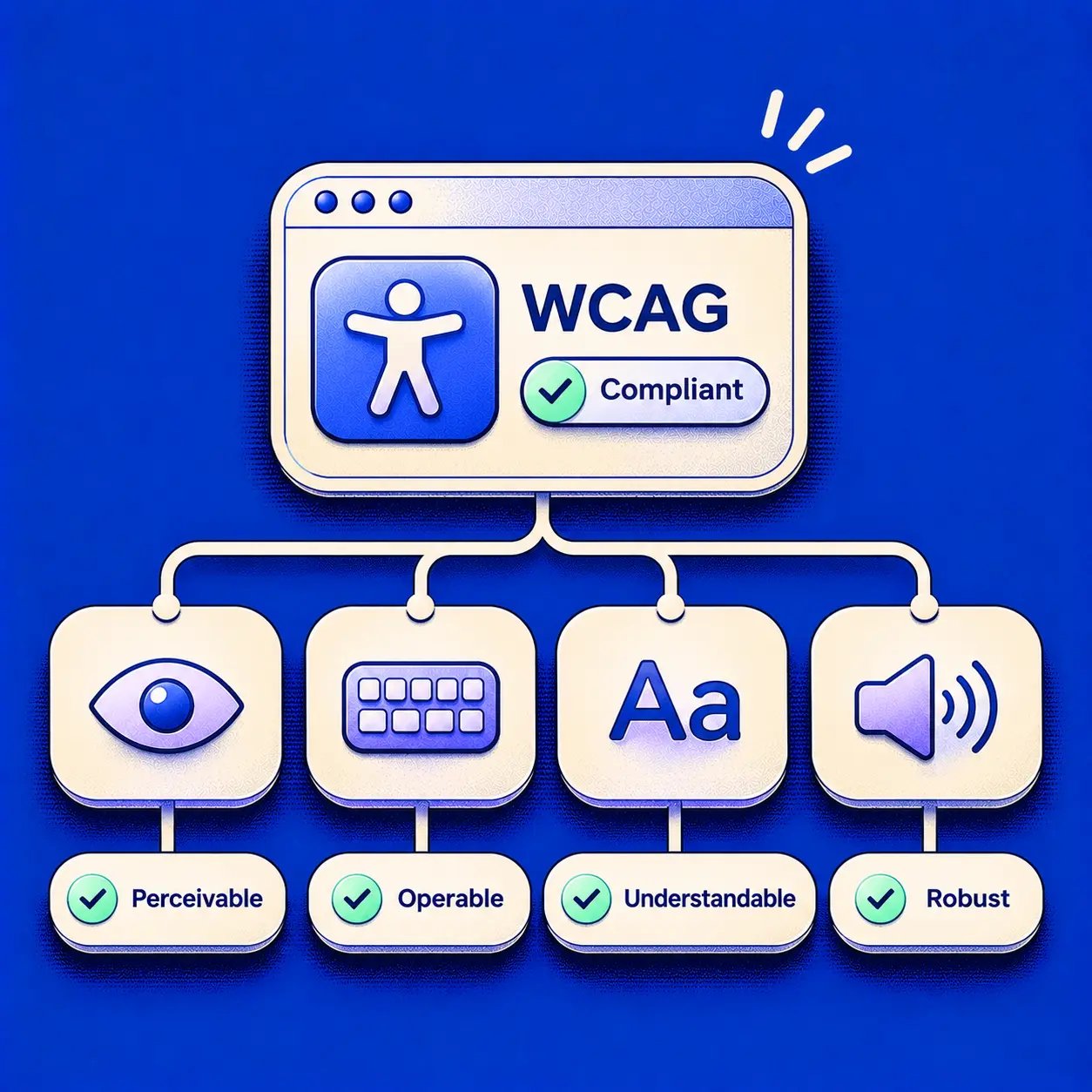
WCAG compliance means a product or page meets every applicable testable success criterion of the Web Content Accessibility Guidelines at a named version and level, such as WCAG 2.2 Level AA. A vendor says those three words on a sales call, everyone nods, and nobody asks what the team just agreed to build, test, and defend.
Skip that question and the gap shows up later, in procurement, in QA, or in a customer escalation. A checkout passes a scanner yet traps keyboard users. A login works with a mouse yet a screen reader announces its main button as a vague group. Does your accessibility statement prove people can finish those tasks? On its own, no.
Name the version, the level, and the scope, and the phrase becomes workable. You can write it into specs, map it to journeys, collect evidence criterion by criterion, and tell a buyer exactly what passed. That precision is the difference between a slogan and a claim.
What WCAG Compliance Actually Means
A PM sits through a vendor demo where WCAG compliant fills a slide in large type. She asks the only question that matters. Which version, which level, and which screens? The room goes quiet.
That silence has a name: the unnamed claim. It works like a car ad promising "fully inspected" with no standard, no checklist, and no list of parts covered. It sounds finished while omitting exactly what a buyer would need to verify.
The W3C conformance guidance defines what the slide borrowed: conformance means satisfying the guidelines' testable success criteria so web content is more usable by people with disabilities, and the same guidance records that W3C published WCAG 2.0 as a formal Recommendation on 11 December 2008. Every later version a contract may name builds on that model.
Four principles, concrete failures
WCAG 2 organizes the work around four principles: content must be perceivable, operable, understandable, and reliable. Take a settings page a product team just shipped and test each principle against a real defect.
- Perceivable: A status image has no text alternative, so a screen reader user hears a filename instead of the status.
- Operable: A dropdown opens on hover but can't be opened from the keyboard, so keyboard users never reach its options.
- Understandable: A form error says only "Invalid input," so the user can't tell which field failed or how to fix it.
- Technical: A custom toggle is announced as a plain group, so assistive technology can't identify its name, role, or state.
Would you call that page accessible because the colors look fine?
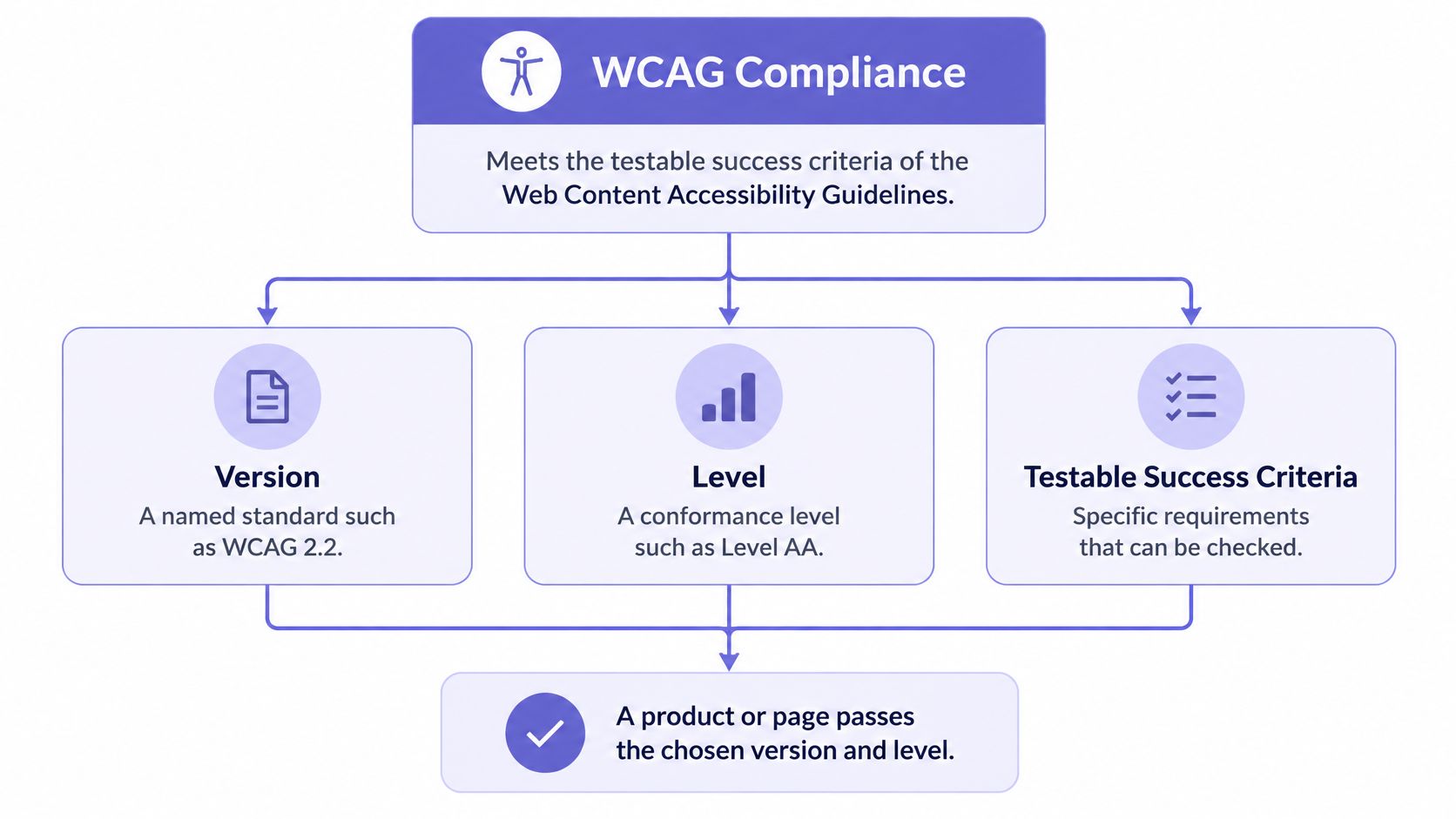
Each success criterion reads like an acceptance test: a condition you can check, pass, or fail. Conformance also applies per page, which makes scope part of the claim itself. Your team decides whether "the product" means one screen, a checkout flow, or everything, and that decision defines what the promise covers.
If one applicable criterion fails on a page in scope, can the page still support the claim? No, because conformance requires all applicable content and functionality on that page to conform.
Practical rule: Treat every criterion in scope as a gate. One failing gate can invalidate the claim for that page.
Tables show why this precision matters, since headers, sorting, and keyboard paths all affect whether data can be perceived and operated. Teams designing data-heavy SaaS screens should review accessible table layouts with Figr while they define those criteria.
An accessibility statement doesn't establish conformance by itself. A clean automated scan doesn't either. Only the criteria decide, page by page, whether the claim holds.
Conformance Levels A, AA and AAA Compared
Level: Level A
Criteria that must pass: Every Level A criterion, or a conforming alternate version
Typical use: Minimum baseline for basic access by disabled users
Level: Level AA
Criteria that must pass: All Level A and Level AA criteria
Typical use: Common procurement and public-sector target, such as WCAG 2.1 AA in the US Title II rule
Level: Level AAA
Criteria that must pass: All criteria at Levels A, AA and AAA
Typical use: Rarely a universal target because some criteria cannot apply to all content
The levels stack. Level A is the floor, Level AA includes A and adds more, and Level AAA includes everything below it. You don't pick criteria from each level until the mix feels balanced. Does that cumulative logic change how you'd estimate remediation? It should, because an AA project inherits every unresolved A defect.
What each level feels like in a product
Level A catches defects that block basic use. An image carries information but has no text alternative. A form field has a placeholder yet no persistent label. A keyboard user reaches a component and can't move away without a special method nobody disclosed.
Level AA moves into everyday usability across a wider range of disabilities. Normal text needs a contrast ratio of 4.5 to 1. Text should resize to 200 percent without losing content or function. Navigation and identification stay consistent across pages, so a help control doesn't migrate or change its name between billing and settings.
Level AAA raises the bar further. It calls for enhanced contrast of 7 to 1, sign language for prerecorded audio content, and extended audio description where pauses in dialogue aren't enough to describe important visual action. Could most SaaS teams meet that for every help video, chart, and legacy page? Usually not, and WCAG doesn't expect AAA as a universal policy for all content.
Buyers rarely ask for the highest possible bar. They ask for a defensible bar that a team can test, maintain, and evidence across releases.
That's why Level AA is the working target in most procurement and public-sector contexts. It goes well beyond minimum access while staying achievable across a complete product. Teams can still adopt selected AAA criteria where they help specific users, but they shouldn't promise sitewide AAA without proving every criterion.
Write the target as notation, with scope attached. WCAG 2.2 Level AA for sign-up, sign-in, billing, and account recovery tells engineering, design, QA, and a buyer what's included. What is WCAG compliance without that scope? Mostly a label waiting to be challenged.
Which WCAG Version Your Team Should Name
A procurement questionnaire asks for “WCAG compliance,” the sales lead writes “AA,” and engineering finds a ticket that says “WCAG 2.1.” Which claim is the one? A WCAG version works like an API version: the number tells you which behaviors are inside the contract, and a missing number leaves the team arguing over interpretations later.
The W3C WCAG 2.2 guidelines record that the first WCAG version was issued as a W3C Recommendation in May 1999, WCAG 2.0 followed on 11 December 2008, WCAG 2.1 arrived on 5 June 2018, and WCAG 2.2 was published on 5 October 2023. Each version refined the technical basis while keeping the same three-level structure.
WCAG 2.1 added criteria for mobile accessibility and for users with cognitive or learning-related disabilities. That matters for SaaS teams because touch targets, orientation, gestures, and input purpose affect phones as much as desktops. If your spec still stops at 2.0, what mobile barriers have you excluded without notice?
WCAG 2.2 added nine success criteria to 2.1. The named additions include Focus Not Obscured, Focus Appearance, Dragging Movements, Target Size, Consistent Help, Redundant Entry, and Accessible Authentication. Those names point to interaction mechanics, not abstract intentions.
Two mechanics worth visualizing
- Target Size: Interactive controls need a minimum size or spacing so people with limited dexterity can activate them reliably.
- Dragging Movements: Functionality available through dragging needs a single-pointer alternative unless dragging is essential to the function.
Accessible Authentication addresses login steps that depend on remembering, transcribing, or solving tasks, subject to defined exceptions. Product teams should test authentication, focus behavior, and form completion rather than treating contrast and image alternatives as the whole program. Shared components make this repeatable, which is why component accessibility testing with Figr belongs in the design system conversation early.
W3C states that conformance to WCAG 2.2 at a particular level also requires conformance to WCAG 2.0 and WCAG 2.1 at that same level or higher. Building to 2.2 AA therefore doesn't erase the need to know which version a customer contract names. A contract may name WCAG 2.1 AA while the roadmap builds to WCAG 2.2 AA, and both statements can be true if the spec keeps them separate.
How to Test Each Criterion With Evidence
Method: Automated scanning
What it catches reliably: Missing names, invalid structure, some contrast failures
What it cannot establish alone: Keyboard operability, focus order, meaningful alternative text
Method: Manual expert review
What it catches reliably: Focus order, keyboard paths, timing, error recovery
What it cannot establish alone: Real user comprehension and task success
Method: Assistive technology testing
What it catches reliably: Screen reader names, roles, states and announcements
What it cannot establish alone: Whether people with disabilities finish the task
Method: Usability testing with disabled users
What it catches reliably: Whether intended tasks can be completed
What it cannot establish alone: Criterion-by-criterion coverage on its own
No single method listed above establishes conformance. The W3C guidance on techniques says automated tools can evaluate only some success criteria, while others require human judgment, and its techniques are informative examples rather than the normative basis of compliance. The decisive question is whether the criterion is satisfied, not whether your team used a favored scanner or coding pattern.
Use each layer for the work it can prove. Run an automated engine such as axe or WAVE to catch repeatable defects in structure, names, and some contrast failures. Then do a keyboard-only walkthrough, checking visible focus, logical order, traps, shortcuts, timing, and recovery after errors. Can a scanner tell you whether the third step of that path still makes sense? It can't judge the experience of moving through it.
Screen reader testing adds another kind of evidence. Use NVDA and VoiceOver to check names, roles, states, values, status announcements, and whether custom controls communicate what changed. For image quality within that process, Silva Marketing's alt text checklist for service businesses offers a practical way to review whether alternatives convey purpose instead of repeating filenames or decorative detail.
Usability testing with disabled people answers a different question. It shows whether someone can complete the intended task, recover from a mistake, and understand the result. W3C recommends including people with disabilities because technical conformance alone doesn't prove successful task completion.
Build an evidence sheet
Map each criterion to automated results, browser and assistive-technology test cases, keyboard transcripts, screenshots or recordings, and remediation verification. Test every applicable page in the journey, including empty, loading, error, success, modal, and toast states. Teams working across native and web surfaces can also improve your mobile accessibility testing workflow so gestures, focus, and announcements don't fall between platforms.
A buyer shouldn't have to trust a score. Hand over the criterion, the method, the result, and the verified fix.
Common Pitfalls That Make Compliance Claims Fail
The scale of detectable failure stays hard to ignore. WebAIM-related reporting summarized in a Quashbugs accessibility statistics review found detectable WCAG failures on 95.9% of the top one million home pages, averaging 56.1 detected errors per page in February 2026. Those figures describe home pages and detectable errors, not the full usability of every journey behind them.
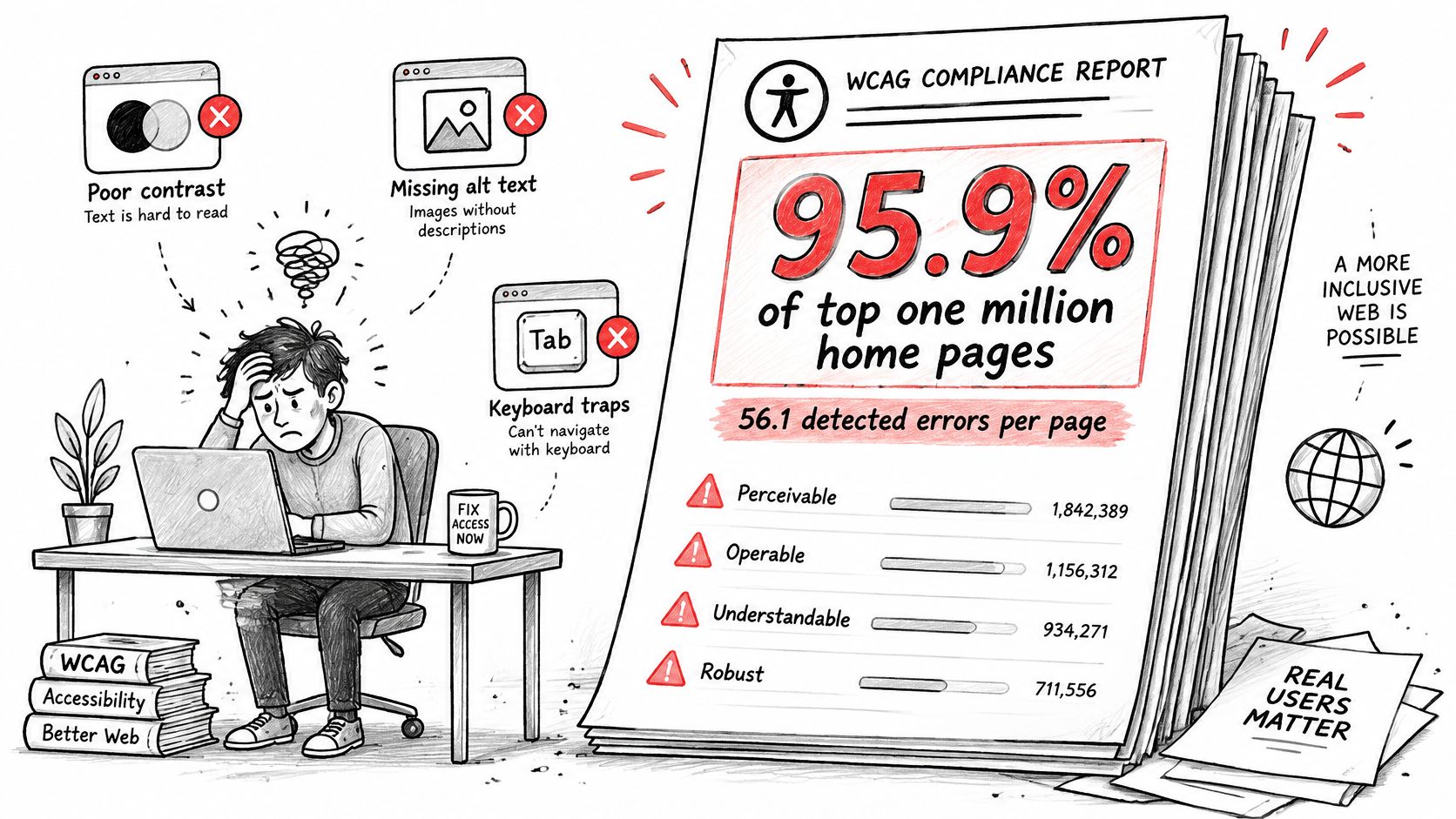
Most failed claims follow familiar habits:
- Scanner-score reliance: The team celebrates a number while keyboard paths, focus order, and error recovery remain untested.
- Homepage sampling: Marketing pages get audited while sign-in, checkout, billing, and account recovery sit outside the sample.
- Default-state testing: QA checks the resting screen but skips errors, loading, empty results, modals, and confirmations.
- Violation counting: Teams sort by totals instead of asking which defect blocks a critical task first.
Could a page with two findings be worse than a page with forty? Yes, if one of those two findings traps a keyboard user at payment while the forty findings describe lower-impact issues on a secondary page. Raw counts don't measure user impact.
The widget trap deserves equal skepticism. The same statistics review reports that one 2025 analysis found 24.9% of identified suits involved sites with an accessibility widget, up from 22.65% in 2024. An overlay may change presentation, but it doesn't repair labels, keyboard behavior, or a broken authentication flow.
Pull back and the incentive becomes clear. One-time audits reward cleanup before a deadline, while product teams ship new states and components every week. Continuous checks fit that economic reality better.
Rank defects by impact on business-critical journeys, fix shared causes, and retest after release. Design teams can find brand-safe alternatives to inaccessible designs before those patterns harden into components.
Where Legal Duties Diverge From the Standard
A passed audit and a met legal duty are two different claims. WCAG defines what a conforming interface looks like. Statutes, courts, and contracts decide which version applies to your organization, which pages and apps fall inside the scope, and which deadlines and exceptions come attached. Passing WCAG 2.2 AA on your marketing site works like passing a driving test in one state and assuming the license transfers everywhere: the score is real, but the coverage question stays open. Does a WCAG 2.2 AA pass end legal risk everywhere you sell? No.
For private businesses covered by U.S. ADA Title III, courts frequently use WCAG as a benchmark, though no single federal technical standard formally defines compliance for them. Product leaders end up reading case outcomes, settlement expectations, and customer contracts alongside the success criteria. A December 2025 review in an Accessibility.com litigation summary found that 69% of reported complaints referenced WCAG 2.2. That figure shows what plaintiffs are citing now, not what a court will hold your product to.
Public-sector duties can be much more specific. The U.S. Department of Justice's Title II rule for state and local governments names WCAG 2.1 Level AA as the required technical standard, with compliance deadlines that vary by government size. If you sell into government, should your contract language casually substitute 2.2 for the version the rule names? That substitution can complicate acceptance testing, even when your internal target is newer.
Third-party content adds another layer. A public entity remains responsible for accessibility when content or platforms arrive through outside arrangements, so outsourcing a portal doesn't hand off the duty. Vendor agreements need test evidence, remediation timelines, and clear ownership. A general promise to "be accessible" gives a procurement team nothing to verify.
Other regimes can apply in parallel: public-sector rules, procurement requirements, and the European Accessibility Act each define covered services and enforcement differently. Legal compliance can turn on scope, exceptions, equivalent facilitation, and documented process, which is why a scanner score settles very little on its own. The claim that survives scrutiny keeps the same shape as any credible WCAG claim: a named version, a named level, a defined scope, and evidence.
Bring counsel a matrix they can act on, one row per obligation.
Build that matrix across jurisdictions, products, user journeys, mobile apps, third-party content, evidence, and remediation owners. Ask which WCAG version and level applies to each row. That question turns legal uncertainty into decisions a product roadmap can fund and sequence.
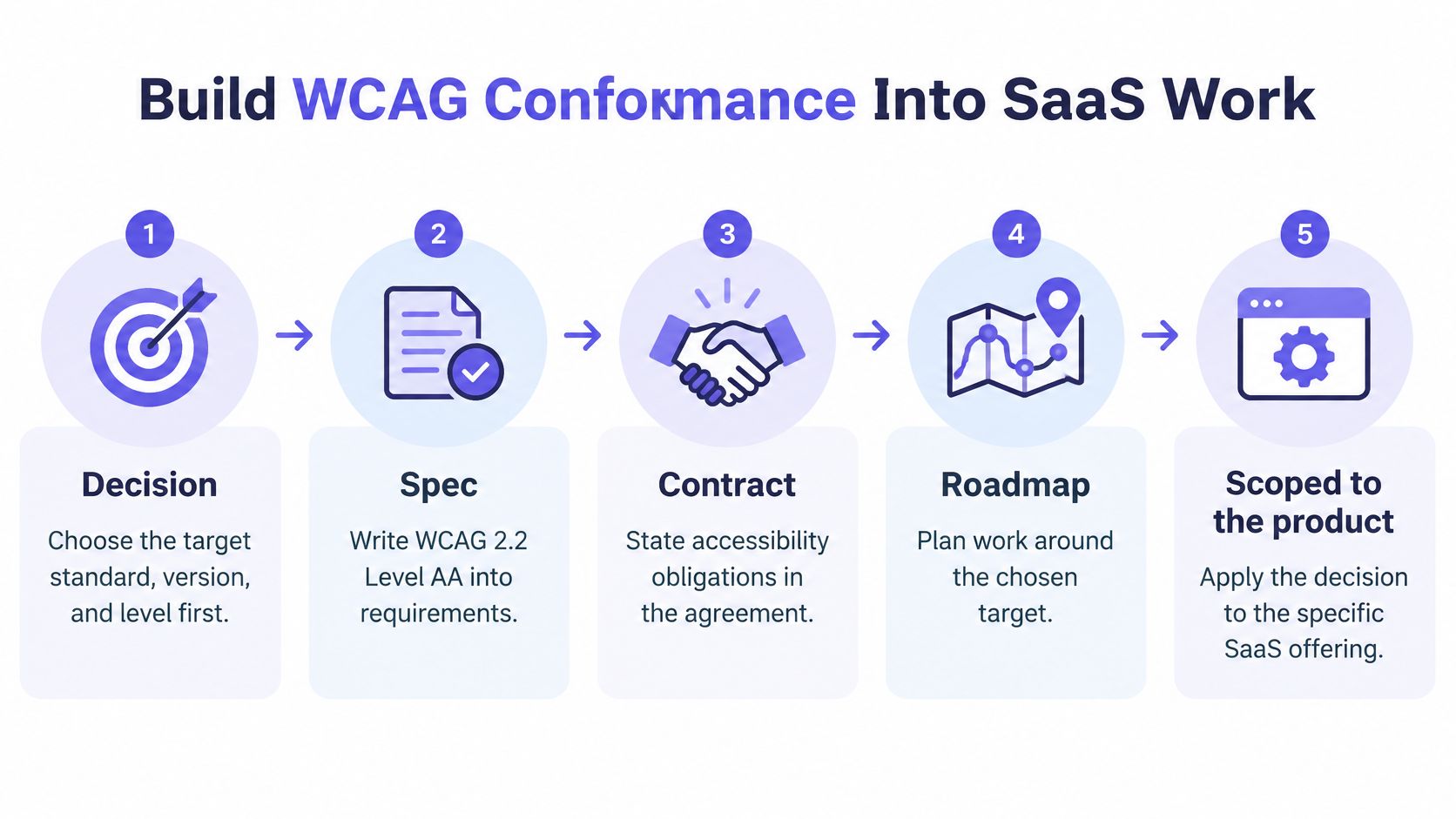
Build WCAG Conformance Into SaaS Work
Start with the decision, because every test and estimate depends on it. Name WCAG 2.2 Level AA, or the version your contracts require, in the spec, roadmap, and acceptance criteria. Scope it to named journeys. Without that line, teams will test against personal interpretations and discover the differences during procurement.
Step 1. Map the critical journeys.
- Cover sign-up, sign-in, password recovery, billing, invite, and export.
- Mark third-party steps and mobile variants.
- Prioritize blocked tasks there because they stop revenue, access, and support resolution.
Step 2. Write criteria into specs and components.
- Specify a focus indicator that remains visible and isn't obscured by sticky headers or overlays.
- Set control targets of at least 24 by 24 CSS pixels where WCAG 2.2 applies, with spacing checked in dense toolbars.
- Our workflow reviews the user journey, branches, and missing decisions before polished screens are reviewed, so states get designed before handoff. Teams can streamline design handoffs to engineering by sending those decisions with the screens.
Step 3. Automate repeatable checks.
- Run automated checks in the build pipeline.
- Add component regression tests for shared buttons, menus, dialogs, tabs, and form fields.
- Fix a shared component once so the same defect doesn't return on every new screen.
Step 4. Record manual evidence for each journey.
- Complete a keyboard pass and record focus order, traps, shortcuts, and visible focus.
- Complete screen reader passes and note names, roles, states, and announcements.
- Save transcripts, screenshots, or recordings beside the criterion they prove.
Step 5. Test states and real tasks every release.
- Check empty, loading, error, success, modal, and toast states.
- Retest one meaningful task with disabled users in each release cycle.
- Assign every remaining defect an owner and a fix date.
A tool such as Figr can map flows and states, find edge cases, check accessibility concerns when you upload screens or record a walkthrough, and produce artifacts for handoff. That speeds the mapping. Does it replace the keyboard and screen reader passes? No, and your evidence sheet should keep those human checks visible.
In short, book one hour this week to agree on the target, the named journeys, and the evidence format. Run a baseline audit on one critical journey before the next release. Fix the blocking defects, verify them, and write the resulting claim in exact language.
Bring one critical journey to Figr and use it to map flows, surface missing states and accessibility concerns, and turn the findings into handoff-ready artifacts your team can test against WCAG 2.2 Level AA. Start with sign-in or billing this week, save the evidence beside each criterion, and make your next accessibility claim specific enough for a buyer to verify.