
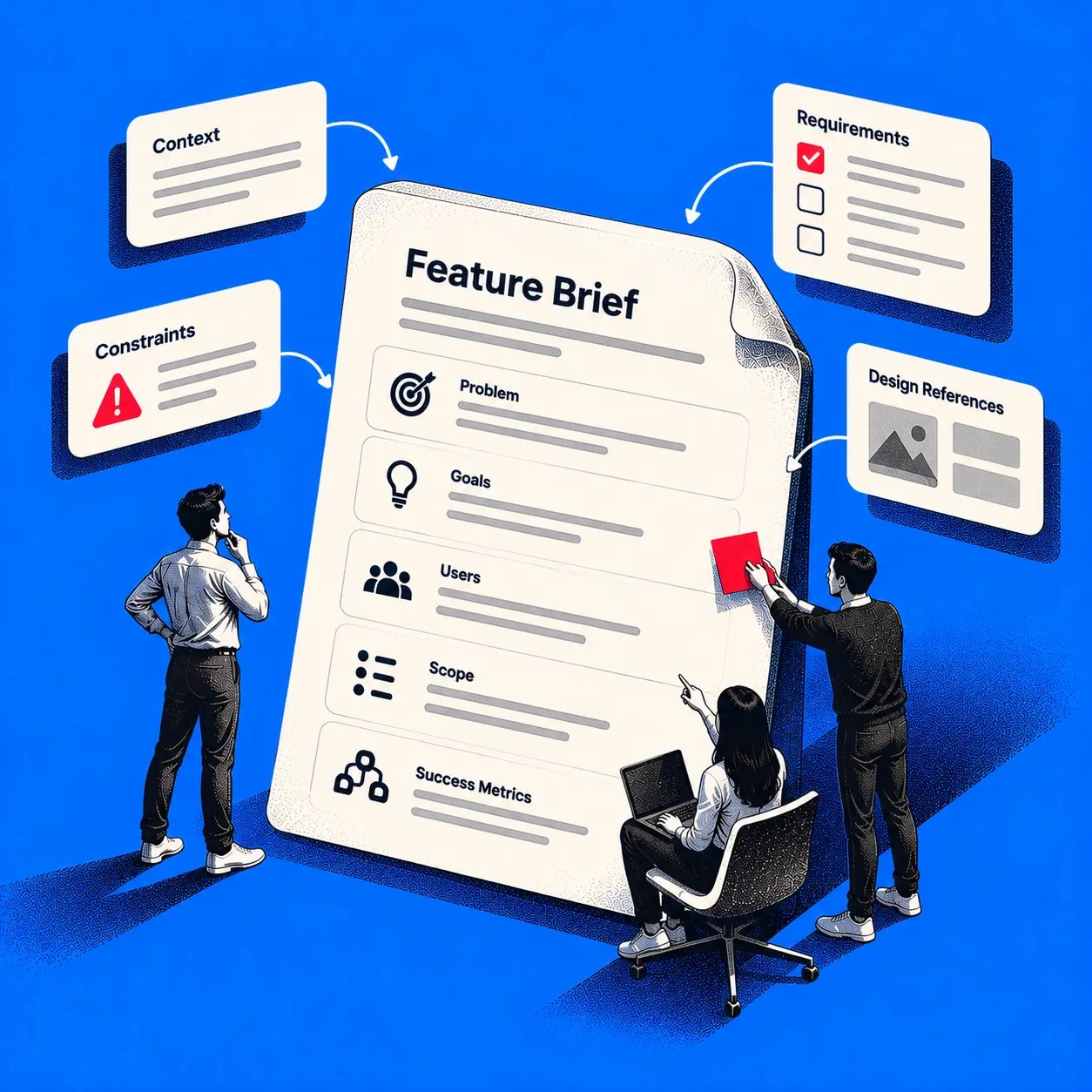
A feature brief template is a compact, copyable document that defines one feature before design begins. It records the user problem, affected users, trigger, scope, exclusions, requirements, states, permissions, dependencies, success measures, acceptance criteria, and unresolved decisions. Used well, it gives product, design, engineering, analytics, and QA one testable reference point.
When those decisions stay in chat threads and meeting memory, teams design different features under the same name. Missing failure states appear late. Permissions get guessed. A stakeholder adds one more case in review, and nobody can tell whether it was promised, excluded, or never considered.
The template below makes those boundaries visible early, while they're still cheap to change. You'll get a copyable version, a filled bulk invitations example, field guidance, and a readiness gate for judging whether a brief is enough or the work needs something heavier.
Why Feature Decisions Drift
A request arrives in Slack at 9.12: can we make bulk invitations easier for larger customers? The PM hears faster workspace setup. Design sees a single import screen. Engineering hears upload limits, duplicate handling, and email deliverability. Leadership, meanwhile, has quoted the request back to a customer as if scope already exists.
Who is wrong here?
Nobody, exactly. That's the problem.
Each person filled the gaps with a reasonable assumption, and the assumptions don't match. Design review becomes the place where the team discovers that revoked invites, existing users, and partial failures were never decided. The work then absorbs churn that looks like design iteration but is really late requirements discovery, which is why teams also need a shared view of how to stop scope creep before commitment hardens.
This pattern has a long history. Formal requirements documentation became prominent in software engineering during the 1990s, and one academic review tied to that era reports requirements engineering contributed more than 42% of overall project success, while inappropriate requirements practices accounted for more than 43% of software-project failure causes, as summarized in an academic review of requirements engineering practice. That review also describes teams using standard templates and consistent layouts to improve readability.
Zoom out and the economics are plain: a blank page invites each function to optimize for its own risk. A short shared structure forces the trade-offs into the open. The basic gist is this: a feature brief template governs decisions, not document formatting. Can your team point to one place that names what's included, what's excluded, and what remains undecided? If not, the feature isn't scoped yet. It's merely named.
Copy the Feature Brief Template
Copy the labeled blocks below into your doc tool of choice and replace each bracketed prompt. Keep the brief to one feature or one coherent flow. If you need architecture detail or a multi-quarter product case, you've outgrown this format.
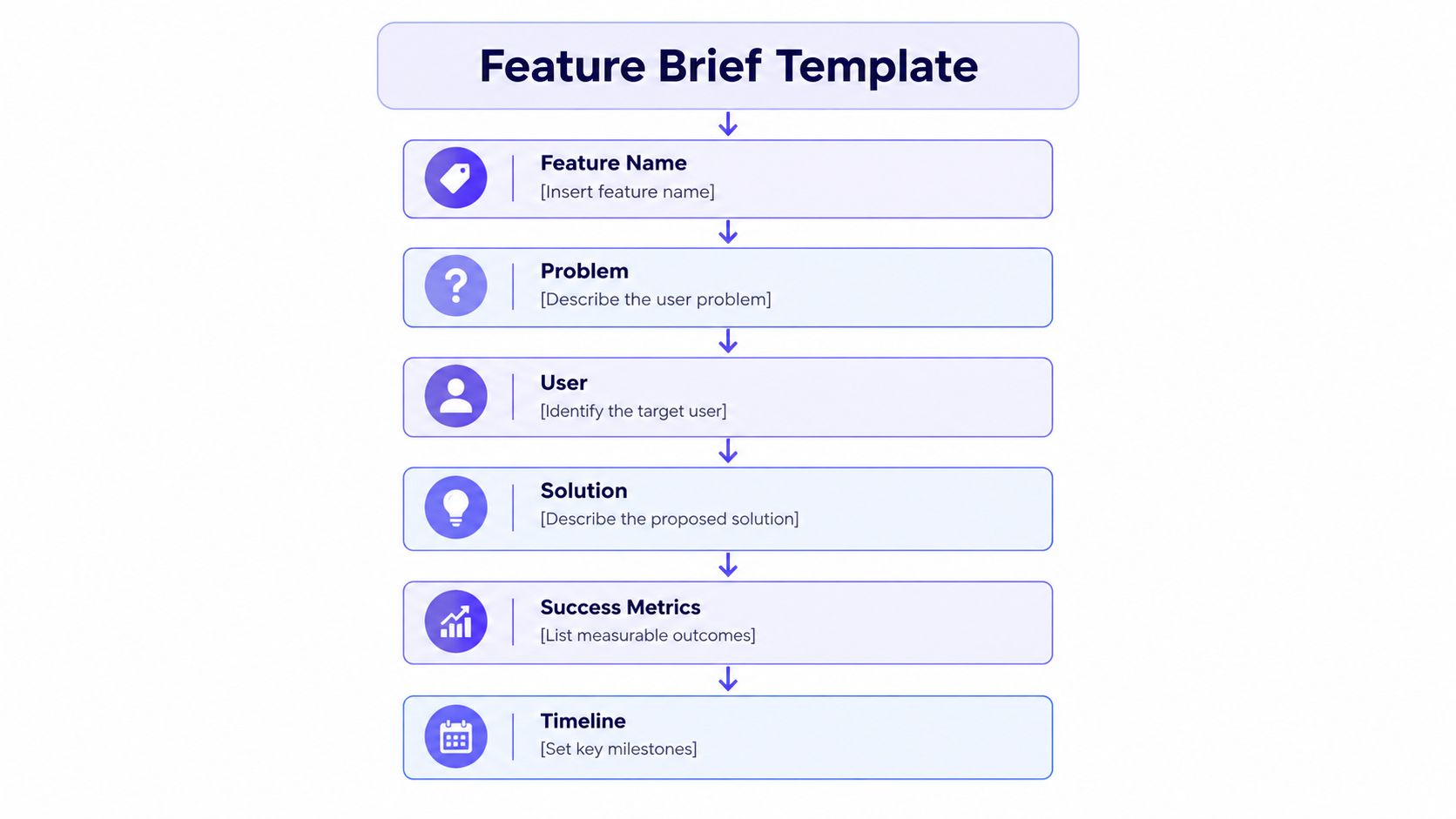
The Copyable Brief
Feature name: [Name the capability, not the interface]
Owner and status: [Person accountable; draft, in review, or approved]
Parent product goal: [The broader goal this feature serves]
User problem: [What the user can't do today, and what it costs them]
Affected users: [Role and segment, plus who is not served]
Trigger: [The moment or action that starts the flow]
Desired outcome: [Observable change for the user, in plain terms]
In scope
- Behaviors included: [Primary path and supporting actions]
- States covered: [Empty, loading, success, partial, error]
Exclusions
- Explicitly out: [Behaviors the team will not build now]
- Deferred: [Wanted later, with a reason]
Requirements
- Functional: [Actor, trigger, system response]
- Permissions: [Who can view, start, change, or undo]
- Dependencies: [Systems, teams, data, decisions; name an owner for each]
- Failure states: [What the user sees and can do when something breaks]
- Non-functional: [Performance, privacy, audit, or platform constraints]
Acceptance criteria
- Given [condition], when [action], then [observable result]
- Repeat per requirement: [Each criterion must be testable as pass or fail]
Success measures
- Primary metric: [Baseline, target, timeframe, segment]
- Guardrail metric: [What must not get worse]
- Analytics events: [Event names and key properties to instrument]
Research and accessibility
- Research needed: [Question to answer, study type, participants]
- Accessibility requirements: [Target conformance level and specific criteria]
Assumptions: [Things treated as true, with evidence or a check planned]
Unresolved decisions: [Decision, owner, deadline, what blocks if late]
Definition of done: [Conditions that make this feature shippable]
How To Fill It Honestly
Write outcomes before solutions. "Reduce time for an admin to invite a full team" guides design. "Add a modal" forecloses it. If a field feels hard to complete, that difficulty is information, since it usually marks an unresolved decision rather than a writing problem.
Practical rule: every requirement should name an actor, a trigger, a system response, an exception path, and a way to verify it.
Keep boundaries explicit. Exclusions do quiet, valuable work because they let reviewers challenge scope in the document instead of in sprint week two. Do the same for permissions and failure states, which teams often leave for QA to discover.
For metrics, include baseline, target, timeframe, and segment so success can't be redefined after launch. If your team also uses AI assistants to draft or critique early versions, sources collecting ChatGPT alternative insights can help you compare tools, but the decisions in the brief still need named human owners.
See a Worked Brief for Bulk Invitations
Here's the same structure filled for a hypothetical SaaS product. Treat every detail as illustrative, and notice how a broad goal narrows into feature-level decisions.
Feature name: Bulk workspace invitations
Owner and status: PM owner named, status in review
Parent product goal: Shorten time for new customers to reach a fully set up workspace.
User problem: Admins invited teammates one by one, retyping addresses and losing track of who had accepted.
Affected users: Workspace administrators setting up teams. Regular members can't send invitations.
Trigger: An admin opens member settings and chooses to add several people at once.
Desired outcome: The admin submits a list once, sees what happened to each address, and can fix problems without starting over.
Scope and Requirements
In scope: Paste or upload a list of email addresses, review the parsed list before sending, assign one default role for the batch, send invitations, and see per-address results. The admin can resend, revoke, and copy a summary of failures.
Exclusions: No per-person roles within one batch, no custom invitation message, and no import from external directories in this release. Those are deferred, not forgotten, and stated clearly in the release notes.
Permissions: Only workspace admins can create, resend, or revoke invitations. Members see their own invitation status only.
States and failure handling: Draft, validating, ready to send, sending, partially sent, sent, and failed. Duplicate addresses in one batch collapse to a single entry with a visible note. Addresses already belonging to workspace members are flagged before sending. Invalid formats block sending until fixed or removed, while valid entries remain intact.
Invitation lifecycle: Invitations expire after a defined period set by the team, expired invitations can be resent, and revoked invitations stop working immediately. Partial success never rolls back invitations already delivered.
Dependencies: Email delivery service, workspace seat limits, and the existing member directory. Each dependency carries a named owner and a decision date.
Acceptance Criteria and Measures
- Duplicate handling: Given the same address twice in a batch, when the admin reviews the list, then only one invitation is prepared and the duplicate is marked.
- Partial success: Given one undeliverable address among valid ones, when the batch sends, then valid invitations complete and the failure shows a reason plus a retry action.
- Permissions: Given a non-admin member, when they open member settings, then bulk invitation actions are unavailable.
- Revocation: Given a pending invitation, when an admin revokes it, then the invitation link no longer grants access.
Success measures: Admin task completion for inviting a full list, time from opening the flow to confirmed send, and share of batches completed without support contact. The brief sets baseline and target before launch, with events for batch started, validation completed, batch sent, and invitation accepted.
Unresolved decisions: Maximum batch size, owned by engineering, due before design handoff. Seat limit behavior mid-batch, owned by the PM, due the same week. What happens if those dates slip? Design proceeds only on states that don't depend on them.
Understand What Each Field Clarifies
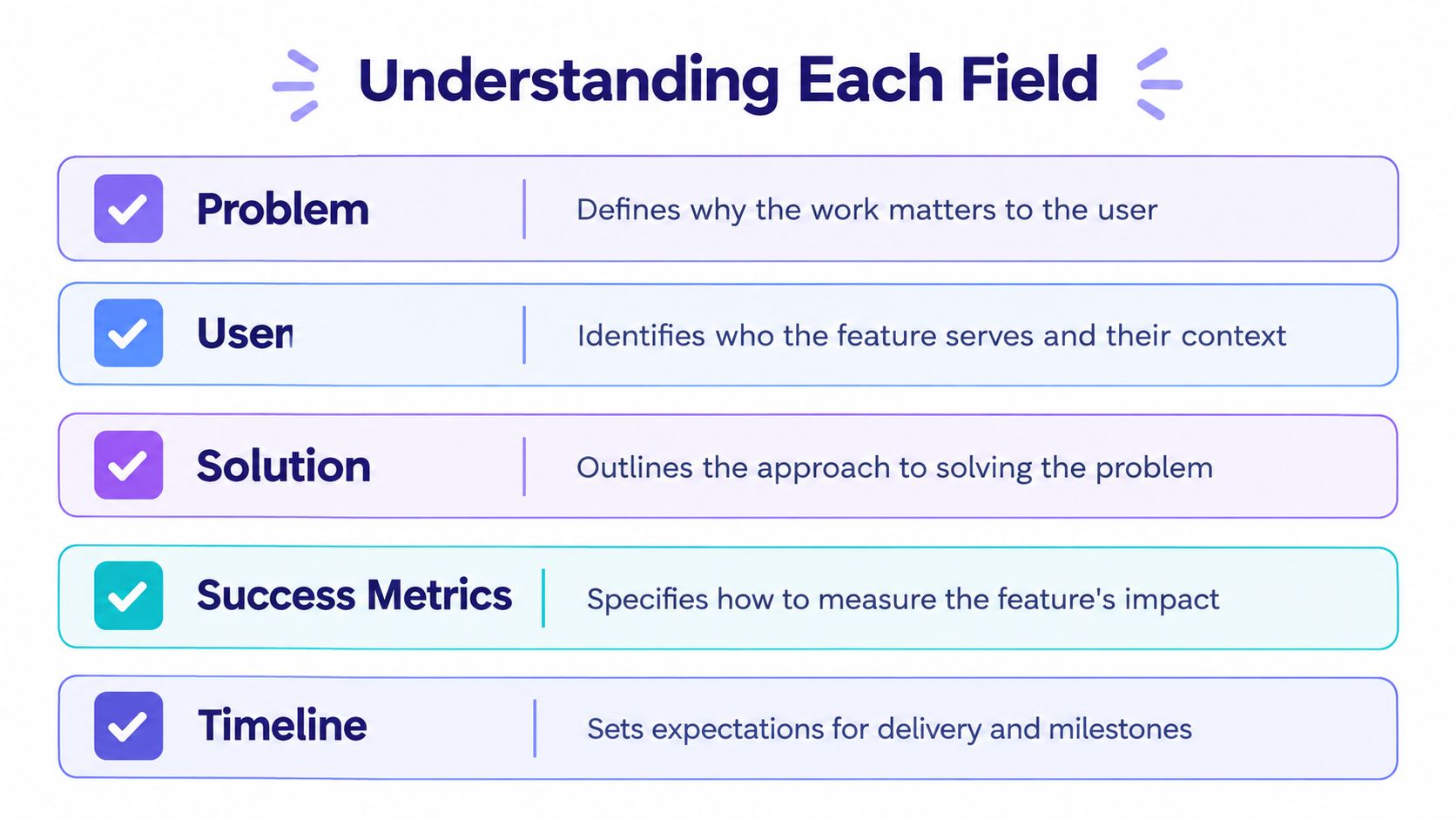
Each field earns its place by preventing a specific kind of drift. Read the template as a set of questions the team must answer while answers are still cheap.
Problem, User, and Trigger
The problem field answers why this work deserves capacity. Without it, the loudest request wins. The user field answers who feels that problem, in which role and context. Would the design change if the user were an admin rather than a member? Usually, yes, through permissions alone.
The trigger answers when the product should respond. Features often fail at the seams, where a flow starts from an unexpected entry point or a state nobody named. Writing the trigger down forces the team to design the seam.
Boundaries, States, and Decisions
Exclusions answer what the team refuses to absorb. Dependencies answer who else can block you. Permissions answer who may act, which is a product decision with security consequences, and leaving it implicit hands that decision to whoever writes the code first.
States and failure paths answer what the user experiences when reality intervenes. A NASA software engineering handbook identifies deficient requirements as the largest single factor in project failure, listing incompleteness, ambiguity, and poor traceability among the failure modes in the NASA software engineering handbook guidance on requirements. Unresolved decisions, finally, answer what could still change the design, and who owns closing it.
Does that sound like a full product requirements document? The difference is altitude. A brief stays at one feature and points upward to a parent goal, while a PRD carries the wider product case, as covered in the PRD writing guide. Success measures close the loop by tying the feature back to an observable outcome, so the team can later judge whether the shipped work solved the stated problem.
Draft and Review the Brief
Last month I watched a PM present polished invitation screens to a silent room. Engineering asked who could revoke an invite. QA asked what partial failure looked like. The screens were fine. The decisions underneath them didn't exist yet, so the review stalled for a week.
This is what I mean by drafting in the right order. Decisions first, surfaces second.
Step 1. Draft the problem and users.
- Write the problem in the user's terms, with the current workaround named.
- Name the segment and who is explicitly not served.
Step 2. Connect the parent goal.
- State the product goal the feature inherits.
- Explain the link in one sentence a skeptic could challenge.
Step 3. Draw the boundaries.
- List in-scope behavior for the primary path.
- Write exclusions before anyone proposes additions in review.
Step 4. Write observable requirements.
- Use actor, trigger, response for each requirement.
- Avoid vague verbs like improve or simplify unless a measurable threshold follows.
Step 5. Surface states and failures.
- Enumerate states including empty, partial, and error.
- Define recovery so users can fix problems without restarting.
Step 6. Attach acceptance criteria.
- Write pass or fail conditions QA can execute without asking you.
- Add analytics events beside the behavior they measure.
Step 7. Run cross-functional review.
- Product, design, engineering, analytics, and QA each review for their own risk.
- Log changed assumptions so later readers see what moved and why.
Why review this early? An empirical requirements defect study found correction took roughly 3 to 5 hours in early phases versus up to 23 hours during later testing, per the empirical study of requirements defects over a project lifetime. Review timing also shapes agile sprint planning, since a brief that clears review before planning gives the sprint a stable unit of work.
Fix Common Brief Mistakes
Short briefs get praised for speed. But is a two paragraph brief efficient if it generates thirty clarification threads?
Brevity should be measured by unresolved decision load, not word count.
The first common failure is writing the solution where the problem belongs. "Add a bulk upload modal" tells design nothing about the admin's actual pain, and it hides whether upload is even the right mechanism. State the outcome, then let the brief constrain solutions through requirements and criteria.
The second failure is untestable acceptance criteria. "Works smoothly for large lists" can't pass or fail. Observable criteria feed directly into writing effective test cases, because QA can convert each criterion into a case without inventing intent. The Software Engineering Institute summarizes research estimating requirements defects can cost 10 to 200 times more to correct after field deployment than during requirements development, in the SEI report on requirements defect costs.
A third failure is blurring three different things into open questions. An unknown needs investigation. A pending decision needs an owner and a date. Out of scope needs neither. Treating them alike conceals delivery risk, a gap also visible in the lean feature brief guidance from Productboard, which notes briefs need more detail once engineering questions pile up.
So when does a brief stop being enough? Use a full PRD when multiple teams, regulatory exposure, or irreversible decisions raise the cost of being wrong. Use a technical design when the open questions are architectural. Use an experiment when the uncertainty is whether users want the outcome at all.
Once the brief is sound, Figr can help a team explore invitation flows, states, and design alternatives from the supplied brief and current product patterns, producing reviewable output the team then judges. Validation and product decisions stay with the humans accountable for them.
Run the Final Readiness Check
A brief is build-ready when critical uncertainties have owners, evidence needs, and deadlines. Run this check before design commitment, and treat any no as work to finish rather than a comment to file.
- Problem traceability: Does every requirement serve the stated user problem?
- Testable criteria: Can QA verify each acceptance criterion as pass or fail?
- Explicit permissions: Is it clear who can view, act, and undo?
- Complete states: Are failure and partial states designed, not implied?
- Owned dependencies: Does each dependency name an owner and date?
- Instrumented measures: Can analytics capture the success metrics?
- Closed decisions: Do unresolved items carry owners and deadlines?
Two fields deserve a last look. For research, Nielsen Norman Group reports that testing five users in a qualitative study typically reveals almost as many usability problems as testing substantially more, while quantitative work needs at least 20 users, per the Nielsen Norman Group guidance on test user numbers. For accessibility, WCAG 2.2 success criteria can be tested as true or false across Levels A, AA, and AAA, as explained in the W3C introduction to understanding WCAG 2.2. State your target level, for example, specifying Level AA, since accessible alone defines no threshold.
When should you choose a brief over a full PRD? When one team owns the feature, dependencies are few, and decisions are reversible. What belongs in acceptance criteria? Observable conditions, including failure behavior. When does design exploration start? After the check passes, so exploration tests decisions instead of substituting for them, which also aligns with developer handoff best practices.
In short, copy the template today, pick one feature already headed toward design, and run its readiness check before the next review.
Feature Brief Template FAQs
What is a feature brief?
A feature brief is a short, shared document that defines one feature's user problem, scope, requirements, success measures, and open decisions before design or build work begins.
How is a feature brief different from a PRD?
A feature brief covers one feature or coherent flow and points to a broader product goal. A PRD carries the wider product case and more detailed requirements. If the work spans multiple teams or carries substantial regulatory or delivery risk, use a fuller document.
What should I include in a feature brief?
At minimum, name the user problem, affected users, trigger, desired outcome, in-scope behavior, exclusions, permissions, failure states, acceptance criteria, success measures, dependencies, and decisions that still need owners and deadlines.
When is a feature brief ready for design?
Start design exploration when the team can identify what's included, test the acceptance criteria, account for important states and permissions, and assign owners and deadlines to decisions that could change the flow. The brief need not answer every implementation question, but it should make consequential gaps visible.
Bring your completed brief, current product screens, and design system into Figr to explore invitation flows, failure states, and alternatives as reviewable, Figma-ready output your team can refine. You'll keep human judgment at the center while spending less time redrawing decisions you've already made. Start with your next scoped feature at Figr.