
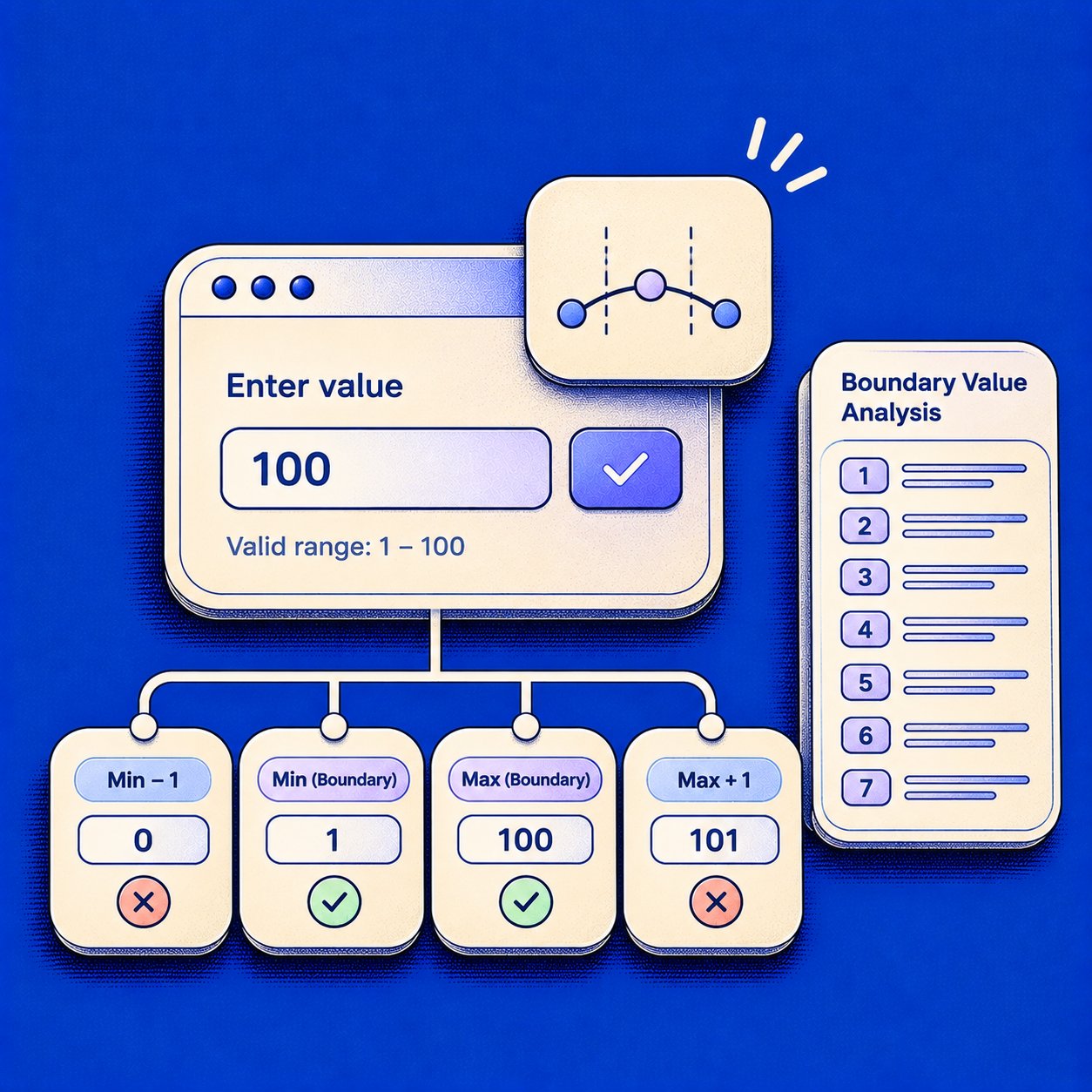
Most boundary defects do not announce themselves. They wait where a rule changes its mind, and one character, one year, or one cent decides whether a customer gets through. A tidy middle value can pass a demo while the cutoff is already wrong. Teams call that coverage. It is only the interior of the partition.
Leave those edges untested and the miss lands in production. A portal rejects someone who just turned 18, a cart keeps a zero-quantity line on the invoice, and a 100 percent discount gives away a paid plan. Support takes the ticket while finance takes the total. The reviewer who only saw a middle value never watched the comparison operator fail.
These seven boundary value analysis examples place the exact values on each side of a real rule, name the failure that usually follows, and record the expected result before anyone opens the code. If the range, the inclusive ends, or the error text is still fuzzy, evaluate requirements completeness and feasibility before you invent data. Then test the edge, not the comfortable middle. Start with one field your customers touch this week.
1. Age Eligibility Field (Valid Range 18 to 65)
A healthcare portal that only lets adults self-register from 18 to 65 looks calm when you type 30. The cutoff is the interesting part: a hard stop at each end of the number line, with 17 on one side of the door and 66 on the other.
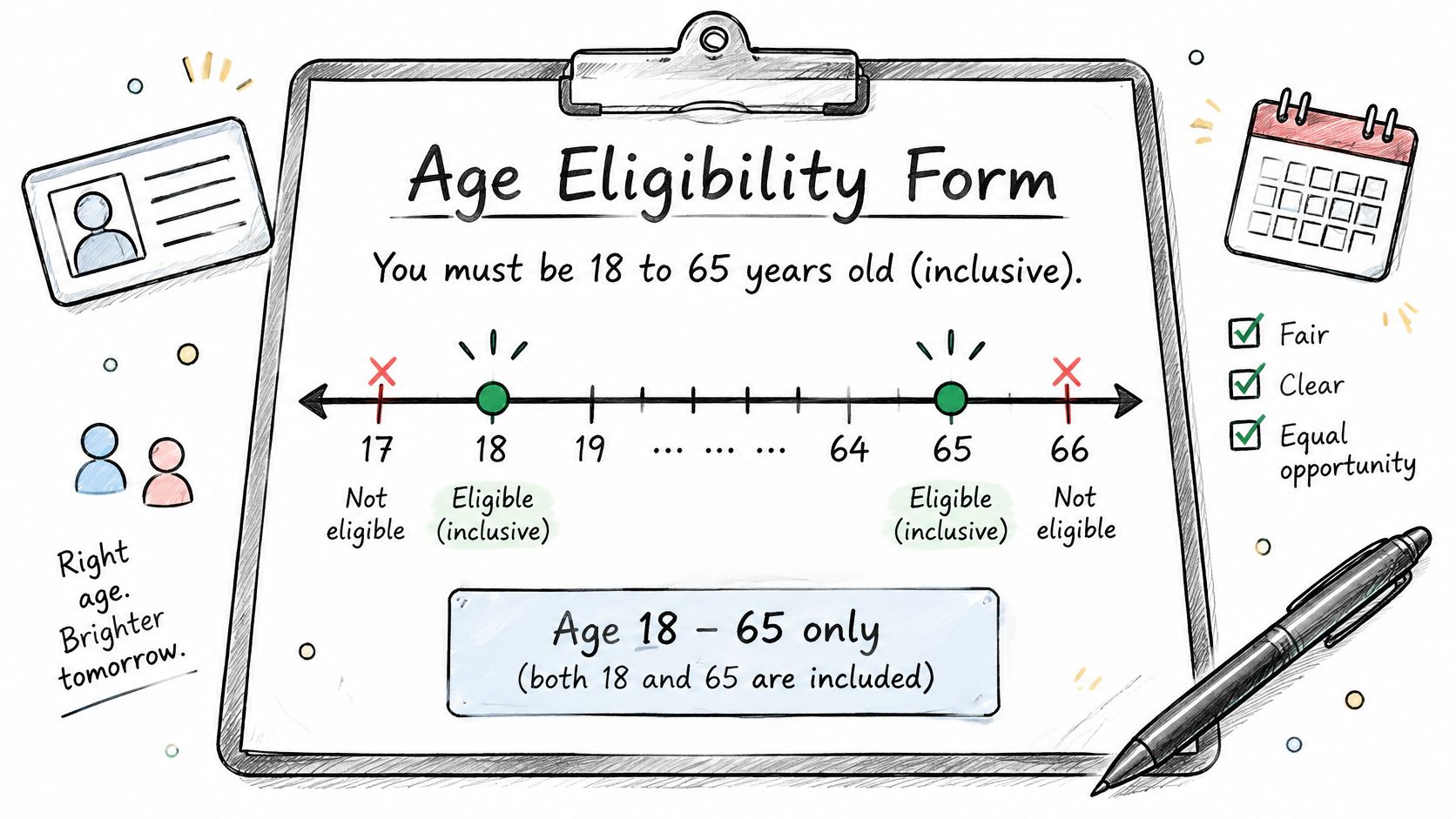
For an inclusive rule, the set worth writing down is 17, 18, 19, 64, 65, and 66. The Unit 2 software testing notes apply the same six-point pattern to an 18-through-60 rule: 17 invalid, 18 valid, 19 valid, then the mirror at 59, 60, and 61, because one boundary can fail in more than one way. A condition written as age > 18 rejects the legal minimum. A missing upper check still accepts 66.
The production failure usually arrives as a quiet disagreement, not a crash. The web form accepts 17 because the front end compares age >= 18 against a birthday the API computes a day differently, and a minor lands in a queue that was never supposed to see them. Or the upper limit lives only in the UI, so a 66-year-old registers through the API while the portal insists the field is guarded. Both ends are business rules, and both ends are places where two layers can drift apart.
Practical rule: The exact endpoints are boundary values, and they can be valid. Write the expected result beside every input.
- Inclusive upper limit: Ask whether 65 is accepted before you lock expected results.
- Separate invalid class: Add a blank input and a negative number. They do not replace 17 and 66.
- Birthday math: Calculate age from the current date, not a hardcoded year.
The same shape fits a product that accepts applicants from 21 to 75. Eligibility cutoffs share a grammar with order cancellation rules with Mayra: name the range, the inclusive ends, and the message the applicant sees. Then follow how to create test cases so each value carries its expected outcome.
2. Password Length Policy (8 to 64 Characters)
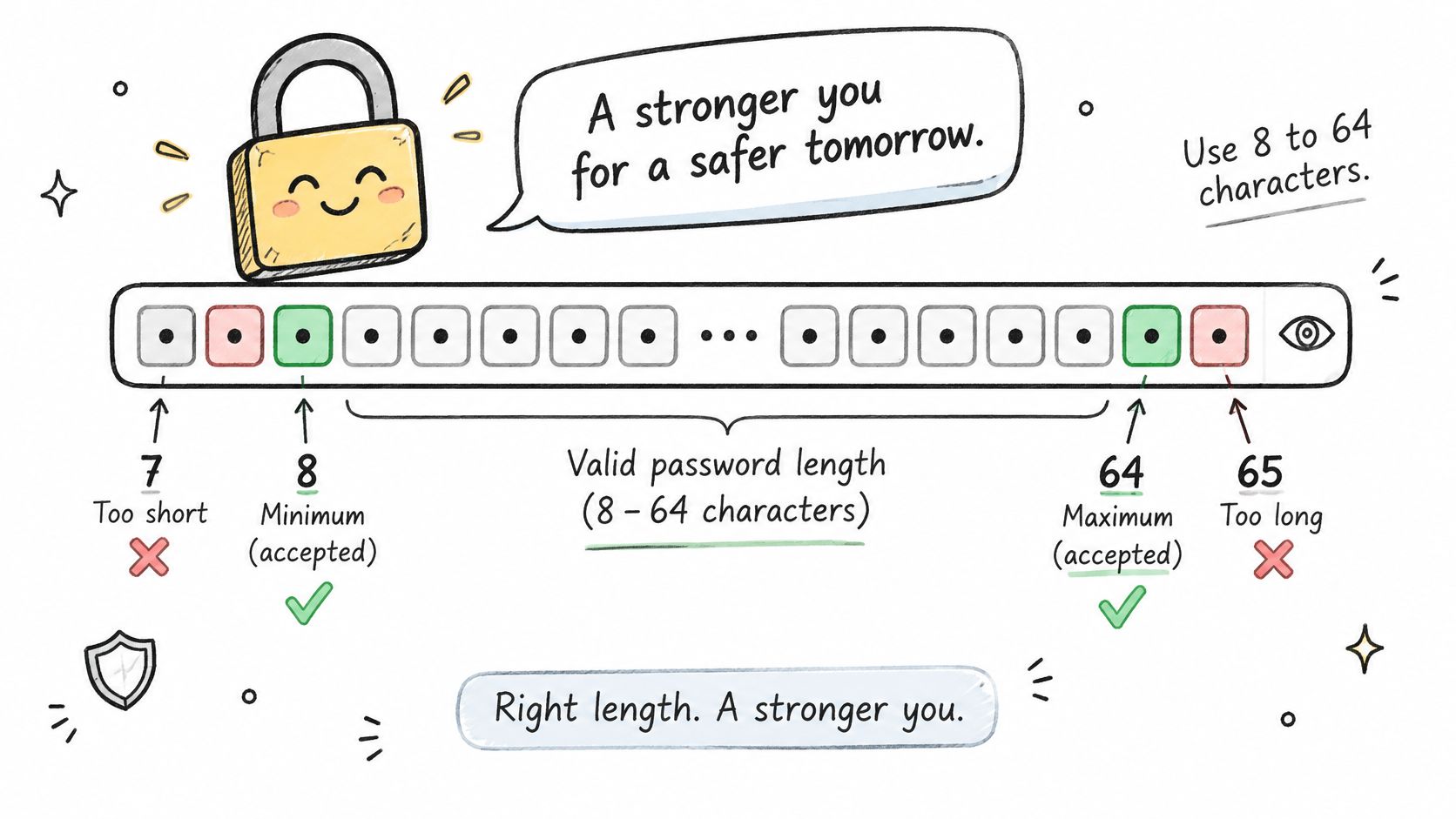
Count the characters, not the vibe of a strong password. A field that requires 8 to 64 characters breaks when the counter and the rule disagree, often on the last glyph.
The boundary set is 7, 8, 9, 63, 64, and 65. Seven should fail. Eight and nine should pass. Sixty-three and sixty-four should pass. Sixty-five should fail, with an error that names 64, not a vague "too long."
Where the count lies
Length rules fail the same way a written-response limit does. A response that must sit between 100 and 500 characters needs 99, 100, 101, 499, 500, and 501, and the Ranorex boundary value analysis guide treats that count as the contract, including the risk that characters and bytes are not the same thing. A banking app can accept 64 letters on the web form and reject the same string at the API once emoji or accented letters expand the byte length. A collaboration tool can reject a legal 64-character password only on mobile.
Say the password is sixty-four grinning emoji. The screen shows a valid length. The server stores a longer payload and bounces the save. That mismatch shows up in a support queue weeks after launch if nobody built it on purpose.
- Every client: Run the same six lengths on web, mobile, and the API.
- Multibyte string: Use a 64-character password made of characters outside basic ASCII.
- Named limit: The error should state the actual maximum, and trimming spaces before the count should be a written decision.
Put that decision in the spec the way you would how to write a PRD. If trailing spaces are stripped first, the boundary the user sees is not the boundary the code enforces.
3. Shopping Cart Quantity Limit (1 to 99 Items)
What does a quantity of zero mean in your cart, a removed line or a rejected edit?
An ecommerce cart that allows 1 to 99 units of one product needs 0, 1, 2, 98, 99, and 100. Zero is the value that tends to rot. The line can vanish, or it can linger as a ghost row that charges nothing and still clutters the order. One hundred probes the cap from the other side. Two and 98 only confirm the interior behaves once you leave the exact ends.
On many retail sites, entering 0 in the quantity box removes the item on the product page but leaves a $0 line in the summary. That is three layers disagreeing on one business rule: the form treats 0 as delete, the summary treats it as a row, and the order endpoint may reject it as an illegal write. A ticketing cap at 10 seats runs the same pattern on a shorter ruler. Quantity feeds price, inventory, and tax, so a bad edge spreads downstream before anyone notices the spinner.
A nominal middle value can confirm ordinary behavior and still miss the defect that appears only at the minimum or the maximum.
The University of Kansas BVA reading names the five-value pattern as Min, Min+, Nom, Max-, and Max and the seven-value pattern as that set plus the two values just outside. For whole units, the step is one. Testers who hold a middle quantity and only poke the ends ship carts that look covered and still produce ghost lines.
- Zero policy: Decide removal versus rejection before you script the case.
- Money on screen: Confirm the subtotal updates at 1, 99, and 100.
- Stock tighter than the cap: Repeat the test when on-hand quantity is below 99.
If you change the cap in an experiment, keep the boundary cases in the variant, which is part of sound A/B testing best practices. Otherwise the winner is the flow you never stressed at 0 or 100.
4. Loan Amount Range (1,000 to 50,000 Currency Units)
Money does not sit on whole numbers. A lending product that accepts 1,000 to 50,000 should be tested at 999.99, 1,000, 1,000.01, 49,999.99, 50,000, and 50,000.01.
Watch a request for 49,999.995. One screen rounds it to 50,000 and shows approval. The backend keeps three decimals and rejects 50,000.001. The customer sees a yes, then an error, and nobody typed an illegal amount on purpose. Teams that only submit 1000 and 25000 never meet that seam.
The boundary between two fields
A single amount is only half the rule when the product also says the loan cannot exceed salary. TMAP's boundary value analysis page treats a relational condition such as loan sum > salary as a boundary of its own. Hold salary at a low, nominal, and high figure, and place the loan just below, exactly at, and just above that relationship. Six isolated amounts can pass while the comparison still uses the wrong operator.
- Write the rounding rule first: Precision belongs in the requirement, not in the tester's guess.
- One cent each side: Probe every limit at the smallest currency unit the product stores.
- Parsing: Confirm the currency symbol and the decimal separator do not change the number.
A bill-pay form that accepts three decimals and rounds them differently on each step is the same defect in a smaller costume. Record expected results at the precision you persist, and schedule that check inside the product development lifecycle stages where pricing rules get signed off, not after the first rounding bug hits billing.
5. Calendar Date Validation (Month, Day, and Leap Years)
February 29 is a door that opens only some years. A date picker that accepts months 1 through 12, and days that depend on the month, needs month 0, 1, 12, and 13, plus days 1, 28, 29, 30, and 31 on months that do and do not allow them.
April 31 should fail with a message that names the day rather than a generic fault. February 28 should pass, February 29 should pass in a leap year and fail in a common year, and March 1 should pass in both. A subscription that cannot bill a renewal on February 29 is this bug wearing a revenue label: the picker smiles, the billing job skips the customer, and the ledger reads as churn.

Dates look ordered until a time zone gets involved.
The input stops being a tidy integer range once it becomes a timestamp or a locale. Date fields carry boundaries that never appear in a list of numbers: midnight in a zone ahead of UTC and midnight in one behind it, the hour that does not exist when clocks spring forward, and the hour that happens twice when they fall back. Each of those is a business rule in disguise, because a booking, a shift, or a renewal either lands on a real moment or it does not.
- Leap trio: Test February 28, February 29 in a leap year, and March 1.
- Midnight shift: Include a date at midnight in a zone ahead of UTC, and one behind it.
- Two layers: The picker and the backend must agree on which days are selectable.
Treat those agreements as part of PM best practices. If the rule lives only in the widget, the API invents a second calendar, and February 29 passes the interface only to die in the job that charges the card.
6. File Upload Size Limit (10 MB Maximum)
A document upload capped at 10 MB is rarely one check. The browser, the server, a proxy, and storage can each hold a slightly different megabyte.
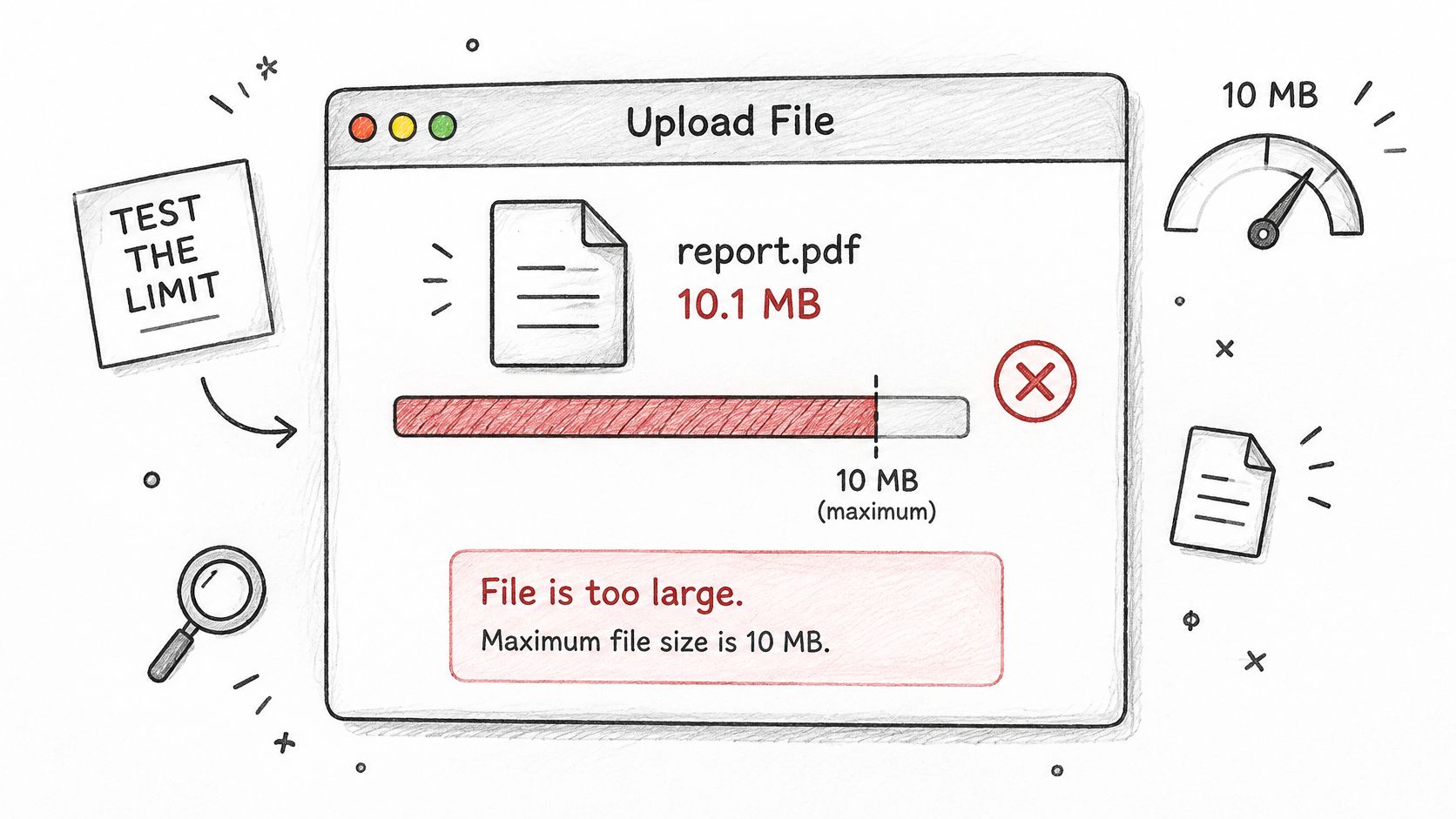
The set to generate is 9.99 MB, 10 MB, 10.01 MB, plus an empty file at 0 bytes. Build those files to exact byte counts with a script, because a slider in the OS will not land on the limit. A file that is exactly 10 MB can pass the browser and die at the load balancer. A hiring portal can accept an empty résumé and then fail during parsing, which looks like a random outage to the candidate.
Agreement across layers
ISO/IEC/IEEE 29119-4 defines boundary value analysis as a specification-based technique that exercises the edges of equivalence partitions, and it uses a field from 1 through 100 to show why 0 and 101 belong with 1 and 100. The same idea applies when the unit is bytes. Each selected size has to mark a change in expected behavior, acceptance becoming rejection, not a random large file.
A document tool whose browser allowed 10 MB while a proxy cut anything above 9.5 MB is the production version of that mismatch. Customers retry, blame the network, and abandon the form.
- Same number, same words: The error should show the limit the rule enforces, on every layer.
- Empty file: It often passes validation and breaks the parser. Test it on purpose.
- Unit choice: Confirm whether the cap is decimal megabytes or mebibytes before you name the byte count.
I would not ship a size rule until one file at the limit and one file one byte over have been tried on the full path, not only in the widget.
7. Discount Percentage Field (0 to 100 Percent)
A promotions tool that allows 0 to 100 percent looks trivial until it meets the price. The boundary set is -1, 0, 1, 99, 100, and 101.
Zero should leave the price unchanged. One and 99 should discount cleanly. One hundred can mean a free product, which may be fine for an internal order and costly on a public plan. One hundred one, and anything like 100.5, should be rejected before a negative total exists. Negative one should not raise the price. A retailer whose promo engine accepted 100.5 percent and printed negative totals already paid for this lesson. A SaaS company that allowed a 100 percent discount on annual plans with no approval step did too.
Who is allowed to type 100, and who only thinks they are?
- Role on the boundary: Run 100 with the approval role and without it.
- Still an order: A free result should produce a valid order record, not a missing invoice.
- Stacks: Two legal discounts must not push the final price below zero.
The ISTQB Foundation Level syllabus ties this technique to ordered partitions and measures boundary coverage as exercised boundary values divided by the values you identified. For a simple inclusive range it shows two-value coverage with the boundary and the nearest neighbor outside, and three-value coverage with both immediate neighbors. On a discount field, six deliberate values beat a single happy path of 10 percent. Coverage here is also a test of intent. The field should enforce the business rule, not trust the marketer's keyboard.
Boundary value analysis examples at a glance
| Item | Boundary Values Tested | Valid Range | Typical Defect |
|---|---|---|---|
| Age Eligibility Field | 17, 18, 19, 64, 65, 66 years | 18–65 years, inclusive | Off-by-one cutoff error |
| Password Length Policy | 7, 8, 9, 63, 64, 65 characters | 8–64 characters | Frontend and backend count characters differently |
| Shopping Cart Quantity Limit | 0, 1, 2, 98, 99, 100 items | 1–99 items | Zero quantity creates a ghost cart line |
| Loan Amount Range | 999.99, 1,000, 1,000.01, 49,999.99, 50,000, 50,000.01 | 1,000–50,000 currency units | Rounding inconsistency near a limit |
| Calendar Date Validation | Months 0, 1, 12, 13; days 1, 28, 29, 30, 31; February 29 across leap and non-leap years | Months 1–12; days depend on month and year | Incorrect leap-day or month-end handling |
| File Upload Size Limit | 0 bytes, 9.99 MB, 10 MB, 10.01 MB | Up to 10 MB | Client, server, or proxy applies a different size limit |
| Discount Percentage Field | -1%, 0%, 1%, 99%, 100%, 101% | 0–100% | Out-of-range discount causes negative pricing or unauthorized free orders |
Turning These Seven Boundaries Into Your Next Test Plan
Pick the one field in your product where a rule has an edge. Write the lowest valid value, the highest valid value, and the expected result on each side of both. Ask the product manager to confirm that rule in writing before anyone runs a test. A vague "around 18" or "up to 10 MB" is how two teams ship two different doors.
Why does that confirmation matter at scale? Every missed edge becomes a ticket, a refund, or a blocked signup, and the incentive in a sprint is to demo the middle. The middle is cheap. The edge is where the comparison operator, the byte counter, and the rounding step disagree. An empirical study of an operational avionics system of about 20,000 lines of Ada found boundary value analysis the most effective of the techniques compared, with equivalence partitioning and random testing each less than half as effective, and random testing needing roughly 50,000 cases to match it, which the ACM record of that study reports. You do not need an avionics lab to copy the priority. Test minimum, maximum, just inside, just outside, and one nominal value before you pour effort into broad random runs.
In short, pair every boundary value with the production failure it usually causes, and with the result you expect on the UI, the API, and the stored record.
If your team wants a faster starting point, Figr's edge case mapping can surface missing states such as validation, quota, and retry behavior from your designs, while engineering and product judgment still decide what the correct answer is. We can list those states and show the reasoning. We cannot replace the decision about whether 65 is inclusive or whether zero deletes the line.
Figr helps product and QA teams turn a live flow into testable edges, including validation, empty states, quotas, and retries, before those edges reach customers. Bring one rule from this list, the values on each side, and the outcome you expect, and we will map the states around it while your team keeps the final call. Visit Figr when you want that map before the next handoff.