
The tool
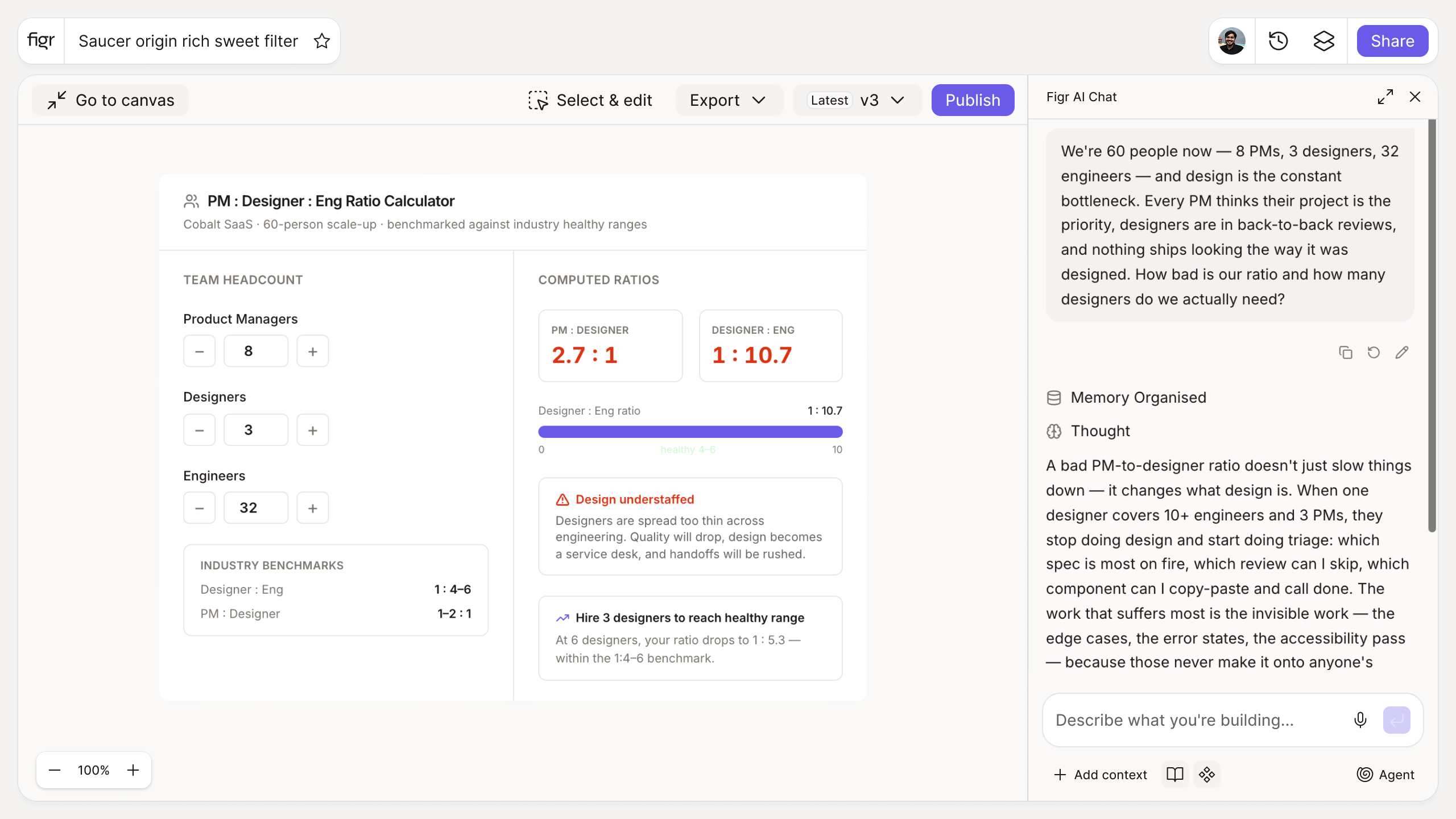
Inputs:
- Number of PMs (number)
- Number of designers (number)
- Number of products or major surfaces (number)
- Sprint cadence (selector): weekly, biweekly, monthly
Output: Your current PM-to-designer ratio, a read on how stretched design capacity is given product count and cadence, and a comparison to a benchmark range. Exportable.
Behavior: Calculates live in-browser, no login. Exportable.
How it works
1. Enter your team. PMs, designers, and products or surfaces.
2. Set the cadence. Faster cadence stretches capacity further.
3. Read the ratio. See where you sit versus the benchmark range.
4. Use it to make the case. Bring the number to a planning or hiring discussion.
A worked example
Six PMs, two designers, four product surfaces, weekly cadence. The ratio reads three PMs per designer, and the capacity note flags that a weekly cadence across four surfaces pushes that well past comfortable. Now the conversation has a number: either add design capacity, slow the cadence, or change how design throughput is produced. The catch is what counts as a healthy ratio varies so widely that the benchmark is a reference, not a verdict. For the option that is not hiring, scaling a design team without hiring and shipping without a full-time designer are the relevant reads.
When you cannot just hire, with Figr
More designers is not always an option, and it is rarely a fast one. Figr helps PMs move from idea to Figma-ready design from real product context, so design capacity stretches further without pushing cleanup onto the design team. It is not a replacement for designers, it is a way to keep PM-driven work from piling up at the design door. Pair this with the design ROI calculator to value the time it frees.
Who this is for
This helps design leaders and product leaders making a staffing or tooling case with a number instead of a complaint.
What this tool is not
It frames capacity against a reference range; it does not prescribe the right team size for your company. Product complexity and ways of working move that number a lot. It is also a free, standalone utility, not a Figr product feature.
FAQ
Is the PM-to-designer ratio calculator free?
Yes, free and no sign-up.
What is a healthy PM-to-designer ratio?
It varies widely by company and product complexity, so treat any benchmark as a reference range, not a rule. The tool shows where you sit relative to that range.
Does cadence really change capacity?
Yes. A weekly cadence demands far more design throughput than a monthly one for the same team.
Can I export the result?
Yes, to share in a planning discussion.
How is this different from Figr the product?
This is a free calculator. Figr the product is an AI product designer that turns product context into UX decisions and Figma-ready design.