
I have sat in too many one-on-ones where designers ask, quietly, whether AI prototyping tools mean they are being replaced.
They're not. The work is shifting, not disappearing.
I have heard PMs wonder aloud if generating their own prototypes looks like stepping on design's toes. And yeah... it can feel like it. Until you align on intent versus craft.
The tension is real and it is everywhere. Teams are learning to navigate who does what now that the old boundaries have blurred.
Here's the thing though. There is no single "standard" AI workflow yet. Each designer, each PM, each team is composing their own stack of tools and steps. Having a strong mental model for how to think with AI matters more than chasing any specific tool.
This is new territory. The old rules assumed PMs describe features in words and designers translate to visuals. The handoff was clear, even if the translation was imperfect. AI has scrambled those assumptions.
Here is what actually works.
The Old Model's Strain Point
The traditional PM-Designer handoff: PM writes PRD. Designer interprets. PM reviews. Designer revises. Repeat until alignment.
Sound familiar?
This model had strengths. Clear ownership. Defined handoff points. The designer brought craft the PM could not.
It also had a fundamental strain: interpretation.
Words are ambiguous. "Clean and modern" means something different to everyone. "Intuitive navigation" could be a sidebar, a top bar, a command palette. The designer's interpretation rarely matched the PM's mental image on first try.
Research suggests product teams spend 40% of design time on alignment rather than creation. The communication channel itself was lossy.
And here's what nobody talks about... most real dashboards and domain-heavy UIs are not simple table views that AI (or designers) can guess. You must communicate layout, hierarchy, and interaction behavior explicitly. This means thinking like a system architect: working out layout logic and multi-state behavior in language first, then moving to visuals.
The old model didn't have a place for that kind of explicit systems thinking. It just assumed the designer would figure it out.
The New Model
AI-enabled handoff: PM generates prototype showing visual intent. Designer sees exactly what PM means. Designer refines and applies craft.
The interpretation step is removed. Alignment starts from shared visual understanding.
But here's the nuance that most guides miss...
This is not PM replacing designer. This is PM communicating visually instead of verbally. Designer starting from direction instead of description.
AI makes the field a level playing ground where juniors and seniors share the same tools. The differentiation? How well you think. How well you orchestrate tools. How well you ground decisions in real product context.
The designer's role is not diminished. It is elevated. They spend less time guessing what the PM means and more time applying craft that requires design expertise.
One enterprise design lead told me something that stuck: "Designers should be able to ship code, not screens." The time spent inside Figma should reduce drastically. The goal is to use AI to go from context → requirements → exploration → code in one environment.
That's the direction. We're not there yet. But that's where this is going.
What Each Role Contributes Now
PM Contributes:
- Product context and strategy
- User understanding
- Business requirements
- Visual intent through generated prototypes
The PM prototype is a communication tool, not a final design. Think of it as a sketch that actually shows what you mean instead of describing it in a paragraph that gets misinterpreted.
Designer Contributes:
- Craft and polish
- Design system consistency
- Accessibility expertise
- Creative solutions the PM did not imagine
The designer takes direction and makes it better. "Makes it better" means: craft, consistency, and stronger solutions that the PM wouldn't have thought of.
AI Contributes:
- Design system compliance
- Edge case coverage
- Speed that enables iteration
Where does AI help most? In speed and coverage, so humans can focus on judgment.
What's new here: Both PM and designer should treat AI as a long-lived collaborator. Persist context in one place so the AI grows alongside the product, instead of throwing isolated prompts at it. Use that continuity to reason about systems, not just individual screens.
The Workflow That Works
Phase 1 (1-2 hours): PM generates initial prototype in product's design language with basic edge cases included.
How polished should Phase 1 be? Basic. Enough to show visual intent. Don't try to make it perfect, that's not your job.
The key insight here: spend effort upfront on context and prompt quality. Don't do naive iterative "make it prettier" loops, that burns time and credits. Instead, define constraints, rules, and behavior at the system level (design tokens, layout rules, states) and let AI fill in instances.
Phase 2 (30 minutes): Designer reviews.
Questions shift from "what do you mean?" to "have you considered this alternative?"
This is the real unlock. The conversation changes entirely when there's something visual to react to.
Phase 3 (2-4 hours): Designer refines, applies craft, ensures accessibility.
Here's a practice that separates good teams from great ones: when a decision is "frozen" (key flows, rules, constraints, must-have features), document it somewhere persistent. Copy it back into your project knowledge so future iterations never lose that decision even when chat history gets long.
Critical habit. Most teams skip this. They pay for it later.
Phase 4 (30 minutes): PM reviews. Feedback is specific. Revisions are quick.
What does "specific" feedback look like? It is grounded in what is already on the screen. Not "I don't love it" but "this action button is competing with the primary CTA, can we make it secondary?"
Total: 5-8 hours. Traditional timeline: 2-3 weeks.
Is that realistic for every team? It is the target workflow, not a guarantee. For simple features, a designer can now ship working frontends alone. For complex enterprise flows (mission planners, maps, keyboard-heavy tools) you'll mix AI prototypes, Figma, rich documentation, and simulators so devs and QA can implement precisely without constant back-and-forth.

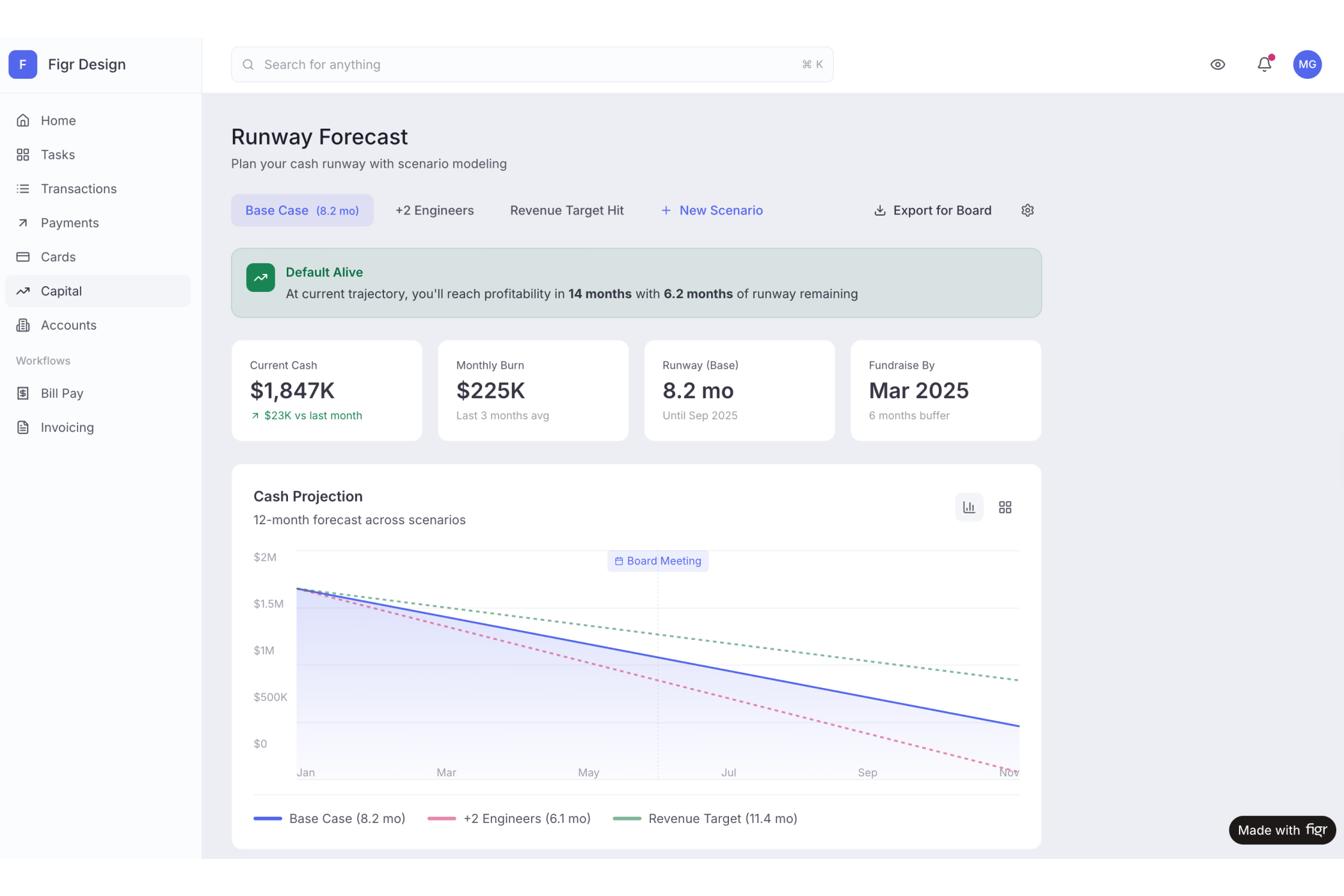
→ See the Mercury's Bank project, PM clearer direction with AI
The Chunking Method (When Features Get Complex)
For complex features, there's a pattern that works really well. Wide-to-narrow thinking.
Go wide first: Ask AI for exhaustive feature ideas, flows, and layouts for a dashboard or feature. Get everything out.
Chunk immediately: Split the big output into phases, features, dashboards, or even specific layouts. Each chunk can be deep-dived separately.
Go deep per chunk: For each chunk, think through UX, interactions, edge cases, tech constraints, and states. Result: a detailed text spec.
This prevents losing good ideas. Avoids context loss. Creates reusable documents that together define the product.
For highly complex systems (think: incident dashboards with timeline + map + video + panels with tightly coupled interactions), the best teams decompose the layout into components first: left panel, timeline, map, detail card, video card. Then for each component, brainstorm every state and interaction:
- Timeline states with one vs multiple items, clustering, selection, edge cases
- Map states (polygons, zoom, pan, focus), linking map selections to timeline and cards
- Panel states (annotations, flags, missing data)
Document everything. Metadata, interactions, edge cases, error states, and logical rules, all grounded in real product behavior.
This is where the designer and PM need to think together. This isn't pixel work. This is systems work.
The Designer Perspective
I have talked to designers about this shift. Their response is consistent: relief.
Wait, really?
Yes. That is what I keep hearing.
A lead designer told me: "I was skeptical about it earlier. Then I realized I was shipping more features and enjoying the work more. The parts I hated were gone."
The parts designers hated:
- Interpreting vague descriptions
- Guessing what PMs meant
- Revising based on unclear feedback
- The boring alignment work
Which part goes away first? The guessing and the unclear revision loop.
What remains: craft, creativity, problem-solving. The work that drew them to design in the first place.
Here's the mindset shift that separates designers who thrive in this era from those who struggle:
"Unhealthy" AI-era designer: Obsessing over fixed processes, tools, and frameworks. Trying to be "the Figma expert" rather than owning problem-solving end to end.
"Healthy" AI-era designer:
- Outcome-first: ship faster, reduce user pain quicker, maintain quality
- Iteration-first: accept that AI outputs will fail, iterate aggressively
- Tool-agnostic: pick tools based on problem complexity and outcome, not hype
- System-thinking: design flows, logic, and states, not just static UIs
The best designers I've seen now own more of the "builder" stack, frontends, basic backends, and spec writing, while using dev collaboration strategically for complexity and scale. Not for every button and screen.
Design Systems in the AI Era
This is where things get interesting for teams with existing design systems.
A key insight: design systems must be expressed as rules AI can actually use. Not just as a Figma library.
Tokens, components, and explicit "when to use what" guidelines need to be pushed into prompts and system instructions. By encoding usage rules (which tokens are for containers vs indicators, which components fit which information patterns), AI-generated UIs come out much closer to system-compliant. Less cleanup later.
Some teams have used LLMs to reverse-engineer their own design guidelines. Feed real Figma screens, ask the LLM to infer when to use which background, what states to apply, how nested layers choose level-1/2/3 backgrounds. Then generate a written spec.
The real leverage is in "prompting the system," not the screen. Define constraints, rules, and behavior at the system level, then let AI fill in instances. This shifts you from manual screen production to designing generative constraints.
Build component-by-component first, then stitch into full pages. This avoids the hallucinations that occur when you feed an entire complex screen to AI and ask it to recreate everything at once.
The Basic Gist
AI does not replace PM-Designer collaboration. It transforms it.
The lossy channel of words becomes the visual channel of prototypes. Interpretation becomes refinement. Multi-week alignment becomes same-day alignment. Both roles remain essential. Both become more effective.
Is this just faster, or actually clearer?
Both. Because the channel changes.
In Short
Clear expectations make the difference. PM prototypes show direction, not completion. Designers refine and improve. The partnership produces better results faster.
What is the one thing to align on upfront? Direction versus completion. Once you're both clear that the PM's prototype is a communication tool, not a Figma file to ship, everything gets easier.
→ Try Figr, see how visual communication transforms collaboration
Continue reading: