
The tool
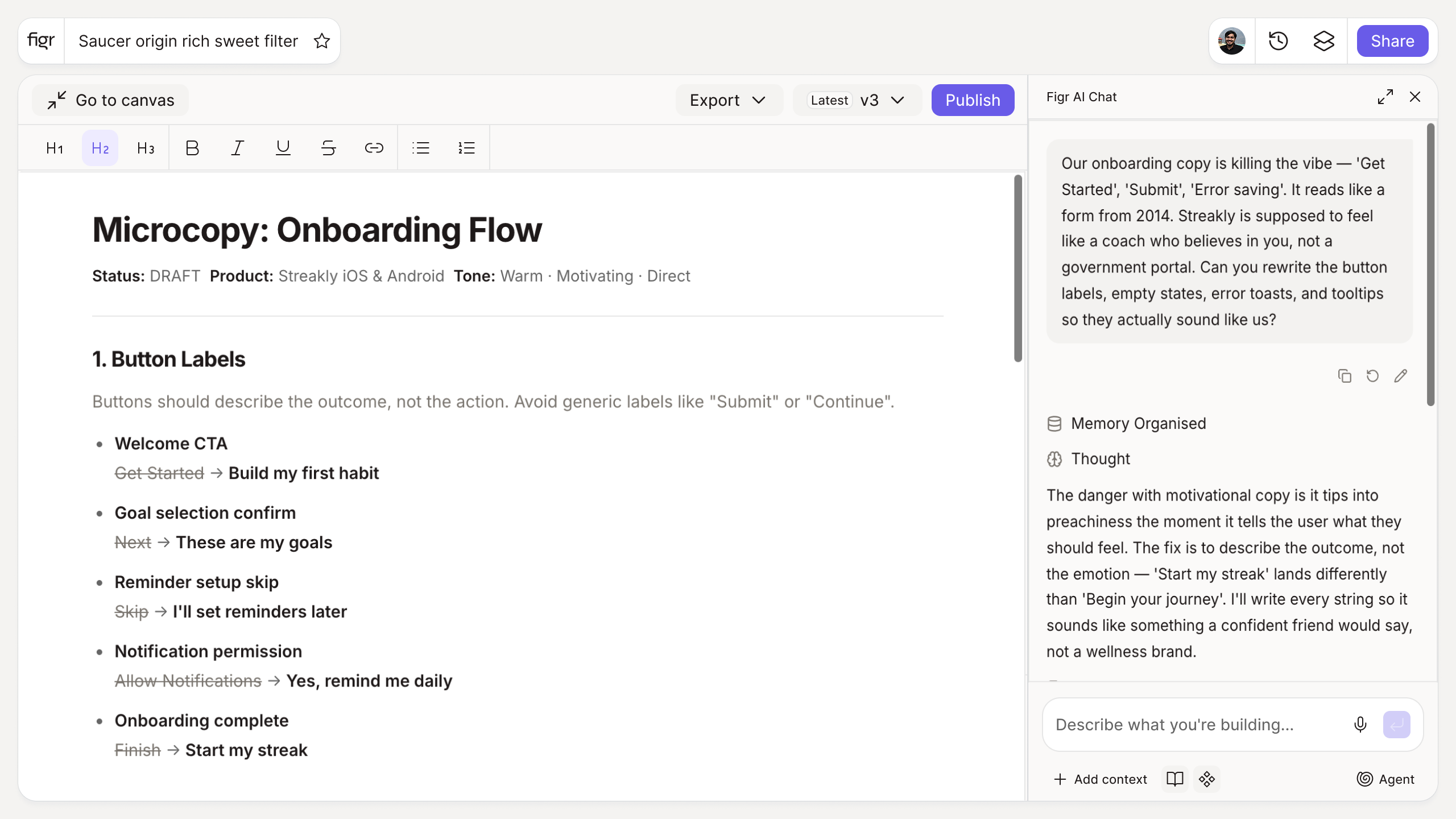
Inputs:
- UI element type (selector): button, form field, empty state, tooltip, confirmation, placeholder
- Context (free text): what the element does
- Tone (selector, optional): neutral, friendly, formal
Output: A few copy options for the selected element, fitting the context and tone. Copyable.
Behavior: Generates instantly in-browser, no login. Editable inline.
How it works
1. Pick the element. Button, field, empty state, and more.
2. Describe the context. What the element does and where it sits.
3. Set the tone. Match your product voice.
4. Generate and choose. Pick an option, edit if needed.
A worked example
An empty state on a tasks list usually ships as a blank panel or the word "Empty." You enter the context and get options like "No tasks yet. Add your first one to get started," paired with a clear action. That turns a dead screen into an invitation, which is most of what good microcopy does. Notifications follow the same logic; UI notification examples shows how the same care applies to system messages.
From copy to design, with Figr
Microcopy needs a screen to sit on. Figr designs the screens and their states from your product context, so your copy has somewhere considered to live instead of floating in a doc. It reasons about empty, loading, and error states most tools ignore, which is where microcopy matters most. Pair this with the error message generator for failure copy, and the edge case generator to surface the states that need words.
Who this is for
This helps UX designers and PMs who want interface copy that reads like a person wrote it, fast, across many small elements.
What this tool is not
It drafts copy options; it does not enforce your brand voice or design the element it sits in. Treat the output as a strong first pass to edit, not a finished voice guide. It is also a free, standalone utility, not a Figr product feature.
FAQ
Is the microcopy generator free?
Yes, free and no sign-up.
What elements does it cover?
Buttons, form fields, empty states, tooltips, confirmations, and placeholders.
Can I match my tone?
Yes. Set the tone and add context to steer the wording.
Can I edit the output?
Yes. The options are starting points you can refine.
What is the difference between microcopy and UX writing?
Microcopy is the small in-context text on elements; UX writing is the broader discipline of shaping that language across a product. This tool helps with the former.
How is this different from Figr the product?
This is a free writing tool. Figr the product is an AI product designer that turns product context into UX decisions and Figma-ready design.