
The tool
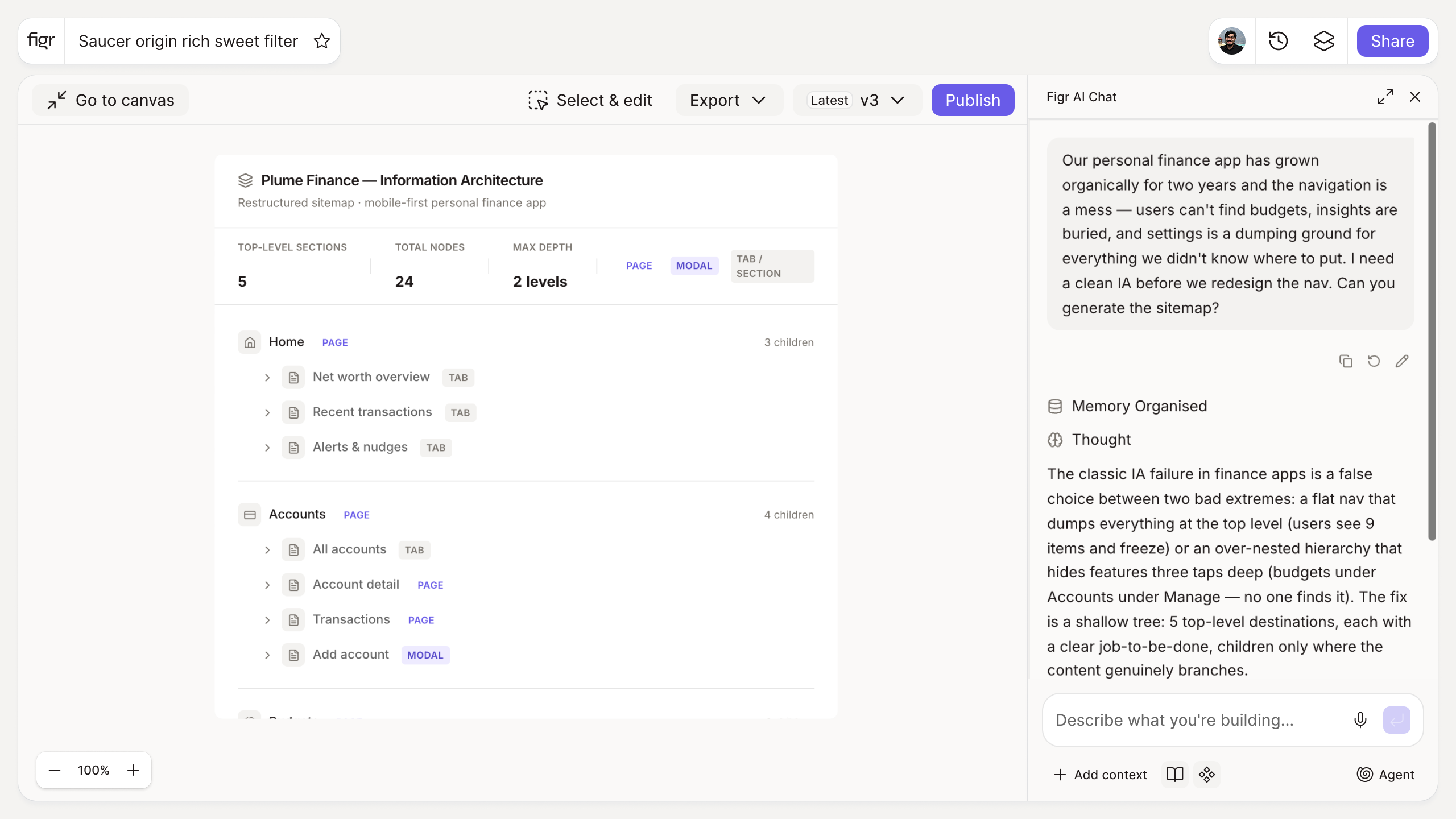
Inputs:
- Product type (selector): SaaS app, marketing site, e-commerce, dashboard, mobile app
- Pages and features (free text, one per line)
Output: A recommended information architecture as a hierarchical tree, grouping related pages, suggesting navigation structure, and flagging orphaned items. Exportable as a tree or list.
Behavior: Generates instantly in-browser, no login. Editable and exportable.
How it works
1. Choose the product type. Structure conventions differ by type.
2. List your pages and features. Paste everything you need to organize.
3. Generate the tree. Get a grouped, hierarchical structure.
4. Adjust and export. Refine the grouping, then share the sitemap.
A worked example
You paste forty pages from a SaaS app that grew without a plan: settings scattered, three places to manage billing, reports nobody can find. The generator groups them, proposes a primary navigation, and flags six orphaned pages with no logical parent. That last part is the useful jolt, the orphans are usually the features users complain they cannot find. From the tree you can design the navigation that exposes it, and if your product is data-heavy, how to create an ERD helps align the structure with the underlying model.
From structure to screens, with Figr
With the IA settled, Figr helps you design the screens within it, from your product context, on your design system. The structure tells Figr where a screen lives, and Figr reasons through the screen itself. Pair this with the user journey map builder to pressure-test the structure against real paths, and the user persona generator to keep the grouping tied to who is navigating.
Who this is for
This helps UX designers and PMs settling structure before they commit to screens.
What this tool is not
It proposes a structure from your inputs; it does not validate that structure with your users. Card sorting and testing still earn their place. It is also a free, standalone utility, not a Figr product feature.
FAQ
Is the information architecture generator free?
Yes, free and no sign-up.
What does it output?
A hierarchical sitemap tree that groups your pages and suggests navigation, with orphaned items flagged.
Can I edit the structure?
Yes. The tree is a starting point you can rearrange.
Should I still run card sorting?
For anything high-stakes, yes. This tool gives a strong default; real user input validates it.
How is this different from Figr the product?
This is a free structuring tool. Figr the product is an AI product designer that turns product context into UX decisions and Figma-ready design.