
The tool
- Product type (selector): SaaS web app, mobile app, dashboard, e-commerce
- Check depth (selector, optional): quick pass, thorough
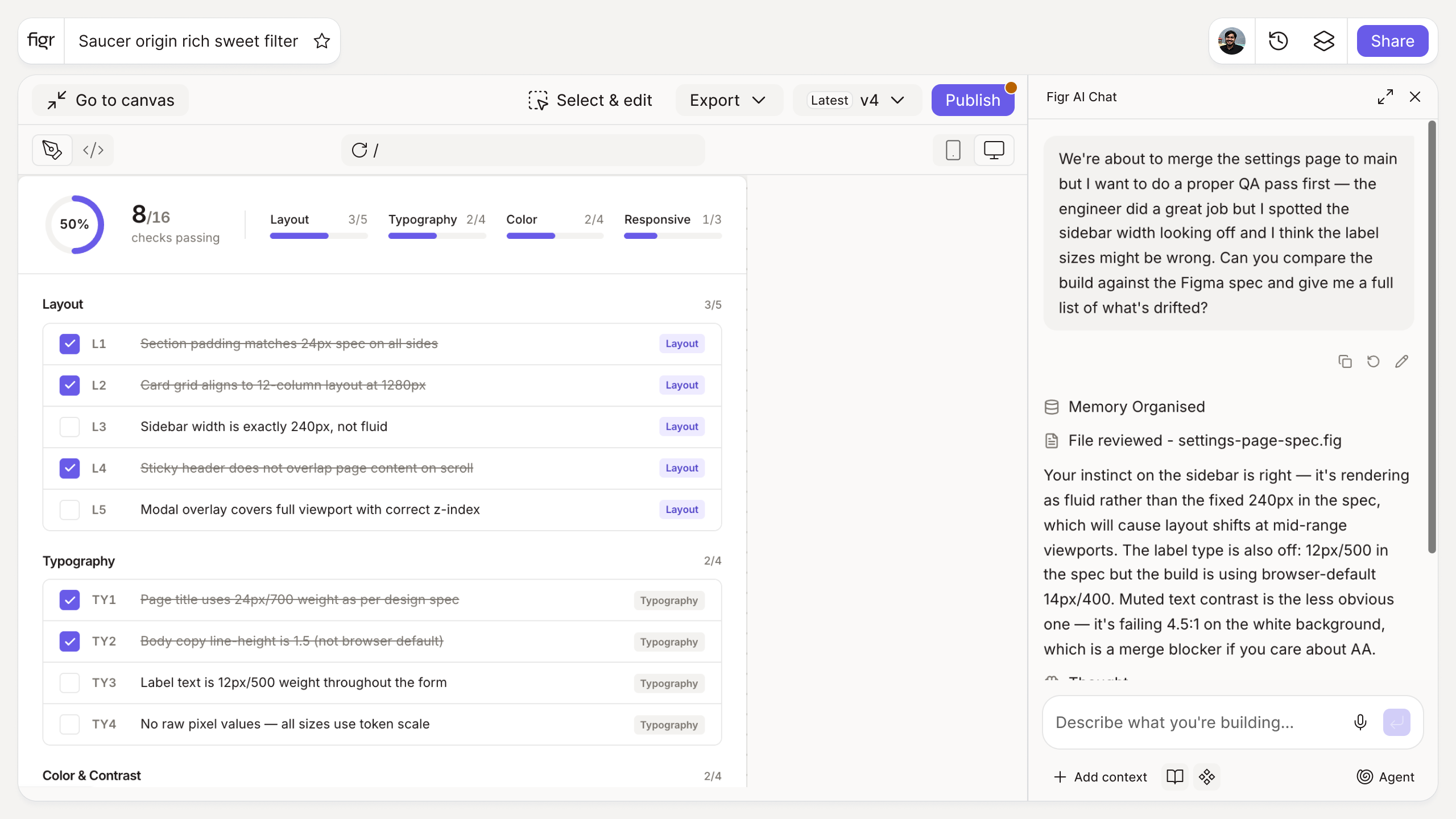
Output: A QA checklist comparing the built product against the design, grouped by spacing and layout, typography, color and tokens, states, and responsiveness. Exportable.
Behavior: Generates instantly in-browser, no login. Items are checkable and exportable.
Designs rarely ship the way they were drawn
Between the Figma file and production, spacing slips a few pixels, a token gets hardcoded, a state gets skipped, and the live product quietly drifts from the design. No single change is dramatic, but they accumulate until the product no longer matches the system, and trust in the design system erodes. This is the design system vs live product gap, and it is where Figma-to-production drift lives.
A structured design-vs-live QA pass catches that drift before users see it. This tool builds the comparison list per product type, so the check is systematic instead of a quick eyeball.
How it works
1. Choose your product type. The checklist adapts to your context.
2. Generate it. Get grouped items for comparing design to the live build.
3. QA the build. Work screen by screen against the checklist.
4. Log and export. Capture drift and share it with engineering.
A worked example
QAing a dashboard build, the checklist walks the gaps that usually slip: is the card padding the token value or an eyeballed approximation, do the table headers use the type scale or a one-off size, is the hover state present, does the layout hold at the breakpoint, is the empty state the designed one or a placeholder. Each mismatch gets logged against the design intent, which turns "it looks a bit off" into a specific, fixable list. The dashboard design dos and don'ts cover what good looks like for this surface.
From QA to consistency, with Figr
Catching drift is good; preventing it is better. Figr is an AI product designer that works from your actual design system and reasons through states from your product context, so the design starts closer to the system and there is less gap for the build to drift across. Pair this with the dev handoff checklist so specs are complete and the design review checklist so states are designed before the build.
Who this is for
This is for design leaders and the designers and engineers who own the gap between design and production.
What this tool is not
A QA checklist finds drift; it does not fix it, and it will not enforce consistency on its own. The fix is process and tooling upstream. It is also a free, standalone tool, not a Figr product feature.
FAQ
Is the design QA checklist generator free?
Yes, free and no sign-up.
What does it check?
Spacing and layout, typography, color and tokens, interaction states, and responsiveness, comparing the live build to the design.
Who uses this, design or engineering?
Both. Designers use it to verify intent; engineers use it to self-check before review.
Can I export it?
Yes, as a checkable, shareable list.
How is this different from Figr the product?
This is a free checklist tool. Figr the product is an AI product designer that turns product context into UX decisions and Figma-ready design.