
The tool
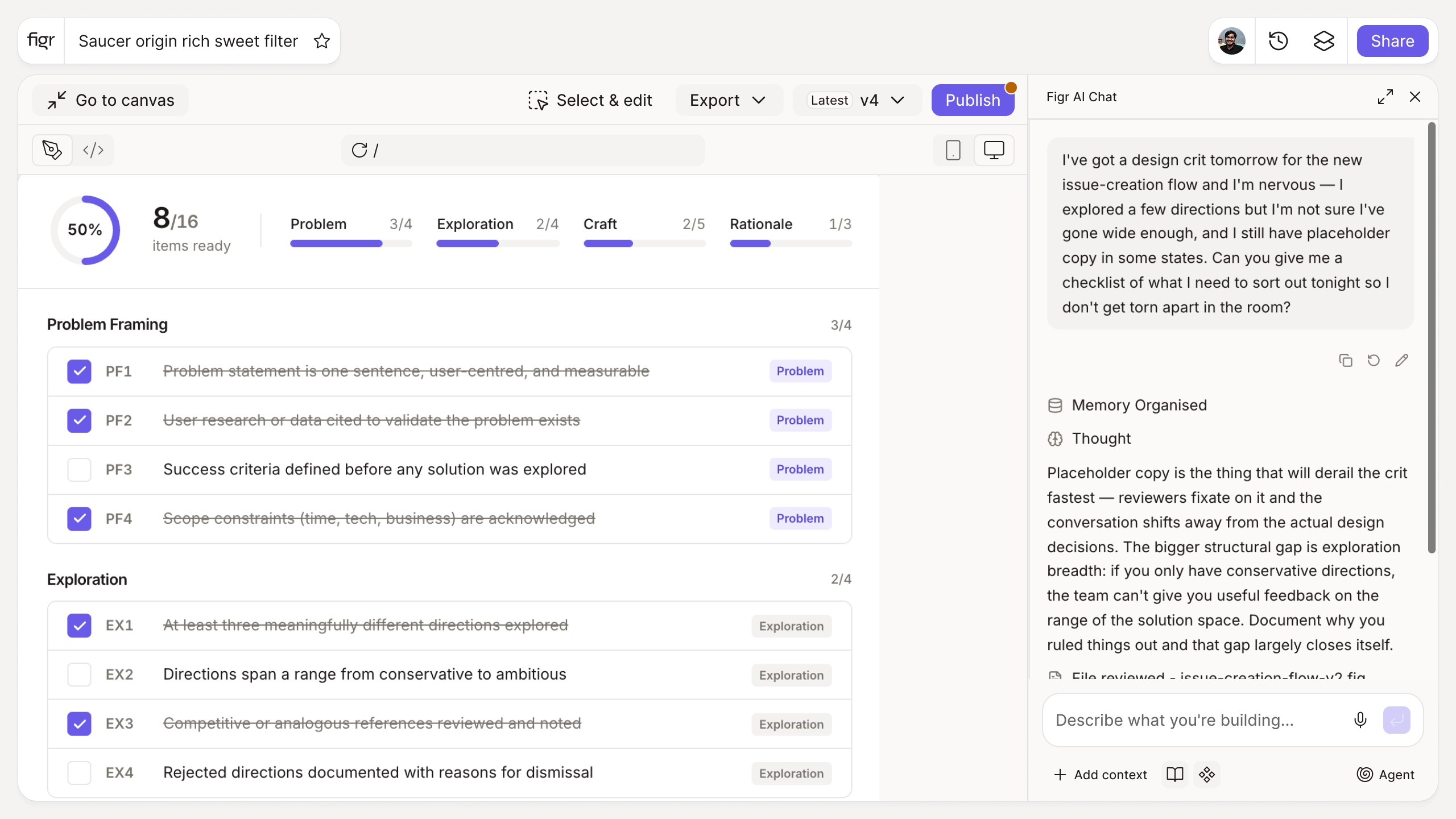
Inputs:
- Screen type (selector): form, list, dashboard, onboarding, settings, checkout
- Fidelity (selector): wireframe, high-fidelity, prototype
Output: A review checklist grouped by edge cases, interaction states, responsiveness, accessibility, and design-system consistency, tailored to the screen and fidelity. Exportable.
Behavior: Generates instantly in-browser, no login. Items are checkable and exportable.
"Looks good" is not a review
Most design reviews drift into opinion: someone likes the color, someone wants a bigger heading, and the meeting ends without anyone checking whether the empty state exists or the form handles errors. Then those gaps ship, and the review that was supposed to catch them gets blamed.
A consistent checklist turns critique into a real quality gate. It asks the same structural questions every time, regardless of taste, so problems surface while they are cheap to fix. This tool builds that list per screen and fidelity. The case for making review systematic, and faster, is laid out in cutting design review cycles by 70%, and running the human side well is covered in the stakeholder design review process.
How it works
1. Choose the screen and fidelity. A wireframe review differs from a high-fidelity one.
2. Generate the checklist. Get grouped items for this stage.
3. Review against it. Catch gaps before the design goes to engineering.
4. Export and attach. Share the completed review with your team.
A worked example
Reviewing a high-fidelity checkout screen, taste-based feedback stops at "the button could be bolder." The checklist keeps going: is there a loading state while payment processes, an error state for a declined card, a disabled state until the form is valid, behavior at mobile width, and focus handling for keyboard users. Each is a yes or no, not an opinion, which is also what makes the review easy to present to executives as evidence the work is ready.
From review to handoff, with Figr
Reviews surface gaps; the faster path is to have fewer gaps reach review at all. Figr is an AI product designer that reasons through states and edge cases from your product context and produces Figma-ready screens on your design system, so the empty, error, and loading states are designed up front rather than caught late. Pair this with the dev handoff checklist for the next gate and the edge case generator to map states before the review.
Who this is for
This is for design leaders and senior designers who own design quality and want reviews that catch real problems, not just polish.
What this tool is not
A checklist makes reviews thorough; it does not make the design good. Craft and product judgment still come from the people in the room. It is also a free, standalone tool, not a Figr product feature.
FAQ
Is the design review checklist generator free?
Yes, free and no sign-up.
What does the checklist cover?
Edge cases, interaction states, responsiveness, accessibility, and design-system consistency, tailored to the screen type and fidelity.
Can I use it for wireframes and high-fidelity designs?
Yes. Choose the fidelity and the checklist adjusts.
Can I export it?
Yes, as a checkable, shareable list.
How is this different from Figr the product?
This is a free checklist tool. Figr the product is an AI product designer that turns product context into UX decisions and Figma-ready design.