
The tool
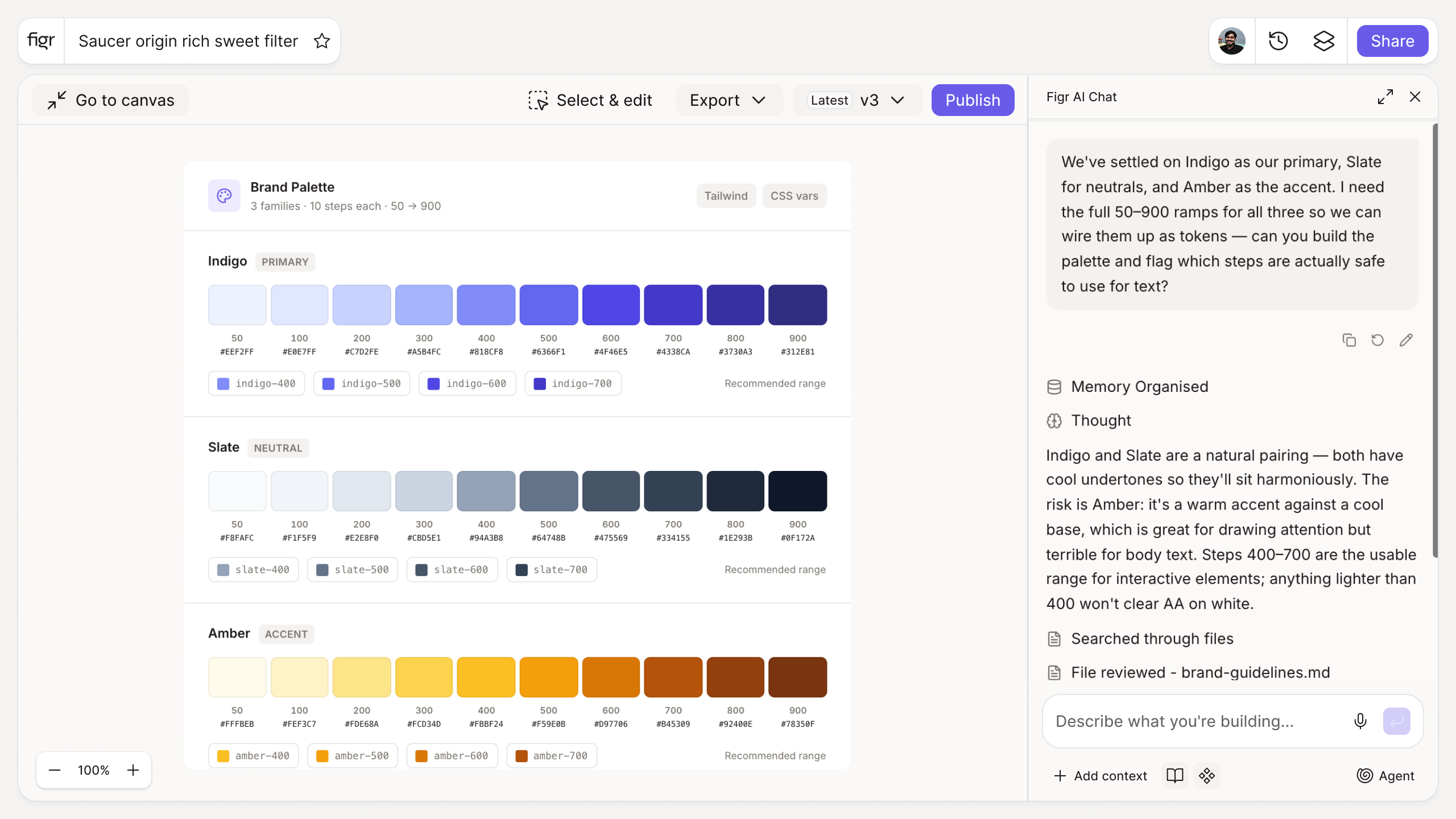
Inputs:
- Brand color (hex, or color picker)
- Steps per scale (number, optional)
Output: A primary scale of tints and shades from the brand color, a complementary secondary scale, and a neutral gray scale, each with hex values. Exportable as CSS variables or tokens.
Behavior: Generates live in-browser, no login. Exportable.
One brand color is not a color system
Teams often start with a single hex from the brand deck and then improvise everything else: a slightly darker shade for the hover state, a lighter one for a background, a gray that is really just the brand color desaturated by feel. The result is a palette that looks coherent on the homepage and falls apart across the product.
A usable system needs tints for surfaces, shades for states, and a real neutral ramp for text and borders. This tool builds all three from one seed, so the palette is coherent by construction. The practices behind a durable palette are in creating a color palette for your design system, and how it fits the wider system in the design systems guide.
How it works
1. Enter your brand color. The palette builds from this seed.
2. Set the steps. Choose how many tints and shades per scale.
3. Generate. Get primary, secondary, and neutral scales with hex codes.
4. Check and export. Verify contrast, then copy as CSS or tokens.
A worked example
From a single brand purple, the generator produces a 9-step primary ramp (light tint for backgrounds through dark shade for pressed states), a complementary secondary for accents, and a neutral gray scale for text and surfaces. Now your buttons, hovers, backgrounds, and borders all come from a related family instead of being mixed by hand. The one habit to keep is running the text pairings through the color contrast checker before you commit them, and folding the result into your brand guidelines.
From palette to applied system, with Figr
A palette is only useful when it is applied consistently. Figr is an AI product designer that uses your real color tokens across everything it designs, so the system is followed rather than approximated per screen. Pair this with the color contrast checker and the design token naming generator.
Who this is for
This is for design leaders and designers building a color system meant to hold up across a whole product.
What this tool is not
It generates mathematically related scales; it does not guarantee they are accessible or on-brand for every use, so check contrast and taste before shipping. It is also a free, standalone utility, not a Figr product feature.
FAQ
Is the color palette generator free?
Yes, free and no sign-up.
What does it generate?
Primary, secondary, and neutral scales with tints and shades, each with hex values.
Can I export the palette?
Yes, as CSS variables or design tokens.
Will the palette be accessible?
It gives you the scales; check specific text-on-background pairs with the contrast checker for AA or AAA.
How is this different from Figr the product?
This is a free utility. Figr the product is an AI product designer that turns product context into UX decisions and Figma-ready design.