

It’s 4:47 PM on Thursday. Your VP just asked for something visual to anchor tomorrow's board discussion on the new onboarding flow. You have a PRD. You have bullet points. You have 16 hours and no designer availability.
This is the moment most product workflows fracture. The demand for clarity arrives, but the tools for creating it are scattered and disconnected. You scramble to translate tangled logic into a shared language that engineering, design, and leadership can all understand without a shred of ambiguity.
This is what I mean: that last-minute scramble to visualize a flow almost always reveals the gaps, contradictions, and unhandled edge cases buried deep inside a wall of text. It's not a failure of planning, it's a failure of the medium. Text documents are a terrible way to describe interactive logic. A software decision tree isn't just another diagram, it's a tool for forcing clarity before the fire drill begins.
From Chaos to Clarity
Last week I watched a PM spend two full days in a circular Slack debate with an engineer about user permissions. They were architects arguing over a blueprint, but each was referencing a different paragraph in a dense, 20-page document.
Had they started with a simple decision tree, the entire logical path would have been mapped out visually in less than an hour. The core disagreement would have been exposed instantly. This isn't a rare occurrence, it's the default state in many software teams, leading to delays that feel unavoidable but really are not. (You can learn more about how to prevent scope creep in our dedicated guide on the topic.)
The goal is to shift from reactive scrambling to proactive, structured thinking. When you map out every choice and outcome upfront, you kill last-minute chaos and prevent costly rework. That 4 PM fire drill becomes a calm, confident review of a plan everyone already understands.
Distinguishing the Two Types of Decision Trees
The term "software decision tree" is a fork in the road. Head one way, and you’re in the land of data science, talking about predictive models. Head the other, and you're in product management, mapping out user experiences.
Is that just semantics? Not at all.
Speaking the wrong language to the wrong audience creates instant, crippling confusion. It’s the difference between a weather forecast and a choose-your-own-adventure novel.
One predicts. The other directs.
The Architect vs. The Oracle
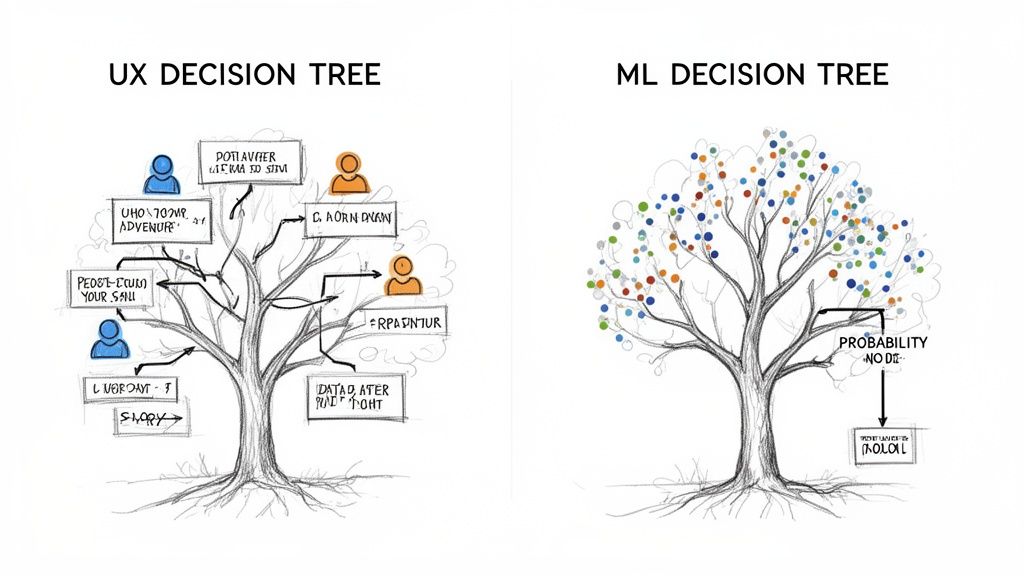
For product managers, designers, and engineers, the software decision tree is an architectural blueprint. It’s a deterministic map of a user flow, defining every possible choice and its explicit consequence. Think of it as the constitutional law for a feature, outlining every "if this, then that" scenario so there are no surprises. This is the UX Decision Tree. Its job is to provide absolute clarity for the build team.
The basic gist is this: you are defining the rules of the game before anyone starts playing.
A friend at a SaaS company recently inherited a feature with notoriously buggy logic. Her first act was to translate the spaghetti code into a UX decision tree. In the process, she discovered three contradictory rules and four unhandled error states. The map revealed the flaws in the territory.
For data scientists, a decision tree is something else entirely. It's a predictive model, a statistical oracle. This is the Machine Learning (ML) Decision Tree. It ingests historical data to learn patterns and then makes probabilistic guesses about future outcomes. It does not define what should happen, it predicts what might happen. This lineage of predictive tools saw a massive leap forward with Ross Quinlan's C4.5 algorithm, which by 2006 was named one of the top data mining algorithms ever. You can learn more about the history of these powerful algorithms and how they evolved.
The UX tree is a human-authored script that dictates behavior. The ML tree is a data-derived model that predicts behavior. One is about control, the other about probability.
This distinction is critical. When an engineer asks for the decision tree, are they asking for the explicit user flow logic or the model that powers a recommendation engine? Knowing the difference prevents weeks of wasted effort building the wrong thing.
Let's break down the core differences in a simple table.
UX Decision Tree vs Machine Learning Decision Tree
Ultimately, one tree helps you build the software, while the other helps the software learn. They solve completely different problems, and confusing them is like handing a builder a weather report instead of a blueprint.
When to Use a Software Decision Tree
A software decision tree isn’t a tool for every task. You wouldn't use a city blueprint to build a birdhouse. The real power of a decision tree emerges when complexity starts creeping into a workflow, making the path forward feel murky and uncertain.
When should you reach for it?
When the number of potential user paths starts to feel less like a straight line and more like a branching river.
Think about a multi-step user onboarding, a checkout process with complex shipping rules, or a feature with layered permissions based on user roles. These are the moments where ambiguity gets expensive, fast. A friend at a fintech startup recently told me his team spent three weeks building a loan application flow. They celebrated the launch, only to spend the next two weeks extinguishing fires, fixing edge cases a decision tree would have caught in a single afternoon.
Identifying the Triggers for a Decision Tree
You’re looking for signals that the cost of a misunderstanding is high. A single ambiguous sentence in a PRD can lead to days of wasted engineering effort. A decision tree is a direct antidote to that ambiguity.
So, what are the triggers?
- Multiple User Paths: When a user's choice at step one dramatically changes the options available at step three.
- Complex Conditional Logic: Any time you hear the words "unless," "except when," or "it depends on..." during a planning meeting, a little alarm bell should go off.
- High-Stakes Outcomes: Workflows involving financial transactions, irreversible actions, or critical user data demand absolute clarity. There’s no room for error.
- System Dependencies: When the software's response depends on external data, API states, or the status of another system.
This isn't just about project management theory, it’s about the raw economics of software development. According to a 2017 report by Stripe and Harris Poll, developer inefficiency costs companies over $300 billion annually. Every hour an engineer spends asking for clarification is an hour not spent building. Mapping the logic visually forces those critical conversations to happen before a single line of code is written. You can learn more about how this clarity aids in the complex process of how to prioritize your product backlog in our detailed guide.
A decision tree acts as an insurance policy against the phrase, "Oh, we didn't think about what happens when..." It transforms hidden assumptions into explicit, debatable choices.
For instance, a software decision tree provides a structured framework for evaluating critical modernization choices, like the strategic trade-offs between different development approaches. It makes the consequences of each path visible to everyone on the team. The core takeaway is to recognize complexity early and apply the right level of rigor. Don’t wait for the fire drill, draw the map before you enter the forest.
The Anatomy of a High-Impact Decision Tree
A software decision tree isn’t just a diagram of boxes and arrows. It's the narrative structure of a user’s journey: a story with a beginning, a middle, and multiple possible endings. A great one tells a complete story your entire team can understand.
The map is not the territory.
A decision tree is a map that tries to be the territory. It must anticipate every turn, every dead end, every possible destination.
The Core Components
At its heart, every user experience decision tree is built from three fundamental elements. Mastering this vocabulary is the first step toward building a map your engineers will love.
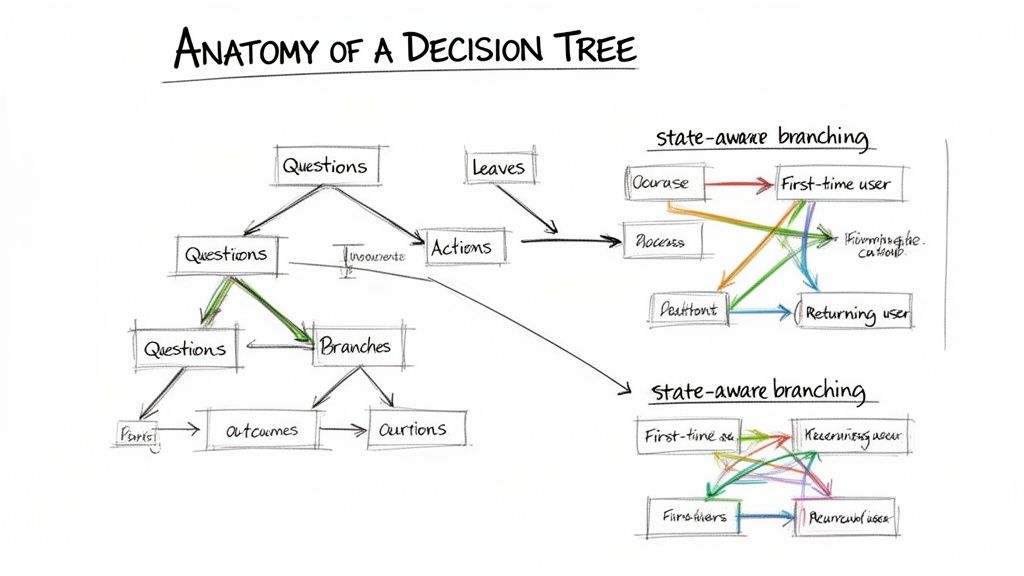
- Nodes (The Questions): These are the pivotal moments of decision or system states. A node asks a question like, "Is the user logged in?" or represents a state like "Payment processing." Each node is a scene where something important must happen.
- Branches (The Actions): These are the paths leading out from a node. They represent either a user's choice ("Clicks 'Upgrade Now'") or a system trigger ("Payment API returns 'Success'"). Each branch is an action that moves the story forward.
- Leaves (The Outcomes): These are the terminal points of any path. A leaf is a final outcome, such as "Display 'Success' message" or "Show 'Payment Failed' screen." There are no further branches from a leaf, the scene concludes here.
But simply connecting these parts is not enough. High-impact trees add another layer of intelligence.
Introducing State-Aware Branching
The most effective decision trees are not static. They adapt. State-aware branching is a critical concept where the available paths change based on the user's history within the session or their overall status. The choices you present are not just based on the user's immediate action, but on their accumulated context.
A decision tree without state awareness is a monologue. One with it becomes a conversation, responding not just to what the user says now, but remembering what they said before.
For example, a subscription upgrade flow should look fundamentally different for a brand new user versus a loyal customer on a legacy plan. The system is "aware" of their state and presents relevant, not generic, branches. This level of detail is often where teams conduct a fit-gap analysis to identify what existing components can be reused versus what needs to be built.
Let’s map this out with a simple subscription upgrade flow:
- Node (Question): User clicks "Manage Subscription." Does the user have an active subscription?
- YES: Proceed to Node 2 (Upgrade Options).
- NO (Empty State): Proceed to Leaf 1 (Display 'Choose a Plan' screen).
- Node 2 (Upgrade Options): User sees available plans and selects "Pro Plan." Clicks "Confirm."
- Node 3 (System State): System processes payment. What is the API response?
- SUCCESS: Proceed to Leaf 2 (Display 'Upgrade Complete!' confirmation).
- FAILED (Edge Case): Proceed to Leaf 3 (Display 'Payment Declined' error with a 'Try Again' option).
- Onboarding sequences with multiple steps.
- Checkout flows with different shipping or payment options.
- Features where permissions change depending on the user's role.
- Any workflow where one small misunderstanding could force significant rework.
This simple structure accounts for the happy path, an empty state, and a critical edge case. It’s a complete story, not just a single chapter.
How to Build and Validate Your Decision Tree
A decision tree on a whiteboard is an artifact of consensus. It proves the team talked it through. But a software decision tree that powers a testable prototype? That’s an engine of clarity. It proves the team is right.
The whole point is to get your logic out of a static diagram and into a dynamic, interactive experience. Staring at boxes and arrows helps you catch the most obvious flaws. Clicking through a realistic prototype is where you find the subtle, experiential gotchas that can completely sink user adoption.
How do you make that jump?
Step 1: Map the Full Territory
First, map every possible path, not just the happy one. Get everything down: all user inputs, every system state, and all potential outcomes. Go deeper than the major choices.
What happens if an API call times out? What does the user see if their account has no data yet? These are not just details, they are the very fabric of the user experience.
A friend at a Series B company told me a story about a new checkout flow they shipped. It worked perfectly, as long as the credit card was valid. The moment a card was declined, the whole thing broke, trapping users in an endless loop. They had mapped the destination but completely forgotten all the detours. Effective decision trees often lean on solid data analysis, and it's worth considering how modern tools can help with AI data analysis to pull out the critical insights that inform these paths.
Step 2: Validate with Interactive Prototypes
This is where the game changes. Once you have a complete logical map, the next step is validation. And by validation, I mean much more than just a quick peer review.
Modern tools can ingest your live application context, connect to your design system in Figma, and instantly spin your logical map into a high-fidelity, interactive prototype. This is not just a collection of linked-up static screens. It's a clickable model of your feature's brain, powered by the exact logic you just defined.
Static diagrams show you the plan. Interactive prototypes let you feel the consequences of that plan.
This entire process bridges the enormous gap between abstract logic and the tangible user experience. It lets stakeholders actually click through the entire flow, catching flawed assumptions and missed edge cases firsthand. We wrote a whole guide on how to validate features before writing a single line of code if you want to go deeper.
Step 3: Connect Logic to Production
The final piece of the puzzle is connecting your validated logic directly to your production reality. This means linking your decision tree nodes to real components from your design system and maybe even to actual data from your application.
When you test the flow this way, you're not just testing a theoretical idea. You're running a realistic simulation of the final product.
By building, validating, and connecting your tree this way, you create an artifact that is not just understood, it has been stress-tested. In short, you get to hand off a proven blueprint, not just a hopeful sketch.
Your First Step from Theory to Action
You’ve seen the cost of ambiguity and the power of a clear decision framework. The next step isn’t to boil the ocean by mapping your entire product. It’s about picking one high-leverage flow that is causing real friction right now.
Is it your user onboarding? The checkout process? Maybe a tangled feature configuration screen?
Here’s the grounded takeaway: choose that one critical user journey. Spend the next hour just mapping its decision tree on a piece of paper. Don’t overthink it. Identify the primary nodes, branches, and outcomes, then jot down the edge cases you have not yet accounted for.
This simple exercise will almost certainly reveal hidden complexity and deliver immediate clarity.
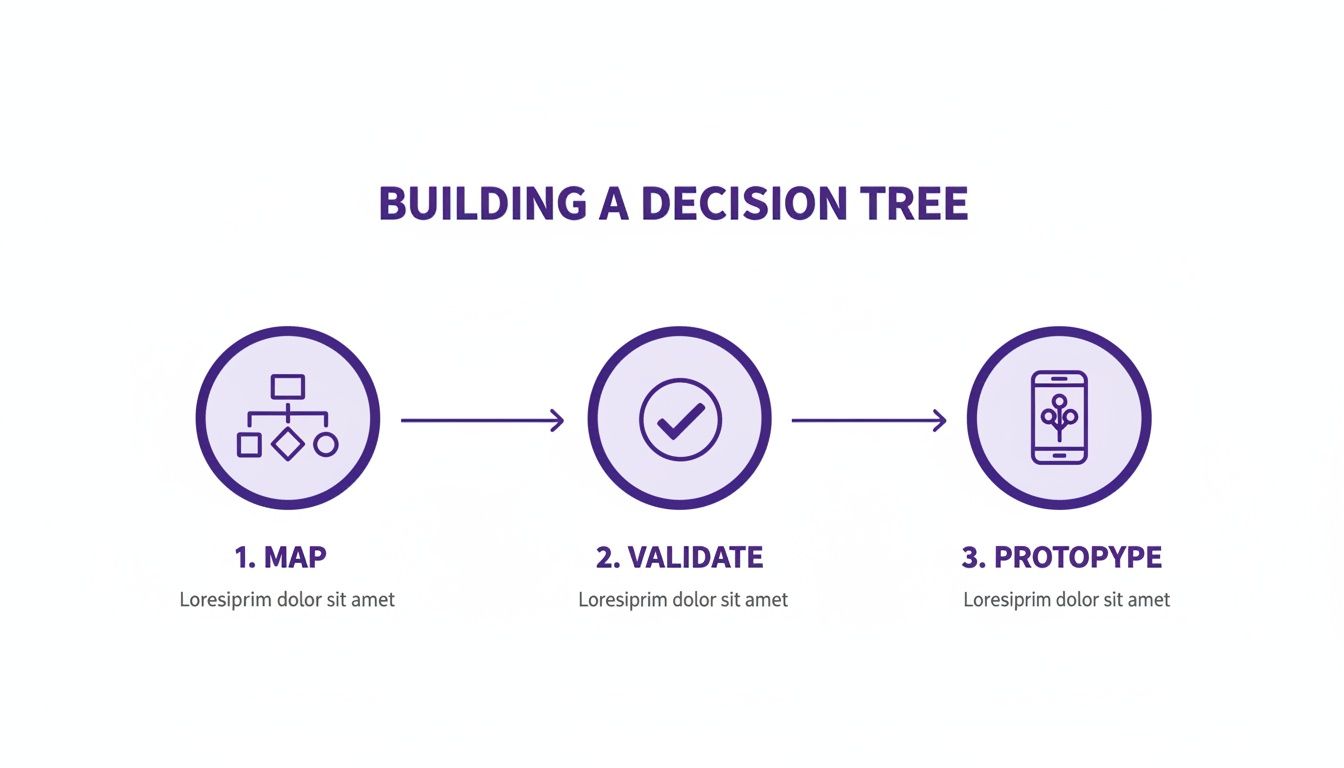
This progression, from a messy map to a validated prototype, is the core of modern product development. Once you have that paper draft, you're ready to use a tool to turn that sketch into a shareable, testable artifact.
Taking this single action will fundamentally shift your team’s conversations. You’ll stop asking "what should we do?" and start debating "is this the right experience?"
That shift is everything.
A Few Common Questions
What Is a Software Decision Tree Actually Used For?
In product development, think of a UX software decision tree as the complete logical blueprint for a feature. It's a visual map of every choice a user can make and every response the system can have within a specific workflow.
It’s not a predictive model guessing what users might do. It's a prescriptive guide that gets engineering, design, and product perfectly aligned on every single "if this, then that" scenario before a line of code gets written.
When Should I Bother Making One?
You should create one anytime a user flow has multiple paths, conditional logic, or high-stakes outcomes. If you're building one of these, a decision tree will save you headaches later.
A decision tree is basically an insurance policy against ambiguity. It forces the hard conversations about edge cases and error states to happen upfront, not during a late-night bug hunt.
Isn't This Just a User Flow Diagram?
Not quite. A user flow diagram usually shows the "happy path": the ideal, straightforward journey a user takes to get something done.
A software decision tree is far more rigorous. It has to account for every possible path. That includes errors, empty states, dead ends, and alternative choices. It’s the complete logical spec that developers need to build from.
Can These Trees Be Used for Financial Modeling?
Yes, but that's a completely different kind of tree. In finance and insurance, decision trees are used for risk analysis and modeling uncertainty, often paired with Monte Carlo simulations to forecast potential outcomes.
For example, an AWS analysis on financial services workloads mentions using these trees to model everything from options pricing to losses from natural disasters. The key difference is prediction versus specification. Our trees specify logic, their trees predict futures.
Stop mapping logic in static diagrams and start building interactive prototypes that feel real. Figr ingests your live application context and design system, turning your software decision tree into a testable, high-fidelity prototype in minutes. Discover how to ship UX faster with Figr.