
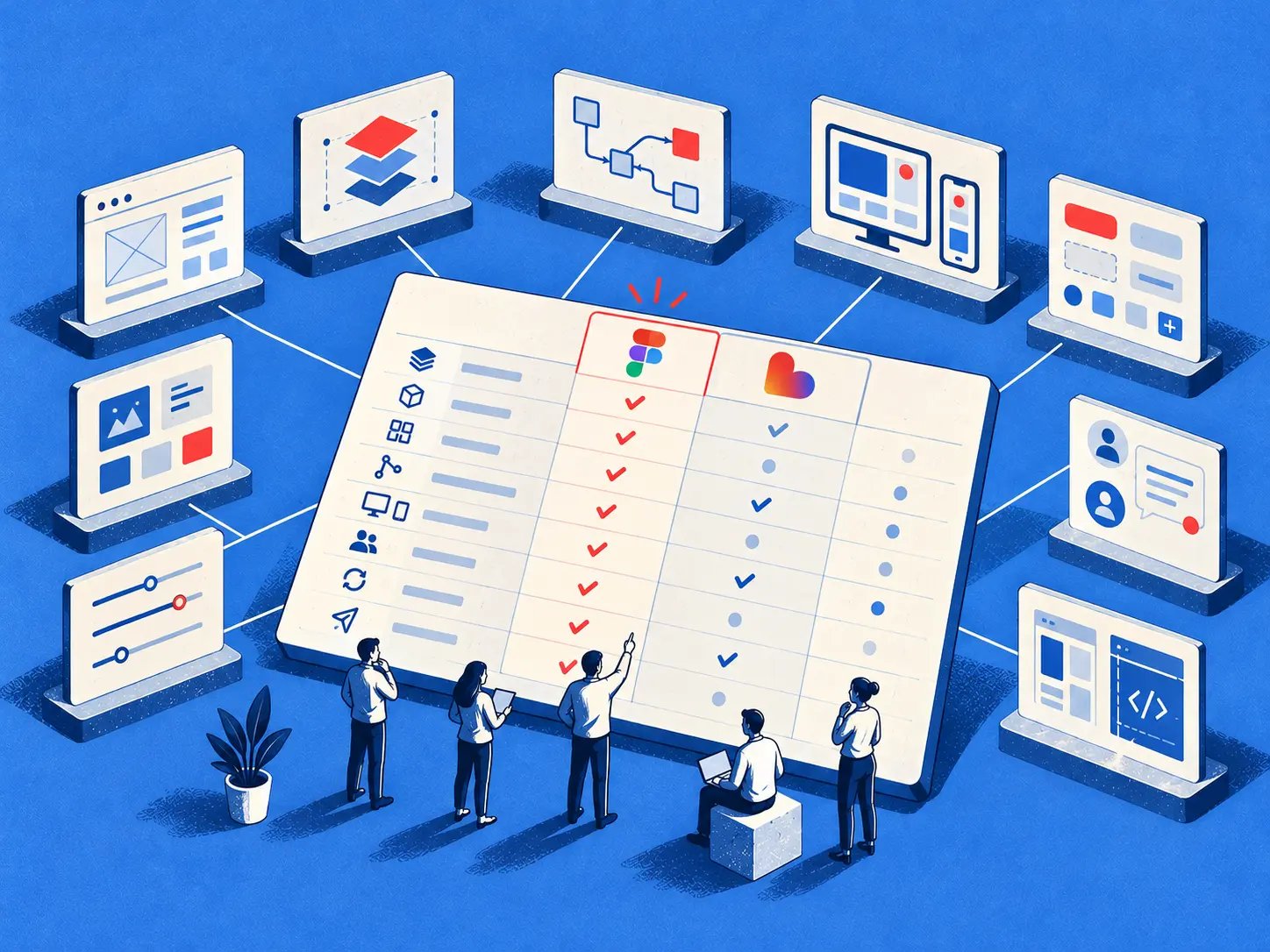
A Product Manager can generate a beautiful feature demo in minutes and still have no answer when engineering asks which existing component, token, state, or repository owns it. That's the decision behind Figma Make vs Lovable for teams with a live product.
When the answer is missing, the demo becomes a liability. Designers redraw familiar patterns, engineers replace generated markup, QA discovers unhandled permission and error states, and the planning meeting turns into a debate about rework instead of product value.
The better approach is to evaluate each tool against the context your team already carries. Figma Make, Lovable, and Figr take different paths from product intent to usable output, and the right choice depends on where your source of truth lives, how much state your feature has, and what engineering must inherit.
The Decision Hiding Behind a Slick Demo
A polished settings screen can win a product review and still create weeks of delivery work. The warning sign appears when someone asks whether the screen uses the product's real permissions pattern, component library, and interaction rules.
From there, the team must verify spacing tokens, loading behavior, empty and error states, accessibility requirements, analytics events, and the path from prototype to reviewable code. The render proved that the tool could produce a convincing first screen. It did not prove that the team could ship it.
This gap between visible output and usable product context is the context-to-rework gap. It is the work required to restore design-system fidelity, cover missing states, establish version control, and make generated output acceptable to engineering.
Two different starting philosophies
Figma introduced Make at Config 2025 as a tool that converts natural-language prompts, existing designs, and images into interactive prototypes and functional applications. Figma moved Make from beta to general availability on July 24, 2025, across its subscription tiers. Its foundation in a collaborative design environment gives it a practical advantage when files, components, libraries, and team workflows already live in Figma. Figma Make background and product history
Lovable launched in November 2024 as an AI software-creation platform focused on generating applications from prompts. Its starting point is different: prompt-first experimentation that can progress toward hosted software, backend behavior, and shareable application experiences.
The important distinction is the cost of the handoff. A Figma-rooted team may spend less time rebuilding visual and interaction context in Make. A team starting with a blank brief may prefer Lovable's direct path from requirements to a working application, while accepting more responsibility for specifying states, system rules, and engineering ownership.
The practical question: Which tool leaves your team with fewer decisions to rebuild after the demo?
A demo should expose those downstream decisions. Guidance on how to influence deals with demos applies to internal product reviews too: the demonstration should clarify what happens next, including what designers, Product Managers, engineers, and QA must still do.
Choose Figma Make when your source of truth is already in Figma and design-system continuity matters. Choose Lovable when prompt-to-product speed and hosted application behavior matter more than immediate fidelity to an existing design system. Judge both by the rework they create after the impressive render.
Side-by-Side Comparison at a Glance
Figma Make and Lovable solve adjacent problems, but they place context, iteration, and ownership in different parts of the workflow.
The table points to a critical distinction. Figma Make keeps the design artifact close to the generated behavior, while Lovable pushes more directly toward a running application.
Neither table row answers the production question by itself. Teams still need to inspect token reuse, component mapping, state completeness, code corrections, and rollback paths.
Figma Make is best at design-to-prototype continuity. Lovable is best at prompt-first application experimentation.
How Each Tool Handles Existing Product Context
A role-management panel can expose the real difference after the first impressive render. In an established SaaS product, the feature must reuse navigation, preserve spacing and typography, show permission states, confirm changes, and explain failed saves. The question is whether the tool already understands those rules or makes the team restate them.
Figma Make starts with more native product context when the source of truth lives in Figma. It can use existing frames, components, variables, styles, libraries, and attached files. The team can refine the result through AI chat, interactive preview, code view, and a properties panel that follows familiar Figma Design mechanics.
Lovable starts with written feature intent and project setup. That is efficient for a new product or a team with disciplined specifications. For an established product, someone must provide the visual rules, component behavior, navigation patterns, and edge cases that Figma Make may inherit from attached design context.
The installed-base effect
Figma reported 13 million active users for the three months ending March 2025, with adoption reaching 95% of Fortune 500 companies. Those figures make the surrounding ecosystem relevant. Make can connect generated implementation to files, components, design systems, and organizational workflows already stored in Figma. Figma AI context and adoption details
That installed base does not guarantee better output for every feature. It can lower setup cost when the product's memory already exists in Figma, particularly for design-system fidelity and familiar interaction patterns.
The larger risk is context reconstruction. If a team has to re-explain tokens, component usage, research findings, known edge cases, and state behavior, the generated screen may look correct while acting unlike the product. That mismatch becomes rework when a Product Manager hands the result to engineering.
Track four signals during evaluation:
- Token reuse: Does the output use approved colors, spacing, type, and elevation rules?
- Component mapping: Does it use existing variants, or create lookalike controls?
- State coverage: Are permission, loading, empty, error, success, and recovery states represented?
- Engineering inheritance: Can an engineer identify what to keep, edit, test, and delete?
Teams reducing this reconstruction burden should also review the Figr context loss solution, especially when product knowledge spans live screens, documentation, research, and analytics rather than one design file.
The starting inputs differ, and so does the rework profile. Lovable can demand more preparation around an existing design system. Figma Make can demand more engineering work when complex application logic, version control, or deployment behavior matters most. Assess both costs after the demo, not just the first render.
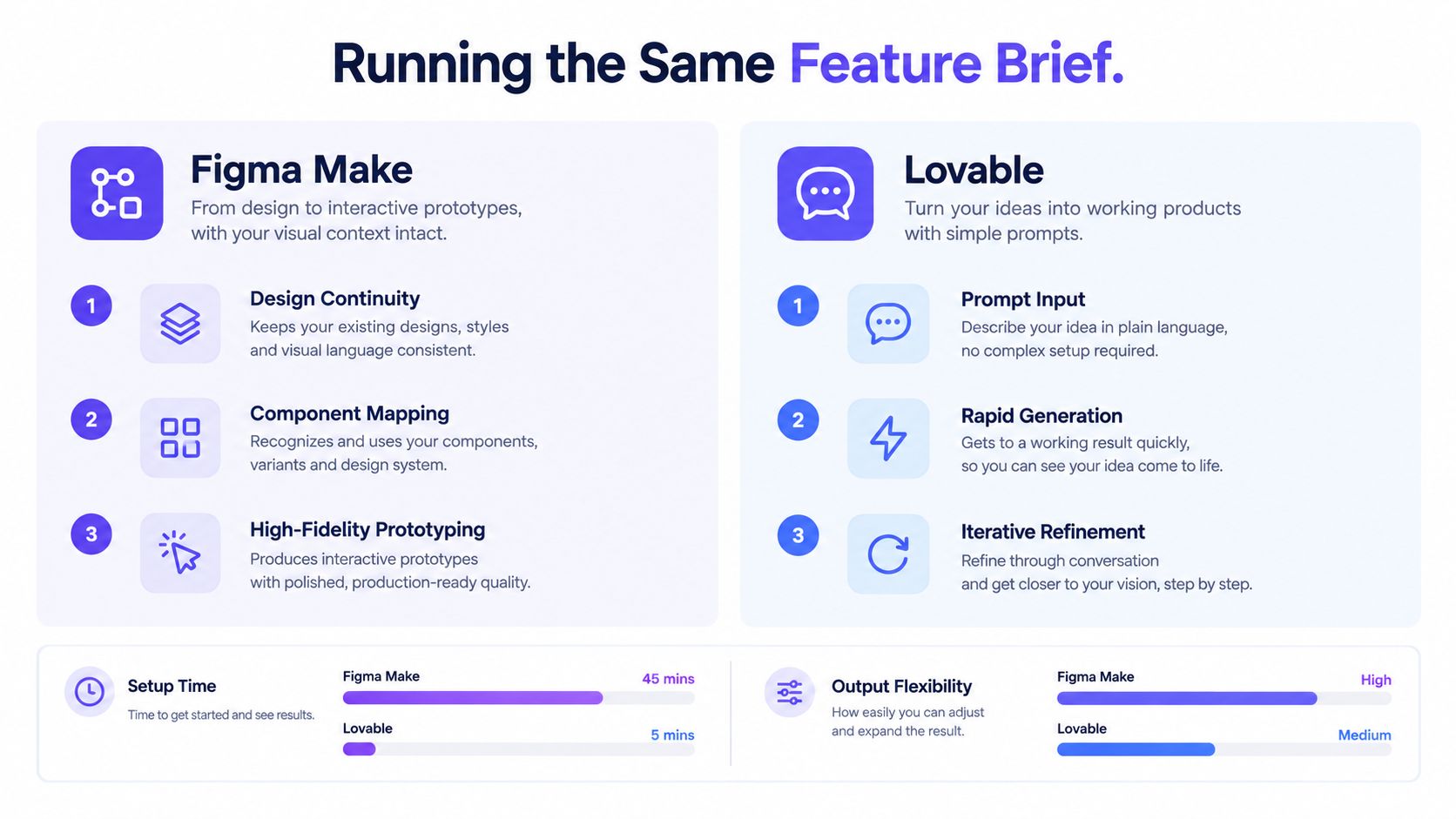
Running the Same Feature Brief Through Both
A settings feature exposes the gap between a convincing first render and a handoff an engineering team can use. Run the same scenario through Figma Make and Lovable, then judge the correction trail, not the demo screen.
Use an administrator changing a team member's permissions. The flow must show the current role, confirm the update, and explain a failed save. Include loading behavior, a disabled control for restricted users, an empty state for teams without members, and an audit event after a successful change.
Run the same feature through five stages
Step 1. Set the scenario once.
Write the user goal and expected behavior in a short scenario card. Include the permission rules, data assumptions, required states, analytics event, and acceptance condition. Keep this card unchanged while testing both tools.
Step 2. Provide each tool with its natural starting context.
Give Figma Make the existing settings frame, components, variables, styles, and library context. Give Lovable the written product requirements and design-system rules. Do not compensate for a tool by adding undocumented guidance after the first output.
Step 3. Ask for the complete flow.
Request the same settings experience from both tools, including permission denial, loading, save failure, confirmation, and audit behavior. Mark which requirements appear in the first pass and which require another instruction.
Step 4. Review the handoff, not only the screen.
Check whether the output preserves the product's tokens and components, covers each state, behaves clearly at different widths, and leaves an engineer with code that can be edited rather than replaced. A visually close screen with missing recovery behavior is an incomplete result.
Step 5. Change one product rule.
Add a second permission level or revise the failure message. Follow the change through the output and record the rework it creates: new prompts, manual edits, broken states, and regressions. This exposes version-control friction and the cost of changing a design after the first render.
Figma Make is the stronger starting point when the settings experience already lives in Figma and the team needs design-system fidelity. Its interactive HTML, CSS, and JavaScript remain inspectable and editable, and its visual editor supports element-level refinement without turning every adjustment into another prompt.
Lovable is the stronger starting point when the team needs a working application with backend behavior and a fast path from requirement to implementation. It can reduce the distance to a runnable flow, while increasing the preparation and cleanup required when an existing component system must be preserved.
Judge the tools by the acceptable release candidate. The first attractive screen is only the entry fee.
An Evaluation Plan Product Teams Can Run
A polished first render can win the room and still create weeks of cleanup. Product teams should evaluate Figma Make and Lovable by measuring what happens after that render: how faithfully each tool preserves the design system, how many states it covers, how safely the work changes, and how much rework engineering inherits.
This evaluation plan is not a hands-on benchmark. No independent, apples-to-apples benchmark establishes that Figma Make is faster or produces higher-quality code than Lovable. Claims about superior latency, defect rate, or generated-code quality should therefore remain unvalidated rather than become team folklore. Figma's documented Make workflow
Use the controlled feature workflow from the previous section once, then spend the evaluation on the evidence it produces. The Product Manager owns the decision record, two Designers review fidelity and interaction behavior, and an engineer assesses code, runtime behavior, and handoff risk. Add a researcher or QA partner if the feature affects a critical workflow.
Score what engineering inherits
The scorecard must separate visual appeal from delivery cost. Record the result for each tool, then attach an owner and a short explanation to every failed measure.
- First-pass functional coverage: Count how many acceptance criteria work before manual correction. Include permissions, loading, empty, error, recovery, and success behavior where those states apply.
- Visual deviation: Review spacing, typography, colors, component variants, responsive behavior, and layout hierarchy against the approved system. A screen that looks close but uses local substitutes still carries design-system debt.
- Runtime errors: Record failures in navigation, data loading, permissions, form submission, and recovery.
- Manual code corrections per flow: Count edits required before an engineer would review the output. Separate cosmetic changes from structural fixes.
- Component reuse percentage: Measure how much generated UI maps to approved components instead of locally recreated versions.
- Accessibility defects after generation: Record keyboard, focus, labeling, contrast, and state-announcement issues during review. Generation alone does not establish compliance.
- Design-to-code drift: Track divergence from the approved design after a requirement or product rule changes.
- Reviewable handoff time: Measure the work from approved prototype to code an engineer can inspect, explain, test, and revise.
- Rollback path: Document how the team reverts a bad change and identifies the last known-good version.
Correction count is not enough. Price each correction by the role involved and the point in the release process where it appears. A designer fixing a component variant, an engineer repairing permission logic, and QA reproducing a broken recovery state represent different costs. Track whether the fix survives the next change or creates another regression.
Classify the team before choosing
A Figma-centric product team with a mature library, established component governance, and frequent design-to-engineering handoffs will usually benefit from Make's native continuity. Its local-code workflow, as documented by Figma, supports Git operations such as branches, reverts, and pull-request-style review. That makes traceability and rollback meaningful evaluation criteria, not implementation details to inspect later.
A small prompt-first team building a new product from a blank page may prefer Lovable's application-oriented workflow. That fit strengthens when the team needs a hosted URL, backend behavior, custom domains, or rapid iteration against a running product. The team should still measure how much cleanup appears once the initial application must follow an established component system.
Teams with strict data residency, single sign-on, or SOC 2 requirements should evaluate the exact Figma and Lovable plans, workspace controls, data-handling terms, and approval requirements before committing. A prototype demo cannot establish security suitability.
Founder-led teams shipping experiments frequently should test whether Lovable's credit consumption and hosting model match their iteration pattern. Product organizations with established Figma seats should calculate whether Make's access model fits the people who will create, review, and maintain the work. The decision depends on recurring usage, not the lowest-friction first session.
Use this AI tool evaluation for PRDs framework to examine whether the tool improves the full decision process, including assumptions, review, and handoff, rather than only the visible artifact.
Set a release threshold
Choose the tool that reduces total cycle time through refinement, QA, security review, handoff, deployment, and post-launch fixes. Set the threshold before reviewing the results. For example, reject an option that produces an attractive flow but fails required states, cannot show a dependable rollback path, or demands repeated manual recreation of approved components.
The evaluation earns its cost only if every correction is recorded and priced. A fast first render matters when the team can carry it through review and release without losing design fidelity or control of the code.
A Stage-Based Model Where Both Tools Earn a Seat
Teams that ship frequently may get more value from assigning Figma Make and Lovable different stages instead of forcing a single-tool decision.
The binary choice breaks down because the tools can own different parts of the work. Figma Make can anchor discovery and design continuity, while Lovable can carry a validated flow toward hosted behavior and application experimentation.
Stage one belongs near product context
Start in Figma Make when the team needs to explore a new flow against existing screens, components, and stakeholder expectations. Product and design can attach the relevant artifacts, test interaction ideas, and refine the visual behavior before engineering invests in application logic.
The source of truth remains the Figma design system. The team should document which screens, components, variables, and decisions are authoritative before anything moves elsewhere.
Stage two belongs near application behavior
Move a validated flow to Lovable when the next question concerns hosted behavior, backend services, integrations, or a shareable application URL. The prompt-first application workflow can help the team test whether the concept works with real data and operational behavior.
The handoff needs explicit ownership. Record the accepted design, required states, data contracts, permissions, and unresolved product questions before the application diverges from the design source.
Stage three returns to governance
Bring validated changes back into the design system when the feature becomes part of the product's enduring experience. Designers should reconcile new patterns with existing components, and Product Managers should update decisions, acceptance criteria, and QA cases.
Figma Make's external context connectors include GitHub, Notion, Linear, and Atlassian, suggesting that traceability across tools may matter more than raw generation speed for teams managing distributed product knowledge. Context connector comparison
The operating model should assign responsibility clearly:
- Product Manager: Owns the brief, acceptance criteria, trade-offs, and source-of-truth decisions.
- Designer: Owns component usage, visual behavior, interaction patterns, and design-system reconciliation.
- Engineer: Owns implementation constraints, security review, runtime behavior, and repository control.
- Researcher: Owns evidence about user intent, comprehension, and risky workflow assumptions.
- QA: Owns regression scenarios, state coverage, and release confidence.
This model fits the broader product development lifecycle stages because the tool should change with the question being answered. Figr can sit across the boundary by grounding generated flows and prototypes in the live product, imported design context, written knowledge, and behavioral evidence.
Pricing, Plans, and the Real Cost of Iteration
The financial difference between Figma Make and Lovable is mainly a choice between seat-based access and consumption-based iteration.
Figma Make sits inside Figma's plan and seat structure. Figma's help documentation says Make is available as a Full seat on paid plans, while Starter users can explore it with limitations, including no use of team libraries for bringing style context into Make. Figma's pricing FAQ also says that using Make to ship directly into a team's codebase is free during beta and that AI credits aren't consumed for prompts or actions. Figma pricing and Make access
That model can be easier to forecast for a team that already pays for Figma and wants frequent exploration across product, design, and engineering. The cost boundary sits around seats, plan eligibility, hosting terms, and the status of beta capabilities.
Lovable charges for workspace consumption
Lovable measures usage through credits rather than seats or project count. One workspace balance can cover building, chatting, hosting, the built-in backend, deployed-app AI features, and connector usage. Build-mode cost varies with request complexity and the amount of work completed, so a focused edit generally consumes less than a larger change.
Lovable's published plan details describe a free tier with five daily build credits, capped at up to 30 per month, plus daily chat allowance and monthly grants for Cloud and AI features. Its Pro tier starts at 100 subscription credits per month and adds capabilities including custom domains, code editing, and email support. Lovable pricing details
Budget the behavior, not the headline
A seat model and a credit model create different planning habits. Figma teams should estimate who needs Full access and which capabilities require a paid plan. Lovable teams should estimate how often builders will request changes, how complex those changes are, and how much hosting and backend usage sits in the same workspace balance.
Ask procurement and engineering three direct questions:
- Who consumes the resource? Designers, Product Managers, engineers, or a mixed team?
- What triggers cost? Seat access, prompt complexity, hosting, backend usage, or deployment features?
- What happens during iteration spikes? Can the team keep testing when a feature changes repeatedly?
A low entry price can still become expensive in a high-churn workflow. A familiar seat plan can also become expensive if the team adds access broadly without measuring adoption. The right budget follows the team's actual iteration pattern.
Grounding AI Output in a Visual Context Graph
Figr is a relevant third option when the team needs AI-generated UX to understand the existing product across screens, behavior, design rules, written knowledge, and implementation constraints.
The central idea is the Visual Context Graph, a connected model with five layers:
- Visual context: Screens and frames that show layout, navigation, hierarchy, and density.
- Behavioral context: Recordings and flows that reveal how users move through the product.
- Design System context: Tokens, components, variants, and usage rules that govern visual and interaction consistency.
- Product Knowledge context: PRDs, research, decisions, and product rationale that explain why the experience works as it does.
- Implementation context: Code constraints that determine what the team can safely build and maintain.
Most AI design comparisons treat context as an attachment to a prompt. The stronger model treats context as a connected product memory. A screen without its behavior can mislead. A component without its usage rules can be misapplied. A requirement without its implementation constraints can produce a plausible but costly direction.
Context becomes an explicit product asset
Figr can ingest live product context through a Chrome capture, import Figma files and design-system information, retain product knowledge in a Context Pod, analyze screen recordings, and use analytics context such as exports or product behavior notes. It can generate UX reviews, PRDs, flows, edge-case maps, state diagrams, test scenarios, acceptance criteria, prototypes, and Figma-ready screens.
That makes it useful for the exact gap exposed by Figma Make vs Lovable: what the team knows before generation, what the tool remembers during iteration, and what engineering receives afterward. Figr doesn't replace Designer judgment, and its output still needs product, design, engineering, and QA review.

The economic insight is straightforward. Teams don't pay only for generated screens. They pay for missing context through clarification, redesign, implementation correction, QA gaps, and delayed decisions. A Visual Context Graph makes that context explicit before the first prototype, which is why teams looking to build better UX faster with Figr should evaluate the full product workflow rather than isolated screen quality.
Figr connects live product capture, Figma design systems, product knowledge, behavioral evidence, and implementation constraints into Figma-ready UX artifacts. Run your existing feature brief through Figr alongside Figma Make and Lovable, then compare state coverage, component reuse, and engineering rework before choosing your operating model. Visit Figr and test the same feature against the context your team already owns.
Conclusion
Choose Figma Make when your product's design truth already lives in Figma and continuity from frames to interactive behavior matters most.
Choose Lovable when your team starts from a prompt and needs to move quickly toward hosted application behavior, backend services, and deployed experimentation.
Choose Figr when the hard part is reconstructing the product context that sits across live screens, design systems, research, analytics, decisions, and code constraints. The useful comparison is the one that measures what survives the demo: states, tokens, editability, reviewability, and rework.
Take one real feature, freeze the brief, run it through the tools, and record every correction. That evidence will give your team a better answer than any feature table.
Frequently Asked Questions
Is Figma Make or Lovable better for an existing product?
I'd choose Figma Make when the product's source of truth is already in Figma and design-system continuity is central. I'd choose Lovable when hosted application behavior and prompt-first iteration matter more than native design context.
Can Figma Make connect to real data?
Yes. Figma Make supports backend connectivity, including Supabase, so teams can evaluate dynamic behavior rather than only static interactions. The team still needs to review authentication, permissions, errors, and production constraints.
Does Lovable replace an existing design system?
I wouldn't assume that. Lovable can generate a coherent application from a detailed brief, but an existing system needs to be specified, supplied, and checked deliberately.
Should a team use both tools?
Possibly. Use Figma Make for design-context exploration and stakeholder validation, then use Lovable when the validated flow needs hosted behavior or broader application logic. Define the source of truth before moving work between environments.
What should Product Managers measure first?
I'd measure first-pass functional coverage, visual deviation, state coverage, component reuse, manual code corrections, runtime errors, and handoff time. The best first screen matters less than the total path to a reviewable release.