
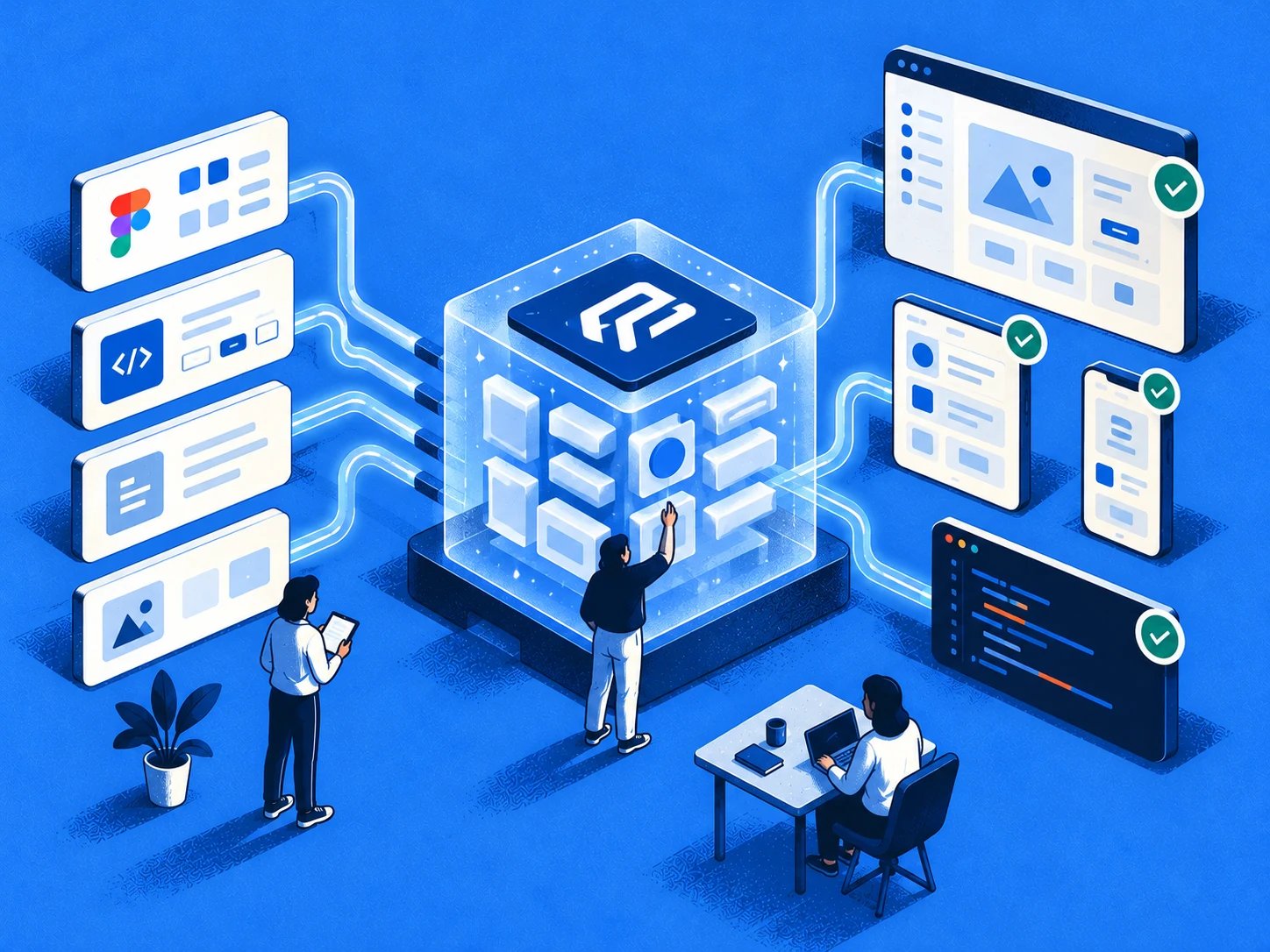
An AI assistant has just generated a button that looks right, uses the wrong semantic color token, and has no disabled state. The screen is plausible, but it isn't your product.
That small mismatch becomes expensive when engineers implement the wrong variant, QA finds missing states, and designers rebuild the flow around rules the agent never saw. Prompt revisions may improve the next output, yet the underlying source of truth remains absent.
A design system MCP creates a structured bridge between AI and the information your team already maintains. It lets compatible clients retrieve design context, while Figr connects product decisions and design artifacts to implementation work through its MCP endpoint.
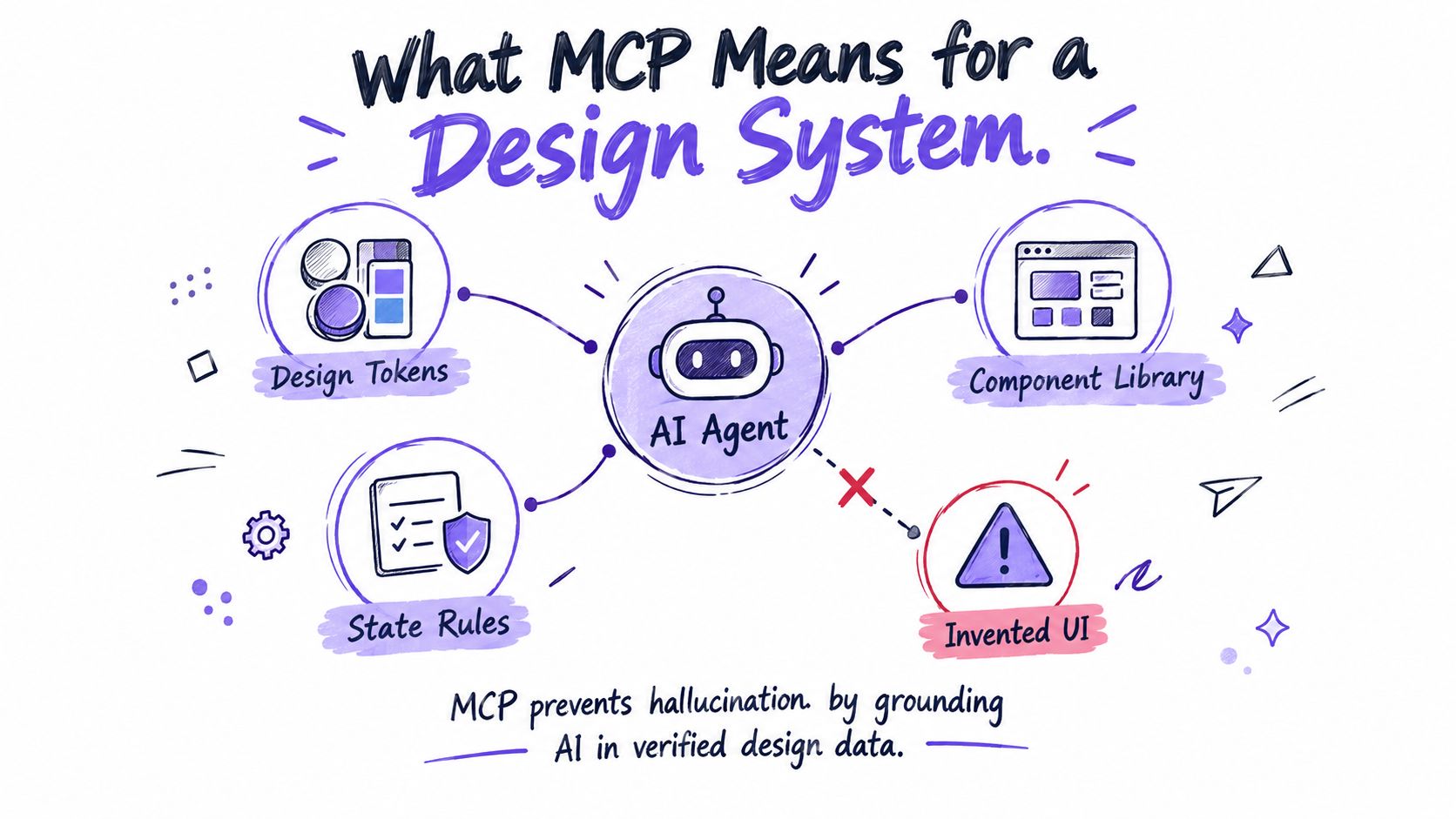
What MCP Means for a Design System
A design system MCP is an application of the Model Context Protocol, an open standard introduced by Anthropic in November 2024 for connecting AI applications with external tools, data sources, and services. Its architecture separates the AI application from the systems it needs to consult. An MCP host, such as an AI assistant, connects through an MCP client to a server that exposes structured capabilities.
For product teams, those capabilities can represent design tokens, component specifications, variants, accessibility rules, usage guidance, and product context. The agent can request an approved button definition or retrieve the semantic token behind a surface color instead of reconstructing the answer from a screenshot.
The architecture in plain language
The flow looks like this:
AI host → MCP client → design-system MCP server → resources, prompts, and tools
Resources provide read-oriented context, such as a token catalog or component specification. Prompts provide reusable instructions, such as a design-system review template. Tools perform constrained operations, such as resolving a token, validating component properties, or finding an approved pattern.
The distinction matters. MCP supplies the communication contract, while each server determines what it exposes. A Figma MCP server and a design-system MCP server may answer different questions. Figr MCP connects Figr projects to supported AI development environments, where assistants can access artifact code, design decisions, project structure, files, and implementation context.
Teams exploring design tokens and component guide should therefore think beyond documentation export. The useful question is, “What authoritative decision should an agent retrieve before it generates or reviews this interface?”
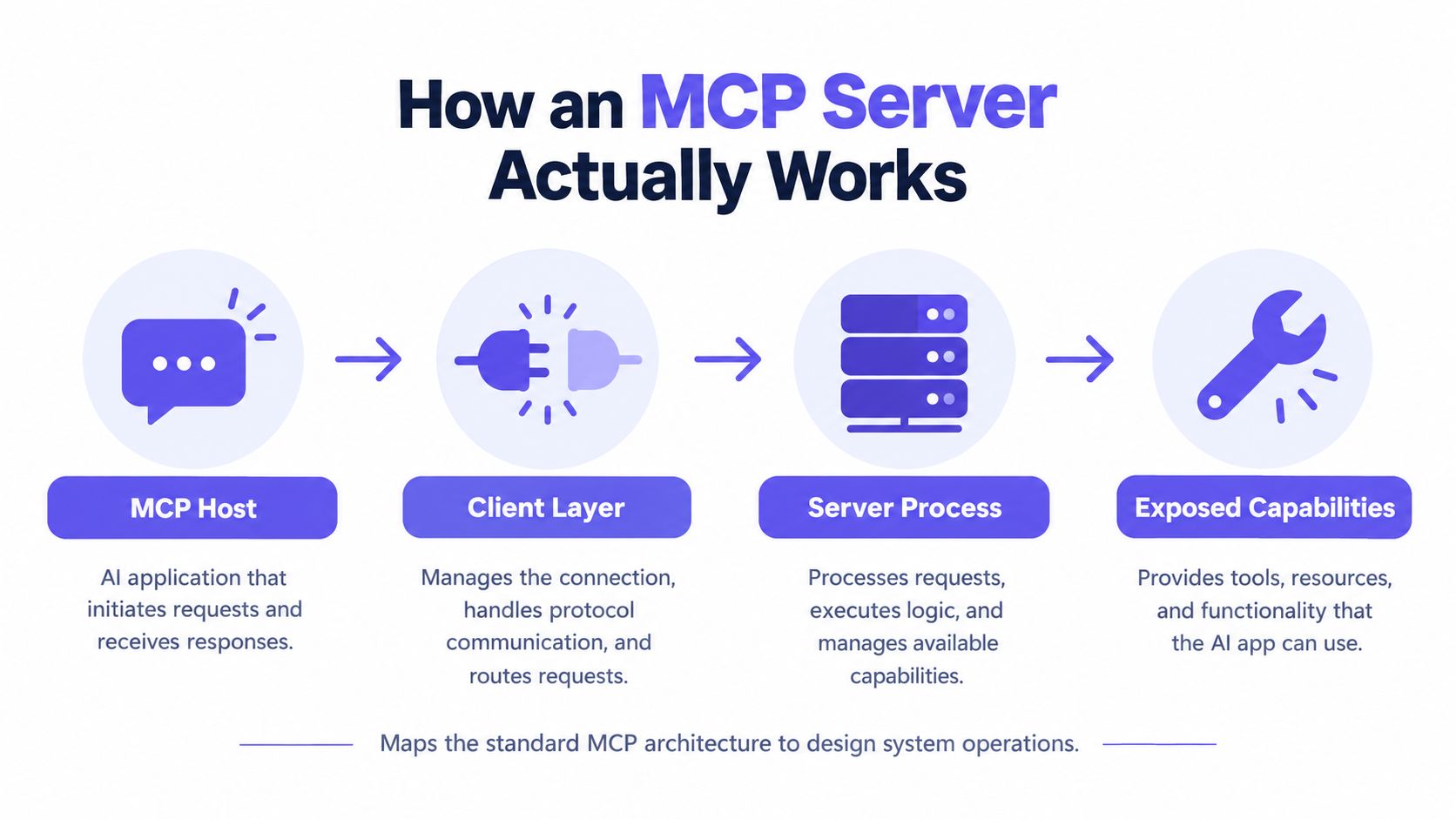
How an MCP Server Actually Works
An MCP server exposes discoverable capabilities that an AI client can inspect and invoke. The host is the application the user interacts with, the client manages the protocol connection, and the server translates requests into access to design or product systems.
Start with the three primitives
Resources are the server's reference material. In a design system, that might include token catalogs, component APIs, accessibility rules, usage examples, and version metadata. A resource should have stable identifiers and enough provenance for a reviewer to understand where the information came from.
Prompts are reusable interaction templates. A prompt could ask an agent to review a flow against approved patterns, identify unsupported states, or explain why a component choice conflicts with its usage guidance.
Tools are model-invoked operations. MCP discovers them through tools/list and invokes them through tools/call. Examples include resolve_token, validate_component_props, find_pattern, and check_accessibility. Each tool should publish an input schema rather than asking the model to guess its parameters.
The how MCP servers work overview is useful for the broader host, client, and server mental model. Design-system teams can then map that model onto their own contracts.
Design the contract before the connector
A production server needs more than a collection of markdown files. Read operations should be distinguishable from mutations, and tools should accept stable component identifiers, project context, and version parameters. A validation result can return a severity, rule ID, affected node, expected value, remediation, and a resource link to the governing specification.
This is what I mean by a design-system control plane. The server doesn't merely make information available. It defines what an agent can ask, what it may change, which version it can use, and how a human can trace the answer.
Teams thinking about building AI products with better inputs often begin with retrieval quality. That matters, but permission boundaries and output schemas determine whether the retrieved context can be used safely in delivery workflows.
Practical rule: Give agents narrow, versioned operations first. Add write capabilities only after the team can review and audit their results.
Why AI Agents Break Design System Consistency
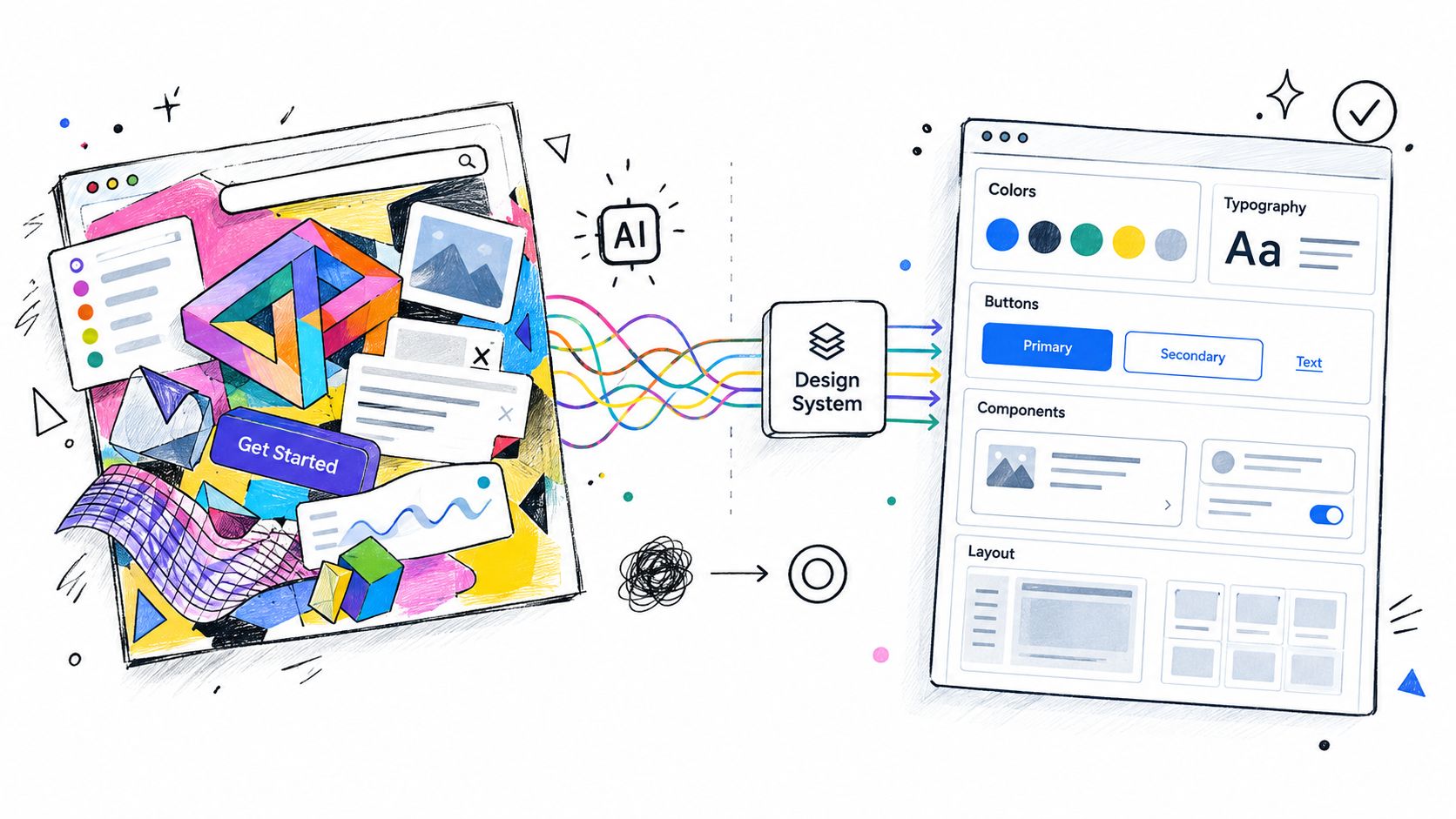
AI agents break consistency when they lack structured access to the decisions behind a component. A prompt can request “use our standard button,” but the model may not know the component's real name, supported variants, loading behavior, or semantic token relationships.
The first failure is usually invention. The agent creates a component that looks familiar but doesn't exist in the library. Next comes token drift, where a raw color or spacing value replaces a semantic reference. A visually similar variant may also be selected even though its interaction behavior is wrong.
The missing-state problem
Agents frequently omit empty, loading, error, disabled, focus, and permission-denied states because those states are often scattered across documentation, design files, and implementation code. A component name alone doesn't communicate its complete behavior.
A request shaped like this is weak:
Build a settings form using our design system.
A structured request can be much more useful:
Find the approved form field pattern for design-system version v3.Return supported states, validation behavior, accessibility requirements,and the implementation reference.
The second request gives a server a clear retrieval and validation path. A tool can return the component contract, the relevant token references, and any unresolved questions. The agent still reasons about the interface, but it has less room to fill gaps with assumptions.
For readers mapping the larger system, an AI agent architecture diagram guide offers useful architectural vocabulary. The same principle applies here: separate retrieval, reasoning, action, and review so the team can see where a failure occurred.
Prompt engineering can't substitute for missing source data. It may improve phrasing, but it won't reveal a variant that was never exposed or resolve a conflict between an outdated guideline and a current component API. Better context changes the available evidence.
That is also why product thinking in the AI era still matters. An agent can select from structured options, yet a Product Manager still needs to decide which user problem, business constraint, and risk the interface should address.
Figma MCP vs Figr MCP
Figma MCP and Figr MCP serve different layers of the design-to-engineering workflow. Figma MCP gives compatible AI clients access to context from Figma files. Figr MCP connects supported development environments to Figr projects, exposing artifacts, decisions, files, project structure, and implementation context.
The practical question is where the agent should retrieve evidence:
Figma MCP is useful when the agent needs to inspect what a designer created. It does not automatically provide product rationale, implementation constraints, ownership, or the complete state model behind a feature. Figr MCP supplies more project-level context, but it does not become a universal Figma API or enforce every design-system decision.
The distinction matters for governance. A design system needs an identified source of truth for tokens, component behavior, implementation status, and approval decisions. Without that ownership, two connected tools can expose different versions of the same component and leave the agent to choose between conflicting evidence.
Teams working toward bi-directional sync between data and designs should assign ownership for each decision before connecting both systems. Version labels, change history, and review rules then give agents a safer retrieval path. The useful measure is not whether an agent can access both systems, but whether its output reduces implementation rework and preserves approved product behavior.
Connecting Figma MCP and Figr MCP in Your Stack
Connect each server through the client documentation it supports, then test retrieval with a small, read-only task. Verify that the client sees the intended project, file, permissions, and version before treating the connection as usable.
A practical connection sequence
Step 1. Choose the client.
Figr documents support for Cursor, Claude Code, VS Code, Codex, and other clients. Check the current Figr MCP documentation for the selected client's configuration and authentication flow.
Step 2. Register the Figr endpoint.
Use the official endpoint, https://mcp.figr.design/mcp, in the MCP configuration for the selected client. Do not copy a configuration intended for another client without checking its current syntax.
Step 3. Authenticate the connection.
Figr MCP requires authentication. Complete the sign-in or authorization flow described in Figr's documentation, then confirm that the client can access the intended Figr project. Authentication proves identity, while project permissions determine the context available to the agent.
Step 4. Add Figma through its documented flow.
For Figma MCP, follow Figma's official documentation to enable the relevant development mode and connect a compatible client. Test with a file the user is authorized to inspect, since file access and permissions remain part of the setup.
Test before building
Start with a read request:
- Project check: Ask the client to identify the connected project and available artifact context.
- Component check: Request one known component or design decision.
- Implementation check: Ask for the relevant code or file context, then compare it manually with the source.
Log the first three retrieval results in a shared document. The team can then compare the returned context with the source of truth before enabling any write access.
Making Your Design System AI-Ready
An agent can only make reliable design-system decisions when the system exposes clear, machine-readable contracts. Define those contracts before connecting an MCP server, then test whether agents retrieve and apply them correctly.
Give meaning to tokens
Use semantic names such as surface.interactive.default instead of making an agent infer meaning from raw values. The stable 2025.10 W3C Design Tokens specification supports themes, multi-brand systems, light and dark modes, accessibility variants, inheritance, aliases, component-level references, modern color spaces, and platform-specific outputs for web, iOS, Android, and Flutter, as documented by the W3C Design Tokens Community Group.
Return token relationships, not isolated values. An agent should be able to see that a button uses an interactive surface token and that its disabled state follows a different semantic decision. That context helps prevent a generated implementation from matching a color while missing the rule behind it.
Make component intent explicit
Component names, variants, states, usage guidance, and implementation mappings must agree. A useful component record identifies supported properties, forbidden combinations, accessibility behavior, code reference, and design-system version.
A server or CI pipeline should be able to evaluate these questions:
- Naming: Does the identifier communicate intent and remain stable?
- Variants: Are size, emphasis, state, and behavior combinations explicit?
- Guidance: Does the documentation explain when the pattern should not be used?
- Mapping: Can the agent connect the design component to its implementation reference?
- Validation: Can a tool return a reproducible finding rather than a general score?
Accessibility demands that same exactness. WCAG 2.2 organizes requirements under perceivable, operable, understandable, and resilient principles, with conformance levels A, AA, and AAA. Concrete checks include a 4.5:1 minimum contrast ratio for ordinary text, text alternatives for non-text content, and specified focus indicator requirements in the WCAG 2.2 standard.
Level AA includes every Level A and Level AA criterion. An agent that checks several contrast values cannot label a complete screen AA compliant. It can report named findings that designers and engineers can reproduce and resolve.
The payoff is clearer building UI components with AI. The agent receives contracts it can query, apply, and validate instead of interpreting a prose archive from scratch. Track whether those outputs reduce review corrections, accessibility defects, and drift across releases. That measurement determines whether the MCP connection improves product work or merely produces faster drafts.
Practical Use Cases for a Design System MCP
A design system MCP is useful when the agent needs a decision that already exists somewhere in the product organization. The value depends on which server exposes that decision and how the client is permitted to use it.
UI implementation
A compatible coding assistant can retrieve a component reference, token relationship, or implementation file before generating code. This is a plausible workflow whenever the connected server exposes those resources. Verify the returned context in your client, because MCP itself doesn't guarantee component selection or implementation fidelity.
Component reuse
A search tool such as find_pattern can help an agent look for an existing pattern before suggesting a new one. This becomes a verified capability only when your server exposes a searchable component or pattern resource. A server that contains only static documentation can't perform the same operation.
Design-to-code handoff
Figma MCP can provide design-file context where supported, while Figr MCP can provide Figr project artifacts and implementation context. Together, they can reduce the distance between a design decision and an engineering task, provided the team defines ownership and resolves version conflicts.
Project-context retrieval
Figr MCP is documented as connecting Figr projects to AI development environments, where supported clients can access artifact code, design decisions, project structure, files, and implementation context. That makes retrieval of project-specific rationale a natural workflow for a connected development session.
Consistency review
A design-system MCP server can expose a review prompt or validation tool that checks a flow against known rules. The result should identify the affected component, rule, severity, and remediation. Treat this as an assisted review, not a certification. The agent may miss a state, misunderstand intent, or inspect an incomplete artifact.
Outcome measurement
Teams should measure whether the connection improves product work, rather than counting generated screens. Useful comparison dimensions include design-system compliance, accessibility defects, QA escape rate, time to approved flow, revision count, token drift, and downstream funnel outcomes.
MCP adoption remains uneven. A January 2026 survey of 200 engineering leaders reported 82% awareness, 48% active use, and 23% production use, as summarized by Figma's MCP resource. Those figures make controlled pilots more credible than broad productivity claims.
How Figr Connects Design Intelligence with Engineering
Figr connects design intelligence to engineering by organizing product context across related layers, then making relevant project artifacts available to supported development environments through Figr MCP. Its Design System Intelligence is described as working with tokens, components, variants, states, and usage rules during product design work.
Consider a B2B SaaS team designing a permissions management screen. The feature has role-based access, loading behavior, empty results, validation errors, and a permission-denied state.
The request begins with product intent
A Product Manager starts with the problem and constraints. Figr's Visual Context Graph can connect five types of context:
- Visual: The screens and interface patterns that show what the product looks like.
- Behavioral: The flows, transitions, conditions, and states users move through.
- Design System: Tokens, components, variants, and usage guidance.
- Product Knowledge: PRDs, research, rationale, and feature decisions.
- Implementation: Code constraints, project structure, files, and technical context.
This structure changes the design question. The team isn't only asking for a permissions table. It can reason about who may edit a role, what happens when data fails, how a disabled action should be explained, and which existing patterns already support the flow.
The agent works with decisions, not only pixels
Design System Intelligence can guide the use of approved component concepts and states within the design workflow. The Visual Context Graph keeps the screen connected to behavior and rationale, so the loading state isn't treated as a decorative variation.
When an engineer opens Cursor or Claude Code, Figr MCP can connect the development environment to the relevant Figr project context. The engineer can retrieve artifact code, design decisions, project structure, files, and implementation context where the configured client and permissions support those capabilities.
That connection supports handoff. It doesn't mean Figr MCP directly enforces every design-system rule, and it doesn't remove the need for code review, accessibility testing, or product judgment. The team still needs version control, permission boundaries, and a clear owner for changes.
At scale, this reveals the economic problem underneath AI-generated UI. Designers and engineers don't lose time only because agents write imperfect code. They lose time when each function reconstructs context, debates intent, and repairs divergence. A shared context graph can reduce repeated explanation, but governance determines whether that shared context remains trustworthy.
A useful pilot is narrow: connect one client to one project, retrieve one known decision, and compare the resulting implementation against the source. Then document what the agent found, what it missed, and which rule should become structured context.
Figr brings product context, design-system intelligence, and implementation artifacts into one connected workflow, while Figr MCP gives supported development clients a path to project context. Visit Figr to explore the workflow and connect the MCP endpoint in one client.
Conclusion
A design system MCP gives AI clients a structured way to retrieve components, tokens, usage rules, and validation context. It separates authoritative information from the model's assumptions and creates a clearer path from design decisions to implementation.
The protocol doesn't guarantee consistent UI, correct accessibility, or perfect code. Those outcomes depend on structured data, versioning, permissions, review, and measurement. Treat MCP as a control plane, not a magic connector.
Figma MCP and Figr MCP answer different questions. Figma MCP focuses on design-file context, while Figr MCP connects Figr project context to supported development environments. Start with a read-only pilot, test one real workflow, and inspect the failures before expanding access.
FAQ
What is a design system MCP?
A design system MCP is an MCP server that exposes design-system context, such as tokens, components, usage rules, accessibility guidance, and version metadata, to compatible AI clients.
Does Figma have an MCP server?
Figma provides official MCP documentation for connecting compatible clients to Figma context. Availability, permissions, and capabilities depend on the documented setup and client environment.
What is Figr MCP?
Figr MCP connects Figr projects to supported AI development environments. Figr documents access to artifact code, design decisions, project structure, files, and implementation context through the official endpoint.
How is Figr MCP different from Figma MCP?
Figma MCP focuses on context from Figma files. Figr MCP focuses on Figr project context and its connection to engineering environments, so the two can serve different parts of the same workflow.
Can MCP ensure design-system consistency?
No. MCP can provide structured context and validation operations, but consistency still requires authoritative data, version control, scoped permissions, human review, and testing.
Official source links: Model Context Protocol specification, MCP server tools, MCP authorization specification, Figr MCP documentation, Figma official MCP documentation, WCAG 2.2, W3C Design Tokens specification announcement.