
The tool
Inputs:
- Product type (selector): SaaS web app, mobile app, B2B dashboard, e-commerce, marketing site
- Focus areas (multi-select, optional): usability, accessibility, navigation, forms, conversion
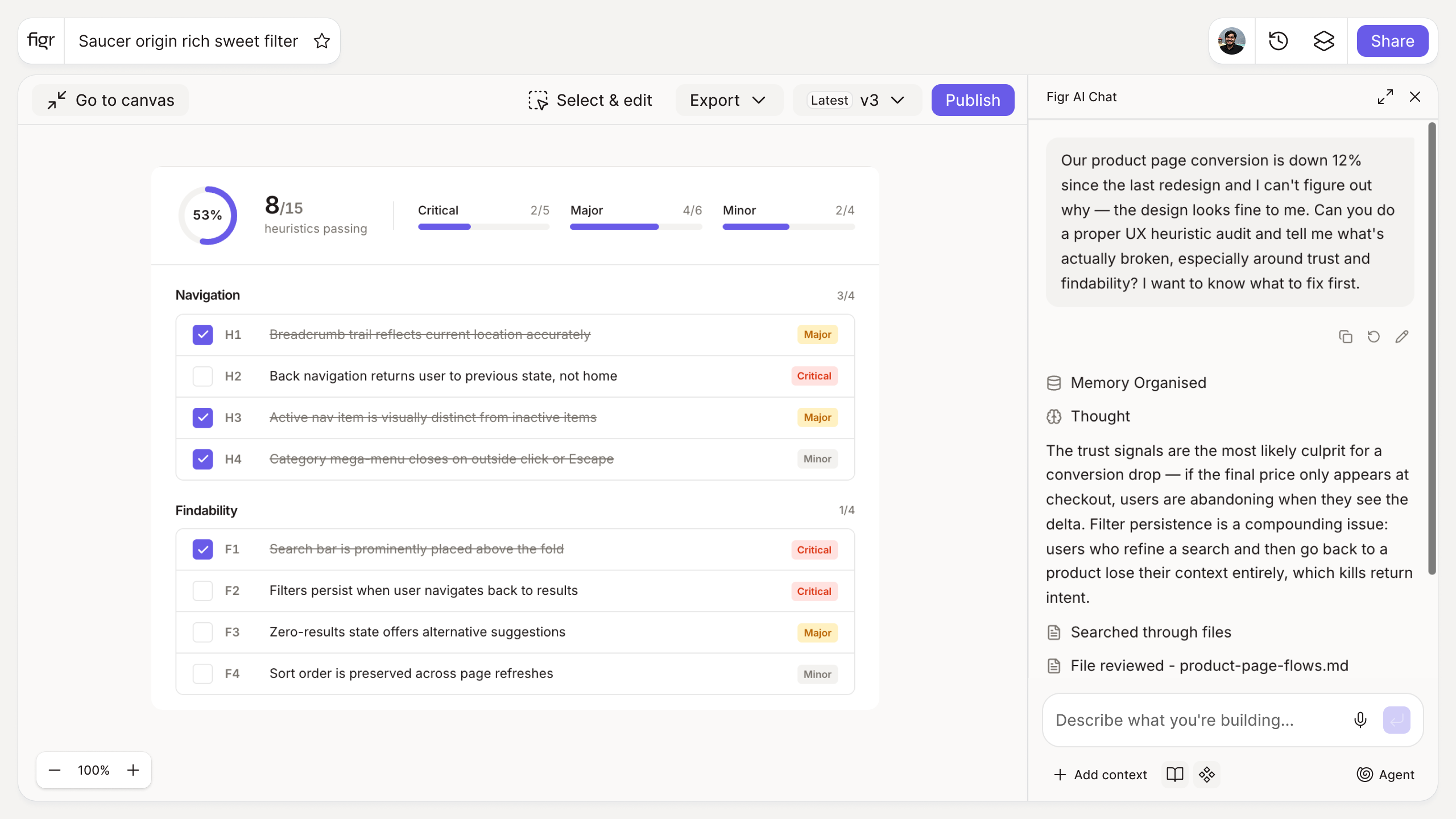
Output: A categorized UX audit checklist tailored to the selected type, with checkable items grouped by area. Exportable as a list.
Behavior: Generates instantly in-browser, no login. Items are checkable and exportable.
A generic checklist audits the wrong things
Most UX audit templates are one flat list applied to everything, so you spend time checking mobile gesture targets on a B2B dashboard and never look at the data-density problems that actually hurt it. A mobile onboarding flow and an enterprise dashboard fail in different ways, and an audit that ignores that finds the wrong issues.
Tailoring the checklist to the product type keeps the audit pointed at what breaks for your users. This tool builds that focused list in seconds. For the reasoning behind the checks, the website UX audit walkthrough and the essential UX interface design principles cover the heuristics, and visual hierarchy examples show what good looks like.
How it works
1. Choose your product type. The checklist adapts to a SaaS app, dashboard, mobile app, and more.
2. Pick focus areas. Narrow to what you are auditing this round.
3. Generate the checklist. Get grouped, checkable items.
4. Run the audit. Work through it, then export your findings.
A worked example
Auditing a B2B analytics dashboard, a generic list flags "is the CTA prominent." Useful for a landing page, beside the point here. The tailored checklist instead asks the questions that matter for dense, data-heavy software: can a user scan the table without getting lost, are empty and loading states designed, does the filtering survive a page refresh, is the information hierarchy legible at a glance. Those are the findings that change how the product feels, and they are the ones the UX audit checklist approach is built to surface.
From audit to fix, with Figr
An audit produces a list of problems. Fixing them is the work, and that is where Figr comes in. Figr is an AI product designer that reads your product context and design system through the Visual Context Graph, reasons through the UX, and produces Figma-ready screens that resolve the issues you found, on your own components. So the audit does not end as a document; it turns into redesigned screens. Pair this with the design review checklist for pre-dev quality and the accessibility checklist for the a11y items.
Who this is for
This is for UX designers and the PMs they work with, auditing real products where the issues are specific to the product type, not generic.
What this tool is not
A checklist structures an audit; it does not replace the judgment of someone who knows the product and its users. It will not tell you which problems matter most for your business. It is also a free, standalone tool, not a Figr product feature.
FAQ
Is the UX audit checklist generator free?
Yes, free and no sign-up.
What product types are supported?
SaaS web apps, mobile apps, B2B dashboards, e-commerce, and marketing sites, with focus areas you can select.
Can I export the checklist?
Yes, as a checkable list you can share with your team.
Does this replace a full UX audit?
It structures one. The judgment is still yours; the checklist makes sure you cover the right ground.
How is this different from Figr the product?
This is a free checklist tool. Figr the product is an AI product designer that turns product context into UX decisions and Figma-ready design.