
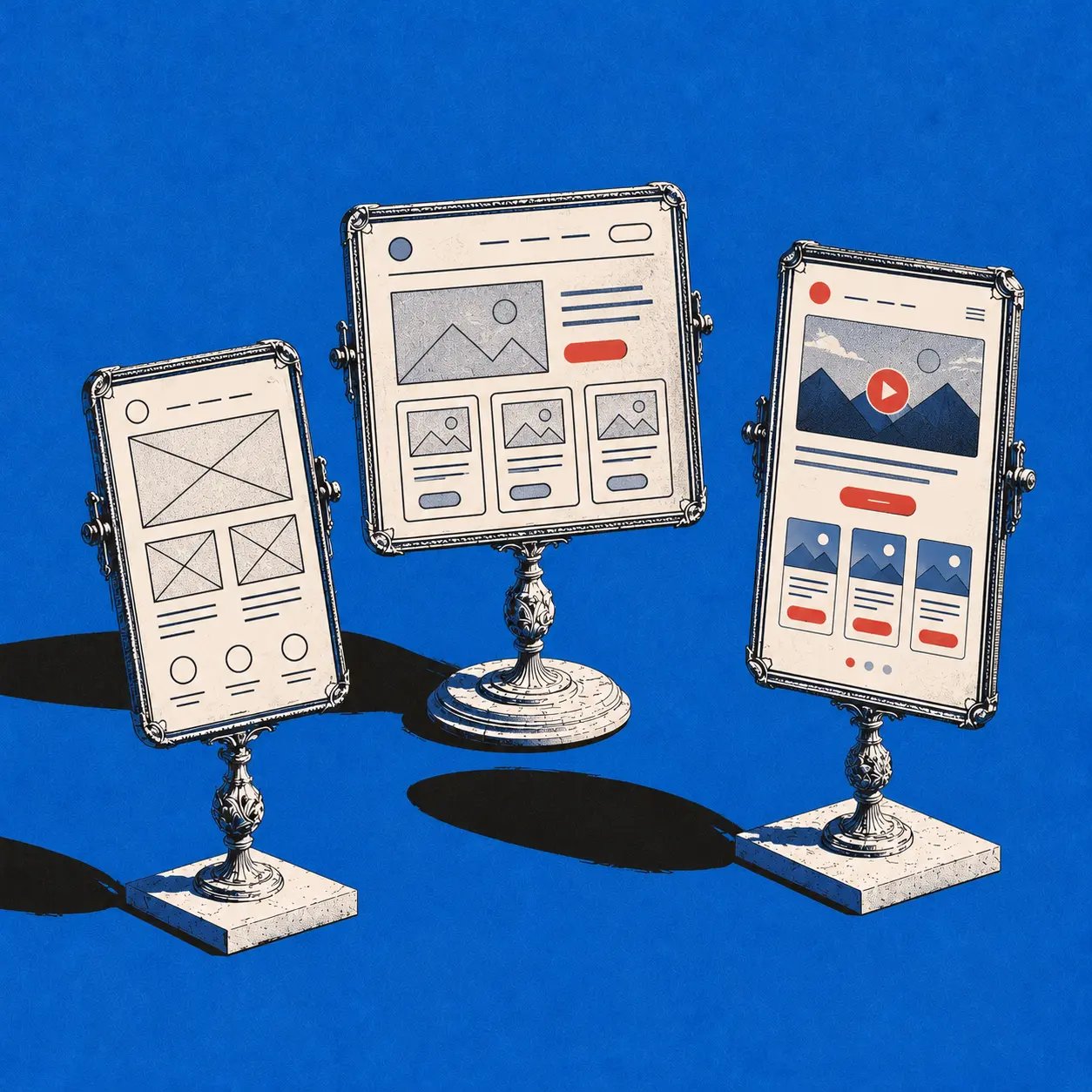
You're in the meeting where the wireframe already looks “good enough,” and that's exactly when the trouble starts. The screens feel clear, the room feels aligned, and nobody notices the missing branches hiding underneath.
Then the prototype gets clicked for real, and three flows break before lunch. A checkout path dead-ends, onboarding confuses first-time users, and the polished mockup that looked settled turns out to be a stack of assumptions with better typography.
The fix is simple to say and hard to practice, treat the wireframe to prototype transition as a sequence of experiments, not a beauty pass. Once you do that, you stop shipping opinions and start shipping decisions.
The Hidden Cost of Skipping the Wireframe to Prototype Step
Last week I watched a PM present a clean wireframe to a room full of stakeholders, and everyone nodded like the work was done. The next morning, the clickable version exposed three broken flows, none of them subtle, all of them expensive.
That gap appears when teams treat visual agreement as product evidence. A wireframe can win approval for layout and intent, but it cannot prove that users understand the flow, that states are complete, or that the task holds up once people start clicking. Nielsen Norman Group's synthesis of iterative interface case studies found a median 165% improvement in overall usability between the first and final versions, with a median 38% improvement per iteration when teams keep testing and revising Great Question's prototype testing guide. That is a reminder that the first version is usually wrong in useful ways.
Wireframes and prototypes work as checkpoints rather than deliverables. Surface navigation problems, unclear terminology, missing states, and inefficient task flows early, and you avoid baking those mistakes into code. Skip that step, and the team loses time, but the greater issue is it loses the chance to change direction cheaply before the wrong decision hardens.
Practical rule: if the team cannot point to the exact risk the prototype is meant to answer, they are still at the wireframe stage.
A friend at a Series C SaaS company told me their biggest rebuild came from a beautifully signed-off flow that nobody had clicked. That is the trap. Assumptions get treated as decisions, and decisions get treated as evidence.
The Wireframe to Prototype Workflow in Six Stages
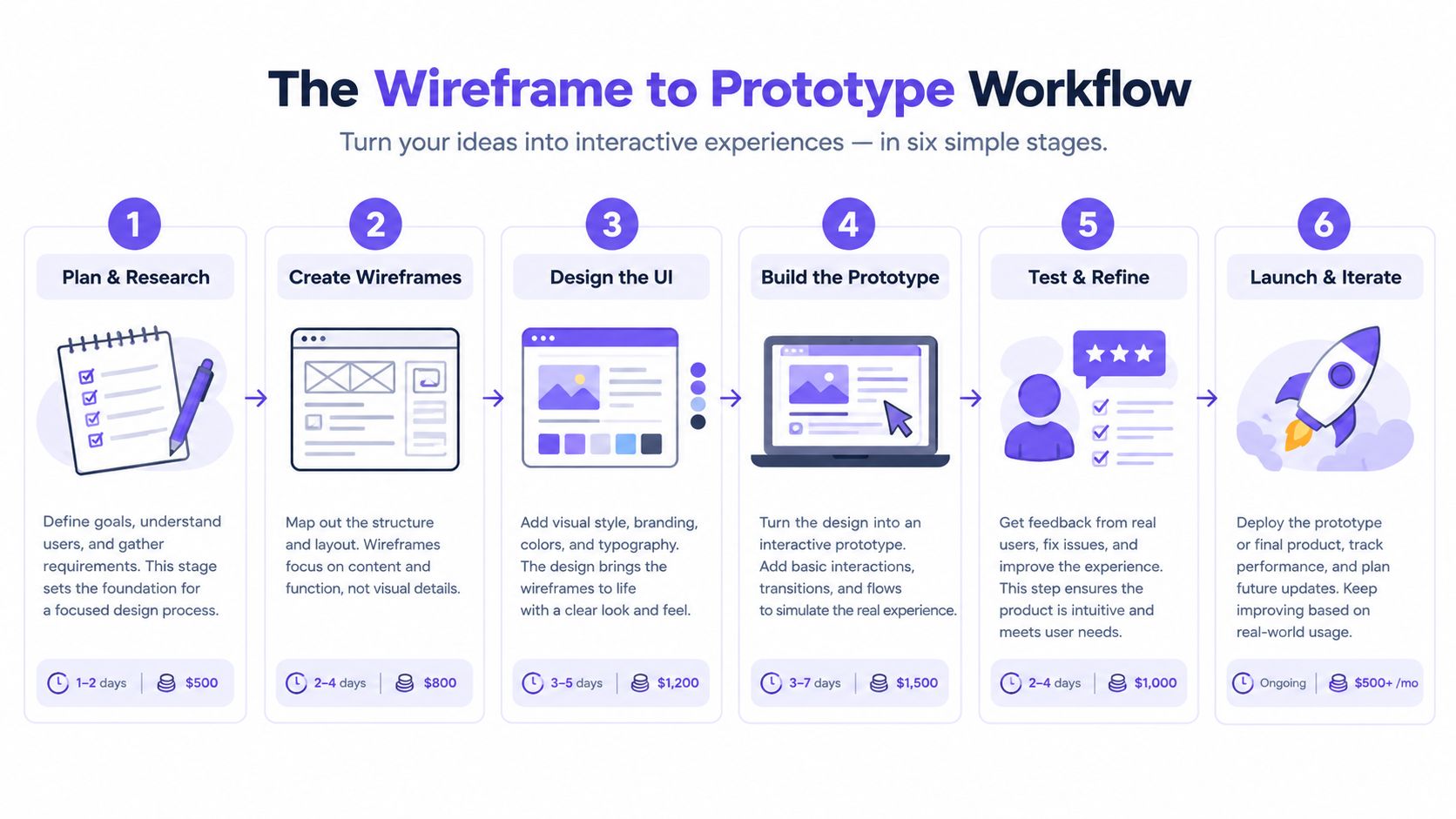
Stage 1 Define the testable question
Start with the decision, not the screen. Are you testing navigation, comprehension, conversion, or confidence? If you skip this, every comment becomes equally loud and none of it is useful.
Stage 2 Map the user flow and information architecture
Draw the path end to end before you make it pretty. Teams catch dead ends, hidden branches, and duplicate entry points here. The pitfall is simple, people jump to visual polish before they've agreed on what belongs where.
Stage 3 Build a low or mid fidelity wireframe
Use the lowest fidelity that still answers the risk question. Rapid prototyping for product teams is useful when you need speed, but speed only helps when structure is already clear. The mistake here is overdesigning a wireframe until stakeholders start debating color instead of flow.
Stage 4 Convert only the critical paths into clickable interactions
Don't animate everything. Click the flows that matter, then leave the rest static or clearly marked as unresolved. A solid resource on coordinated product workflows is Projectify on agent coordination, especially if your team is juggling design, research, and delivery in parallel.
Stage 5 Recruit representative users
Recruit participants who match the actual audience, not the nearest coworker. The goal is to see where the flow fractures under genuine expectations. If you only test with insiders, you'll mostly validate your own assumptions.
Stage 6 Observe and measure
Watch without leading. Capture task completion, first action, errors, time on task, and expectation mismatches. Then revise and retest. The pitfall is treating one round as proof instead of treating it as the first pass on a problem.
| Fidelity Dimension | Risk Question It Answers | When to Push It Higher |
|---|---|---|
| Behavioral fidelity | Does the interaction feel real enough to reveal friction? | When task logic is stable and users need to move through realistic paths |
| Visual fidelity | Does it look like the product users will see? | When hierarchy, brand, and visual comparison are the remaining risks |
| Content fidelity | Does the wording, labels, and data read like the real thing? | When terminology, tone, or realistic content may change decisions |
| Implementation fidelity | Do the states, components, and tokens match what will ship? | When handoff risk, reuse, or system consistency matter most |
The right question beats the right polish every time.
Choosing Fidelity by Risk, Not by Visual Polish
A checkout form is the easiest place to see this mistake. If the labels, error states, and copy are unclear, users fail even when the layout looks polished. Visual fidelity adds little there. Content fidelity does the work.
Treat fidelity as four separate decisions, not one ladder. Behavioral fidelity reveals whether the flow breaks under real interaction. Visual fidelity matters when hierarchy and brand perception are under review. Content fidelity matters when wording, labels, and data shape decisions. Implementation fidelity matters when the prototype has to match the components and states that will ship.
Choose the dimension that matches the risk. If you are testing a permissions flow, the question is whether the user understands what happens next, not whether the buttons have the final color. If you are testing a pricing page, the copy and numbers need to feel real before the pixels do. For a broader view of how teams compare trade-offs, see Granola AI alternatives compared. Understanding fidelity levels with Figr covers the same idea from another angle, but the practical rule is simple, raise only the dimension that answers the next question.
My rule: stop polishing what the test cannot judge yet. If the next risk is wording, fix the wording. If the next risk is component behavior, simulate the behavior.
That is how teams waste less time and get better feedback. A polished mockup can hide a broken assumption and make people nod through a bad decision. A rough prototype with the right content can expose the failure early, while the fix is still cheap. One useful finding from prototype research is that low- and high-fidelity artifacts can both surface usability issues, but they surface different kinds of problems, which is why pushing every dimension at once is a bad use of time UX Stack Exchange discussion on prototype fidelity.
Use fidelity as a risk control, not a trophy. The right question beats the right polish every time.
Adding Interactions Only Where Behavior Matters
A static wireframe communicates structure. A clickable prototype reveals behavior. You feel the difference fast when a test session exposes confusion that never shows up on a page that only sits there.
Build the paths that carry risk
Start with the paths that can break the product, onboarding, search, checkout, account setup, permissions, and recovery flows. If a path does not affect a decision or a user outcome, leave it alone.
Use the interaction states that tell you whether the product survives contact with reality:
- Default: show the ordinary state users will see first.
- Hover and focus: expose discoverability and keyboard behavior.
- Pressed: confirm the action feedback feels immediate.
- Loading: show what happens while the system is thinking.
- Empty: prove the product works before any data exists.
- Error: reveal whether recovery is clear or confusing.
- Success: confirm the system closes the loop.
- Disabled: make constraints obvious instead of mysterious.
- Permission denied: show what users see when access is blocked.
Label anything unsupported as an assumption. Do not fake it. If the prototype cannot simulate latency, say so. If a branch does not exist yet, mark it clearly. That honesty keeps the test focused on behavior, not on a false sense of completeness.
A static artifact gives structure. A clickable one exposes motion, hesitation, and expectation mismatch. Use the prototype to learn where people stumble, not to polish what nobody can judge yet. Prototype testing methods for product managers helps teams structure the session, but the discipline is choosing what deserves a click and what stays static.
Encoding Accessibility into the Prototype Itself
Accessibility belongs in the wireframe to prototype transition because late fixes are expensive and usually shallow. If the prototype cannot show how a keyboard user moves, how focus appears, or how an error gets announced, the team is reviewing a visual, not a product.
WCAG 2.2 gives teams the checks to encode early. It organizes accessibility around perceivable, operable, understandable, and reliable, and it defines 13 guidelines with success criteria at A, AA, and AAA levels WCAG 2.2 standards. It also requires normal text to reach a contrast ratio of 4.5:1 and pointer targets to measure at least 44 by 44 CSS pixels. Those are design constraints, not cleanup tasks.
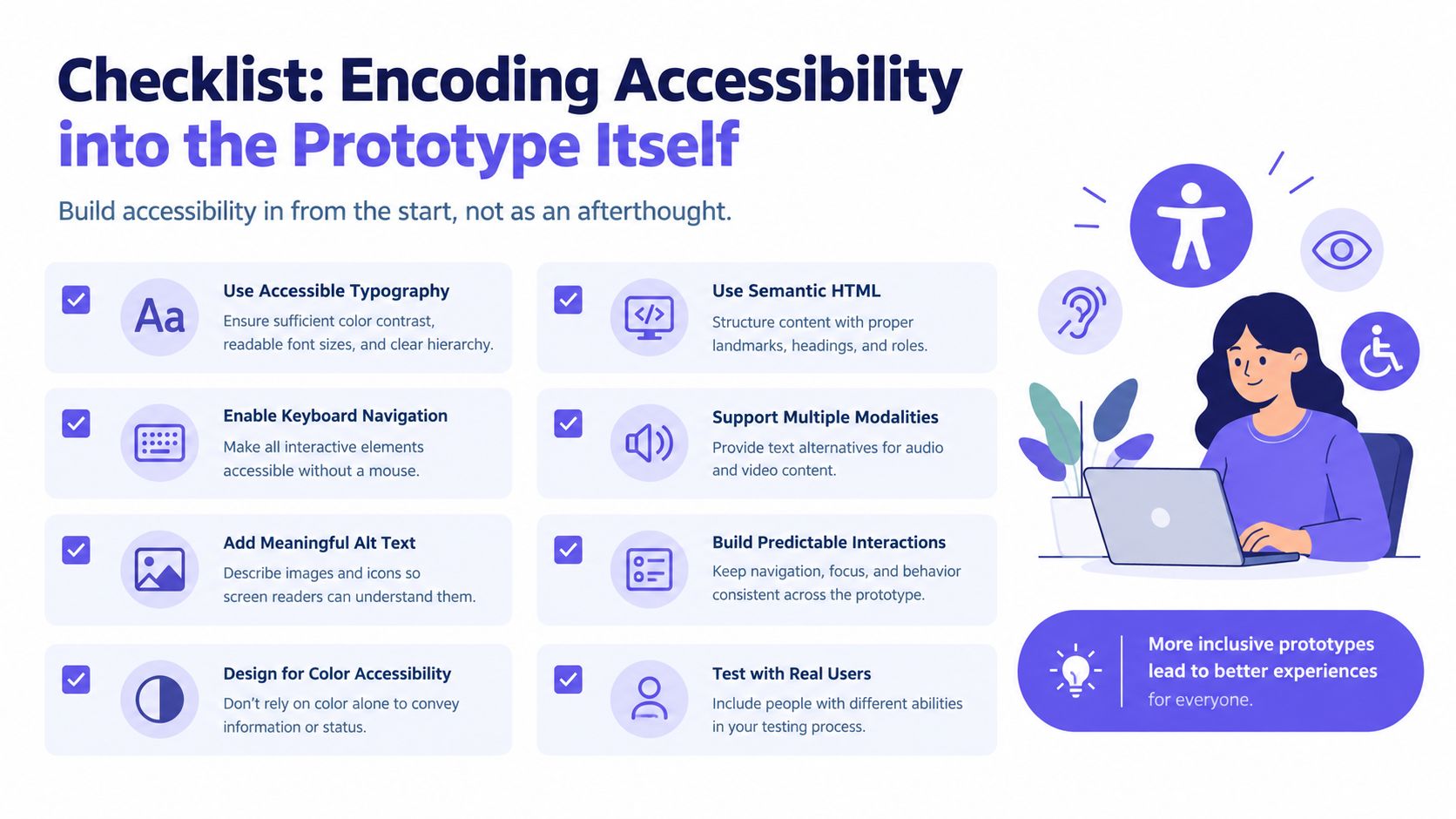
Treat accessibility as a prototype acceptance matrix
Map each state to the things that would break a real user's day. Keyboard behavior: can every action be reached and completed? Assistive technology output: does the naming and structure make sense? Responsive constraints: do labels, controls, and spacing survive smaller screens? Analytics events: will the team be able to measure the flow after launch? Error handling: does failure show up clearly, not as a silent dead end?
W3C's own guidance separates objective criteria from human usability testing, and it recommends including users with disabilities in test groups W3C WCAG requirements. That split is correct. Automated checks catch measurable failures. Human testing shows whether the product works in context.
Use the prototype to prove the rules, then enforce them in the system. Figr on WCAG 2.2 compliance is a practical reference for design-system implementation, and site accessibility improvements is useful when a team needs to turn policy into reviewable design decisions.
The point is simple. A prototype that looks complete but leaves out focus order, screen-reader naming, reduced-motion behavior, or keyboard alternatives is incomplete. It only looks done.
Validating the Prototype with Real Users
A prototype that looks polished can still fail in the room with users. The point of testing is to catch where people hesitate, guess, or take the wrong path before engineering builds the wrong thing.
Recruit representative users and give them task scenarios. Do not lead them. Watch where they pause, what they try first, and what they expect to happen next. Then revise the prototype and test again.
Track a short set of signals in each session:
- Task completion: did they finish the job?
- First action: did they start in the right place?
- Errors: where did they break?
- Time on task: where did friction pile up?
- Expectation mismatches: what did they think would happen instead?
Read the results as diagnosis, not proof
Small-sample testing is for finding problems, not estimating market rates. If you need to compare alternatives or measure frequency, run a larger study. If you need to see what is broken, a handful of well-chosen users will move the work forward fast.
Do multiple iterative rounds. One pass is rarely enough, because fixing one issue usually exposes the next one somewhere else in the flow. A practical guide to iterative prototype testing rounds makes that pattern clear.
Use prototype testing methods for product managers as a playbook if you need structure, but the discipline matters more than the session format. Test early, watch closely, revise quickly.
Handing Off to Figma and Engineering with Full Context
The handoff that saves time is the one with context, not the one with the prettiest export. A team can survive a rough prototype. It can't survive a beautiful prototype with missing states, unclear assumptions, and no record of why anything was chosen.
Figma describes a design system as a collection of reusable components, guidelines, and assets that improve consistency and efficiency, and it ties implementation to components, design tokens, and guidelines that connect design to what ships Figma design systems. That matters because the handoff is really about traceability. A button, form field, or navigation pattern should be reviewed once, reused across flows, and mapped to the same underlying rules.
Pack the handoff with what engineering actually needs
Send more than frames. Send the context that explains how the product should behave:
- Reusable components: shared patterns, not one-off screens.
- Design tokens: spacing, color, typography, and state values.
- Validated flows: the paths users already proved they can follow.
- Open assumptions: every unsupported edge case marked clearly.
- QA cases: concrete checks the build team can run against the experience.
If your team can connect those pieces, design stops being a gallery and starts being a system. That's why design-to-dev handoff best practices matter more than pixel exports. A prototype that hands off edge cases and test cases is more useful than a prototype that only hands off visual polish.
The AI-feature gap makes this even sharper. Realistic AI prototypes have to model uncertainty, refusal, latency, and fallback behavior, not just happy paths. Figma's 2025 research on AI prototyping, based on a survey of 2,500 designers and developers across seven countries, found that realistic AI behavior is hard because it isn't repeatable in the same way as standard UI states UserTesting podcast summary of Figma research. That's a sign to prototype more carefully, not less.
Treat every prototype as a scoped experiment, not a miniature finished product.
That line changes how teams work. It changes how they talk in reviews. It changes what engineering trusts.
FAQ
What is the difference between a wireframe and a prototype?
A wireframe shows structure, layout, and information hierarchy. A prototype adds behavior, which lets teams test flow, interactions, and user expectations before development starts.
When should a team move from wireframe to prototype?
Move to a prototype when the team needs to answer a specific product question, such as whether users understand the next step, complete a task, or recover from an error. Visual agreement alone is not enough.
What fidelity should a prototype have?
Use the lowest fidelity that can answer the next risk question. If the concern is wording, raise content fidelity. If the concern is interaction flow, raise behavioral fidelity. If the concern is handoff accuracy, raise implementation fidelity.
How many users are enough for prototype testing?
For early usability testing, a small set of representative users is often enough to uncover major issues in flow, labels, and expectations. Larger samples matter more when you need comparison data or stronger confidence in frequency.
What should engineering receive during handoff?
Engineering should get reusable components, design tokens, validated flows, open assumptions, and QA cases. The goal is not just to show screens, but to transfer the logic and decisions behind them.
Before your next planning cycle closes, write down the one risk question the next prototype must answer, then build only what's needed to answer it. If you want a tool that can turn product context into flows, edge cases, and Figma-ready prototypes without starting from blank screens, visit Figr and see how it fits into your wireframe to prototype workflow.