
Product design is the systematic process of understanding user needs and turning them into products that are useful, usable and commercially viable, whether physical or digital. Teams struggle when they approve how a feature looks before understanding how people will use it.
The consequences appear in ordinary moments: someone abandons mobile sign-up, an administrator can't grant access, or a new customer opens an empty dashboard. Engineering ships the agreed screens, yet users still can't finish the job.
Good product design helps teams resolve those uncertainties before they become expensive commitments. It connects customer evidence, business goals and implementation decisions, giving everyone a clearer reason for what gets built.
Product Design Defined Without the Jargon
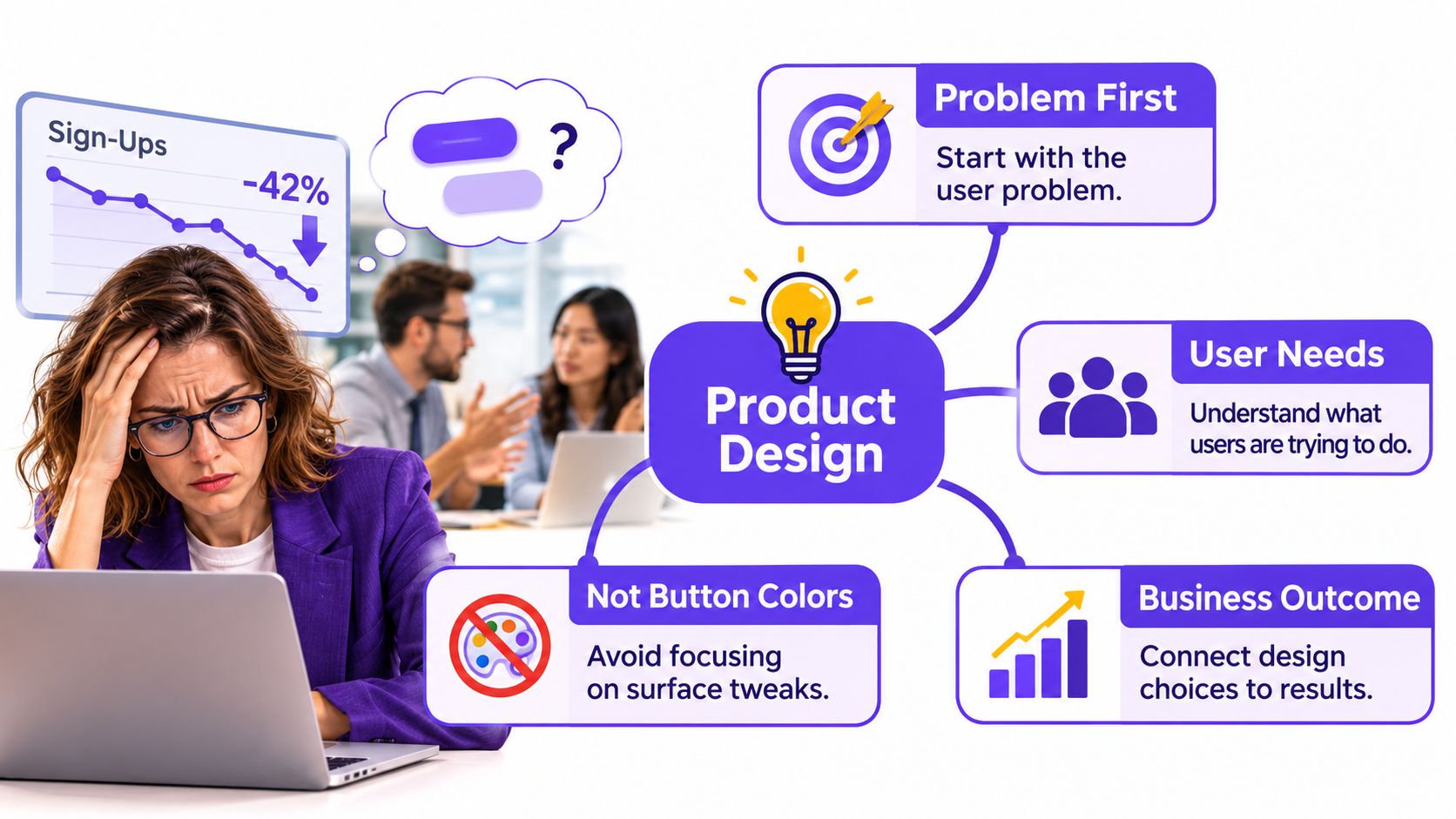
Say you're a product manager watching mobile sign-ups fall. In the review meeting, someone suggests changing the button color, while another person wants a larger headline. You open the form on your phone and discover that an error message disappears beneath the keyboard.
That small scene explains what product design covers: understanding the task, choosing how the product behaves, and checking whether that behavior works. The button matters, but the team first needs to understand what prevents completion.
Start With the Task and Its Context
This is what I mean by uncertainty reduction: each design activity should help the team answer a consequential question. Do people understand the request? Can they recover from failure? Will the proposed interaction work in their actual environment?
The NHS explanation of ISO 9241-210 describes human-centred design as a lifecycle discipline built around understanding users, involving them throughout development, evaluating with evidence and iterating collaboratively.
Those habits apply beyond software. A kitchen appliance control panel must help someone select the right setting, recognize whether it has started and stop it safely. A SaaS import tool must make equally clear what it will upload, what failed and what happens next.
Check the Feature From Different Angles
A useful review separates qualities that teams often blend together:
- Useful: Does the feature address a real need, rather than an internally convenient assumption?
- Usable: Can people complete the intended task and recover when something goes wrong?
- Feasible: Can engineering build, operate and maintain the proposed behavior?
Commercial viability adds another question: does solving this need support a business the team can sustain?
The scope therefore extends from problem definition and research through interaction decisions, prototyping, validation and ongoing improvement. For SaaS teams, the work includes permissions, validation rules, analytics events and acceptance criteria alongside the interface.
Roadmap test: Can you name the user need, the constraint and the success measure?
If the answer is vague, the feature needs more thinking before more screens.
How Product Design Differs From UX, UI and Product Management
Job titles overlap because product work overlaps. The trouble starts when shared responsibility becomes an excuse to leave a decision unowned.
Who owns which question in product work
| Discipline | Core question | Typical owner | Main output |
|---|---|---|---|
| Product management | What should we build and why? | Product manager | Roadmap, priorities and success metrics |
| Product design | How should the product behave to meet the need and the business goal? | Product designer, with PM and engineering | Flows, prototypes, interaction specs and validated decisions |
| UX design | Can people complete this task easily? | UX designer or researcher | Research findings, journeys and usability results |
| UI design | How should each screen and component look and respond? | UI designer | Screens, components and visual states |
| Engineering | How do we build it reliably and maintain it? | Software engineers | Code, architecture and tests |
Ownership Matters Most When Goals Conflict
The distinction becomes useful when a feature performs well in testing but contributes little to the intended outcome. Say users easily customize their dashboard, yet customization doesn't help them reach activation. Should the team simplify it, move it later or reconsider the activation hypothesis?
The product manager owns the priority and business-goal decision. The designer investigates how different behaviors affect the user's task, while engineering explains implementation and maintenance consequences. Together, they need to distinguish a weak solution from a weak underlying bet.
You can compare product design and UX design to clarify the overlapping responsibilities, but a role comparison can't make that trade-off for you.
Accessibility introduces a firmer boundary. If a proposed shortcut excludes keyboard users, the team should explore an accessible alternative before treating exclusion as an acceptable conversion tactic. Commercial pressure doesn't make the affected user's task disappear.
Exploration Still Needs an Owner Afterward
Design thinking helps teams explore problems, question assumptions and generate possibilities. Product design carries those findings into shipped behavior, including the less glamorous decisions about recovery, permissions and implementation constraints.
Where does product design stop? It informs strategy and architecture without taking sole ownership of either. Designers shouldn't independently decide pricing strategy or dictate backend architecture, though both can change the experience they're designing.
On a small team, someone may hold several roles. That's workable, provided every question still has a named owner and unresolved trade-offs remain visible.
Why Product Design Shows Up in Revenue and Retention
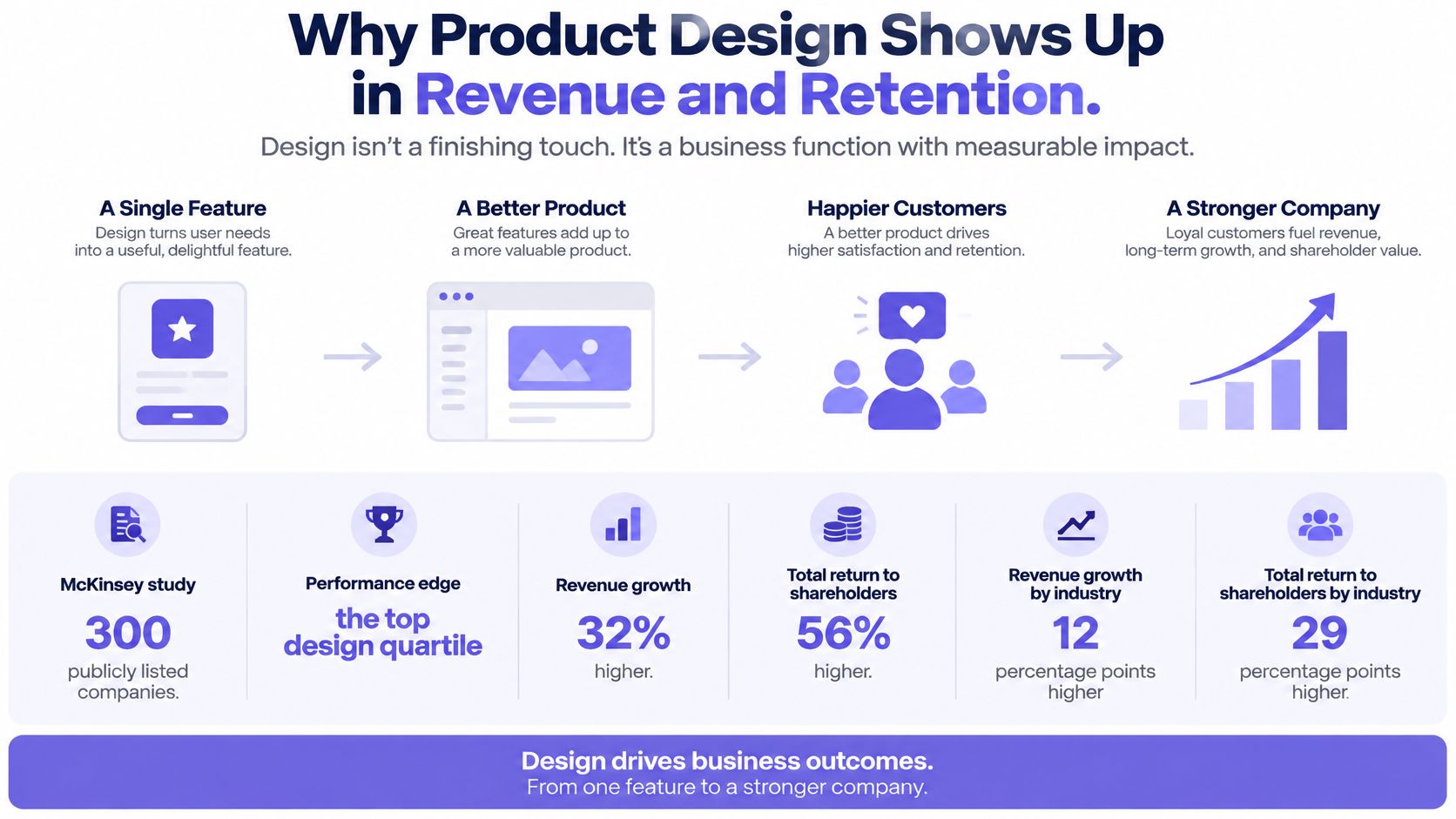
Companies in the top quartile of McKinsey's Design Index achieved revenue growth 32 percentage points higher and total returns to shareholders 56 percentage points higher than industry comparators, according to McKinsey's analysis of design's business value. These are associations across companies, not proof that design alone caused the difference.
The analysis followed 300 publicly listed companies over five years, examining more than 100,000 design actions alongside over 2 million financial data points. The relationship held across medical technology, consumer goods and retail banking.
The Organizational Pattern Behind the Numbers
McKinsey identified recurring practices among stronger design organizations:
- Measure performance: Evaluate design against outcomes rather than presentation quality.
- Connect design with leadership: Include designers where business decisions happen.
- Keep researching: Maintain contact with users throughout development.
- Share responsibility: Treat design as company-wide work rather than late-stage styling.
The economic logic becomes clearer when you zoom out. Every confusing setup requirement asks customers to spend more effort before receiving value. Every unclear permission message can send someone to support or force an administrator into a workaround.
At scale, those moments become operating costs and adoption barriers. Teams that reward shipped features alone can miss them because delivery is visible sooner than sustained customer success.
Connect the Flow to a Business Mechanism
For a SaaS team, the relevant measure might be activation after setup, successful invitation acceptance or retention among customers using a recurring workflow. Choose the measure that matches the behavior you're changing.
A clearer billing flow might affect conversion. A better recovery path might reduce support contacts without changing purchases immediately. Understanding how interface design drives profit requires identifying that mechanism rather than assigning every improvement a revenue promise.
A credible design proposal explains what people will do differently and why that behavior matters commercially.
Before approving another redesign, ask: which metric would move if this flow were fixed? If nobody can answer, clarify the outcome before committing delivery capacity.
How Product Design Moves From Problem to Validated Solution
A design process works when it exposes uncertainty early enough to change direction. The sequence below is a practical workflow, with feedback allowed at every stage.
Establish Evidence Before Commitment
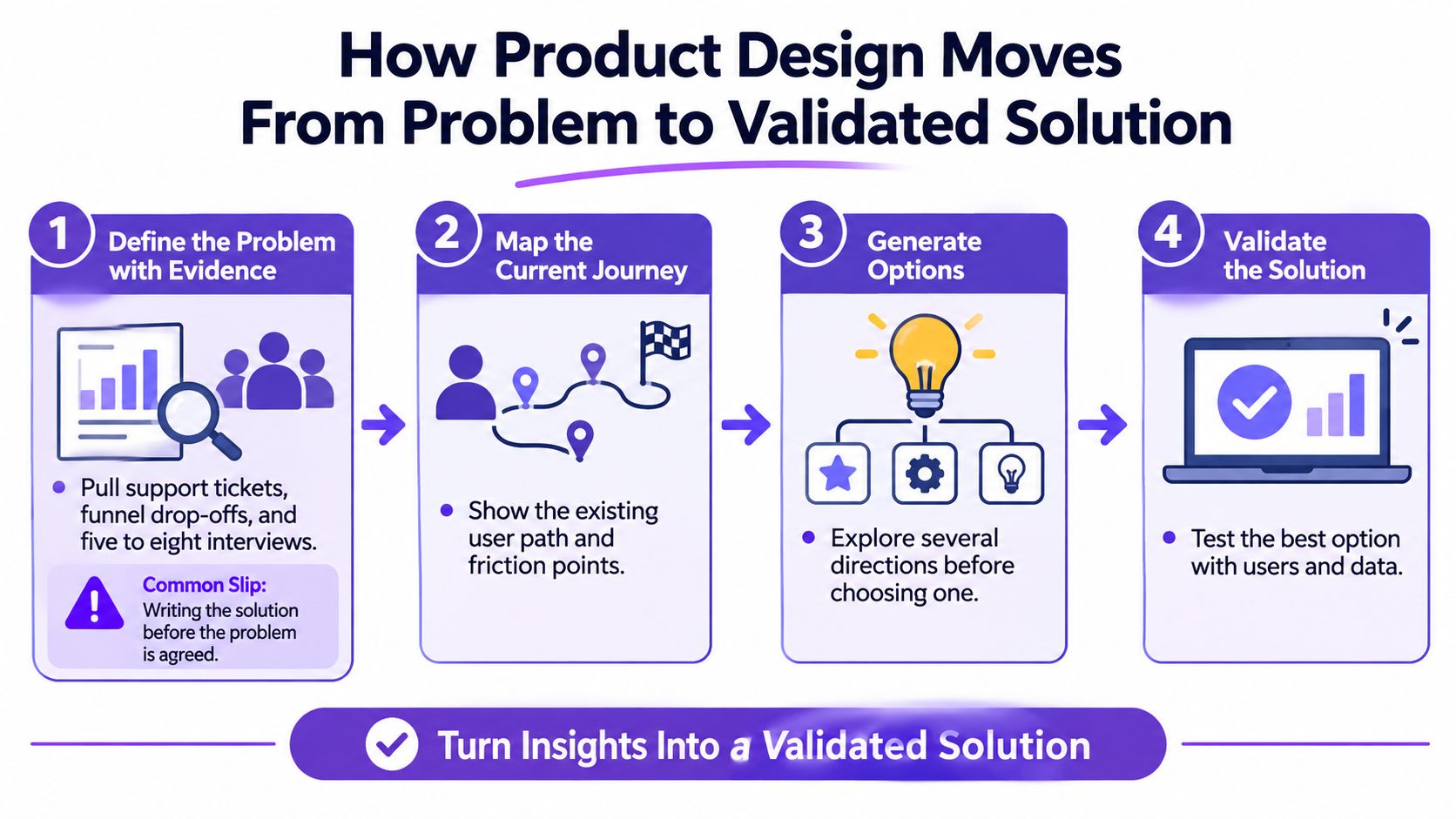
Step 1. Define the problem with evidence.
Pull support tickets and funnel drop-offs, then, for a focused investigation, plan five to eight interviews with relevant users.
Avoid writing a solution-shaped problem such as “users need a wizard” before understanding where they struggle.Step 2. Map the current journey and target outcome.
Document the task from its real starting point, including work outside your product, and choose a measurable success condition.
Don't accept a goal such as “make onboarding better” unless the team can evaluate it after launch.Step 3. Explore competing options.
Sketch at least two approaches for this exercise, such as guided setup versus a useful default configuration.
Compare their assumptions before polishing either, so the first attractive idea doesn't become an accidental commitment.
For teams establishing a discovery practice, Figr's approach to evidence-driven discovery provides context for connecting observations to decisions. When the uncertainty concerns demand rather than interaction quality, use Underdog.io's guidance to set product-market fit go/no-go criteria before interpreting a successful prototype as evidence of a viable business.
Test the Risk, Then Specify the Behavior
Step 4. Prototype the riskiest assumption first.
Test the proposed interaction with representative users before committing to the build.
Include a failure or interruption, because a smooth happy path can hide an unusable recovery experience.Step 5. Specify states and rules.
Define empty, loading and error states alongside permissions, validation and accessibility behavior.
Check the first-run experience explicitly, so new users don't arrive at a blank workspace without a next action.Step 6. Hand off with acceptance criteria.
Describe observable behavior, then review the implementation against those criteria.
Don't rely on meeting memory to settle what should happen after submission, cancellation or failure.Step 7. Measure after launch and repeat.
Compare observed behavior with the intended outcome and investigate unexpected results.
A release completes implementation, while the evidence determines whether the underlying problem was resolved.
How do you know a decision is ready? It names its user need, constraint and supporting evidence, with any remaining assumption stated plainly.
The process can loop backward. If testing reveals that users don't need the proposed capability, revisiting the problem is the responsible outcome.
The Deliverables a Product Design Team Hands Over
Each deliverable answers a question another teammate must act on. A handoff can look complete while leaving engineering or QA to invent the missing answers.
Product design deliverables and the gap each one closes
| Deliverable | Question it answers | Gap when skipped | Used by |
|---|---|---|---|
| Research synthesis | Who has this problem, and how often? | Features built for a loud minority | PM, design |
| User flow | What path does the user take through the task? | Dead ends found after the build is done | Design, engineering |
| State and edge-case map | What appears when data is empty, slow or failing? | First-run and error bugs reported after launch | Design, QA |
| Prototype | Does the interaction work before any code exists? | Costly rework late in the sprint | Stakeholders, test users |
| Interaction spec | How should each component behave in every state? | Engineers guessing at behavior | Engineering |
| Acceptance criteria | How do we know the build is right? | Disputes about correctness at release | PM, QA |
| Accessibility requirements | Can every user perceive, operate and understand it? | Retrofit audits after launch | Design, QA |
A Detailed Requirement Can Still Be Incomplete
A product requirements document may describe successful completion precisely while leaving failure behavior unresolved. For example, “the administrator invites a teammate” says little about an expired invitation, a duplicate account or a recipient who lacks permission to join.
That's why steps 5 and 6 deserve their own review. The question is whether the team has resolved the behavior someone must implement and test.
Research synthesis also needs careful interpretation. Interviews can reveal why a problem happens, but claims about how frequently it occurs need suitable behavioral evidence. A compelling account from a frustrated customer shouldn't become a population-wide conclusion.
Make Artifacts Usable by Their Next Reader
A prototype lets the team inspect an interaction before committing production code. An interaction spec then removes ambiguity that the prototype may conceal, such as whether a selection persists after navigation.
For reusable text styles, document hierarchy, wrapping and component usage rather than handing over isolated font choices. Font Checker Pro's guide to managing web typography is a useful companion when formalizing those rules.
Good developer handoff best practices make decisions traceable without forcing engineers to reconstruct the designer's intent.
Handoff rule: If an engineer or QA tester needs the designer to explain required behavior, the specification isn't finished.
Clarification will still happen. The standard is to remove avoidable ambiguity, not eliminate collaboration.
Measuring Usability and Accessibility Before Launch
Before launch, a team needs evidence that people can complete important tasks and recover when something goes wrong. Track task success, completion time, errors and satisfaction. After release, repeat use can show whether the product continues to meet users' needs.
Record assistance and abandonment, too. A participant who completes a task only after several hints has had a different experience from someone who completes it independently.
Turn Requirements Into Observable Checks
Usability and accessibility benchmarks to design against
| Measure | Benchmark or threshold | Source |
|---|---|---|
| Contrast for ordinary text | At least 4.5:1 | W3C WCAG guidance |
| Pointer target size | At least 44 by 44 CSS pixels, except defined exceptions. This is a Level AAA target-size criterion, not the universal AA minimum. | W3C WCAG 2.2 understanding guidance |
| Auto-starting moving content | Must offer pause, stop or hide when it lasts more than five seconds, subject to the criterion's conditions and exceptions | W3C WCAG 2.2 |
| Single-pointer alternative to multipoint gestures | Required unless the gesture is essential | W3C WCAG 2.2 |
| Usability share of project budget | Recommended allocation of about 10%, with a typical range of 8% to 13% in the reviewed projects | Nielsen Norman Group's usability ROI review |
The budget figure is a historical finding, not a forecast for a particular release. It supports making room for usability work, but does not guarantee a financial return.
WCAG groups accessibility requirements around perceivable, operable, understandable and reliable experiences. Level AA conformance means meeting the applicable Level A and AA criteria. Keep the conformance target distinct from additional design requirements.
Human Testing Resolves Contextual Questions
Automated checks can flag detectable issues, but they cannot show whether a full workflow makes sense. A dialog might have properly named controls and still return keyboard focus to the wrong place when it closes.
A screen reader might announce an error without helping someone find and correct it. Testing the whole task reveals whether people can recover.
Teams can conduct usability testing with clear goals by defining tasks and recording observable behavior rather than asking participants whether they like a design.
Before release:
- Choose three tasks: Include a primary workflow, a recovery task and an administrative action.
- Set a threshold for each: Define acceptable completion, assistance or error behavior before observing participants.
- Test complete paths: Include keyboard and screen-reader evaluation, then use failures to make release decisions.
An automated check is one input to evaluation, not a reason to stop testing.
What Product Design Looks Like Inside a SaaS Team
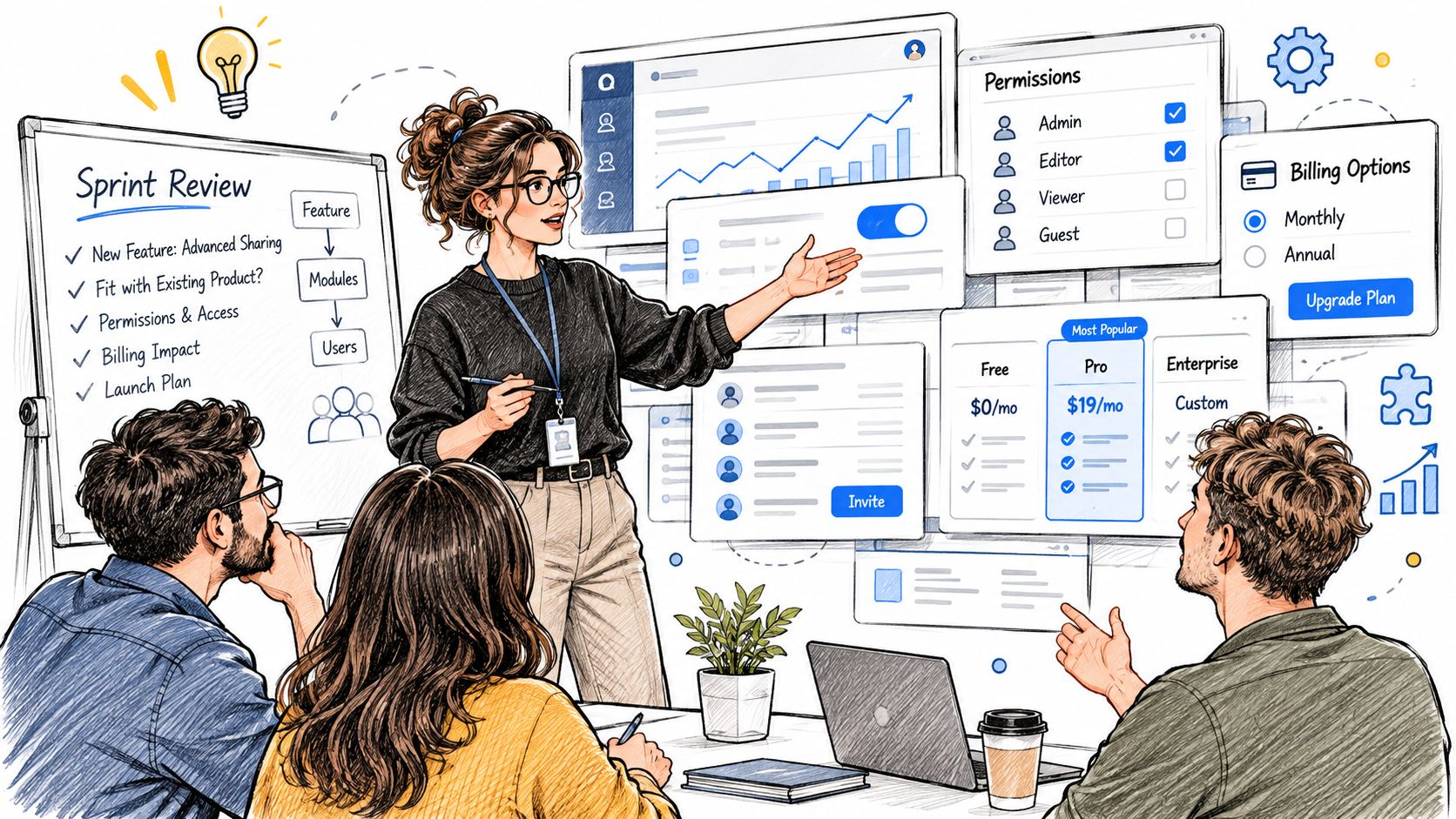
Consider a designer joining a sprint at a hypothetical Series B SaaS company. The proposed feature is shared reports, but the product already contains dozens of screens, role-based permissions and billing states.
The designer opens the existing report page. There's a familiar action menu, an established dialog pattern and a workspace model customers already understand. Starting with a fresh sharing interface would create new rules users must learn.
Existing Product Rules Shape the Feature
The design system provides the first constraint. The designer checks whether existing menu, dialog and notification components support the intended behavior before proposing another variant.
Permissions create the next complication. A workspace administrator can share externally, while a viewer can only request access. Should the viewer see a disabled action, an explanation or a request flow? Each choice changes what the customer understands about their authority.
Analytics adds another requirement. A click on Share doesn't prove that collaboration happened. The team needs events that distinguish opening the dialog, sending an invitation and the recipient successfully accessing the report.
Collaboration Happens Before the Screen Is Final
For this team, discovery could run one or two cycles ahead of delivery, giving the researcher time to investigate sharing needs. The designer reviews feasibility with an engineer before committing to the flow, while QA receives the state map before implementation begins.
The product manager keeps the intended outcome visible and resolves priority conflicts. Where the team lacks capacity for this work, nexus IT group's specialized design talent for technology teams offers a hiring resource for finding relevant product-design expertise.
Mature SaaS design preserves useful product conventions while making deliberate exceptions where the task requires them.
Read the feature list in your next planning meeting. Does it describe customer capabilities and outcomes, or only screens to produce? If every item is a screen, the team may be optimizing for handoff rather than successful use.
Confirm One Feature Spec Before Your Next Sprint
Choose a feature already in progress. Give it a single page and apply the opening roadmap test before approving more detail.
- Write the decision: Record the user need, business outcome, main constraint and success measure.
- Check the branches: Include empty, loading, error, permission-denied and first-run states.
- Verify access: Check contrast, keyboard navigation and target size against the benchmark table.
- Test before commitment: For this exercise, run a usability test with five representative users before engineering commits to the approach.
Figr is an AI design agent that learns product context through live Chrome capture, screens, specs, docs, analytics and imported Figma design systems and tokens, then helps turn PRDs into flows, edge cases and prototypes that fit the existing product, with designers reviewing, refining and applying judgment before anything ships.
Finish by having an engineer read the page without a walkthrough. Done means a spec they can build from without asking you to supply missing behavior.
Figr helps teams connect product context with UX reviews, flows, edge cases and prototypes. Visit Figr to bring an in-progress feature into that workflow, then review the resulting decisions with your designer and engineer before the next sprint.
Frequently Asked Questions About Product Design
What is product design in simple terms?
Product design is the process of understanding a user's problem, deciding how a product should help, and testing whether the solution works. It considers usability, technical constraints and business goals, not just how the interface looks.
How is product design different from UX design?
UX design focuses on how people experience and complete tasks in a product. Product design includes that work while also connecting interaction decisions to product behavior, implementation constraints and business outcomes. Responsibilities often overlap on SaaS teams.
What does a product designer do on a SaaS team?
A product designer investigates user needs, maps flows, prototypes options, defines states and edge cases, and reviews the implemented experience. They work with product managers, engineers, researchers and QA rather than making every product decision alone.
How do you know whether product design is working?
Start with the task and outcome the feature is meant to improve. Measure whether users can complete that task, recover from errors and reach the intended outcome after launch. The right business measure depends on the flow, such as activation, successful collaboration or fewer support contacts.