

UX Pilot fits design and discovery workflows, while Magic Patterns fits developer handoff and implementation workflows. Neither is universally better, they serve different phases of product development.
A product team can lose weeks by choosing the wrong one. The usual failure looks familiar, designers get a polished first screen, engineering still has no flow context, and the PM ends up translating intent by hand while the quarter keeps moving.
The useful move is to treat them as workflow tools, not aesthetic tools. Once you do that, the comparison becomes much clearer, and the trade-offs show up where shipping takes place.
The Product Team Caught Between Design and Development
Last week I watched a PM at a Series B startup sit between a designer and two engineers, trying to explain a checkout flow that looked fine in Figma but still felt incomplete in review. The team needed something that could validate the journey before the build, and something else that could survive handoff without a week of cleanup.

That's the fault line. UX Pilot helps teams work upstream, where the question is whether a flow makes sense before anyone commits engineering time, while Magic Patterns is built for the downstream moment when a team wants code-shaped output and a cleaner path into implementation. The distinction is similar to the difference between proving a concept and packaging it for delivery, and product teams feel that difference fast.
If you're working with contractors or a lean internal squad, HireDevelopers.com is worth knowing about because it sits closer to the execution side of the same problem, the point where handoff quality starts affecting shipping speed. For teams that already struggle with translation overhead, that context matters.
Practical rule: if your biggest pain is “what should we build,” lean toward UX Pilot. If your biggest pain is “how do we hand this off without rework,” Magic Patterns is closer to the job.
The basic gist is this, one tool helps you decide, the other helps you deliver. That's why teams abandon shiny software after the first week when it doesn't match their actual bottleneck. A product manager doesn't need another demo that looks clever on day one, they need a tool that still fits when design review, sprint planning, and implementation all collide.
For readers who want a broader map of adjacent tools, the developer handoff best practices article is a useful companion because it frames what clean transitions require.
Understanding What Each Tool Delivers
UX Pilot produces decision material
UX Pilot works best when the team needs structure before fidelity. It supports low- and high-fidelity wireframing, screen-flow mapping, predictive heatmaps, design review, and multiple design variations. That makes it useful when the core question is whether the interaction model holds up before anyone spends time arguing about pixel polish.
That matters in enterprise and internal-product settings, where clarity usually matters more than novelty. The right output gives the team a sequence they can challenge, revise, and validate with less guesswork. For teams working under stricter UX standards, this UX guidance for enterprise apps covers the same ground from the implementation side.
Magic Patterns produces implementation material
Magic Patterns moves in the opposite direction. Its value shows up in developer handoff, with GitHub synchronization and code generation for React, Tailwind, and Vue, plus Figma support that is more export-oriented than fully synchronized. That makes it useful when engineering needs a structure it can reuse, not just a visual reference.
Teams often compare both tools as if they solve the same problem, then get frustrated when one supports exploration depth and the other produces code-forward output. They serve different points in the workflow.
A prototype only matters if it changes a decision. If it cannot affect the next choice, it is decoration with a deadline.
For teams comparing the broader category, the best AI prototyping tools resource is a useful reference because it shows how different tools emphasize different outputs, not just different UI styles. That framing is more honest than a feature checklist.
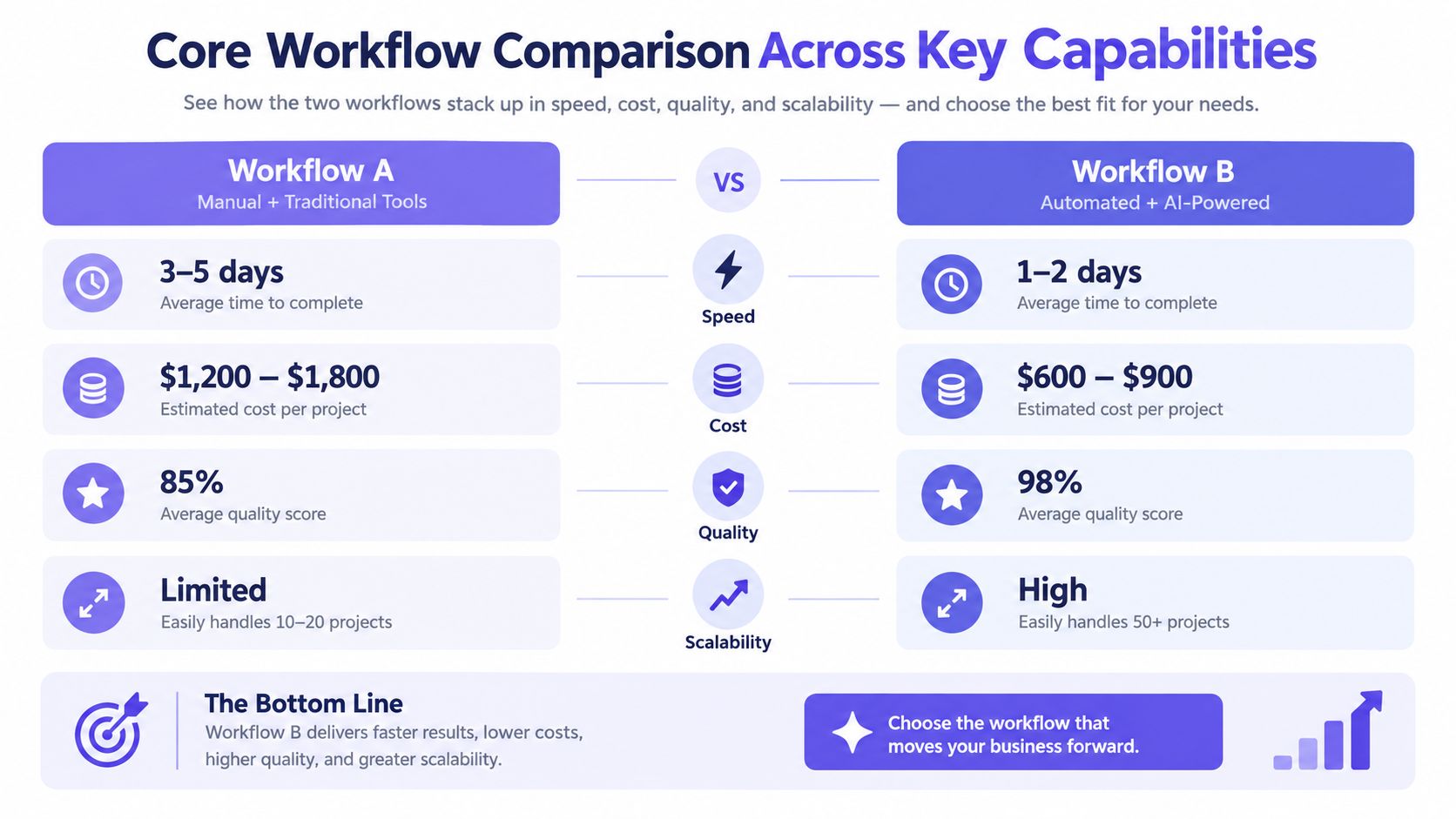
Core Workflow Comparison Across Key Capabilities
Where the workflows diverge
The biggest difference is not visual fidelity, it's what happens after the first draft. UX Pilot is built to keep context inside the design process, while Magic Patterns is built to move output toward code and handoff. Once a team starts iterating on edge cases, that distinction becomes the whole story.
Accessibility is another clean divider. UX Pilot's workflow supports predictive thinking around usability, while Magic Patterns is more about whether the generated code can clear baseline accessibility expectations. One is helping you spot likely issues earlier, the other is helping you get closer to implementation.
Workflow Capability Comparison
The comparison is cleaner if you ask one question, what stage is currently expensive? If exploration is slow, UX Pilot tends to relieve that pain. If engineering keeps rejecting what design hands over, Magic Patterns is the more natural fit.
For teams making stack decisions, the AI design to code tools article helps situate this choice in the larger design-to-code space without pretending every generator solves the same workflow.
Real-World Use Cases and Team Scenarios
A startup chasing product-market fit usually feels the exploration problem first. The team needs to test ideas quickly, see where users hesitate, and adjust flows before the build hardens. UX Pilot fits that phase because it rewards discovery work and makes the logic of a journey easier to challenge.
Enterprise teams run into a different problem, they already have complex systems, and the risk is not inventing new ideas but breaking consistency while trying to evolve them. In that setting, deep Figma synchronization and token continuity matter more than flashy first-screen output. The tool has to preserve product context, not just generate something that looks plausible.
Magic Patterns shows its strength when the team is shipping on a tighter loop. Growth-stage companies often care about component reuse, handoff clarity, and getting developers moving without a long translation layer. That's where React, Tailwind, and Vue output becomes more useful than another round of conceptual exploration.
A remote team feels this difference even more. When people sit across time zones, the artifact has to explain itself without a live meeting. Code-shaped output and standardized patterns reduce back-and-forth, while flow-heavy discovery artifacts are better when the team is still arguing about the shape of the product.
Making the Decision Based on Your Team Needs
Start with the bottleneck, not the feature list
The wrong way to choose is to ask which tool is more impressive. The right way is to ask where the work gets stuck. If your team keeps redesigning flows because users don't understand them, UX Pilot is the better first pass. If your team keeps rebuilding screens because handoff is messy, Magic Patterns will feel more useful.
Match the tool to team composition
Design-heavy squads usually get more value from discovery depth. Engineering-heavy squads usually care more about consistency and implementation readiness. Product leaders need to look at who will touch the artifact after generation, because that's where the hidden cost shows up.
Use a phased approach when the workflow demands it
Some teams should absolutely use both, just not at the same time. UX Pilot can help shape the concept and expose missing states, then Magic Patterns can take a narrower, cleaner brief and move it closer to code. That sequence works when the organization has both design scrutiny and engineering pressure.
For product leaders trying to formalize that kind of evaluation, the guide for product leaders on AI tools is a solid frame because it keeps the discussion anchored in operational value rather than novelty.
Pricing Analysis and Total Cost Considerations
Pricing is only the starting point. The true cost shows up in training, setup, and the time teams lose when a tool adds review cycles instead of cutting them. Access also matters, because product, design, and engineering rarely need the same level of visibility at the same moment.
For UX Pilot and Magic Patterns, the budget question should include what each tool changes in the workflow. A tool that reduces design churn can save hours in early validation. A tool that speeds up handoff can save time later, when engineering is turning approved screens into code. Those savings land in different places, so the cheaper subscription is not always the cheaper option.
The only way to judge that trade-off is to run a trial against a live project. Read the plan page, then check how many revisions, exports, and clarifications the tool creates once real work starts. That is also where time saved on rework becomes the useful metric, because rework is where value disappears first.
Judge total cost by what the tool changes in the next sprint cycle, not by the license line item.
Final Recommendations for Product Teams
A product team in early exploration needs different support than one already pushing screens into development. UX Pilot fits teams that are still clarifying flows, testing assumptions, and deciding whether the product logic holds up under review. It helps when design and product need to shape the problem before implementation starts to narrow options.
Magic Patterns fits teams that already have a direction and need cleaner developer handoff, component alignment, and faster movement into code. It works better when engineering constraints are part of the workflow from the start, not something discovered after design approval.
Use UX Pilot if your team is design-heavy, still resolving the shape of the experience, or spending time on repeated product questions. Use Magic Patterns if your team is engineering-heavy, moving from approved concepts into build work, or trying to reduce friction between design and implementation.
Getting Started with Your Tool Evaluation
Start with one real project, not a demo prompt. Pick a flow your team already understands, then run both tools against the same brief so the differences show up in context rather than marketing language. Watch what gets generated, what gets lost, and what still needs manual cleanup.
A small review group works better than a solo opinion. Designers spot structure problems, developers notice handoff gaps, and PMs can tell whether the output actually helps decision-making. That mix usually reveals the hidden cost of tool switching before you commit to a license.
Give the evaluation enough time to show its shape. A rushed test rewards novelty, while a structured test reveals workflow fit. That's where the answer usually appears.
Figr helps product teams work through UX flows, edge cases, states, and design-system constraints before they commit to a final prototype. If you're comparing tools like UX Pilot and Magic Patterns, Figr gives you a third option to evaluate against real product context, not just a first screen.