

A shopper types an exact model number into an online store and gets a grey box that says 0 results, with nothing beneath it. That page was usually built last, as a generic template, and it meets them when intent is strongest.
Leave the box alone and they have to invent a new search strategy or leave. Purchase momentum is time-sensitive, and a blank screen spends it.
Treat the empty page as a recovery interface, with its own diagnosis, route, and metric. Causes, query shape, filters, accessibility, and the audit that follows all hang on that idea.
Why an Empty Results Page Costs More Than a Click
Most empty pages are built last, yet they meet the user when intent is strongest. A no results UX state is usually a generic template, a grey box and a polite line of search tips, rather than a designed path back into the catalog. I would start there, because it is the cheapest place the experience fails. What is a shopper supposed to do with a zero and a blank?

Baymard Institute's benchmark of 344 e-commerce sites found that 68% had a no-results implementation that functioned as a dead end, offering little beyond generic search tips. A separate Baymard analysis reported that nearly 50% of e-commerce sites failed to provide effective ways for users to recover after a search produced no matches. A dead end forces a choice: invent a new search strategy or leave, especially on a retail journey where purchase momentum is time-sensitive. Those two figures are the benchmark I use when a team claims the empty page is an edge case.
Practical rule: An empty result should help the user continue, not only report the miss.
An empty state is a recovery interface. It should name what failed, offer a next action, and record whether that action worked. Spelling corrections, related queries, category links, popular products, broader filters, and a prominent way to edit the original search all belong on that path. Recovery rate, reformulation rate, downstream product views, and abandonment after a zero-result search turn the page into a funnel stage you can watch. The rest of this piece walks causes, routing, query shape, filters and other flows, accessibility, and a final audit you can run this week.
Matching Each Empty State to Its Recovery Path
One “Did you mean?” line fails because the same blank screen can come from a sold-out item, a stacked filter, a typo, or a question search was never built to answer. Available benchmark data reports usability issues in 12% of exact-product searches, but 44% of compatibility searches, 54% of abbreviation or symbol searches, and 66% of non-product searches, as Fracto Solutions lays out. The basic gist is this: classify the cause before you choose the response, or you waste the user's next step.
| Cause | Typical input or action | Response to show | Metric to track |
|---|---|---|---|
| Item not in stock or not in catalog | wireless earbuds model X, sold out | Back-in-stock option plus in-stock alternatives | Back-in-stock sign-ups |
| Filters stacked too narrowly | size M, teal, under 20 | Result count next to each filter, one-click removal of the blocking filter | Filter removal success |
| Spelling variant | headfones | Corrected query with a visible Showing results for line and an option to search the original | Correction acceptance rate |
| Vocabulary mismatch | sneakers when catalog says trainers | Synonym expansion and related category links | Recovery rate within two interactions |
| Overly long or pasted query | full sentence or citation text | Extracted key terms, a broader phrase option, the searched terms shown as editable chips | Reformulation rate |
| Compatibility or symptom question | works with iPhone 12? | Compatibility checker or supported-models list | Assisted resolution rate |
| Policy or informational intent | return window for opened items | Direct link to the policy page with the answer in the first line | Support deflection |
| Wrong search scope | invoice search from inside Settings | Search-all toggle that keeps the original query | Scope change rate |
Inventory gaps and the wrong search scope both need a path out that keeps the original ask intact. Narrow and stacked filters need counts and one-click removal. Spelling errors and vocabulary mismatch both need corrected or expanded terms. Long pasted queries get extracted terms shown as editable chips. Compatibility, symptom, and policy questions route to a checker, a supported-models list, or the policy page. A spelling correction offered to a policy question sends the user nowhere useful. The same discipline shows up in inline validation and 404 design patterns: name the failure, then offer the one action that fits it.
When the Query Itself Is the Problem
A researcher pastes a full citation into a library search and gets nothing, while the paper sits in the index under its title. The words were right. The matcher treated the paste as one exact phrase.

What the failed queries looked like
A university study of zero-result searches found that the failed queries were often longer than ordinary popular searches, averaging 5.6 words, and in a sample of 50 cases pasted citation references were the most common single source of failure with 11 cases, or 22%, while minor spelling and reference errors appeared in 20% and pasted citations combined with spelling errors represented 42% of the queries examined.
The pattern matters more than the zero. Users paste language from documents, enter exact references, or write natural-language strings that a narrow matcher cannot parse. A zero-result message then implies the item does not exist. That implication is often false: the item is indexed under a shorter title, an author name, or a synonym buried inside the paste.
How to answer a long input
Respond to query shape, not only to the empty outcome. The page needs a quick diagnosis: what was submitted, which terms were matched, and which part of the input is likely blocking the hit.
- Long inputs: Trigger phrase relaxation or token-based matching, and offer a broader-results prompt before you declare a miss.
- Citation-like strings: Extract author names, titles, dates, or identifiers instead of matching the whole paste as one phrase.
- Lexical mismatch: Show spelling and synonym suggestions, because a blank page can hide content that is already indexed.
- Parsed terms: Show what you searched as editable chips, so the user can drop the clause that broke the match.
Many empty pages come from search processing while the content remains indexed. If your help content lives in a separate system, Carti's guide to knowledge base integration is a useful check that the index contains the article the user just pasted. A correction offered after a processing failure is worth more than another “we couldn't find anything” line.
How to Build the No-Results Decision Tree
Recovery moves from the cheapest correction to the most expensive change to the user's intent. Nielsen Norman Group treats the state as an error-recovery interface: say that no matching content was found, keep the original query editable, and offer spelling correction, related queries, fewer-word alternatives, and reformulation guidance. Users often get zero results even when the content exists, because of spelling variation, overly specific wording, vocabulary mismatch, or weak query interpretation.
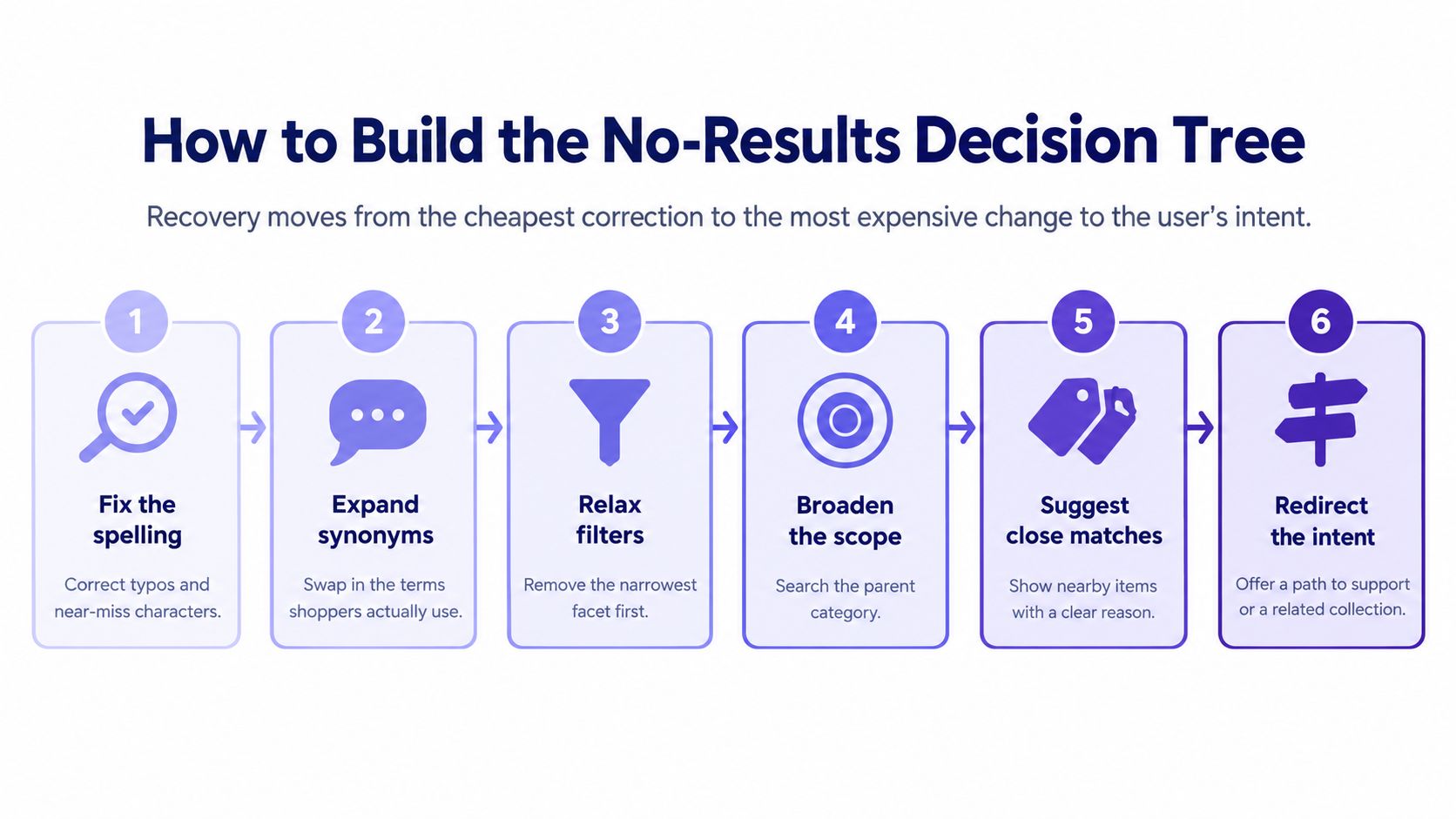
Step 1. Normalize the query.
- Correct spelling, expand synonyms, strip stop words.
- Slip: stripping a term the user chose on purpose.
Step 2. Classify the query shape.
- Short keyword, long paste, citation-like string, or question.
- The shape decides which branch runs next.
Step 3. Relax the most restrictive filter first.
- Show the result count each removal would return.
- Slip: relaxing search terms before filters, which drops meaning the user chose.
Step 4. Offer a scope change.
- Use it when the query matches content elsewhere, such as invoices searched from inside Settings.
- Keep the original query on the toggle.
Step 5. Route informational or support intent.
- Send it to the matching policy page or checker, not to a product list.
- A product grid answers the wrong job.
Step 6. Keep the original query and filters editable.
- The user fixes one constraint instead of restarting.
- That cut in interaction cost matters most in SaaS, where people search objects, permissions, and statuses.
Say a shopper searches headfones, size M, teal, under 20. Spelling correction runs first. Then the size filter is removed with its count shown, while colour and price survive. Give each branch its own event, so you can see which action produced the result. The most useful metric is recovery rate: the share of zero-result sessions that reach a meaningful result or task completion within the next one or two interactions. Teams that want the same branching logic outside search can look at creating decision trees that drive action.
Empty States in Filters, Lists and Dashboards
An empty filter result needs a different response from an empty product. The cause is hidden in the control set, so the page has to expose which constraint removed the rows before it offers a route back. A first-use screen earns a creation action; a zero-match screen earns a diagnosis.
- First use: Nothing has been created. Offer a creation or import action, and say what will appear once it exists.
- Filtered out: Records exist. Show a count per filter so the blocking facet is obvious.
- Date-range empty: A default window, such as the last seven days, hides older data. Put the period control first.
- Cleared or deleted: The item was removed. Offer restore, not a fresh create.
- Permission blocked: The user cannot see the set. Offer a request route, not a “try another keyword” tip.
Filters that explain the empty set
Show the count after each filter. Label Clear all and Remove this filter differently, because they undo different amounts of work. Keep the remaining filters visible so the user sees the combination that produced the empty set. A silent zero after three facets is the same dead end as a blank search, only harder to diagnose.
On a dashboard, an empty chart for a period needs a different message than a chart that has never had data. Offer the period selector as the first recovery control. A chart titled “no activity” when the window is seven days will send an operator hunting for a bug that is only a default. The same confusion appears on any scheduling surface, where an empty calendar can mean nothing is listed or that the date window is wrong; even a public page such as TESOL training schedules reads differently once the period is known. If you want patterns for laying that out, explore dashboard designs that prioritize clarity.
At scale, empty dashboards change what a team believes about the product. An operator who sees a blank chart files a ticket. A manager who sees the same blank delays a launch. One mislabeled state creates work for support, engineering, and the person who only needed last month's numbers. Put the recovery control beside the state it fixes: period beside a time gap, filter chips beside a zeroed list, import beside first use.
Making the Empty Message Work for Everyone
A screen-reader user presses search, hears nothing change, and assumes the page froze. The list updated. The status never did. A results list cannot carry the news that the count is zero.
W3C guidance describes a search function as a form with a text field and a control that submits the query, and accessibility guidance for search patterns adds autocomplete, spell-checking, previous-search access, and grouped results with headings. The mechanical split stays the same: a results list reports what exists, and a separate status message reports that nothing does. Assistive technology reads the status. A blank list reads as silence.
What to announce and how to test it
Provide an explicit, programmatically available announcement such as "No results found for [query]," then place recovery options next to it: corrected terms, broader searches, suggested categories, or a way to clear filters, with the query still in an editable field. The U.S. Web Design System specifies that a search input should be at least 27 characters wide, and that a customized search button should include the word "Search" inside the button element for screen readers. A narrow field hides the query you just asked someone to fix, and an icon-only button has no accessible name unless you provide one.
- Keyboard: Suggestions and clear-filter controls must be reachable without a mouse, and focus should move logically after the announcement lands.
- Cognitive load: Plain language, a short list of options, and a control that removes one filter at a time keep the recovery path readable under stress.
- Language and voice: Test localized spelling alternatives and voice input, because both produce strings a visual layout never shows.
- Labels: Recognizable names on the field and the button, because a magnifying glass alone announces nothing.
Copy carries the diagnosis. A status that says "no matches" next to a "browse bestsellers" link tells a shopper asking about a return window that nobody understood the question. Writing that status line is the same discipline as crafting clearer interfaces with Figr: the message inherits every inconsistency in the catalog's terminology. Apparel catalogs are a common failure case because size and fit terms drift across suppliers, so teams fix the vocabulary in a written style guide before the search has to match it; content guidance for apparel retailers shows the style-guide format those term lists follow.
Sighted users scanning the page and assistive-technology users receiving status updates need the same diagnosis and the same path forward. Adding more recommendations makes recovery worse when focus order is unclear or the alternatives ignore the original task. Every user who cannot find the next action becomes a support contact or a lost session.
Measure Recovery and Audit Your Empty States
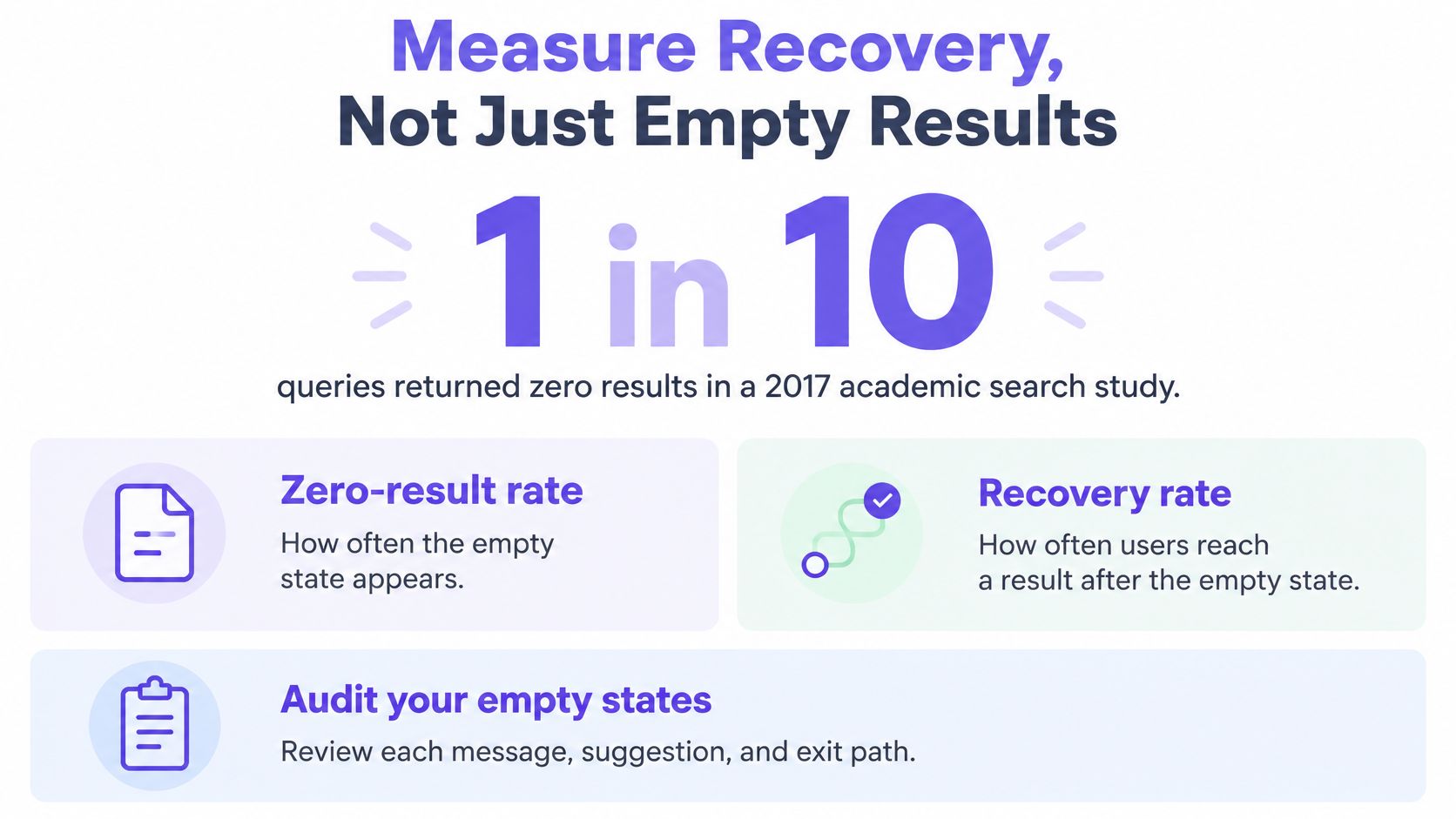
A zero-result rate tells a team how often the blank page appeared. It says nothing about whether anyone recovered. A 2017 study of academic search found that approximately 1 in 10 queries was a null query, and that 25% of search sessions contained at least one null query, with the failure hitting the whole session rather than the single search. Log analysis of high-volume search engines shows the same general pattern: when the interface allows it, most users issue a new query after a null result, and a smaller share leave. Retry is the default behavior. Exit is the cost worth measuring.
Recovery rate is the share of zero-result sessions that reach a meaningful result or task completion within one or two interactions. Instrument the exit, not only the blank.
| Metric | Definition | Event to instrument |
|---|---|---|
| Recovery rate | Zero-result sessions that reach a meaningful result or task completion within one or two interactions | Recovery success event per session |
| Reformulation rate | Share of zero-result sessions that issue a new query | Query submitted after a null result |
| Correction acceptance | Share of spelling or synonym suggestions the user clicks | Click on suggested query |
| Filter removal success | Share of filter removals that produce a result | Filter removal followed by result view |
| Downstream product views | Product views after a recovered search | Product view tagged with recovery branch |
| Abandonment after first failure | Sessions that leave after the first null page | Exit event after null result |
| Time to recovery | Elapsed time from null result to success | Timestamp difference between null and success events |
A rising recovery rate alongside a rising reformulation rate can mean the page is guessing rather than helping. People keep typing because the first suggestion missed, and each retry is friction the interface created. Figr's guide to UX metrics is a useful frame for separating those two signals before you celebrate a chart.
Audit the five empty states users hit most, including one search, one filter view, and one non-search surface such as a list or dashboard. Trigger each with a real query or filter combination, then grade it on four checks: does it name the cause, does it keep the query or filters editable, does the next action match the intent, and is the message announced to assistive technology? Record one row per state. Fix first the state that fails the most checks and reaches the most users, and instrument its recovery event before the redesign begins so you can prove the change worked.
Frequently Asked Questions About No-Results UX
What should a no-results page say?
Say clearly that no matches were found for the user's query, then offer a relevant next step. Keep the query editable. If a filter, search scope, or spelling error likely caused the miss, name that cause rather than relying on generic search tips.
What is the difference between a no-results state and a first-use empty state?
A no-results state means content may exist, but the current query or filters did not find it. Help the user adjust the search or constraints. A first-use state means nothing has been created yet, so the primary action should be to create or import something.
Which recovery option should appear first?
Start with the least disruptive fix that matches the cause: correct an obvious typo, remove a blocking filter, or broaden the search scope while preserving the original query. Route policy and compatibility questions to the relevant answer or tool instead of a product grid.
How do you measure whether a no-results page works?
Track recovery rate, the share of zero-result sessions that reach a meaningful result or task completion within the next one or two interactions. Review it alongside reformulation, filter removal success, downstream views, and abandonment to see whether suggestions help or merely prompt another search.
How should a no-results message work for screen readers?
Provide a programmatically available status message such as "No results found for [query]." Keep the search field editable and make suggestions and clear-filter controls keyboard-accessible. An empty results list alone may not announce that anything changed.
UX review evaluates an existing flow, while UX reasoning helps shape new flows, requirements, edge cases, and design decisions before or during creation. Figr asks clarifying questions, maps the current flow, identifies friction, lists missing states, explains tradeoffs, and gives the team a way to review the UX logic before committing to screens. The final UX decision stays with the team.
Figr maps empty states, including no-results paths, as part of working through a flow before screens get locked. Bring a search or filter dead end, and it will list the missing states, the recovery branches, and the tradeoffs so your team can decide what to ship. Visit Figr when you want that logic reviewed against the product you already have.