

Figma vs Sketch: How to Choose in 2027
Figma vs Sketch is a workflow decision, not a contest over who can draw a better button. Figma is usually the easier fit when designers and stakeholders work across operating systems, edit together frequently, and need integrated variables, prototyping, and developer inspection. Sketch remains a strong choice for Mac-based designers who value native editing, established Libraries, offline work, and browser access for reviewers.
This is a guide for teams making a 2027 decision using capabilities and prices published as of October 2026. It does not assume either company will release a particular feature or keep today's prices in 2027. Start with who must author, who must review, and how often product decisions need to move from prototype to implementation.
Figma vs Sketch: Which Should You Shortlist?
Shortlist Figma for cross-platform authoring and dense collaboration; shortlist Sketch for native Mac authoring with a deliberate Workspace review process. Sketch is not an offline-only, single-user relic. Its subscribers can share documents through a web app, invite reviewers, and co-edit using the Mac app. The distinction is where editing happens.
| Buying criterion | Figma | Sketch |
|---|---|---|
| Best fit | Mixed-device product teams with frequent shared editing and handoff | Mac-based design teams that value native workflows and existing Libraries |
| Authoring platform | Browser-based design and desktop apps | Native Mac editor; browser app supports review, not design authoring |
| Collaboration | Shared files, simultaneous editing, comments, version history | Subscription Workspaces, Mac-app co-editing, browser comments and inspection |
| Design systems | Components, libraries, variables and modes | Symbols, Libraries, Color Variables, styles and token export |
| Prototypes | Interactions, variables, modes and conditional logic | Links, Hotspots, Overlays, scrolling and shareable previews |
| AI approach | AI features within Figma, plus Figma Make | Local MCP server connecting the Mac app to supported AI clients |
| Main constraint | Seat entitlements, file complexity, connectivity and migration cost | Designers need Macs; Workspace features require a subscription |
Sketch's official product overview separates its Mac editing app from its browser-based review app. That boundary is decisive if a Windows-based teammate must edit designs, but less decisive if that person only needs to comment or inspect. Likewise, Figma's browser access does not mean every participant needs a paid editor seat.
Contrary's Figma company analysis
The comparison below follows a feature from design-system choices through review and development. If your real bottleneck is generating product-aware exploration before either editor is opened, consider a complementary workflow rather than treating every need as a reason to switch editors.
How Do UI Design and Design Systems Compare?
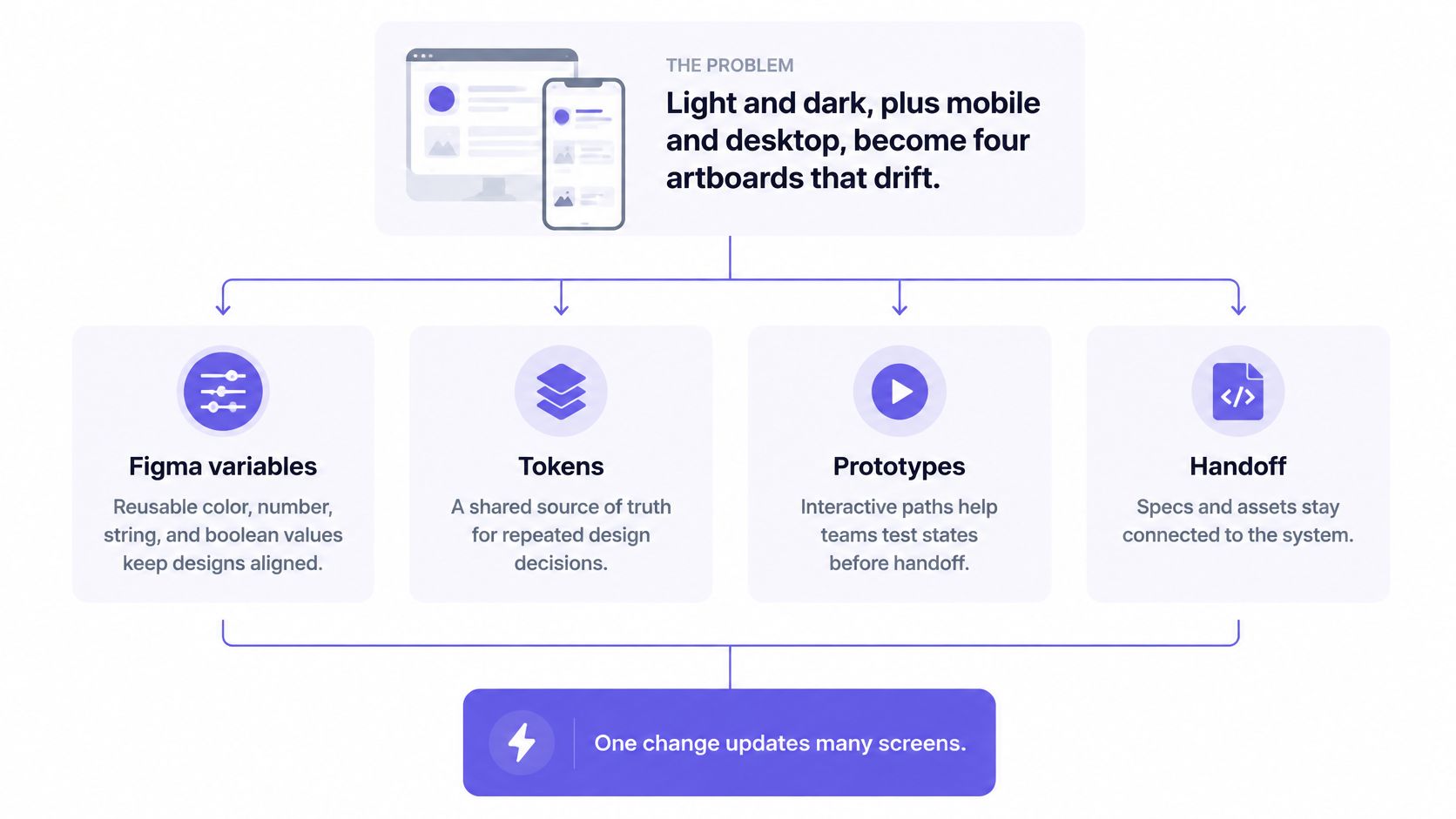
Both tools support reusable UI systems; Figma offers an explicit variable-and-mode model, while Sketch combines Libraries, Symbols, styles, Color Variables, and responsive Stacks. Judge the system by whether an engineer can recognize its semantics, not by how many components appear in a file.
In Figma, components and shared libraries establish repeatable UI. Variables store reusable colors, numbers, strings, and booleans. Modes assign context-dependent values, such as light and dark themes, to the same variable. Auto layout helps components accommodate changing content. A team can model a warning surface as a semantic choice instead of copying a hex value into every screen.
In Sketch, Symbols and Libraries support reusable components and shared patterns. Color Variables and styles provide reusable visual decisions. Sketch documents the export of Color Variables and styles as design tokens, including CSS or JSON output for color tokens. That is a real token workflow, not proof that every token-management process will match Figma's variable modes.
Sketch's current Stack Layout handles responsive structures with direction, spacing, wrapping and sizing controls. Do not evaluate today's Sketch using only its older Smart Layout terminology. Figma's auto layout and Sketch's Stacks both deserve testing on a crowded form, a translated label and a narrow viewport.
Quicksilver Research's historical comparison
Ask the design-system owner to check four things:
- Reuse: Can a component change without manually fixing many copies?
- Context: Are theme and state differences modeled deliberately?
- Inspectability: Can engineering identify a named decision rather than just a rendered value?
- Governance: Who approves changes to shared components and tokens?
An established Sketch Library with code mappings may be worth more than a clean Figma file that has not yet earned the team's trust. Conversely, teams already relying on Figma variables and modes should price the cost of rebuilding those relationships before switching. For a broader implementation framework, see Figr's design system guide.
choosing collaboration software for product teams
Which Tool Handles Product Prototypes Better?
Figma is the clearer choice when a prototype must represent variable-driven state and conditional branches; Sketch covers conventional screen navigation, overlays, and shared previews well. Neither replaces product testing or an implemented feature.
G2 comparison of Figma and Sketch
Figma's variables guide describes reusable values in prototype actions. Its variable-mode documentation explains how an interaction can change modes. Figma also documents conditional logic and expressions for prototype interactions. These are useful when a setting's appearance or available action changes with the selected state, without maintaining a separate screen for every combination.
Sketch's prototyping documentation covers links, Hotspots, Overlays, scrolling and fixed elements. That is enough to test many navigation flows, dialogs and menus. Sketch prototypes can be previewed in the Mac app, web app or iOS app and shared for browser review. The official sources checked here do not establish a directly equivalent Sketch conditional-logic workflow, so avoid claiming parity or inferring that Sketch cannot prototype complex journeys at all.
Choose a representative flow and count the states that reviewers must understand: default, loading, empty, success, error and permission denied. Then ask whether the prototype communicates the behavior accurately, how much duplicated maintenance it creates, and whether the reviewer can reach the relevant branch without a guided tour. If your priority is product-aware exploration before polishing interactions, compare the approaches in Figr's AI prototyping tools guide.
How Do Collaboration and Review Work?
limit permissions on Word document links
protecting intellectual property in shared prototypes
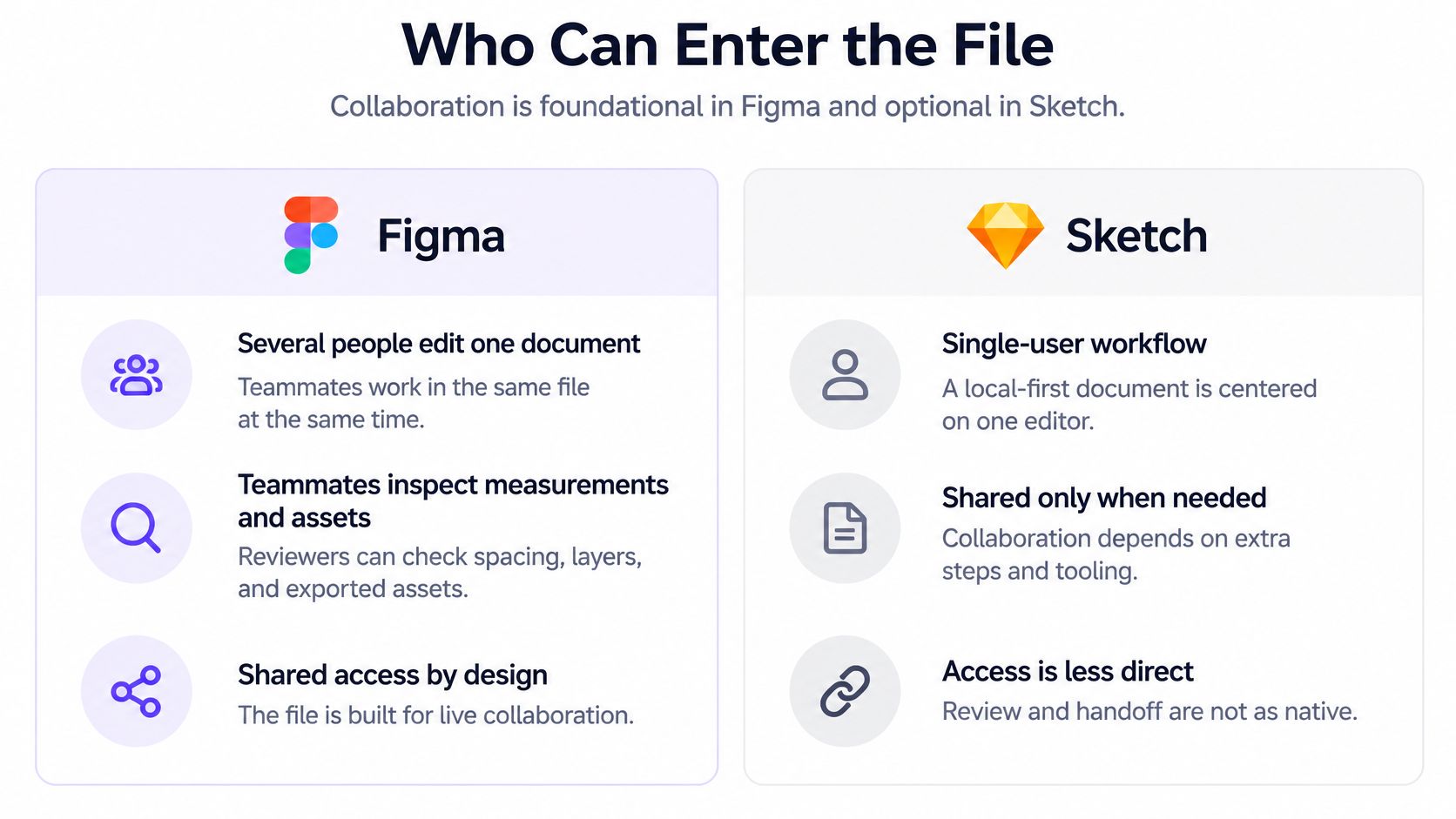
Figma reduces authoring friction for mixed-platform teams; Sketch can support cross-platform reviewers, but its real-time design editors still work on Macs. That is the important difference for product managers and engineering leads.
Figma's shared-file workflow supports concurrent editing, comments and version history. The browser can put a designer, PM and engineer in the same source document during a review. Check permissions before assuming that everyone should edit: a stakeholder who comments does not need the same access as someone changing components. Figma's plan comparison lists different version-history limits by plan.
A Sketch subscription adds Workspaces that synchronize documents and enable browser sharing, inspection and comments. Sketch supports real-time co-editing in a shared document when participating editors use the Mac app and a subscription. Browser viewers do not become browser-based design editors. Sketch Standard includes unlimited free viewers, according to Sketch's pricing page.
Imagine a review where the designer is on a Mac and the PM is on Windows. Both products can let the PM inspect a shared design if access is provisioned correctly. If the PM's job is to comment on a validation error, a Sketch Workspace may solve the problem without migration. If another designer on Windows must change the source live, it will not.
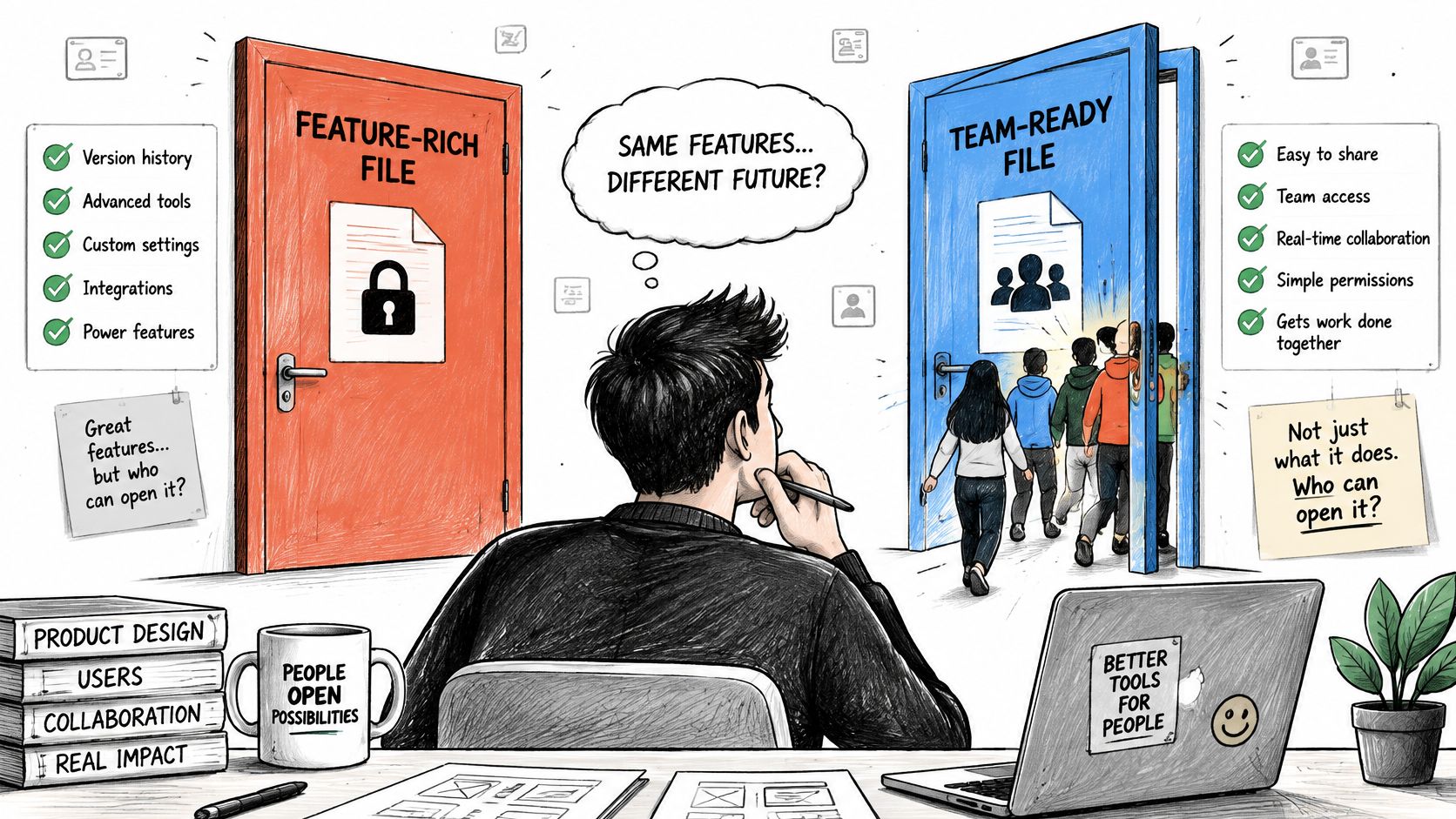
Test the actual invitation and permission flow. Have a non-designer open a link, find an error state, leave a comment and locate the current version. Count access requests, stale exports and unanswered questions, not just the number of cursors on screen. The winning collaboration setup is the one people can use under ordinary deadline pressure.
What Can Each Tool's AI and Automation Actually Do?
Figma offers AI features within its platform, while Sketch documents a local MCP connection to external AI clients; neither should be evaluated on an assumed 2027 roadmap. Test output against real components and constraints rather than a polished prompt demonstration.
Figma AI includes assistance for design and routine tasks such as searching for assets and renaming layers. Figma Make provides a prompt-driven environment for generating and refining functional prototypes or interactive experiences, with the option to attach existing design context. Check plan access and AI-credit terms before building a production workflow around either capability.
Sketch's official AI page describes a local MCP server for connecting its Mac app to compatible clients such as Claude, Cursor and Codex. The connection is off by default. Supported clients can inspect and edit documents or automate tasks, depending on what the user permits and the client's capabilities. This is not the same packaging as an AI generator built into the editor, but it is also not accurate to say Sketch has no AI workflow.
Sketch also supports Mac-app plugins, while Figma's native AI tools and broader ecosystem require separate evaluation. Inventory any plugin or integration your team relies on, then verify that its current version works with the proposed platform. Do not count a third-party feature as a guaranteed first-party capability.
For either tool, run the same acceptance checks: Does the output reuse the intended component? Is its copy appropriate for the product? Does it cover failure states? Can the designer edit the result and can engineering understand it? Figr's AI design tools comparison discusses when product-aware exploration is a different job from editing UI in a general-purpose canvas.
Which Offers Better Developer Handoff?
Figma provides a dedicated Dev Mode for inspecting components, variables, assets and changes; Sketch provides browser-based Workspace inspection and asset export without requiring developers to own Macs. The better handoff is the one that preserves the team's actual implementation decisions.
Figma's Dev Mode guide documents inspection of properties, generated code, assets, versions and design changes. Inspectable variables can help an engineer trace a semantic value through its collection, mode or alias rather than guessing from a screenshot. Dev Mode access is subject to seat and plan entitlements; read the quote before assuming every viewer receives the same developer tools.
Sketch's developer handoff guide describes inspection in the browser, including layers, measurements, colors, Library sources and downloadable assets. That makes a Mac unnecessary for a developer reviewing a shared Workspace document. Sketch can also export certain styles and Color Variables as tokens. Check the generated token format against the repository's naming conventions rather than assuming export equals production synchronization.
For one implemented component, ask an engineer to identify its variant, spacing behavior, token identity, asset format and last relevant change. Then compare the inspected result with the codebase. Code snippets and exported values are references, not proof that implementation matches the design. The test ends when the engineer can explain the intended behavior without requesting a new screenshot.
What Do Platform Support and Pricing Cost?
Figma's browser-based authoring avoids a Mac requirement; Sketch's paid Workspace plans add browser review to native Mac editing, while its perpetual Mac-only license stays local. Published prices below are a snapshot, not a promise of 2027 rates. Verify the Figma pricing page and Sketch pricing page before purchase.
| Published option | Current listed price | What to check |
|---|---|---|
| Figma Starter | Free | File, feature and AI-credit limits; no paid Dev Mode access |
| Figma Professional Full | $16 per seat/month, billed annually | Editing needs and plan entitlements |
| Figma Professional Dev | $12 per seat/month, billed annually | Which engineers require full Dev Mode |
| Figma Organization Full / Dev | $55 / $25 per seat/month, billed annually | Governance requirements and number of paid seats |
| Figma Enterprise Full / Dev / Collab | $90 / $35 / $5 per seat/month, billed annually | Enterprise seat mix and procurement terms |
| Sketch Standard Editor | $12 per Editor/month, billed annually | Mac authoring and Workspace requirements |
| Sketch Standard Viewer | Free, unlimited viewers | Browser review and inspection, not authoring |
| Sketch Mac-only license | $120 per seat, including one year of updates | Local editing; no Workspace sharing or live collaboration |
Figma also has free View seats; Figma's billing guide distinguishes Full, Dev and Collab seats. Its AI-credit documentation explains that included allowances and consumption depend on seat and feature. Sketch's Mac-only purchase is a permanent license with the stated update period, not a substitute for a subscription Workspace. Check current macOS requirements against your fleet before committing to Sketch.
Seat price is only one line of total ownership cost. Add library conversion, plugin replacement, retraining, developer access, governance and recurring coordination time. Do not add an invented hourly savings number to justify migration. Instead, record how many approvals required exports or follow-up meetings during a typical month. Where offline work is mandatory, test that workflow directly; where cloud storage or data sovereignty matters, involve security and legal rather than equating a local file with compliance.
How Would They Handle a B2B Permissions Feature?
Use the same hypothetical permissions change in both tools to expose workflow differences without pretending to have benchmark results. Suppose a B2B SaaS product lets an administrator change a teammate from Viewer to Editor. The change may be blocked by role restrictions, pending invitations, or an unavailable seat. The feature touches UI, product policy and implementation logic.
Begin with the team's existing components: a member row, role selector, confirmation dialog, status message and permission badge. In Figma, check whether variables and component states clearly distinguish allowed, pending and denied outcomes. In Sketch, check whether Symbols, Libraries, Color Variables and Stacks keep the same states consistent when copy and viewport size change. Neither tool determines the correct permission policy; the product team must supply it.
Next, build the review path. Ask a PM to locate the blocked action and explain the message. Ask a designer to revise the copy and a developer to identify the component and intended state. In Figma, try a variable-driven branch if it reduces duplicate frames. In Sketch, test links and Overlays where they communicate the journey clearly. Avoid adding logic just because a tool makes it possible.
Finally, run handoff on the denied state. Can the engineer find the relevant token, export an asset if needed and see which decision changed? Can the PM comment on the actual source rather than a screenshot? Record where each workflow needs extra instructions or permissions. These are pilot questions, not reported product test results.
A small scorecard keeps the comparison honest:
| Question | Evidence to record |
|---|---|
| Did the design reuse the real system? | Components, token names and exceptions |
| Did the prototype cover meaningful states? | Allowed, denied, pending and error paths |
| Could everyone review the source? | Devices, roles and access failures |
| Could engineering implement it? | Inspectable states, specs and unresolved questions |
Which Tool Should Your Team Choose?
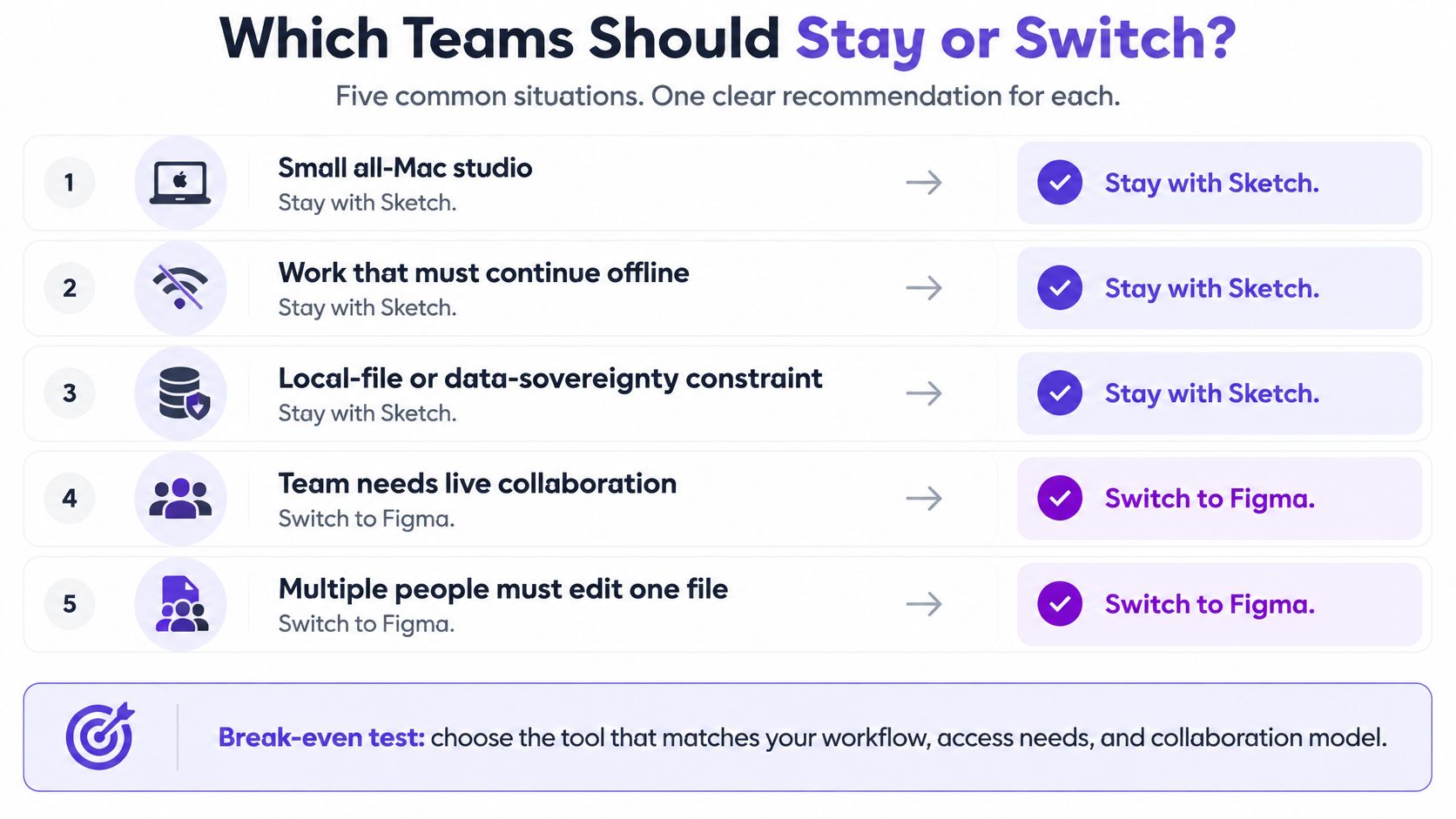
Choose the tool that meets your mandatory platform and participation needs first, then compare migration and maintenance costs. There is no universal winner in this Sketch vs Figma decision.
| Team or workflow | Sensible starting choice | Condition that could change it |
|---|---|---|
| Solo Mac designer, local deliverables | Sketch Mac-only license | Clients need ongoing shared inspection |
| Small Mac-based team with existing Libraries | Sketch Standard | Non-Mac designers must author, not just review |
| Startup with mixed-device collaborators | Figma | Offline authoring or Mac-native workflow is mandatory |
| Established cross-functional product team | Figma | A working Sketch Workspace already meets review needs at lower switching cost |
| Complex organization with governed design systems | Pilot both against real components and access policies | Seat types, token workflows, security and migration effort decide |
Use this decision checklist before purchasing or switching:
- List every author's operating system and every reviewer's required action.
- Test one realistic component, responsive screen and edge-case prototype.
- Ask an engineer to inspect a semantic token, component state and version change.
- Price the actual mix of editors, developers and reviewers on the required plan.
- Inventory libraries, plugins, integrations, documentation and file conversion work.
- Validate offline, accessibility, security and storage requirements with owners.
- Set a time-boxed pilot, a success criterion and a single source of truth.
For Figma alternatives, Sketch deserves evaluation when native Mac work and an existing Library matter. For Sketch alternatives, Figma deserves evaluation when browser authoring or frequent mixed-device collaboration matters. The point of a UI design tools comparison is to find the operating model that survives an ordinary working week, not to crown the longest feature list.
organizing project files alongside Mac workflows
Where Does Figr Fit Alongside Figma or Sketch?
map data before switching tools
Figr complements the editor decision by helping teams explore features with existing product context; it is not a direct replacement for Figma or Sketch. Use it when the difficult work is reconciling screens, product rules, research, edge cases and a design system before final UI review.
Figr's product-aware design documentation describes a Visual Context Graph linking visual, behavioral, design-system, product-knowledge and implementation context. Its Context Pod can hold reusable inputs such as product documents, screens, recordings and design references. UX Reasoning can help surface flow questions, trade-offs and missed states; Design System Intelligence uses available components and tokens to guide output. A complete design system is not a prerequisite, but more relevant context can make the result more specific.
For the permissions example, a team could supply existing screens, the role-policy specification and relevant Figma components. Figr can help map denied and pending states, explore alternatives, generate multi-state prototypes and produce Figma-ready starting points. Designers still need to review behavior and visual fit, edit the final work and validate it with engineering. Figr's changelog documents Direct Editing for prototype elements in its September 2026 release; its Figma Sync documentation describes bringing selected Figma frames into context.
The integration is most natural for teams that plan to finish in Figma. A Sketch-first team can still use a product-context exercise, but should not assume a native Sketch handoff or bidirectional Sketch integration without verifying one. This is where tool boundaries matter: Figr helps frame and explore the feature; the chosen editor remains the place to refine, approve and hand off authoritative designs. If that matches your pilot, Figr is a place to explore the workflow using an actual difficult state rather than a generic sample screen.
Frequently Asked Questions
These five answers summarize the decision; verify plan and feature details again when buying in 2027.
Is Figma better than Sketch?
Figma is generally a better fit for mixed-platform authoring and frequent collaborative editing. Sketch can be better for a Mac-based team with a strong native workflow and existing Libraries. Compare actual roles and constraints before switching.
Is Sketch still worth using in 2027?
Yes, if its current Mac editor, Workspace review, design-system tools and pricing meet your needs. No future release or price is guaranteed; recheck official terms when making the 2027 purchase.
find collaborative prototyping tools
Can Sketch replace Figma?
It can for workflows whose designers use Macs and whose reviewers can work through Sketch's web app. It is not a like-for-like replacement when non-Mac teammates must author designs or the team depends on specific Figma variables or Dev Mode processes.
Which is better for design systems?
Figma has a strong documented variable-and-mode workflow; Sketch offers Libraries, Symbols, styles, Color Variables, token export and Stacks. The better choice depends on your existing assets, governance and implementation mapping.
Which tool is better for Product Managers?
Either can support browser-based review and comments when access is configured. Figma is usually simpler when the PM participates in a mixed-device, frequently edited source file; Sketch may suffice when the PM primarily inspects and comments on Mac-authored work.