
Figma export manual cleanup starts with a lie you tell yourself at handoff: the file is clean, the system is solid, and the hard part is done. A week later you open staging and see the usual wreckage. Half your tokens are hardcoded. The auto-layout intent is gone. Someone rebuilt your button as a fresh rectangle because finding the right variant took longer than rewriting it.
That loop is why teams keep re-doing the same work after export. It looks like a file problem, but it's really a translation problem. Static design artifacts leave the editor. Dynamic product decisions continue in code. Somewhere in between, Figma export issues turn into design handoff rework, and everyone accepts that cleanup is part of the job.
It shouldn't be.
The Moment Your Clean Design Becomes a Mess
You hand off a polished file on Friday. Tokens are named. components are aligned. Constraints look sensible. By Wednesday, the live screen has drifted just enough to make your stomach drop.
The button still looks like your button from a distance. Up close, it's not. The padding changed. The color came from an eyedropper, not the system. The icon is centered by feel. The layout still resembles the frame, but the underlying logic is gone.
That's the actual nature of Figma export manual cleanup. It's not one ugly export. It's the repeated act of repairing all the invisible meaning that got stripped out between design and build.
A PM on my team once approved a flow in the morning and sent it to QA that afternoon. By evening, QA was flagging spacing mismatches that weren't really spacing bugs. They were translation bugs. If your team is also fighting brittle checks after redesigns, this guide on adaptable testing for SaaS is worth reading because the same handoff weakness tends to break both product UI and test logic.
The pain isn't that exports fail. The pain is that exports look close enough to pass until they hit reality.
What Figma Export Manual Cleanup Actually Looks Like
Many designers describe cleanup as if it is a final polish step. It is not. It is a series of small repairs that consume design time in fragments.
The chores nobody planned for
A typical cleanup pass looks like this:
- Asset triage: hidden layers, zero-fill elements, and duplicate layers tagged as “Copy” stay in the file, then bleed into exported outputs. Community benchmarks around the Cleanup File Optimizer plugin note that unclean files can increase exported PNG and JPG sizes by 20 to 50%, and one benchmark compares a 10MB file with 30% junk exporting to 15MB of assets versus 8MB after cleanup, based on community tests in the Cleanup File Optimizer listing.
- Naming repair: slash-based layer naming is useful inside a system, until export turns it into a folder structure you never intended.
- Spec correction: a developer asks which blue is the official blue, even though there's already a token for it.
- Layout patching: frames that behaved inside Figma now need human interpretation because the exported output preserved appearance better than intent.
Design handoff rework multiplies without notice. This does not happen through some dramatic failure, but through ten tiny decisions that each seem reasonable in isolation.
What works, and what doesn't
Single-purpose cleanup plugins can help with the obvious junk. They don't solve the whole problem. If you're comparing downstream export approaches for mobile products, this piece on compare AI exporters for mobile products is useful because it shows where raw export convenience starts to create maintenance work later.
What has worked better in practice is narrowing the pre-export surface area. Fewer selected frames. Clear export ownership. No “we'll clean it after.” And when teams try to streamline UX handoff with Figr, the interesting part isn't the export itself. It's that handoff gets treated as a system, not a final click.
Practical rule: if a file needs a cleanup plugin every time it ships, the plugin is not the fix. It's a symptom manager.
The Export Gap Why This Keeps Happening
The file looks finished. The product is not. That space between the two is what I call the Export Gap.
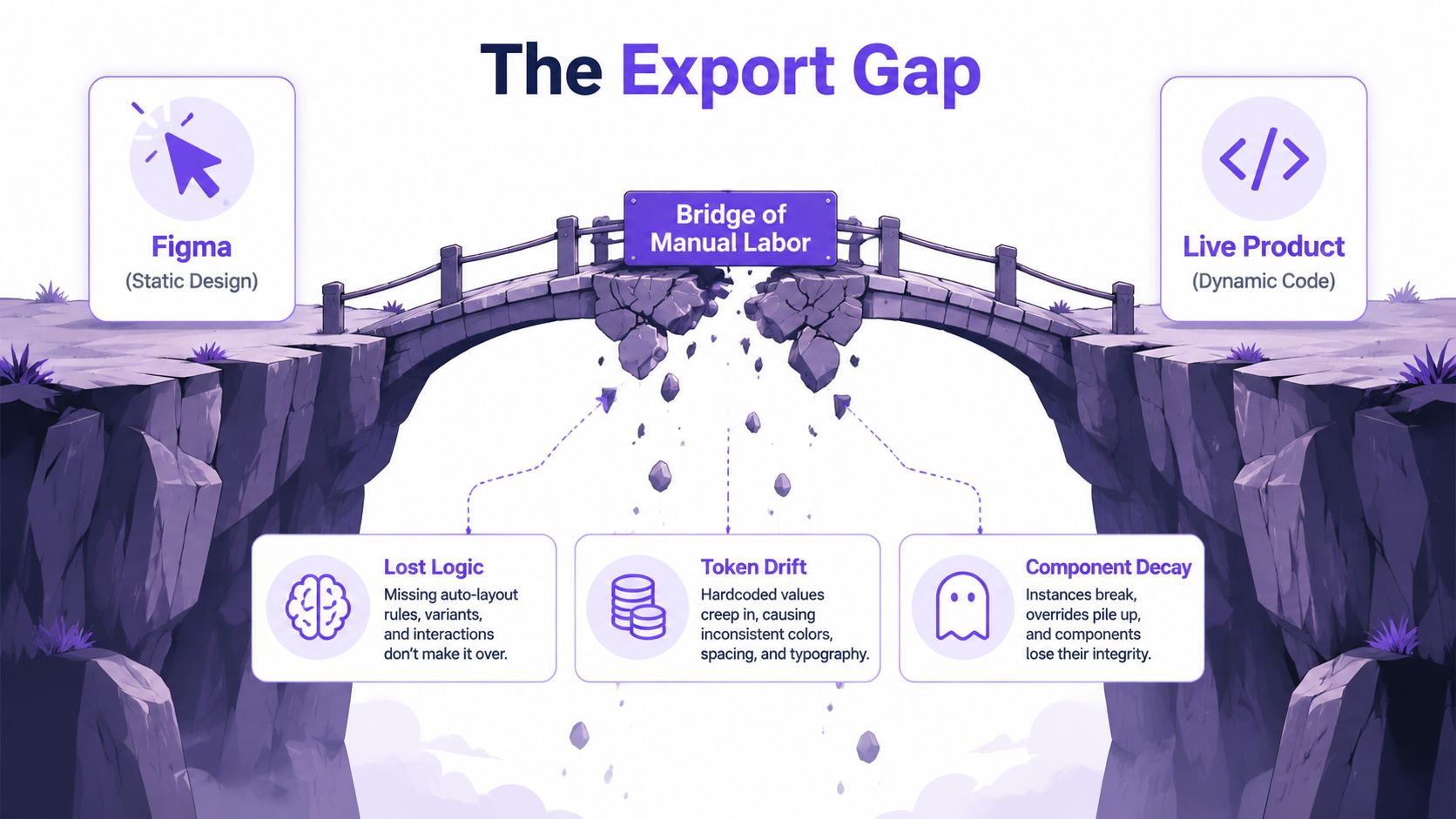
A Figma file is a visual model with some structure layered in. A live app is behavior, state, logic, naming, accessibility, responsiveness, and component contracts. Export gives you artifacts. It doesn't carry all the operational meaning that makes the interface hold together under real use.
Static files, dynamic products
This is what I mean: cleanup keeps recurring because teams are trying to bridge a structural mismatch with manual labor.
Figma's own export settings add friction. In its export settings documentation, the Detailed bicubic resampling mode can bloat 2x retina asset sizes by 35% when unoptimized layers with zero-fill are present, and slash-separated naming can create unintended subfolders on export, increasing QA review time by up to 40%, as described in Figma's export formats and settings documentation.
That means the cleanup burden isn't just user error. Some of it is built into the handoff mechanics.
Here's a visual walkthrough of the same failure pattern in practice:
Why the cost keeps landing late
Teams frequently identify export issues once implementation begins, as that is when translation errors become costly enough to be significant.
That's not a new management problem. The Standish Group's CHAOS research is still useful here as a framing device, not because it gives you a magic handoff metric, but because it reinforced a durable truth from software delivery: late fixes cost more than early ones. Export cleanup is one of those late fixes that pretends to be design admin while it taxes engineering, QA, and release confidence.
At scale, the economics get ugly. The team that ships fastest isn't the team with the prettiest library. It's the one with the fewest translation points. That's why mature teams obsess over design-to-dev handoff best practices, not just prettier files.
The Slow Decay of Tokens and Layouts
The first thing to decay after export is usually not visuals. It's meaning.
Token drift starts with one shortcut
Last week I watched a PM approve a new landing page, then ask for a small change before engineering wrapped it. Deadline was tight. The developer sampled the button color directly instead of tracing the token. That choice made sense in the moment. It also introduced a new blue into the product.
That's how design token mapping fails. Not through rebellion. Through convenience.
Figma's native variables export has helped, but it hasn't removed cleanup. By early 2024, native variables export was available, yet high-usage libraries still show over 1,000 component inserts weekly, alongside detach rates of 10 to 20%, according to the workflow details shown in this Figma variables export walkthrough. Every detach is a possible divergence point before code is written.
If you're tightening your system, the best starting point is still boring and necessary: learn how to use design tokens in a way that survives implementation, not just design review.
Auto-layout doesn't survive on vibes
Auto-layout is another place where intent leaks out. In Figma, the container feels obvious. In code, someone still has to interpret spacing behavior, overflow, min width, text growth, and alignment under real content.
That's where auto-layout cleanup becomes a recurring task. The exported frame still looks “correct” in a neat state. Then real copy lands. A badge gets longer. A filter wraps. The layout that looked resilient in the file turns brittle in the build because nobody translated the rules, only the shape.
Clean handoff means preserving decision logic, not preserving screenshots.
This is also where Figma to code drift begins. Once one token is hardcoded and one layout rule is guessed, future edits stop flowing through the system cleanly. Designers then spend review cycles catching things the system should have prevented.
The Invisible Tax of Component Duplication
Component duplication is usually framed as a discipline issue. That's too shallow.
Duplication is often the rational choice
A developer under pressure has two options. Hunt through a messy variant structure, or build a one-off that ships in minutes. Which one wins?
Usually, speed does.
Figma's library analytics make this visible. The platform tracks Detaches, and for libraries used by multiple teams, 20 to 40% of insertions in some cases end up as detaches, which signals either library difficulty or one-off edits that later pollute exports, as described in the Smart Cleaner plugin overview.
That's not just misuse. It's feedback.
The tax compounds outside design
Every duplicate component creates three downstream costs:
- Maintenance overhead: there are now multiple “real” versions of the same UI object.
- QA ambiguity: reviewers stop knowing which implementation is canonical.
- System erosion: the next person sees inconsistency and assumes the system is optional.
Figma to code drift stops being visual and becomes organizational at this stage. People lose trust in the library, then route around it. A friend at a Series C company told me their team didn't technically have a button problem. They had a discovery problem. Nobody could tell which button variant was safe to use, so they kept making new ones.
If that sounds familiar, your issue probably isn't component discipline. It's weak product system design. These best practices for product team design systems matter because a system only works if the cheapest path is also the correct path.
When teams duplicate components, they're often optimizing for delivery speed inside a broken search and handoff environment.
A Fix Grounded in Your Product Not More Plugins
Most cleanup advice adds another layer to the chain. Scan the file. Export again. Rename more layers. Hope the next plugin catches what the last one missed.
That approach tops out fast.
Start from product reality
The better fix is to ground design work in the live product context before export becomes the bottleneck. That's the shift behind tools that learn from the product itself instead of treating the Figma file as the source of truth in isolation.
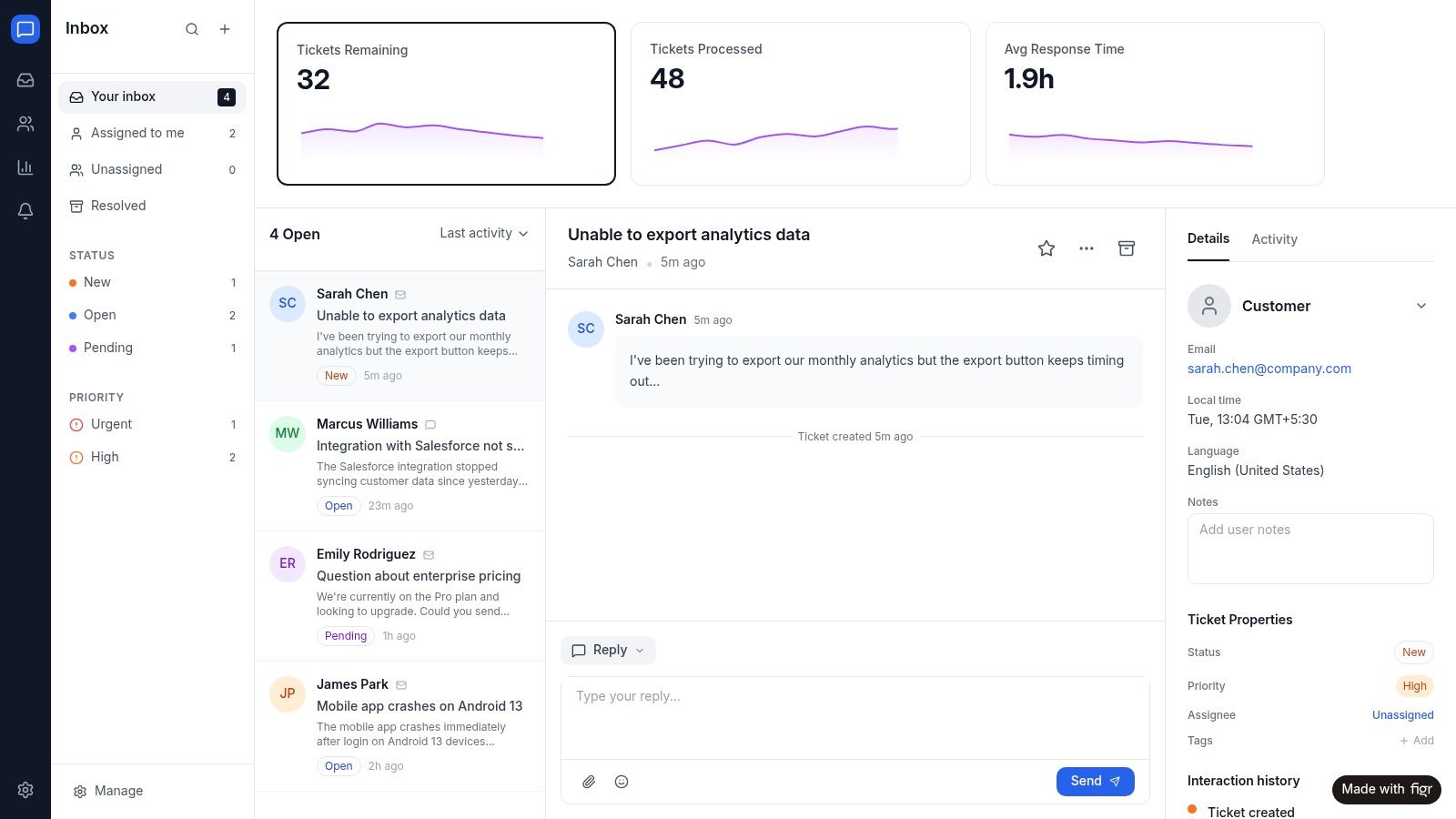
Figr is an AI product agent for UX design and product thinking. Most AI design tools generate from a prompt. Figr generates from your product. It ingests your live webapp, Figma files, screen recordings, and docs to learn your actual product before designing anything, then references 200,000+ real-world UX patterns to design from your product, not around it.
You can see that logic in the Figr Gallery and in examples like Intercom analytics in their exact design system, where the point isn't just output speed. It's preserving system context so export doesn't become a cleanup ritual later.
Why this is different from plugin chaining
Forum discussions keep showing the same unsolved export pain, including random JPG padding and stroked element gaps. The analysis behind that pattern points to a gap for AI agents that can enforce token-based exports, run accessibility checks, and auto-trim artifacts before import, with the potential to reduce rework by over 50% for enterprise teams, based on the discussion summarized in this Figma forum analysis of white space export issues.
That's a very different philosophy from “clean the file harder.”
If you want to go deeper, read how AI can auto-generate UI components from design systems and compare that with Figma to code plugins and their real cost. The trade-off is simple. Plugin chains treat drift as cleanup debt. Product-grounded systems try to prevent the drift.
For teams thinking beyond design alone, this piece on how to boost your MVP quality is useful because the same principle applies in QA and delivery: fewer translation layers usually mean fewer repair loops.
Stop Cleaning Start Building
One week after handoff, the same pattern appears in staging. The button is close but not correct. The color token was replaced with a hex value. Spacing remains consistent on one breakpoint and drifts on another. This is the point where a clean Figma file stops helping, because the underlying problem was never file hygiene alone. It was the gap between a static artifact and a product that changes in code every day.
Figma export manual cleanup keeps surviving because teams still treat handoff as a document transfer. It works better as a system with live references, shared rules, and fewer chances for interpretation. Design intent has to survive state changes, responsive behavior, component logic, and release pressure. A flat export cannot carry all of that on its own.
So the job shifts. Designers should spend less time correcting the same export damage and more time setting up the conditions that keep decisions intact after implementation. That usually means tighter token discipline, clearer component contracts, and a handoff process tied to the product as it exists, not the frame as it looked on Friday.
For the operational version of that shift, start with Figr's guide to automated handoff workflows.
If this article felt familiar, Figr is worth a look. It helps product teams work from live product context instead of static files alone, so handoff stays closer to what ships and cleanup stops eating the work that matters.