
FIGR / UI TEMPLATE
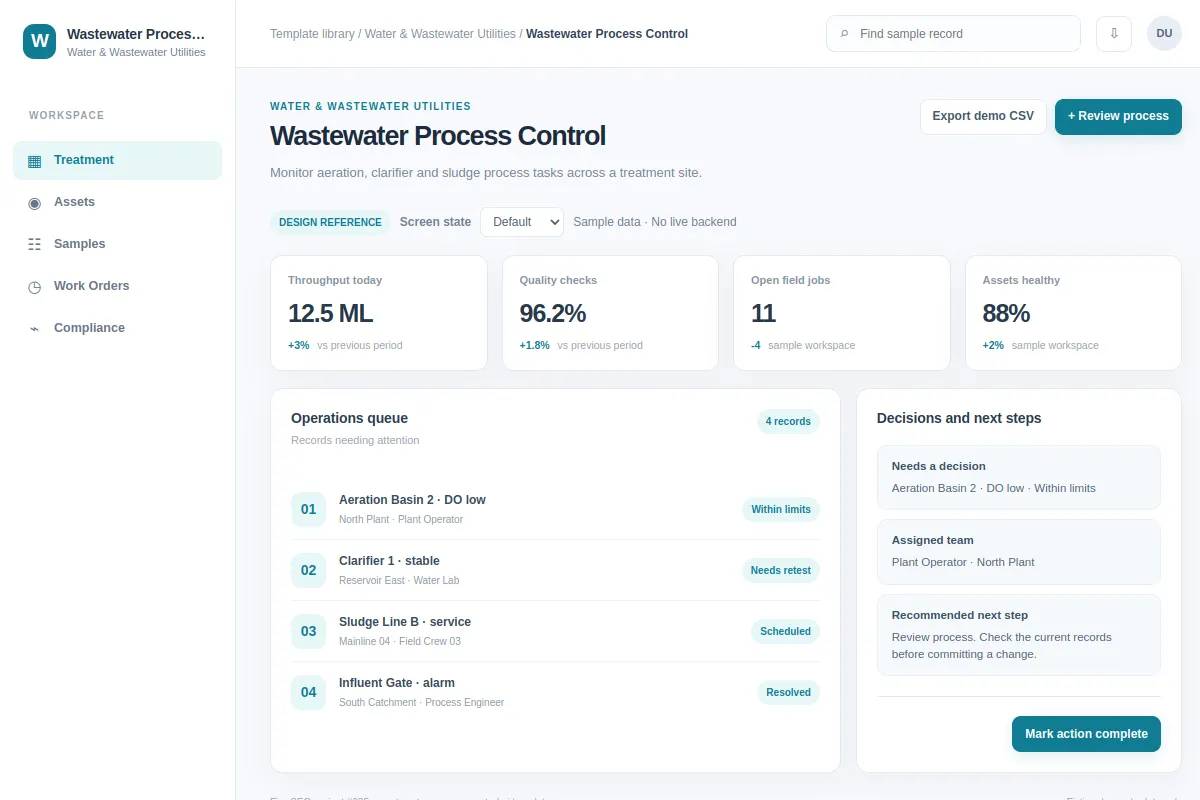
Monitor aeration, clarifier and sludge process tasks across a treatment site.
This workspace UI template shows a Water & Wastewater Utilities workflow. Adapt it to your product, flows and design system. The sample data is fictional.
BUILD ON THIS
Explore this screen, then bring in your own product and design system to shape the next version.
Workspace
Review process
workspace product workflow
Default, Selected, Filtered, Empty, Warning, Success
Independent product UI reference; no 1mg design system
Monitor aeration, clarifier and sludge process tasks across a treatment site.
Sections: Treatment, Assets, Samples, Work Orders. Main action: Review process. Example: Aeration Basin 2 · DO low.
Plan for Default, Selected, Filtered, Empty, Warning, Success and show a useful recovery path for errors.
Treatment → Wastewater Process Control → Review process
workspace, filters, status markers, drill-down
Show decision context beside the current task.
Check the flow against sample records like Aeration Basin 2 · DO low. Include failed-save, empty and permission states.
Adapt Wastewater Process Control to my existing product and design system. Review the default, selected, filtered, empty, warning, success states, challenge UX decisions and create editable Figma-ready screens that use my components.
KEEP EXPLORING
Browse other product UI examples, compare patterns, and pick the direction that suits your product.