
FIGR / UI TEMPLATE
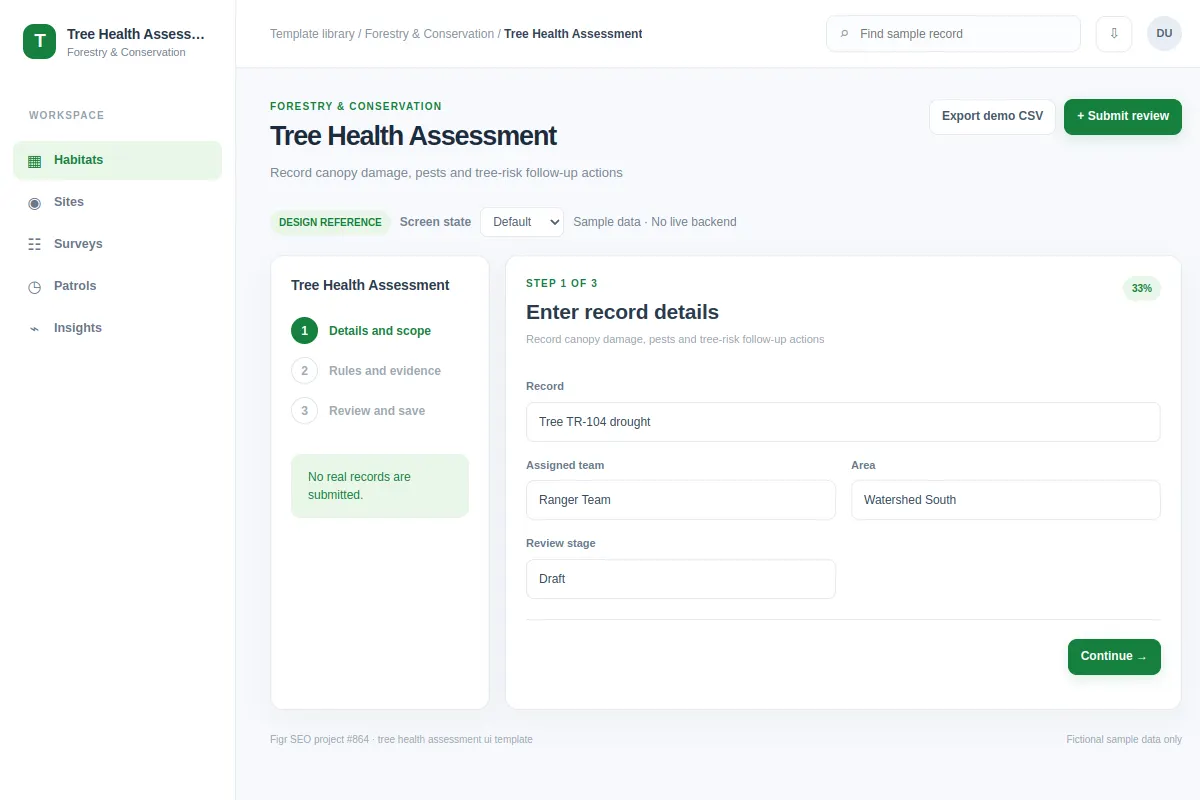
Record canopy damage, pests and tree-risk follow-up actions.
Explore this form workflow as a reference for forestry and conservation software. Review its actions and edge cases, then adapt the screen to your product and design system. All example data is fictional.
BUILD ON THIS
Explore this screen, then bring in your own product and design system to shape the next version.
Form
Record canopy damage, pests and tree-risk follow-up actions
form workflow
Default, Selected, Filtered, Empty, Warning, Success
Independent product UI reference
Record canopy damage, pests and tree-risk follow-up actions.
Core areas: Sites, Field Surveys, Species, Conservation Projects and Reports. Main task: Record canopy damage, pests and tree-risk follow-up actions. Include site identifiers, owners and record status.
Default, Selected, Filtered, Empty, Warning, Success. Add missing evidence, offline field notes, permission checks and failed saves where relevant.
Field Overview → Tree Health Assessment → Record canopy damage, pests and tree-risk follow-up actions
form, record details, status labels, filters
Show required observations, field constraints and save progress for low-connectivity field work.
Keep survey dates and sources visible. Mark estimates as estimates and give field teams a way to recover from missing or delayed data.
Adapt Tree Health Assessment to my existing conservation product and design system. Reuse our site and species data, field-work rules and interface components. Cover missing evidence and edge cases before creating editable screens.
KEEP EXPLORING
Browse other product UI examples, compare patterns, and pick the direction that suits your product.