
FIGR / UI TEMPLATE
Monitor registered marks by class, jurisdiction and renewal deadline.
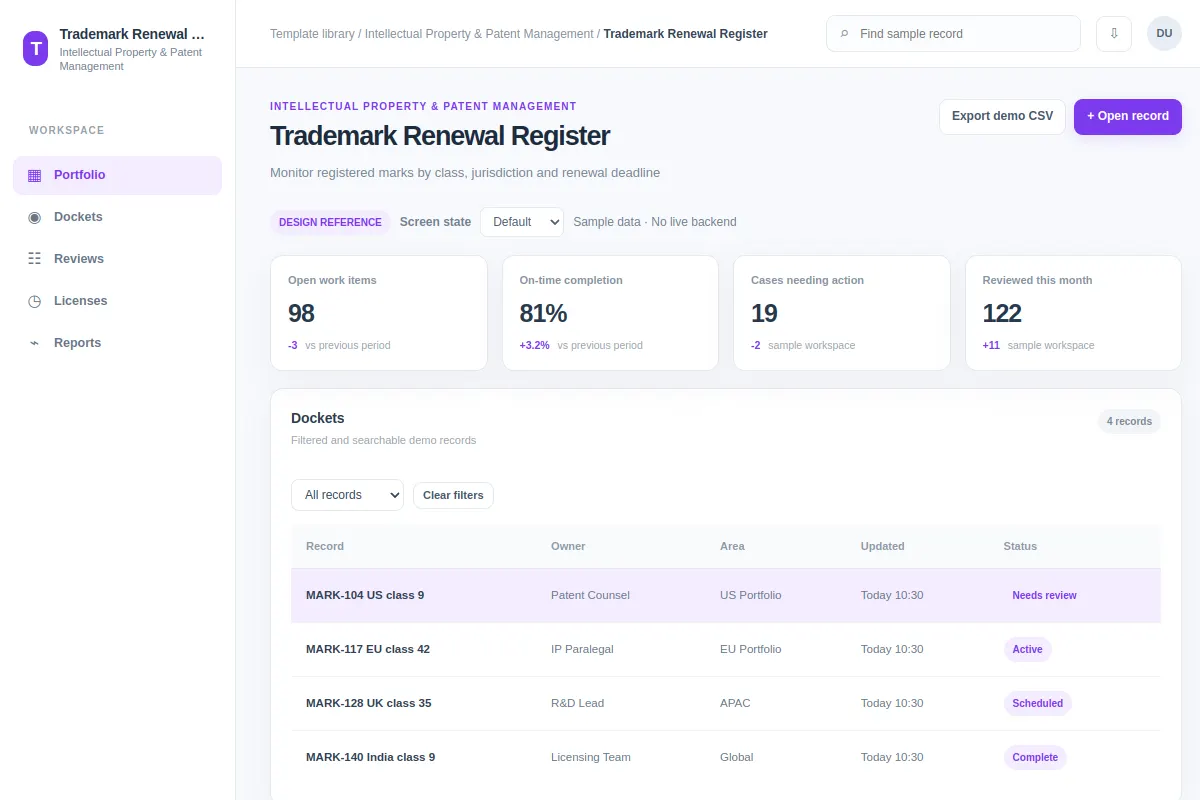
Explore a table used for Intellectual Property & Patent Management. The sample UI features MARK-104 US class 9 and MARK-117 EU class 42 and shows how users can open record. All records, people and metrics are fictional; adapt the pattern to your existing product.
BUILD ON THIS
Explore this screen, then bring in your own product and design system to shape the next version.
Table
Open record
table with searchable records, statuses and details
Default, Selected, Filtered, Empty, Loading, Warning, Error, Success
Independent product UI reference; no 1mg design system
Inspect MARK-104 US class 9, compare it with MARK-117 EU class 42 and open record without losing the record's history or status.
Portfolio → Dockets → Open record
table, record selection, filters, status labels, task feedback
Keep key columns fixed and allow fast search.
Use our existing product flows, Figma components, design tokens and permissions to adapt Trademark Renewal Register. Help users open record on records such as MARK-104 US class 9 and MARK-117 EU class 42. Explore two directions, then produce an editable design with default, selected, filtered, empty, loading, warning, error and success states. Keep our product conventions; the example records are fictional.
KEEP EXPLORING
Browse other product UI examples, compare patterns, and pick the direction that suits your product.