
FIGR / UI TEMPLATE
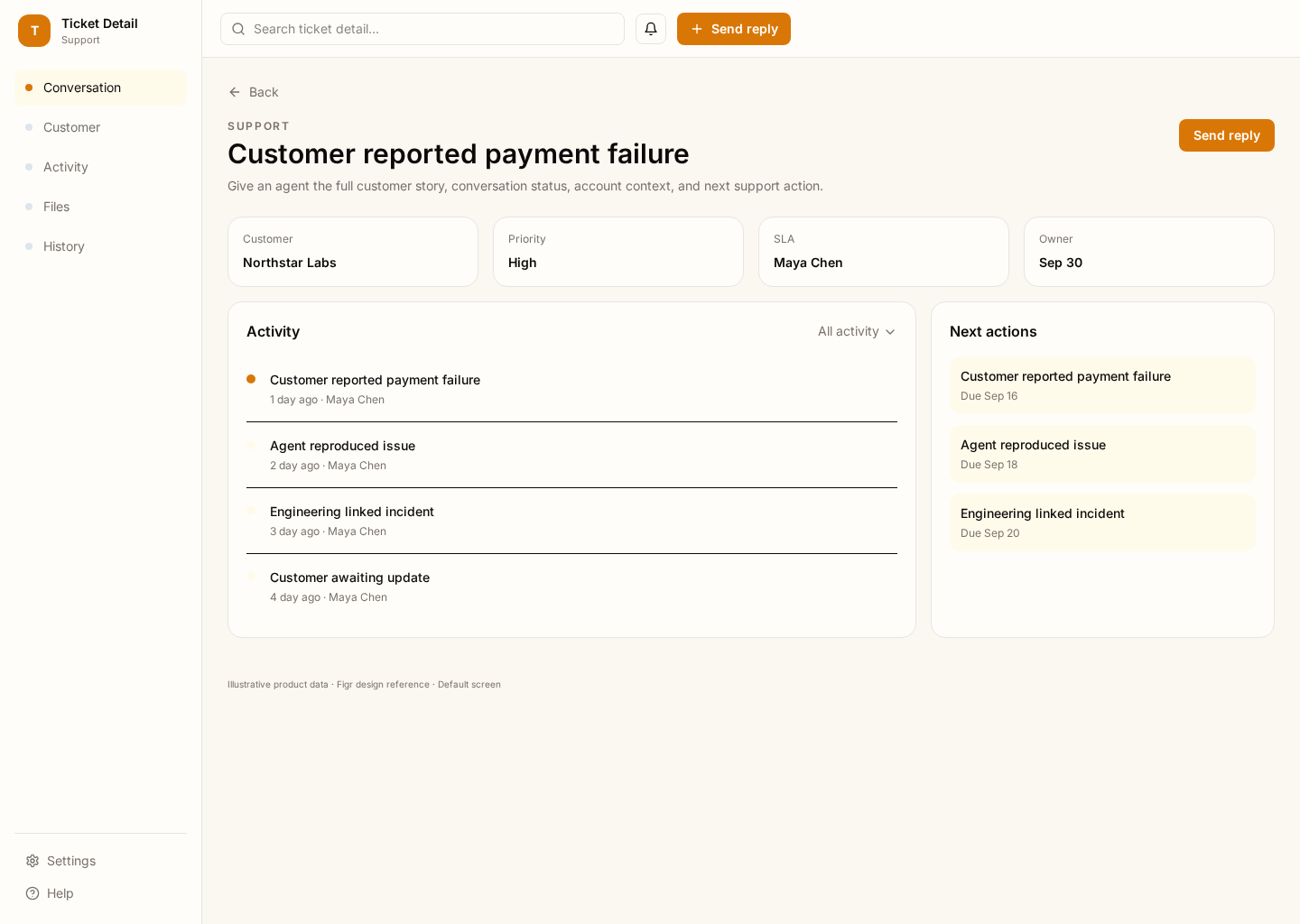
A support ticket screen that keeps the customer conversation, ticket context, status, owner, and next action visible in one place.
BUILD ON THIS
Explore this screen, then bring in your own product and design system to shape the next version.
Detail
Resolve a support ticket
Split view
Default
Calm Editorial
Support agents need to understand the issue, reply quickly, check customer context, and update ownership or status without jumping between screens.
Support Inbox → Ticket Detail → Reply / Internal Note → Resolve → Reopen if needed
Split view, conversation thread, status controls, composer, customer sidebar
Keep the conversation primary. Put account data close enough to help the agent, but do not let the sidebar compete with the active reply task.
Create a high-fidelity support ticket detail screen for a B2B support team. Include the customer thread, account context, SLA, priority, owner, status, reply composer, and internal notes.
KEEP EXPLORING
Browse other product UI examples, compare patterns, and pick the direction that suits your product.