
FIGR / UI TEMPLATE
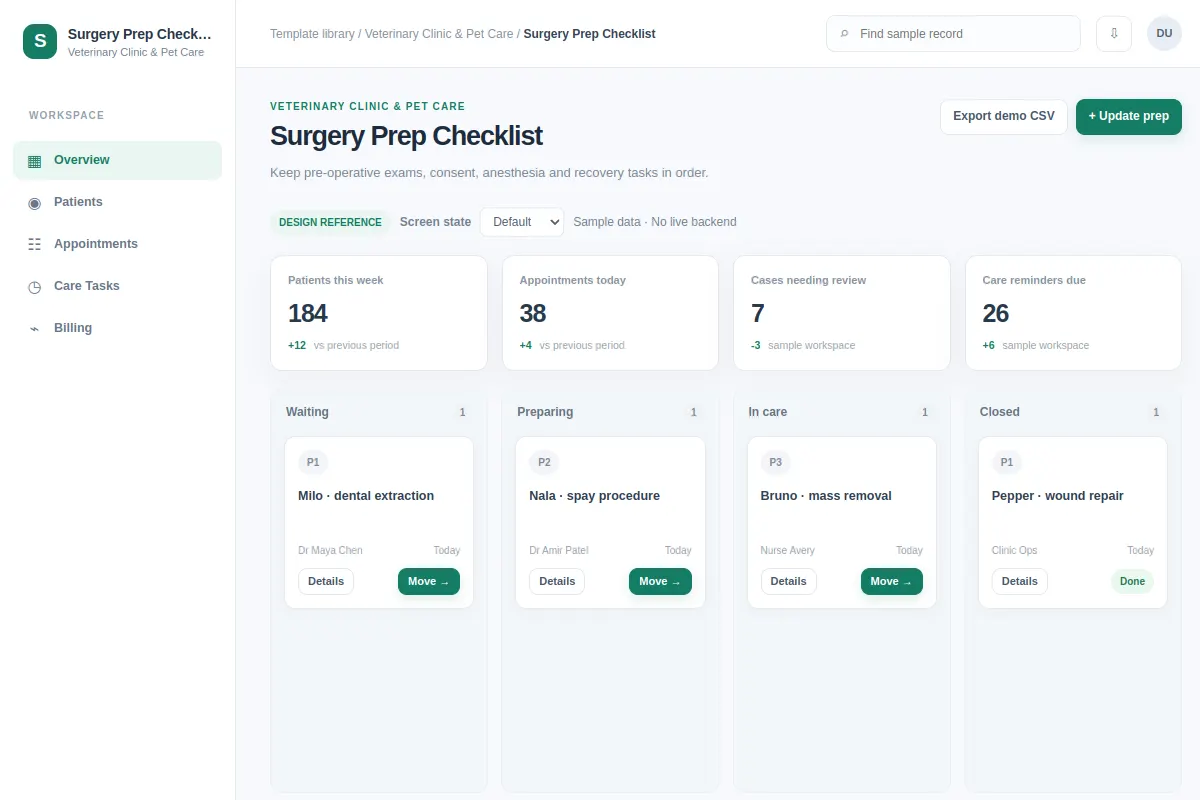
Keep pre-operative exams, consent, anesthesia and recovery tasks in order.
This board UI reference helps product teams explore a Veterinary Clinic & Pet Care workflow in an existing product. All sample records are fictional.
BUILD ON THIS
Explore this screen, then bring in your own product and design system to shape the next version.
Board
Update prep
board product workflow
Default, Selected, Filtered, Empty, Warning, Success
Independent product UI reference; no 1mg design system
Keep pre-operative exams, consent, anesthesia and recovery tasks in order.
Primary sections: Overview, Patients, Appointments, Care Tasks. Main action: Update prep.
Consider Default, Selected, Filtered, Empty, Warning, Success. Include clear recovery guidance when data or permissions prevent the task.
Overview → Surgery Prep Checklist → Update prep
board, status labels, detail drill-down, filters
Keep task ownership, status, and next action easy to scan.
Use realistic example records such as Milo · dental extraction to test the primary user task.
Plan loading, empty, warning, permission, and save-error states before shipping.
Adapt this Surgery Prep Checklist workflow to my existing product and design system. Use my current screens, flows, components and constraints. Explore the default, selected, filtered, empty, warning, success states before generating a Figma-ready design.
KEEP EXPLORING
Browse other product UI examples, compare patterns, and pick the direction that suits your product.