
FIGR / UI TEMPLATE
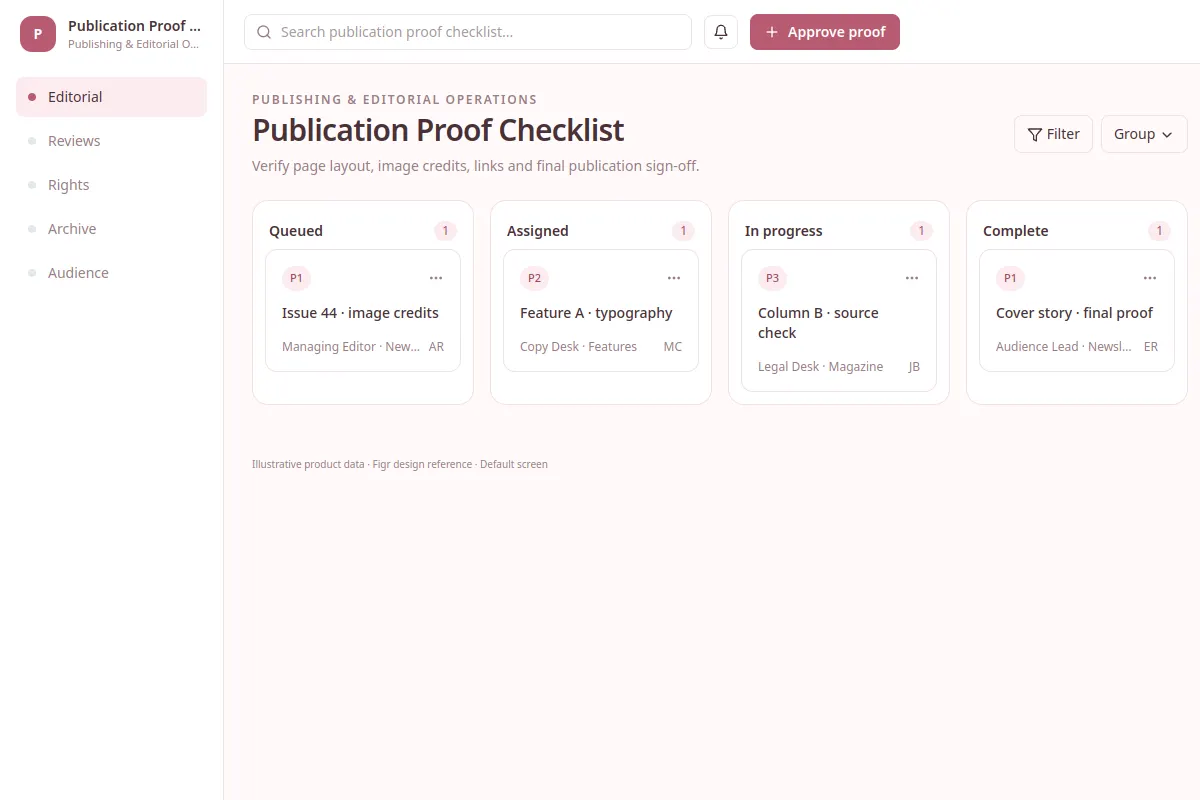
Verify page layout, image credits, links and final publication sign-off.
Explore this board as a reference for Publishing & Editorial Operations software. Review a real workflow and its UX states, then adapt the design to your product. All sample records are fictional.
BUILD ON THIS
Explore this screen, then bring in your own product and design system to shape the next version.
Board
Approve proof
board product workflow
Default, selected, filtered, empty, warning, error and success
Independent product UI reference; no 1mg design system
Verify page layout, image credits, links and final publication sign-off.
Core sections: Editorial, Reviews, Rights, Archive, Audience. Key action: Approve proof. Example records: Issue 44 · image credits; Feature A · typography.
Default, selected, filtered, empty, warning, error and success. Where relevant, cover restricted access, stale data, save failures and conflicting changes.
Editorial → Publication Proof Checklist → Approve proof
board, status labels, filtering, record details
Keep ownership, blocked work and due dates visible as tasks change stages.
Check how the approve proof task works with example cases like Issue 44 · image credits. Include clear recovery actions when a record is missing or a change fails.
Adapt the Publication Proof Checklist workflow to my existing product and design system. Keep our current screens, components, roles and business rules. Review missing states and edge cases before generating editable screens.
KEEP EXPLORING
Browse other product UI examples, compare patterns, and pick the direction that suits your product.