
FIGR / UI TEMPLATE
Review proposed recipe parameters, validation and change owners.
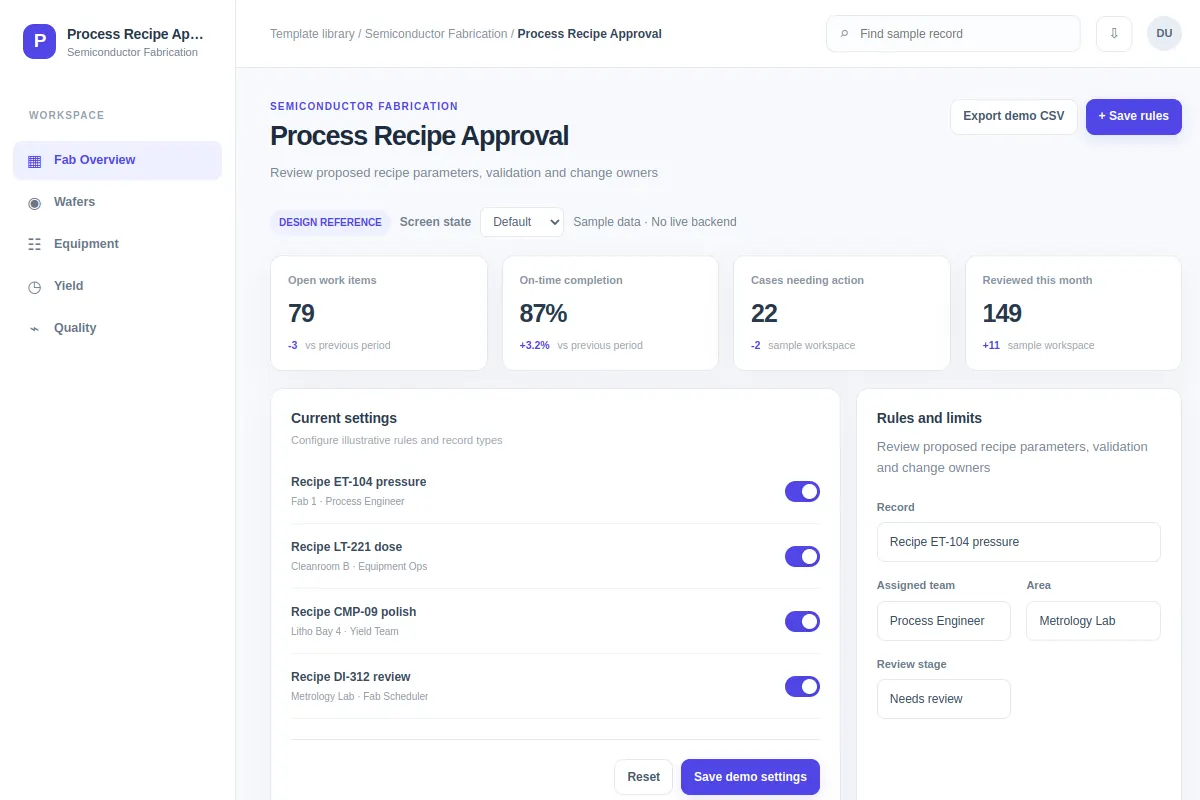
Explore this settings interface for semiconductor fabrication software. Review the workflow and edge cases, then adapt it to your product and design system. All sample records are fictional.
BUILD ON THIS
Explore this screen, then bring in your own product and design system to shape the next version.
Settings
Review proposed recipe parameters, validation and change owners
settings workflow
Default, Selected, Filtered, Empty, Warning, Success
Independent product UI reference
Review proposed recipe parameters, validation and change owners.
Core areas: Fab Overview, Wafers, Equipment, Yield and Quality. Show lot records, owners, current statuses and the next step.
Default, Selected, Filtered, Empty, Warning, Success. Include restricted access, missing measurements, blocked work and save failures where relevant.
Fab Overview → Process Recipe Approval → Review proposed recipe parameters, validation and change owners
settings, status labels, filters, record details
Show the current and proposed values, validation rules and approver. Prevent unapproved recipe changes.
Preserve tool, lot and approval history. Include timestamps and clear recovery paths if updates fail.
Adapt Process Recipe Approval to my existing product and design system. Reuse our components, semiconductor workflow, lot traceability and permissions. Explore missing states before creating editable screens.
KEEP EXPLORING
Browse other product UI examples, compare patterns, and pick the direction that suits your product.