
FIGR / UI TEMPLATE
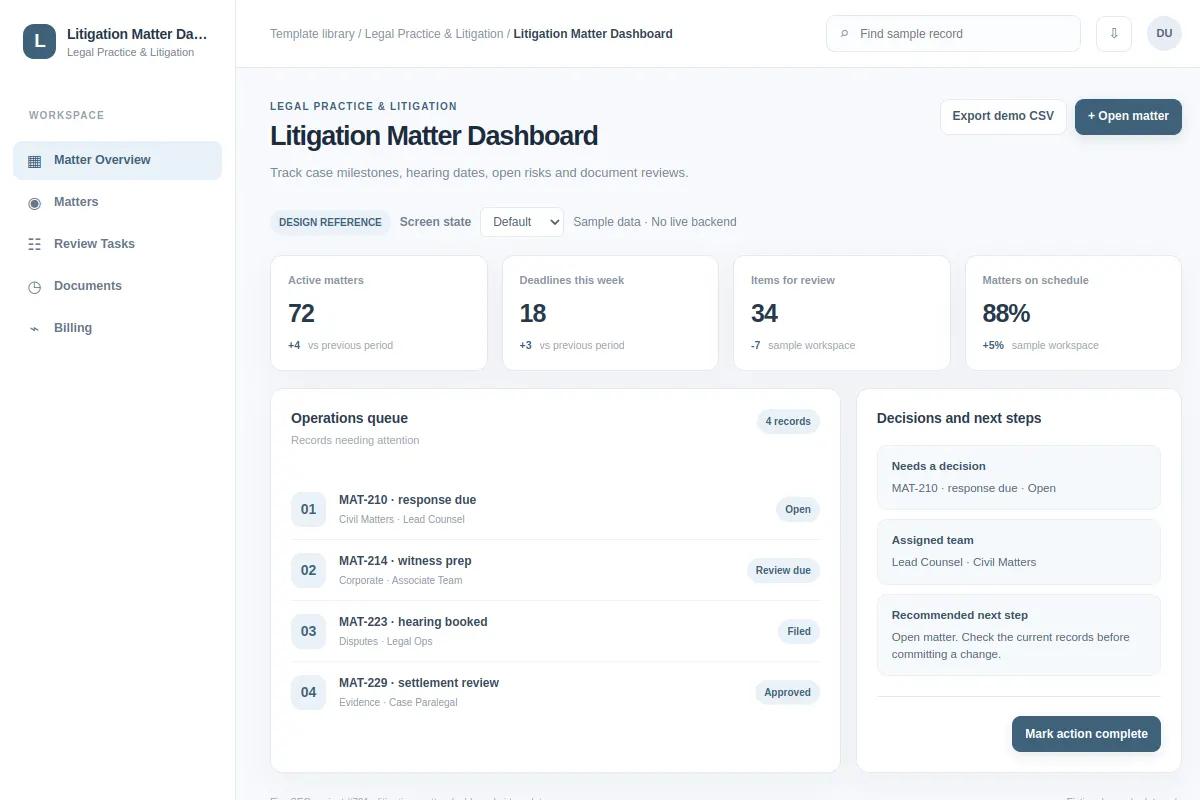
Track case milestones, hearing dates, open risks and document reviews.
Use this workspace screen as a starting point for Legal Practice & Litigation software. Adapt it to your existing product and design system. Sample records are fictional.
BUILD ON THIS
Explore this screen, then bring in your own product and design system to shape the next version.
Workspace
Open matter
workspace product workflow
Default, Selected, Filtered, Empty, Warning, Success
Independent UI reference; no 1mg design system
Track case milestones, hearing dates, open risks and document reviews.
Sections: Matter Overview, Matters, Review Tasks, Documents. Main action: Open matter. Example: MAT-210 · response due.
Plan for Default, Selected, Filtered, Empty, Warning, Success and explain what people should do when an action fails.
Matter Overview → Litigation Matter Dashboard → Open matter
workspace, status indicators, filters, detail drill-down
Keep the main task, decision context and next action together.
Test the flow with cases such as MAT-210 · response due. Plan clear empty, loading, error and permission states.
Adapt this Litigation Matter Dashboard workflow to my existing product and design system. Review the default, selected, filtered, empty, warning, success states, explore improved user paths, and produce editable Figma-ready screens.
KEEP EXPLORING
Browse other product UI examples, compare patterns, and pick the direction that suits your product.