
FIGR / UI TEMPLATE
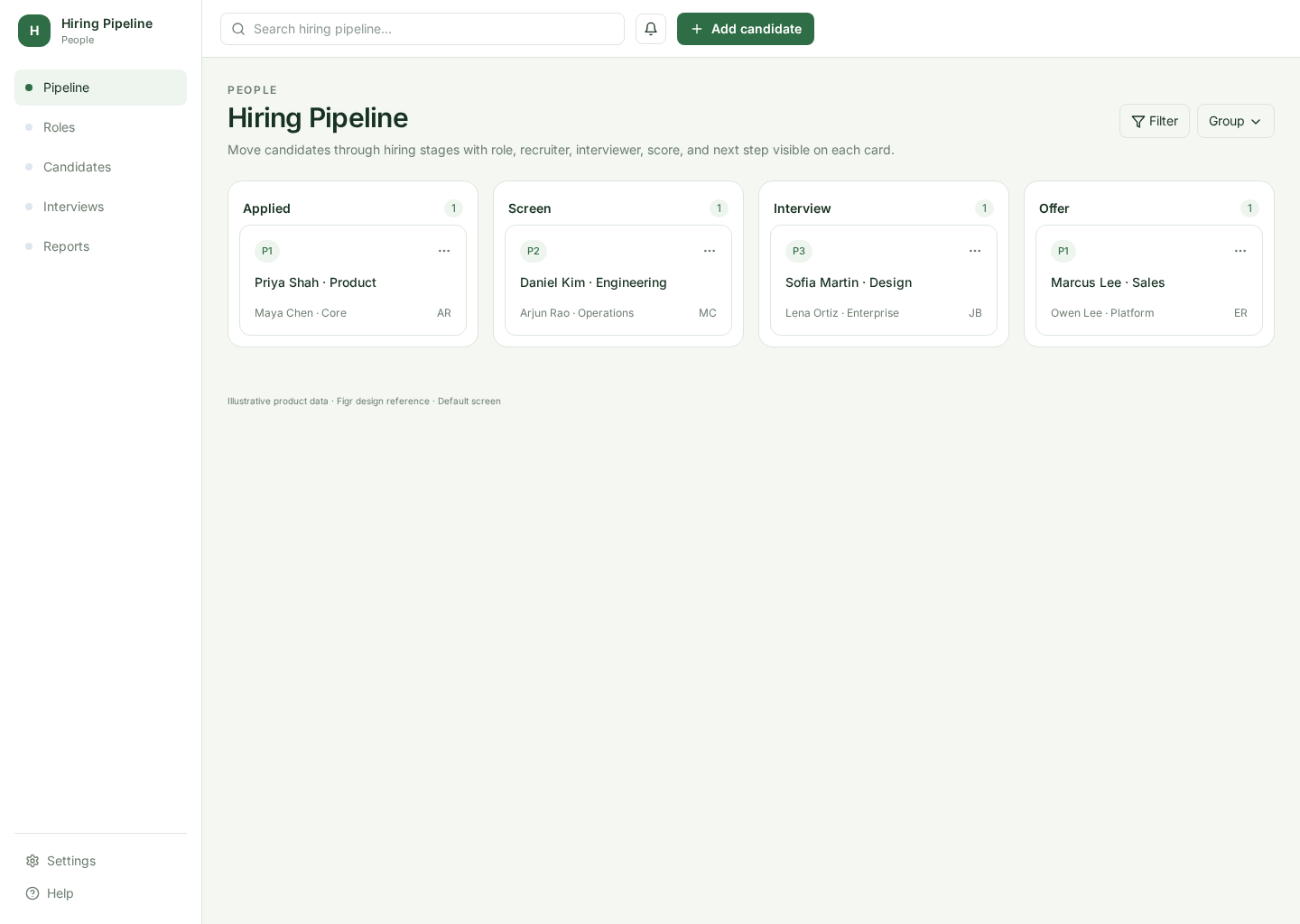
A recruiting pipeline that helps hiring teams scan candidates, see the next step, and move people through role-specific hiring stages.
BUILD ON THIS
Explore this screen, then bring in your own product and design system to shape the next version.
Pipeline
Move candidates through hiring stages
Kanban board
Default
Atlas Enterprise
Recruiters and hiring managers need to know where each candidate stands, what happens next, and which applications are stalled.
Jobs → Hiring Pipeline → Candidate Detail → Interview Feedback → Offer / Reject
Kanban, stage counts, candidate cards, status, filters, quick actions
Use hiring stages such as Applied, Screen, Interview, Offer, and Hired. Do not reuse software task stages for a recruiting workflow.
Create a high-fidelity recruiting pipeline for an ATS. Use realistic hiring stages, candidate cards, roles, recruiters, interview steps, filters, and paths into candidate detail and feedback.
KEEP EXPLORING
Browse other product UI examples, compare patterns, and pick the direction that suits your product.