
FIGR / UI TEMPLATE
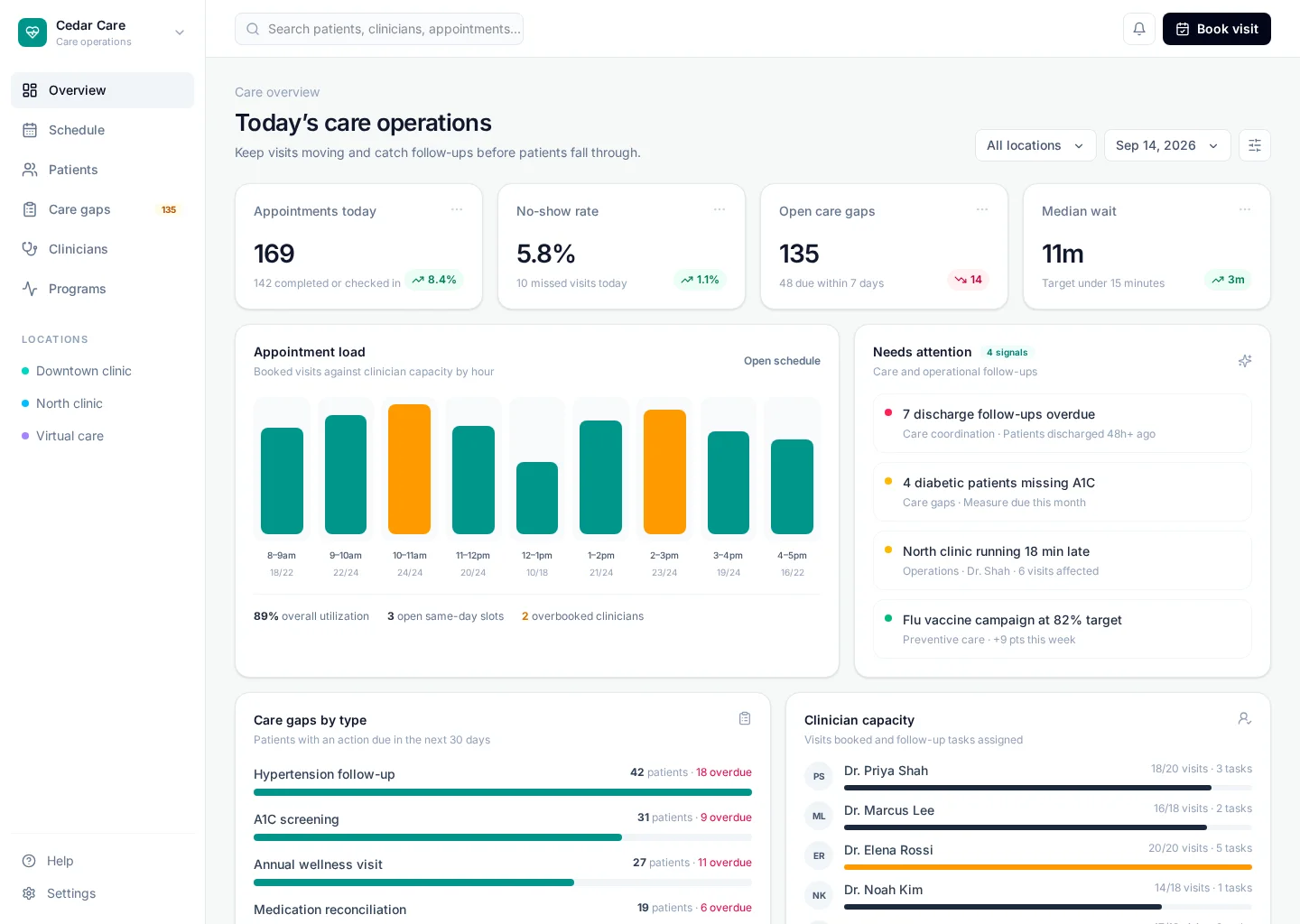
Track appointments, provider capacity, patient follow-ups and care-team workload.
Study the dashboard layout, find the main metrics, and check how the team moves from Overview to Records. Use the actual Figr screen as the starting point for a product-aware design.
BUILD ON THIS
Explore this screen, then bring in your own product and design system to shape the next version.
Analytics
Review healthcare dashboard
Analytics
Default, loading, empty, error, permission, success
Configurable product UI theme
Teams need to read the most useful signals quickly, spot what changed and open the right records. Make the trend, owner, next action and alert state clear, without turning the screen into a wall of cards.
Overview → Records → Review healthcare dashboard → Review outcome
Analytics, Overview, Records, contextual actions, error recovery
Keep the time range and metric definition visible. Let people see which segment or filter produced the result, then explain missing or delayed data.
Pay attention to overview and records. People need to distinguish Healthcare Dashboard overview from Recent activity. Keep open items visible, especially when a record changes owner or status.
Before this screen reaches handoff, verify keyboard focus, empty and permission states, and what happens after someone chooses “Review healthcare dashboard”. Make error recovery as clear as the happy path.
Related screen examples to explore next: Provider Roster, Clinical Inbox, Care Plan.
Design a healthcare dashboard screen inside our existing product. Use our current components, tokens and content language. Include Overview and Records views, credible records like Healthcare Dashboard overview, and a clear “Review healthcare dashboard” action. Use our product permissions and show loading, empty, error and success states. Keep the output editable in Figma.
KEEP EXPLORING
Browse other product UI examples, compare patterns, and pick the direction that suits your product.