
FIGR / UI TEMPLATE
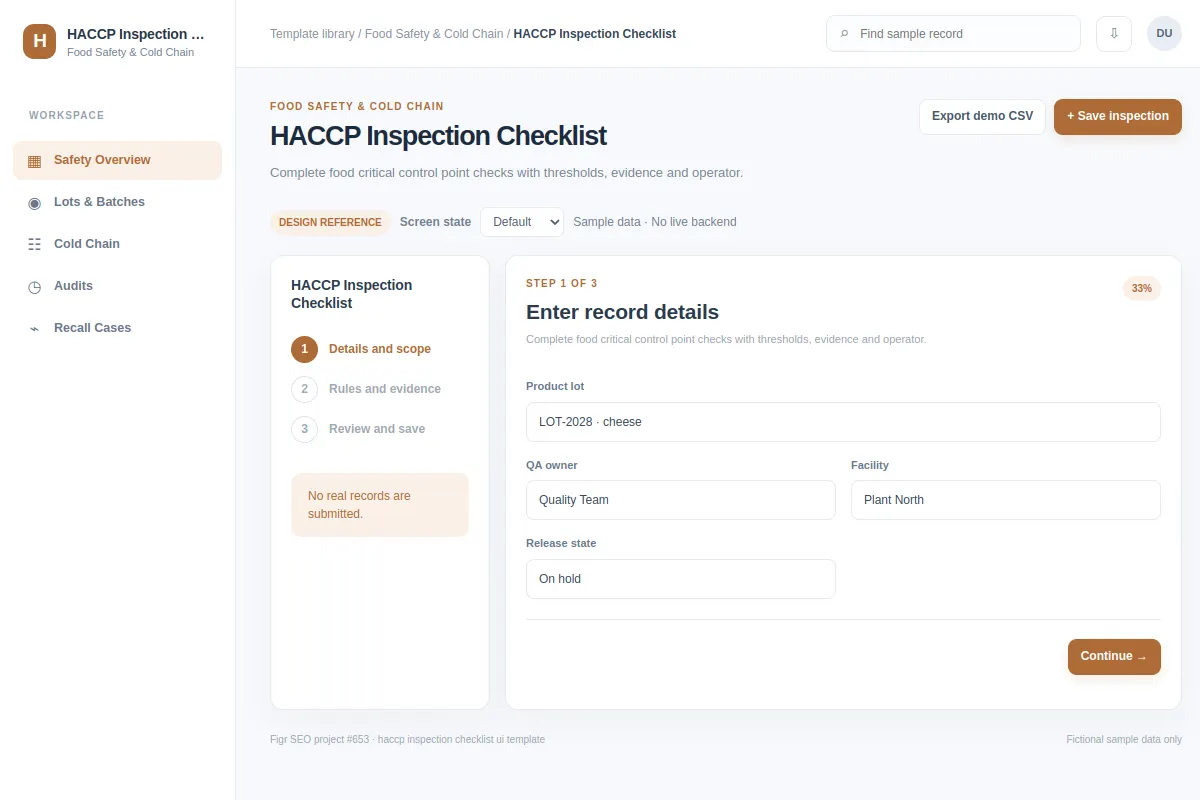
Complete food critical control point checks with thresholds, evidence and operator.
Use this form reference for Food Safety & Cold Chain software. The examples use fictional records and values.
BUILD ON THIS
Explore this screen, then bring in your own product and design system to shape the next version.
Form
Save inspection
form product workflow
Default, Selected, Filtered, Empty, Warning, Success
Independent product UI reference; no 1mg design system
Complete food critical control point checks with thresholds, evidence and operator.
Sections: Safety Overview, Lots & Batches, Cold Chain, Audits, Recall Cases. Records: Cooking temp · 74°C; Cooling time · within limit.
Default, Selected, Filtered, Empty, Warning, Success. Add clear recovery for missing data, failed changes and access restrictions.
Safety Overview → HACCP Inspection Checklist → Save inspection
form, filters, status labels, record details
Show field rules and preserve entered values if a check or save fails.
Try the main action with Cooking temp · 74°C, then check empty, warning, restricted-access and failed-save cases.
Adapt this HACCP Inspection Checklist workflow to my existing product and design system. Respect our screens, components and rules. Review the main task and all key states before generating Figma-ready screens.
KEEP EXPLORING
Browse other product UI examples, compare patterns, and pick the direction that suits your product.