
FIGR / UI TEMPLATE
Prioritize experiment hypotheses, expected impact and owner capacity.
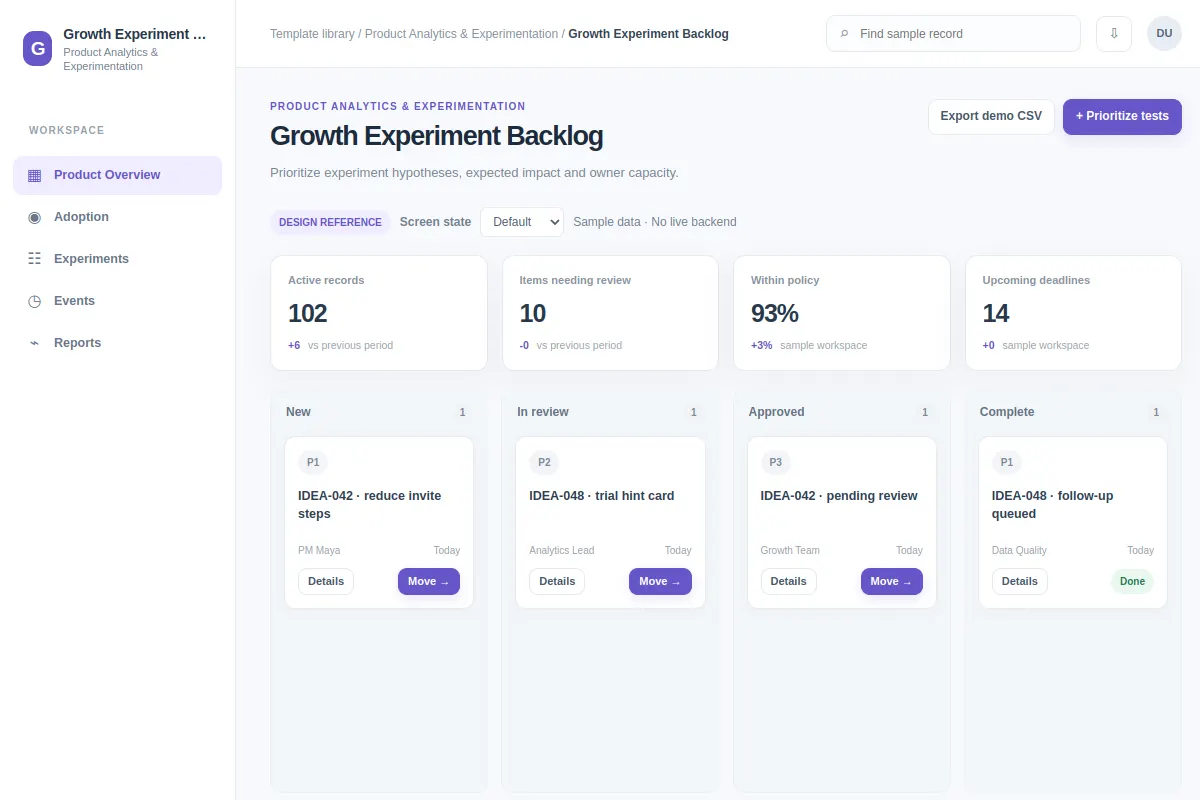
This board UI template shows product analytics & experimentation work inside an existing product. All sample records and metrics are fictional.
BUILD ON THIS
Explore this screen, then bring in your own product and design system to shape the next version.
Board
Prioritize tests
board product workflow
Default, Selected, Filtered, Empty, Warning, Success
Independent reference UI; no 1mg design system
Prioritize experiment hypotheses, expected impact and owner capacity. The user needs to prioritize tests without losing product context.
Areas: Product Overview, Adoption, Experiments, Events, Reports. Main fields: Product Analytics record, Assigned owner, Product area, Review status. Sample metrics: Active records, Items needing review, Within policy, Upcoming deadlines.
Default, Selected, Filtered, Empty, Warning, Success. Also consider restricted access, stale results, failed updates, and recovery paths.
Product Overview → Growth Experiment Backlog → Prioritize tests
board, filters, status, details, review controls
Make status, owner and blockers visible, and let reviewers resolve conflicts before moving records.
Try prioritize tests with IDEA-042 · reduce invite steps and IDEA-048 · trial hint card. Consider stale data, failed saves, and access restrictions before handoff.
Adapt this Growth Experiment Backlog workflow to my existing product and design system. Respect our screens, rules, roles and components. Explore default, selected, filtered, empty, warning, success and other edge cases before producing a Figma-ready design.
KEEP EXPLORING
Browse other product UI examples, compare patterns, and pick the direction that suits your product.