
FIGR / UI TEMPLATE
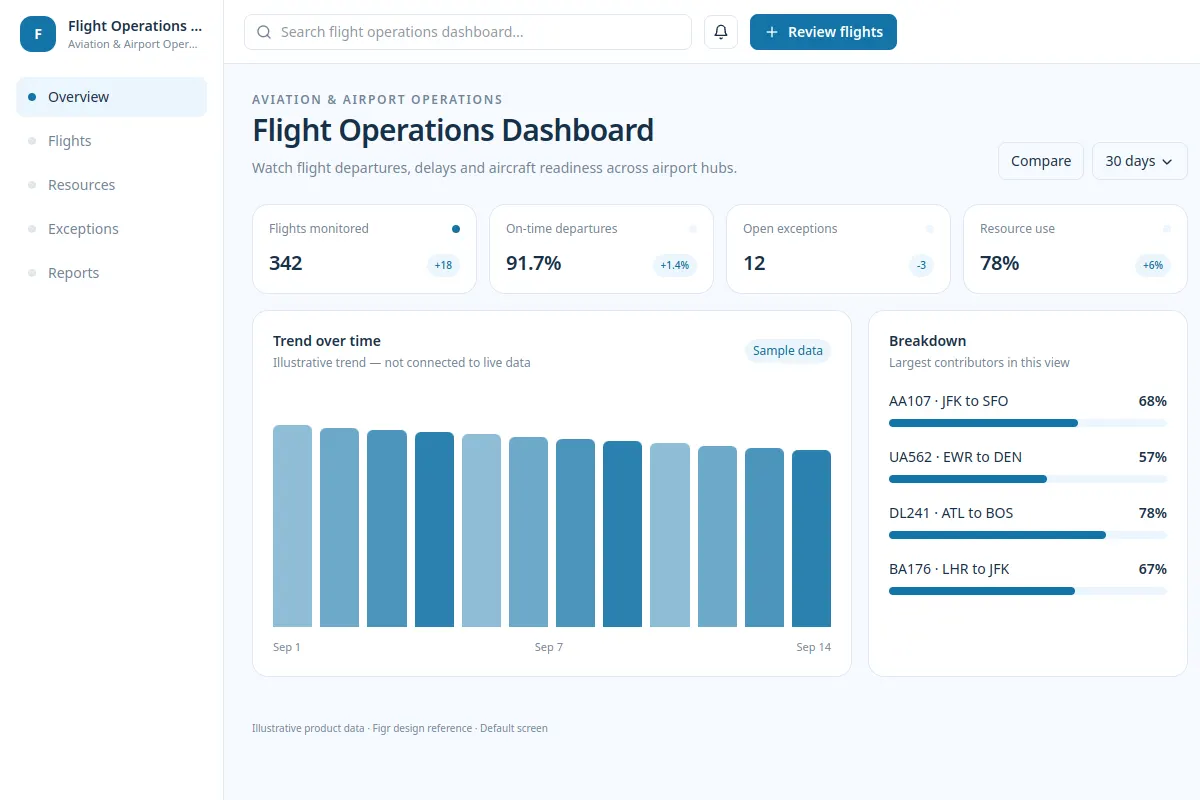
Monitor flight departures, delays, aircraft readiness, and changes across airport hubs.
Use this UI reference to review the flow in your existing aviation product and design system. The records are sample data.
BUILD ON THIS
Explore this screen, then bring in your own product and design system to shape the next version.
Dashboard
Review flights
Operational dashboard, flight status table, exception queue
Default, loading, empty, delayed feed, error, permission denied
Independent product UI reference
Monitor flight departures, delays, aircraft readiness, and changes across airport hubs.
Main elements: scheduled and actual time, arrival and departure status, gate and aircraft details, last data update. Primary action: Review flights.
Design for Default, loading, empty, delayed feed, error, permission denied. Show the user how to recover from a failed action.
Operations overview → Flight Operations Dashboard → Review flights
Operational dashboard, flight status table, exception queue
Separate scheduled, estimated, and actual times. Show data freshness and highlight urgent flight exceptions without hiding the full schedule.
Plan the loading, empty, warning and recovery states before handoff.
Adapt this Flight Operations Dashboard to my existing product and design system. Use current screen patterns, components, constraints and user flows. Explore error and conflict states before creating Figma-ready screens.
KEEP EXPLORING
Browse other product UI examples, compare patterns, and pick the direction that suits your product.