
FIGR / UI TEMPLATE
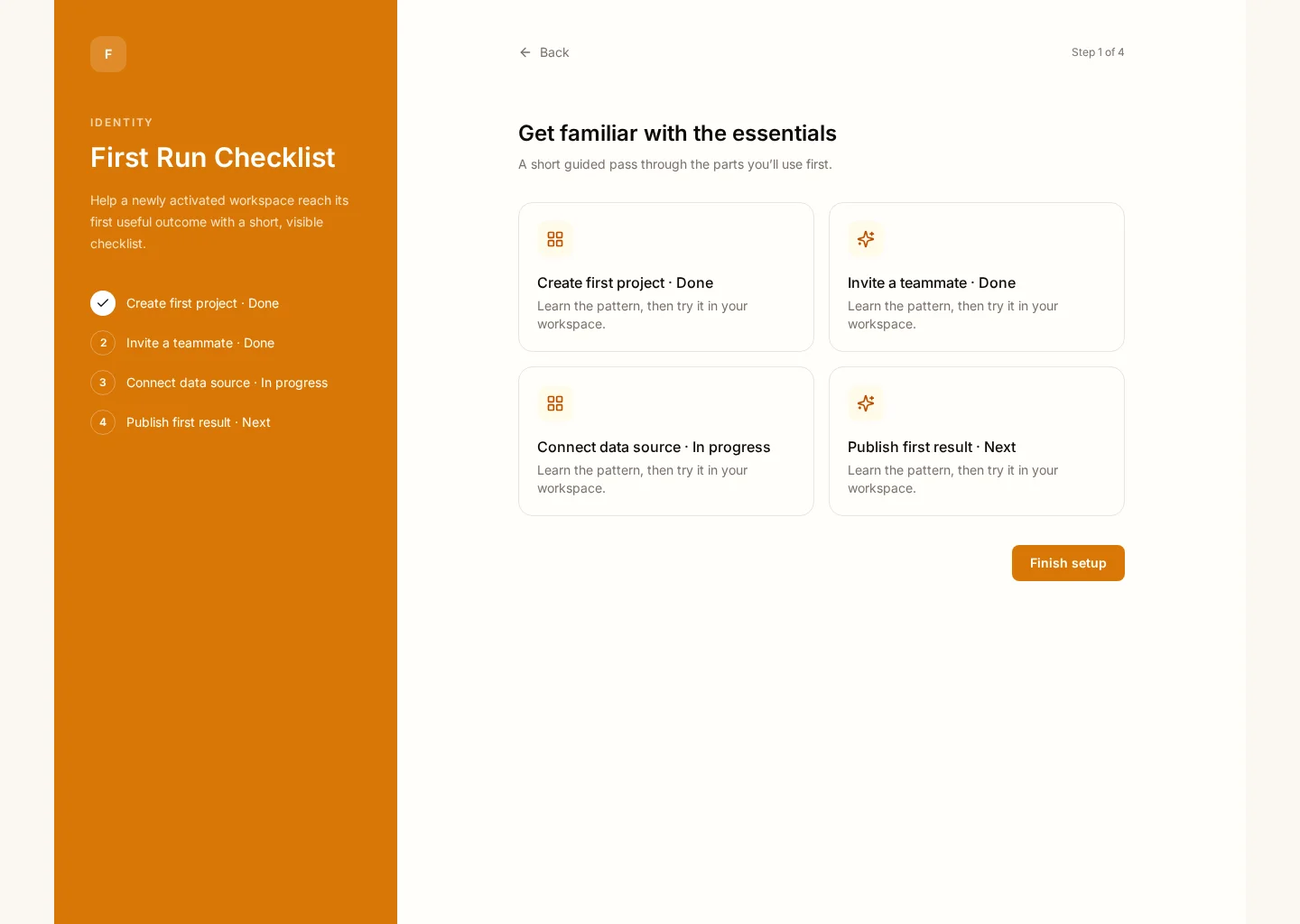
Help a newly activated workspace reach its first useful outcome with a short, visible checklist. The screen connects Checklist and Quick starts so workspace admins can find the “Finish setup” action while checking steps complete and activation.
Use this reference when you need to design this workflow inside an existing product. The example includes practical records such as Create first project · Done and Invite a teammate · Done, rather than an empty visual shell.
BUILD ON THIS
Explore this screen, then bring in your own product and design system to shape the next version.
Workspace
Finish setup
Workspace
Default, loading, empty, error, permission, success
Adaptable product UI theme
Workspace admins need a clear “Finish setup” action without losing sight of steps complete, activation and the affected records. Keep the decision and its outcome clear before moving to the next task.
Checklist → Quick starts → Finish setup → Review outcome
Workspace, Checklist, Quick starts, Templates, accessible states, contextual actions
Keep the main job visible above supporting panels. Group related controls and surface exceptions where people act.
In this design, people should be able to compare Create first project · Done with Invite a teammate · Done. Make steps complete clear, then use activation to explain whether the next step needs attention.
Before handing this to a designer or engineer, check keyboard focus, error copy, permissions and what happens after they choose the “Finish setup” action. The happy path alone is not enough.
Related UI examples: Verification Center, Product Tour, Profile Setup.
Design a first run checklist screen for our existing software product. Use our real design-system tokens, components and product language. Show Checklist and Quick starts, include believable records such as Create first project · Done, and make finish setup easy to find. Map loading, empty, failure, permission and success states before you create editable high-fidelity screens.
KEEP EXPLORING
Browse other product UI examples, compare patterns, and pick the direction that suits your product.