
FIGR / UI TEMPLATE
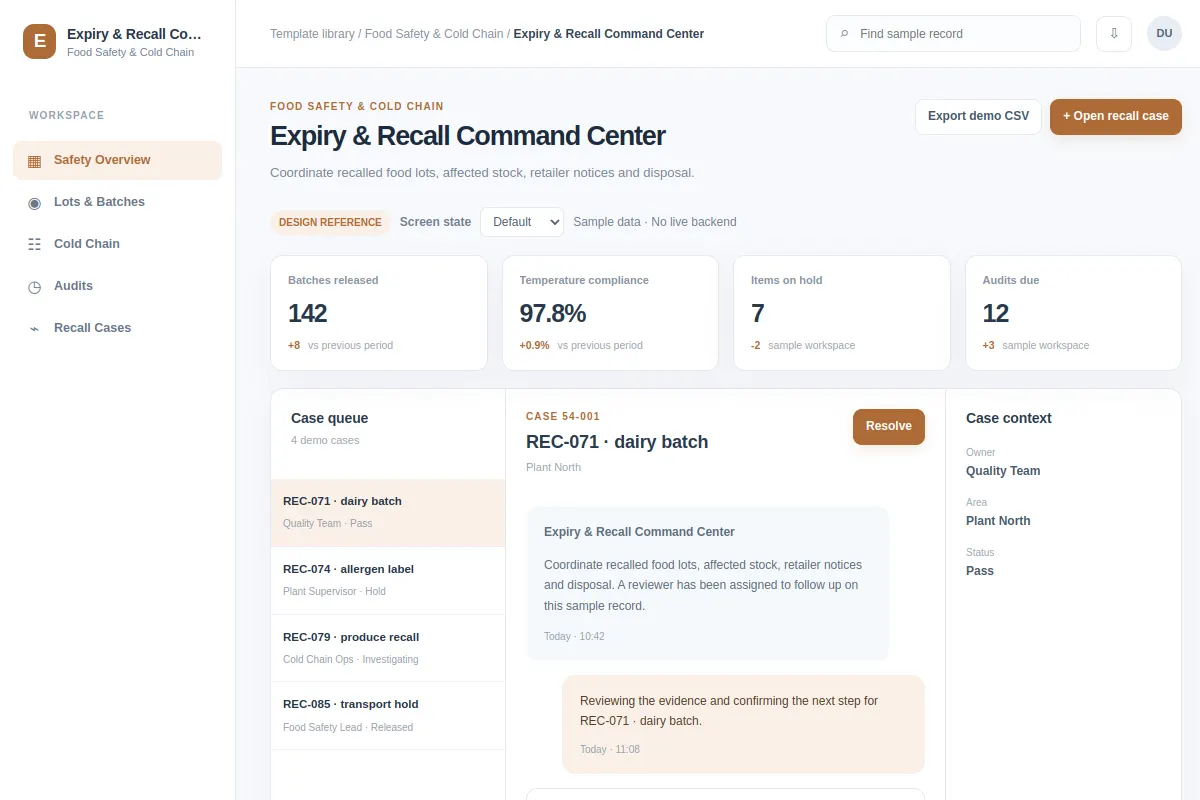
Coordinate recalled food lots, affected stock, retailer notices and disposal.
Use this inbox reference for Food Safety & Cold Chain software. The examples use fictional records and values.
BUILD ON THIS
Explore this screen, then bring in your own product and design system to shape the next version.
Inbox
Open recall case
inbox product workflow
Default, Selected, Filtered, Empty, Warning, Success
Independent product UI reference; no 1mg design system
Coordinate recalled food lots, affected stock, retailer notices and disposal.
Sections: Safety Overview, Lots & Batches, Cold Chain, Audits, Recall Cases. Records: REC-071 · dairy batch; REC-074 · allergen label.
Default, Selected, Filtered, Empty, Warning, Success. Add clear recovery for missing data, failed changes and access restrictions.
Safety Overview → Expiry & Recall Command Center → Open recall case
inbox, filters, status labels, record details
Keep the current task, related records and approvals together.
Try the main action with REC-071 · dairy batch, then check empty, warning, restricted-access and failed-save cases.
Adapt this Expiry & Recall Command Center workflow to my existing product and design system. Respect our screens, components and rules. Review the main task and all key states before generating Figma-ready screens.
KEEP EXPLORING
Browse other product UI examples, compare patterns, and pick the direction that suits your product.