
FIGR / UI TEMPLATE
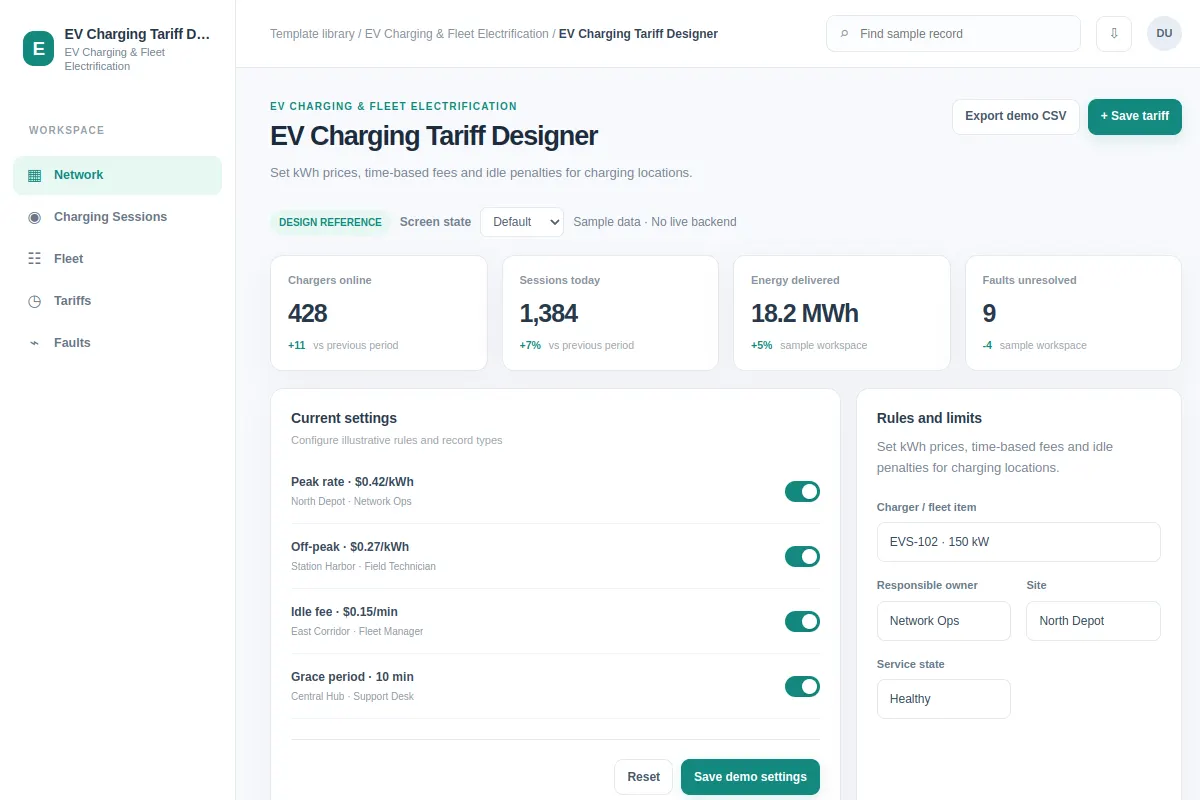
Set kWh prices, time-based fees and idle penalties for charging locations.
This settings reference covers EV Charging & Fleet Electrification in an existing product. All example records and metrics are fictional. The linked Figr project will appear after its design is built and checked.
BUILD ON THIS
Explore this screen, then bring in your own product and design system to shape the next version.
Settings
Save tariff
settings product workflow
Default, Selected, Filtered, Empty, Warning, Success
Independent product UI reference; do not use the 1mg design system
Set kWh prices, time-based fees and idle penalties for charging locations.
Workflow sections: Network, Charging Sessions, Fleet, Tariffs, Faults. Primary task: Save tariff.
Default, Selected, Filtered, Empty, Warning, Success. Include restricted access, stale values and save errors wherever they affect the workflow.
Network → EV Charging Tariff Designer → Save tariff
settings, status labels, filters, record details
Show the price or policy impact before saving, and confirm which users the change affects.
Test a case such as Peak rate · $0.42/kWh alongside loading, empty, warning, permission and failed-save states.
Help me adapt EV Charging Tariff Designer to my existing product and design system. Ground your work in our screens, workflows, components and constraints. Explore default, selected, filtered, empty, warning, success and important edge cases before creating an editable Figma-ready design.
KEEP EXPLORING
Browse other product UI examples, compare patterns, and pick the direction that suits your product.