
FIGR / UI TEMPLATE
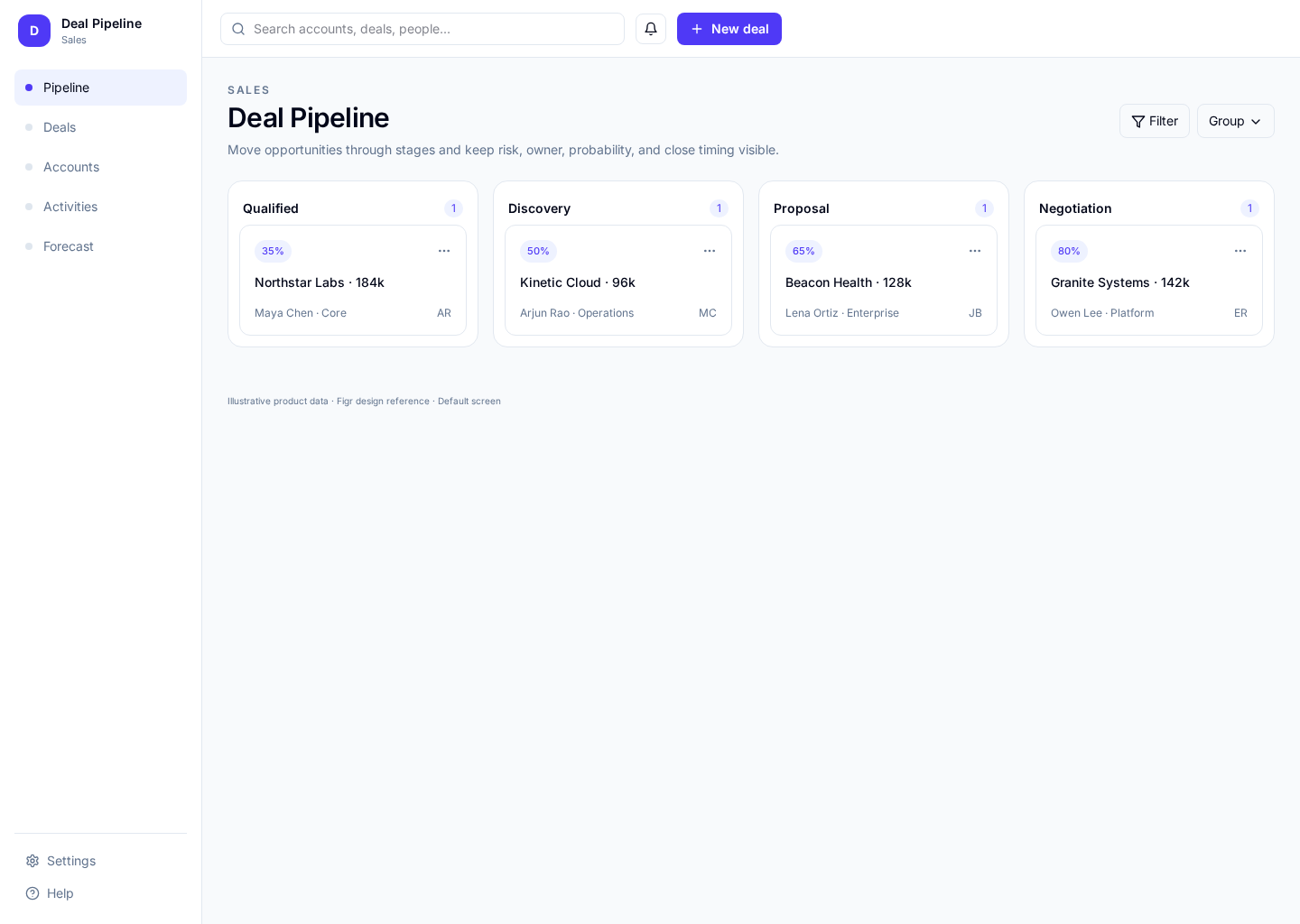
A CRM pipeline that helps sales teams scan active deals, spot risk, compare stages, and move opportunities without opening every record.
BUILD ON THIS
Explore this screen, then bring in your own product and design system to shape the next version.
Pipeline
Review and move deals
Kanban board
Default
Atlas Enterprise
Sales reps need to know what changed, which deals need action, and where each opportunity sits. Managers need a quick read on pipeline health.
CRM Home → Deal Pipeline → Deal Detail → Edit Deal → Closed Won
Kanban, filters, status, avatar, drag and drop, side navigation
Show enough deal context on each card to support triage, but keep deeper account detail one click away. Use sales stages, not generic task stages.
Create a high-fidelity CRM deal pipeline for a B2B sales team. Use realistic sales stages, accounts, values, owners, next actions, filters, and a clear path into deal detail.
KEEP EXPLORING
Browse other product UI examples, compare patterns, and pick the direction that suits your product.