
FIGR / UI TEMPLATE
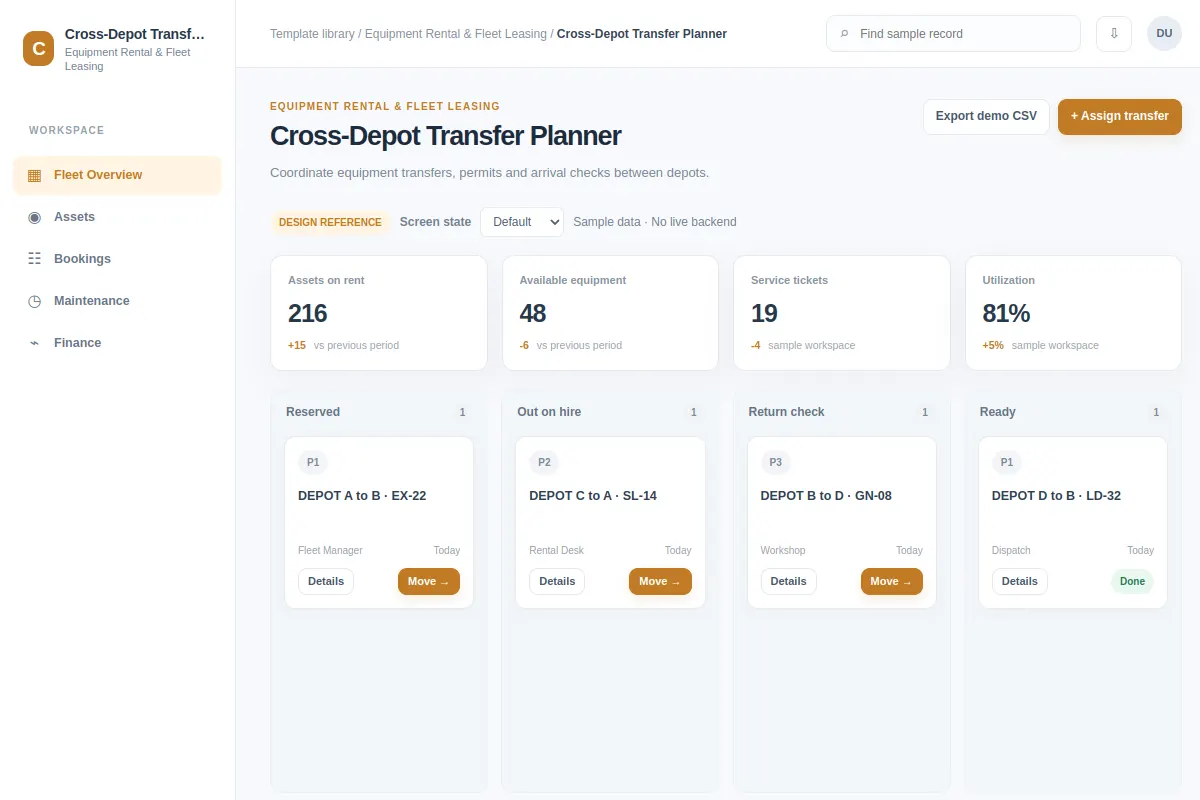
Coordinate equipment transfers, permits and arrival checks between depots.
Use this board screen as a reference when you design Equipment Rental & Fleet Leasing software that already has existing flows and rules. The sample names and metrics are fictional.
BUILD ON THIS
Explore this screen, then bring in your own product and design system to shape the next version.
Board
Assign transfer
board workflow
Default, Selected, Filtered, Empty, Warning, Success
Independent UI reference; no 1mg design system
Coordinate equipment transfers, permits and arrival checks between depots. The user needs to assign transfer without losing the current task context.
Areas: Fleet Overview, Assets, Bookings, Maintenance. Metrics: Assets on rent, Available equipment, Service tickets. Record fields: Asset ID, Depot, Hire account.
Default, Selected, Filtered, Empty, Warning, Success. Also plan for access restrictions, stale values and failed saves wherever they affect this workflow.
Fleet Overview → Cross-Depot Transfer Planner → Assign transfer
board, filters, status, record detail
Show who owns each item, when it needs attention, and what changes as it moves across stages.
Try the main action, assign transfer, with a sample case such as DEPOT A to B · EX-22.
Include clear next steps when records are empty, access is restricted or a change fails to save.
Help me improve the Cross-Depot Transfer Planner workflow inside my existing product. Use our current screens, design system, business rules and user context. Explore default, selected, filtered, empty, warning, success, then give me an editable design that fits our product.
KEEP EXPLORING
Browse other product UI examples, compare patterns, and pick the direction that suits your product.