
FIGR / UI TEMPLATE
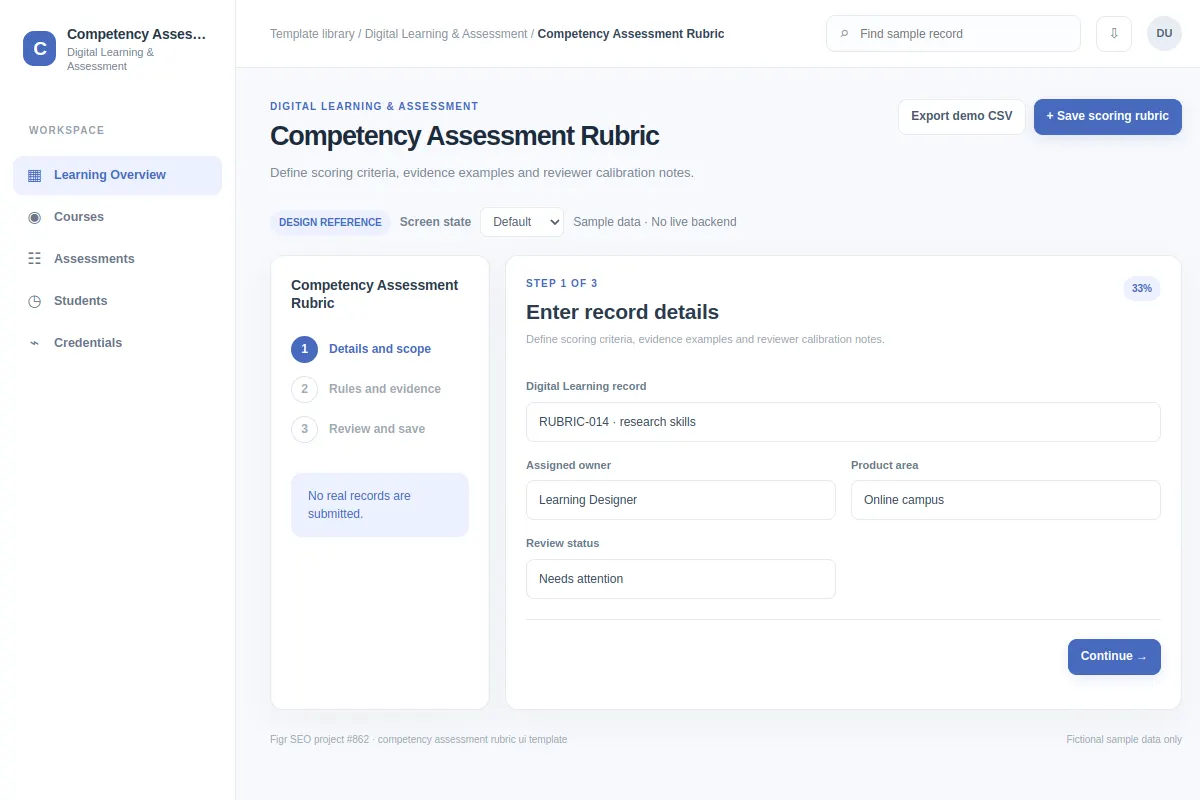
Define scoring criteria, evidence examples and reviewer calibration notes.
This form template covers digital learning & assessment workflows inside an existing product. All people, records and metrics shown are fictional.
BUILD ON THIS
Explore this screen, then bring in your own product and design system to shape the next version.
Form
Save scoring rubric
form workflow
Default, Selected, Filtered, Empty, Warning, Success
Independent product UI reference; no external / 1mg design system
Define scoring criteria, evidence examples and reviewer calibration notes. The user needs to save scoring rubric without losing context.
Product areas: Learning Overview, Courses, Assessments, Students, Credentials. Task fields: Digital Learning record, Assigned owner, Product area, Review status. Example metrics: Active records, Items needing review, Within policy, Upcoming deadlines.
Default, Selected, Filtered, Empty, Warning, Success. Also cover restricted access, interrupted saves and missing or stale data when relevant.
Learning Overview → Competency Assessment Rubric → Save scoring rubric
form, filters, status, record details, review actions
State requirements before input; keep entered values on failed submission.
Review save scoring rubric with a case such as RUBRIC-014 · research skills. Make room for empty, warning, permission-denied and failed-save states.
Adapt Competency Assessment Rubric to my existing product and design system. Keep our current screens, components and role rules. Explore default, selected, filtered, empty, warning, success and relevant edge cases before generating editable Figma-ready UI.
KEEP EXPLORING
Browse other product UI examples, compare patterns, and pick the direction that suits your product.