
FIGR / UI TEMPLATE
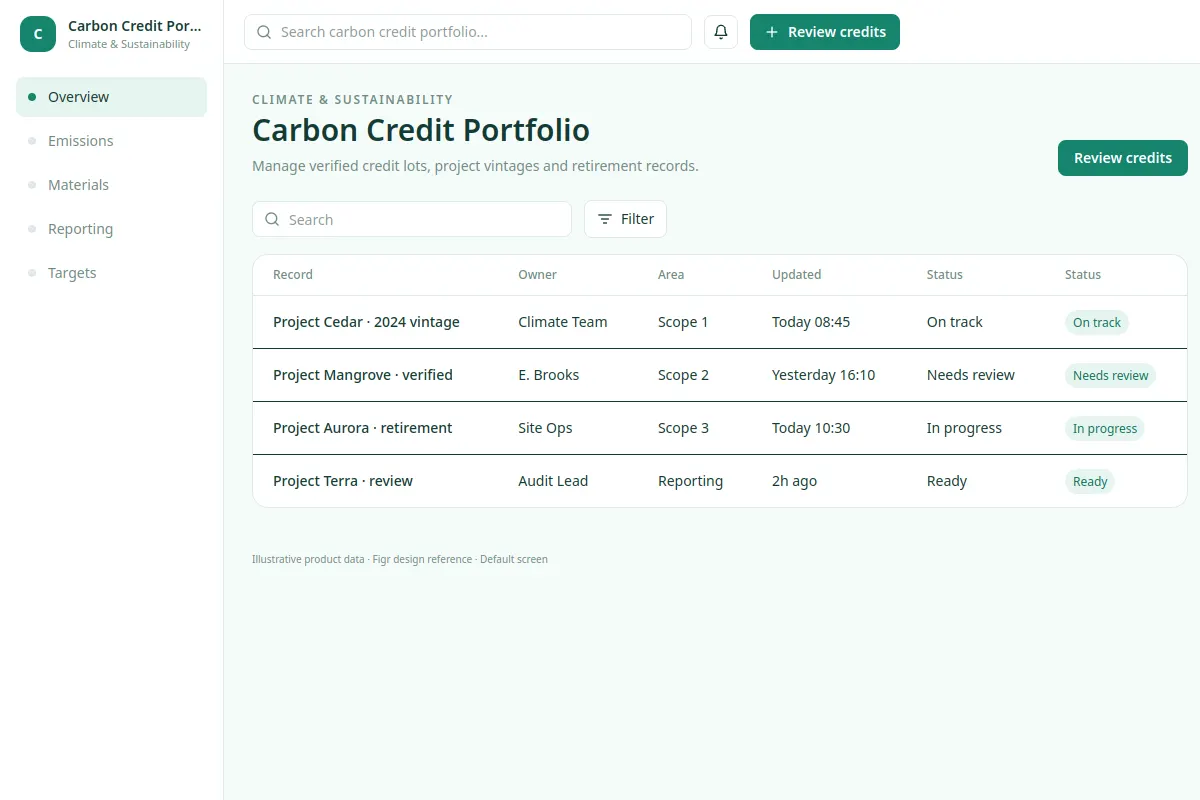
Manage verified credit lots, project vintages and retirement records.
This table design reference covers Climate & Sustainability with fictional sample records.
BUILD ON THIS
Explore this screen, then bring in your own product and design system to shape the next version.
Table
Review credits
table view
Default, loading, filtered, empty, warning, error, success
Independent UI reference; no 1mg design system
Manage verified credit lots, project vintages and retirement records.
Relevant sections: Overview, Emissions, Materials, Reporting, Targets. Primary action: Review credits.
Empty results, slow loading, restricted permissions, validation feedback, failed saves, and success.
Overview → Carbon Credit Portfolio → Review credits
table, status, record details, filters
Keep the record's status, owner and next action visible. Use cases such as Project Cedar · 2024 vintage to check what happens when details are missing or cannot be saved.
Show rule overrides clearly, including eligibility, pricing or approval constraints; let users review changes before committing.
Review Carbon Credit Portfolio in the context of my existing product and design system. Explore important states, edge cases and clear next actions before producing Figma-ready screens.
KEEP EXPLORING
Browse other product UI examples, compare patterns, and pick the direction that suits your product.