
FIGR / UI TEMPLATE
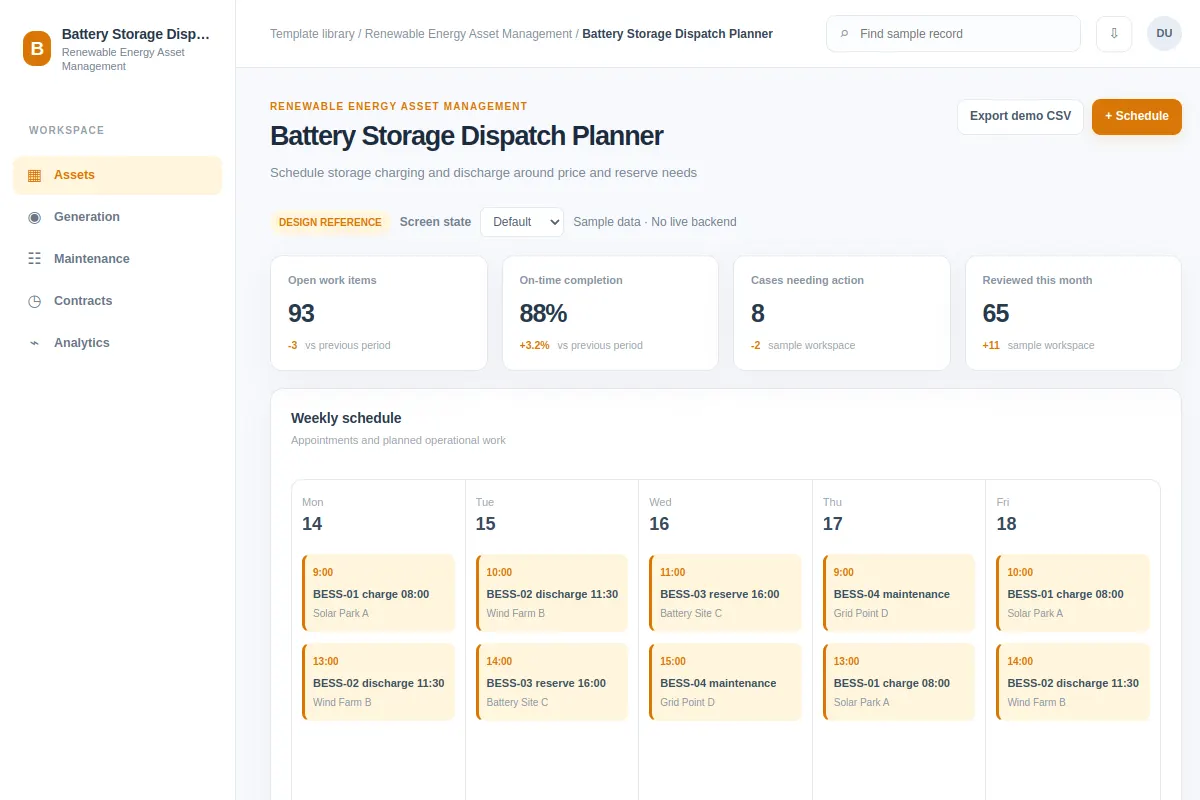
Schedule storage charging and discharge around price and reserve needs.
Explore this calendar as a reference for renewable energy asset software. Review the steps and edge cases, then adapt it to your existing product and design system. All example records are fictional.
BUILD ON THIS
Explore this screen, then bring in your own product and design system to shape the next version.
Calendar
Schedule storage charging and discharge around price and reserve needs
calendar workflow
Default, Selected, Filtered, Empty, Warning, Success
Independent product UI reference
Schedule storage charging and discharge around price and reserve needs.
Core areas: Asset Portfolio, Generation, Maintenance, Dispatch and Reports. Main task: Schedule storage charging and discharge around price and reserve needs. Show affected assets, owners and clear status.
Default, Selected, Filtered, Empty, Warning, Success. Cover missing telemetry, restricted access, unavailable assets, failed changes and retries where relevant.
Asset Portfolio → Battery Storage Dispatch Planner → Schedule storage charging and discharge around price and reserve needs
calendar, filters, status labels, record details
Show time zone, generation forecasts, grid limits and overlapping work. Warn about conflicts before confirming a dispatch or booking.
Show asset identifiers, timestamps and data freshness. Distinguish missing telemetry, access limits and genuine alerts. Provide a recovery step after a failed change.
Adapt Battery Storage Dispatch Planner to my existing renewable energy product and design system. Use our components, asset hierarchy, permission rules and operational constraints. Review edge cases before creating editable screens.
KEEP EXPLORING
Browse other product UI examples, compare patterns, and pick the direction that suits your product.