
FIGR / UI TEMPLATE
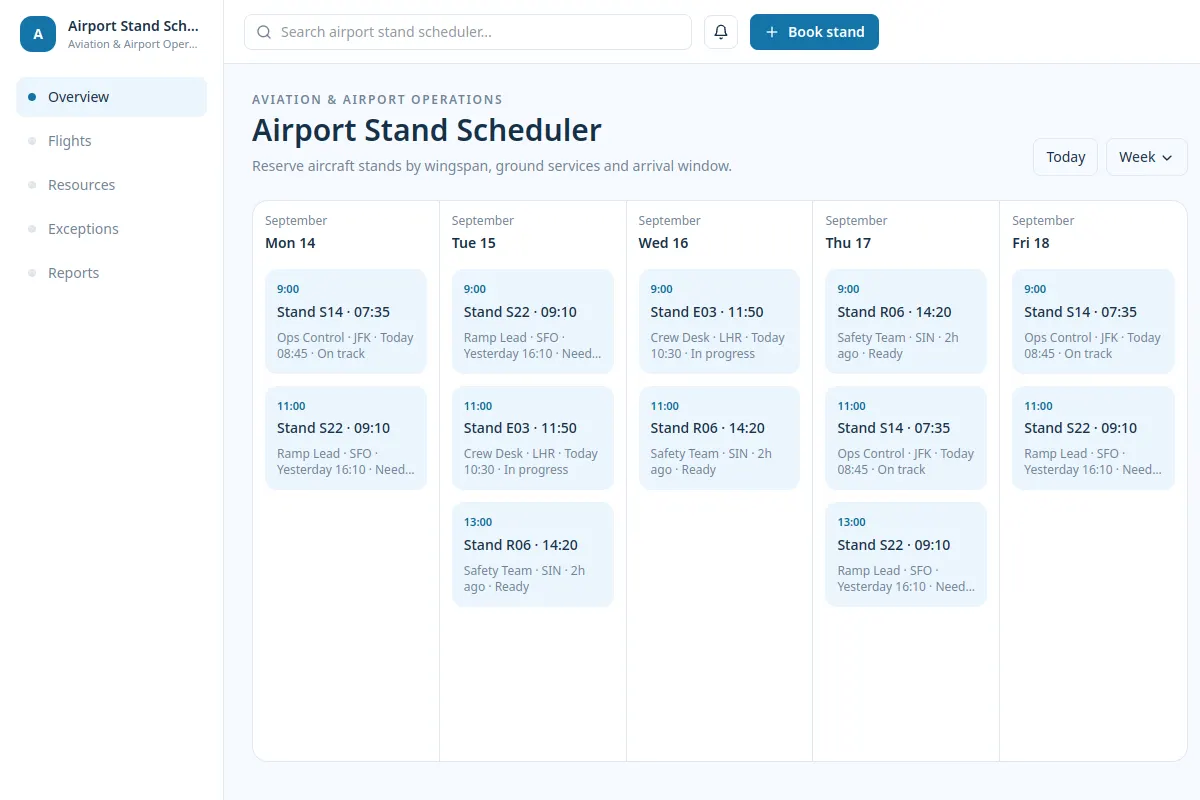
Reserve aircraft stands by wingspan, ground services and arrival window.
This template covers Aviation & Airport Operations software with fictional example records and realistic UX states.
BUILD ON THIS
Explore this screen, then bring in your own product and design system to shape the next version.
calendar
Book stand
calendar workflow
Default, loading, empty, warning, error, success
Independent UI reference; no 1mg design system
Reserve aircraft stands by wingspan, ground services and arrival window.
Sections: Overview, Flights, Resources, Exceptions, Reports. Primary action: Book stand.
Cover loading, empty, warning, error, permission denied and successful completion.
Overview → Airport Stand Scheduler → Book stand
calendar, status labels, filtering
Keep the next action and current status easy to scan. Review exceptions with a sample record such as Stand S14 · 07:35. Include permission, failure and retry states.
Adapt Airport Stand Scheduler to my existing product and design system. Review our flows, components and constraints, then cover missing states and edge cases before generating Figma-ready design.
KEEP EXPLORING
Browse other product UI examples, compare patterns, and pick the direction that suits your product.