
FIGR / UI TEMPLATE
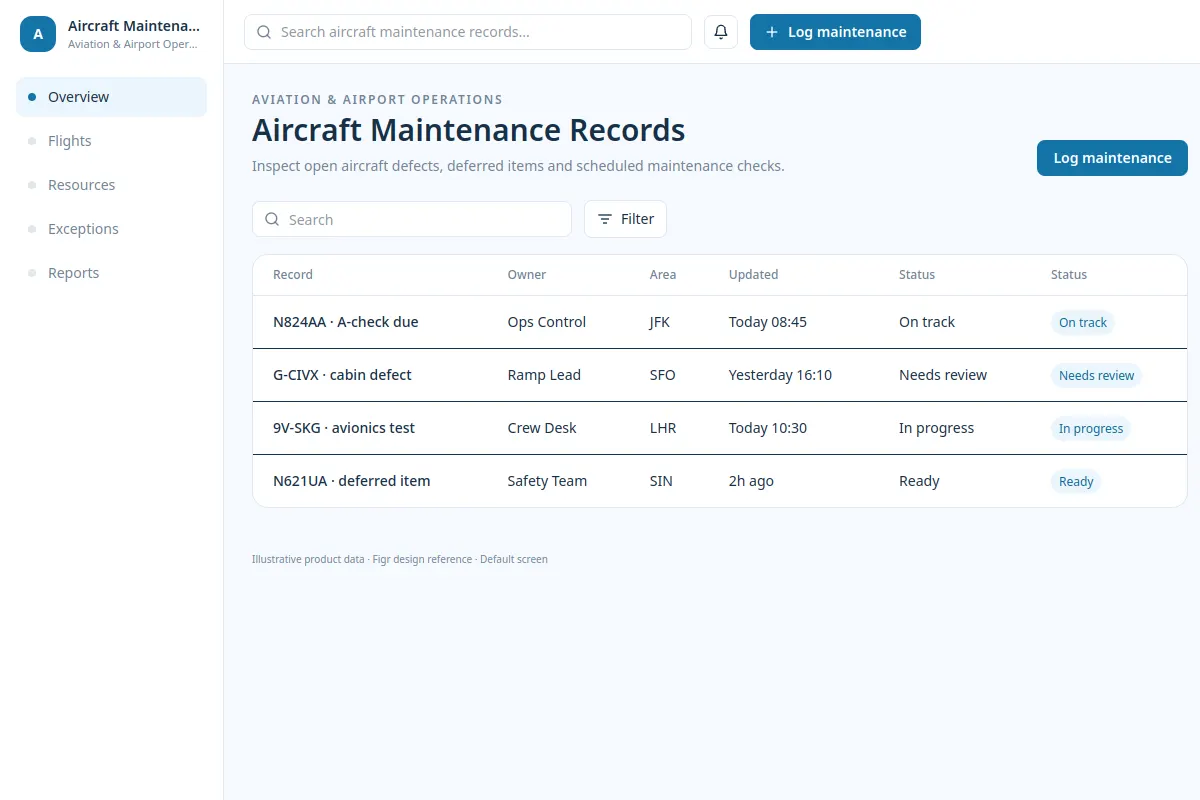
Inspect open aircraft defects, deferred items and scheduled maintenance checks.
This example shows how a team could handle Aviation & Airport Operations tasks in an existing product. Sample data is fictional.
BUILD ON THIS
Explore this screen, then bring in your own product and design system to shape the next version.
Table
Log maintenance
table workflow
Default, loading, empty, error, permission denied, success
Independent UI reference; no 1mg design system
Inspect open aircraft defects, deferred items and scheduled maintenance checks.
Sections: Overview, Flights, Resources, Exceptions, Reports. Primary task: Log maintenance.
Default, loading, empty, error, permission denied, success. Add clear messages and recovery actions when data, permissions or a failed change blocks work.
Overview → Aircraft Maintenance Records → Log maintenance
table, filters, status labels, record detail
Keep the primary task and exceptions visible. For example, N824AA · A-check due should have a clear next action.
Plan loading, empty, failed-save and restricted-access states so users can recover without losing their work.
Adapt Aircraft Maintenance Records to our existing product. Respect our flows, tokens, components and constraints. Review the exception cases and missing states before creating Figma-ready screens.
KEEP EXPLORING
Browse other product UI examples, compare patterns, and pick the direction that suits your product.