
FIGR / UI TEMPLATE
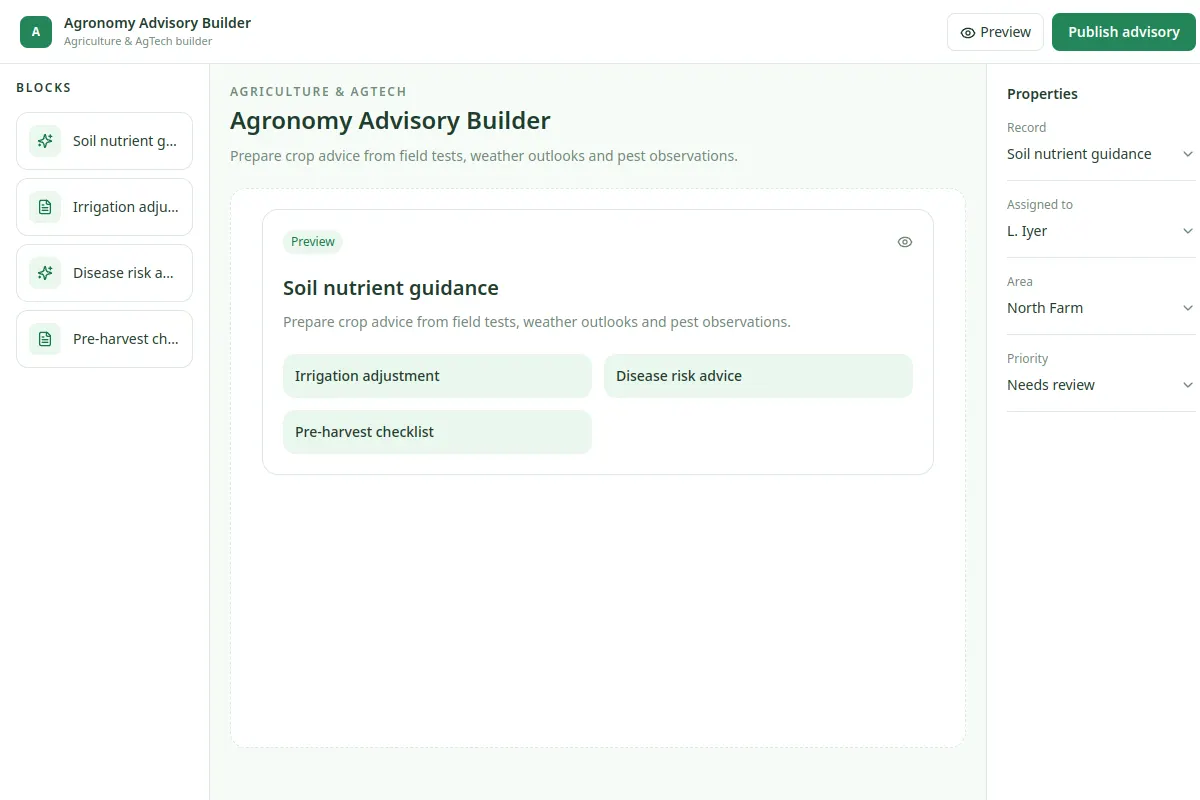
Prepare crop advice from field tests, weather outlooks and pest observations.
This builder reference covers Agriculture & AgTech in an existing product, with fictional example records.
BUILD ON THIS
Explore this screen, then bring in your own product and design system to shape the next version.
Builder
Publish advisory
builder product workflow
Default, loading, empty, warning, error, success
Independent product UI reference; no 1mg design system
Prepare crop advice from field tests, weather outlooks and pest observations.
Sections: Farm Overview, Fields, Operations, Advisories, Insights. Key task: Publish advisory.
Default, loading, empty, warning, error, permission denied and successful completion; include a useful recovery action where work fails.
Farm Overview → Agronomy Advisory Builder → Publish advisory
builder, filtering, status labels, record details
Make requirements, choices and validation feedback easy to review.
Use a real task such as Soil nutrient guidance to review the interface. Plan for missing data, restricted access and recovery when a change fails.
Help me adapt Agronomy Advisory Builder to our existing product and design system. Use our current screens, workflows, constraints and components. Explore the key states and edge cases before creating Figma-ready designs.
KEEP EXPLORING
Browse other product UI examples, compare patterns, and pick the direction that suits your product.