
FIGR / UI TEMPLATE
Model phase plans and pedestrian crossing time at urban intersections.
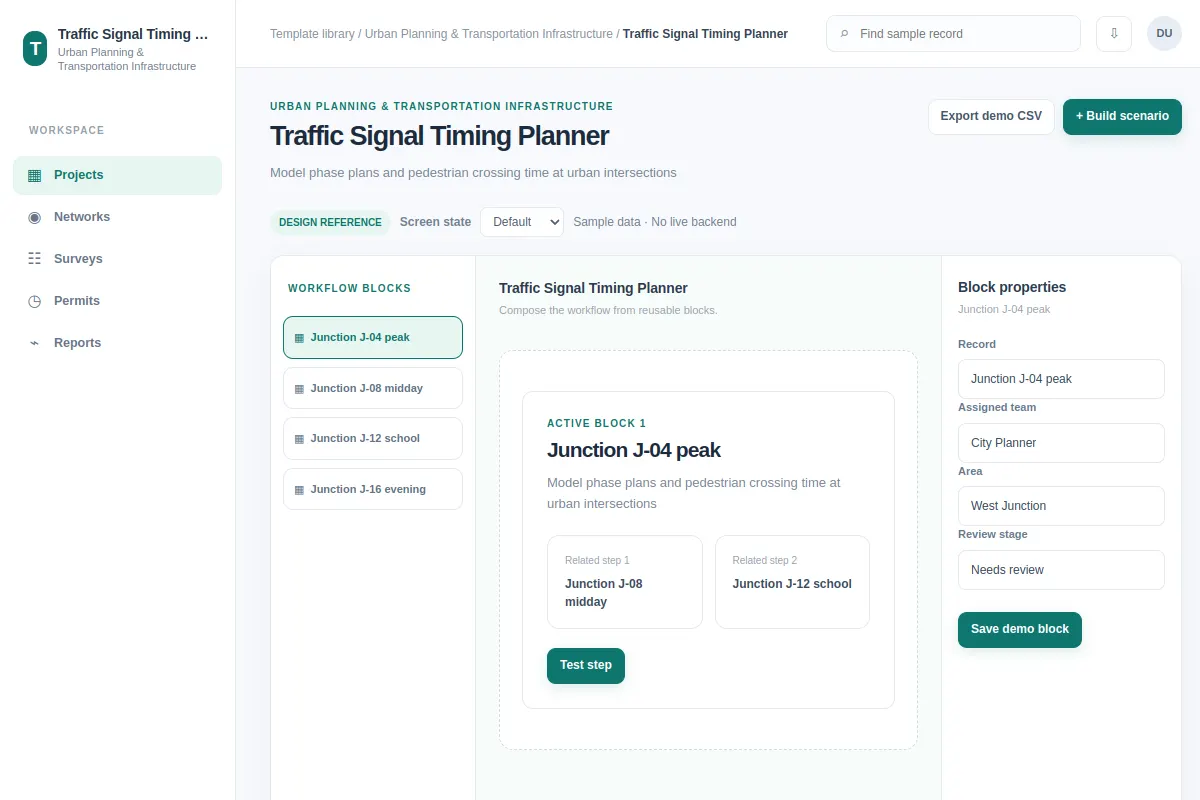
Explore this builder as a reference for Urban Planning & Transportation Infrastructure software. The sample records include Junction J-04 peak and Junction J-08 midday. Use their tasks and edge cases to adapt this pattern to your own product and design system. All examples are fictional.
BUILD ON THIS
Explore this screen, then bring in your own product and design system to shape the next version.
Builder
Build scenario
builder with searchable records, filters, selection and status feedback
Default, Selected, Filtered, Empty, Loading, Warning, Error, Success
Independent product UI reference; no 1mg assets
Review Junction J-04 peak against Junction J-08 midday, spot blockers and build scenario while preserving ownership and status.
Projects → Networks → Build scenario
builder, record selection, filtering, status chips, sample task feedback
Keep editable settings beside their preview.
Help our team adapt Traffic Signal Timing Planner to an existing product. Read our Figma design system, current flows, components, data rules and permissions. Explore two workable layouts for build scenario with sample cases like Junction J-04 peak and Junction J-08 midday. Build a design our team can edit, including default, selected, filtered, empty, loading, warning, error and success states. Treat these sample records as fictional.
KEEP EXPLORING
Browse other product UI examples, compare patterns, and pick the direction that suits your product.