
FIGR / UI TEMPLATE
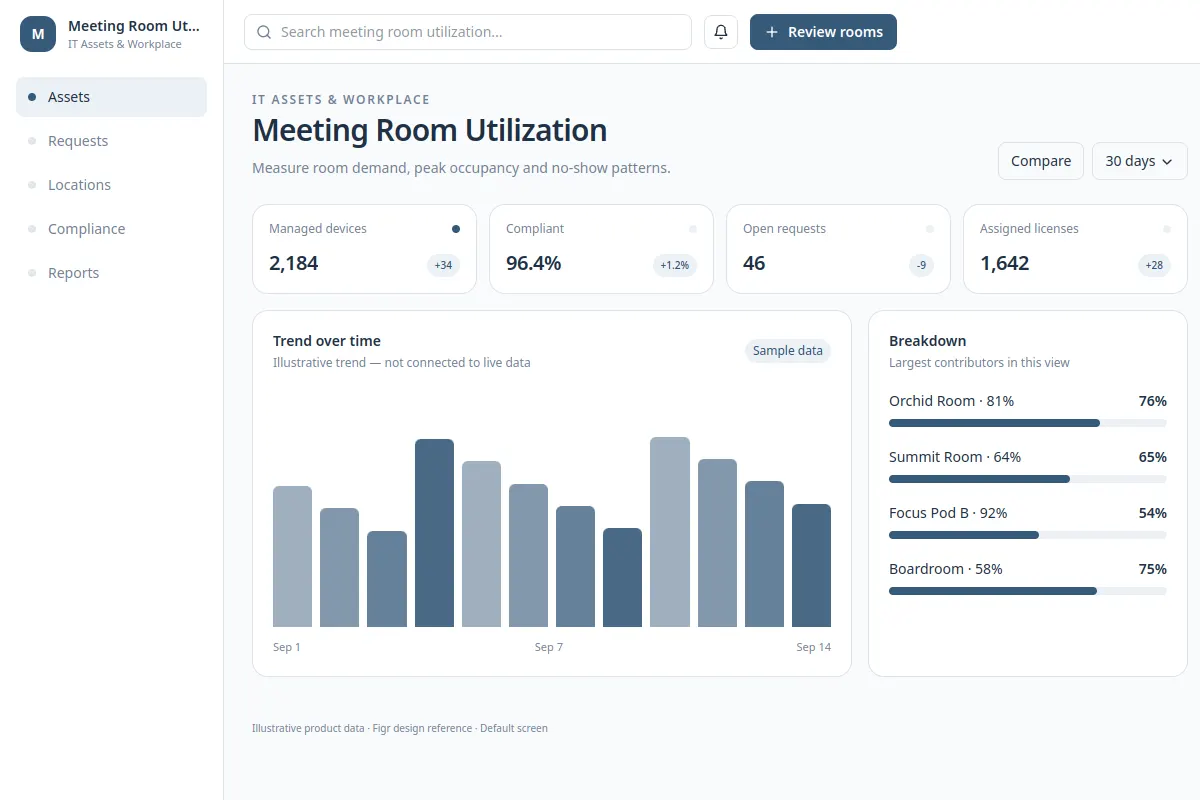
Measure room demand, peak occupancy and no-show patterns.
This UI reference helps product teams design workplace operations workflows around existing rules and components.
BUILD ON THIS
Explore this screen, then bring in your own product and design system to shape the next version.
analytics
Review and complete task
analytics workflow
Default, loading, filtered, empty, warning, error, success
Independent product UI reference; no 1mg design system
Measure room demand, peak occupancy and no-show patterns.
Records, status, assignees, scheduling or approval controls, and activity history.
No records, pending requests, conflicting schedules, restricted access, failed saves and completed tasks.
Workplace overview → Meeting Room Utilization → Task detail
analytics, filter bar, status chips, detail view
Keep status, assigned team, priority and next action visible. Design useful empty, approval, error and retry states so a user can finish without losing context.
Adapt Meeting Room Utilization to our existing product. Use our design system, roles, workflows and constraints. Review empty and error states before creating Figma-ready screens.
KEEP EXPLORING
Browse other product UI examples, compare patterns, and pick the direction that suits your product.