
FIGR / UI TEMPLATE
Plan safety walks by active works, hazards and inspector availability.
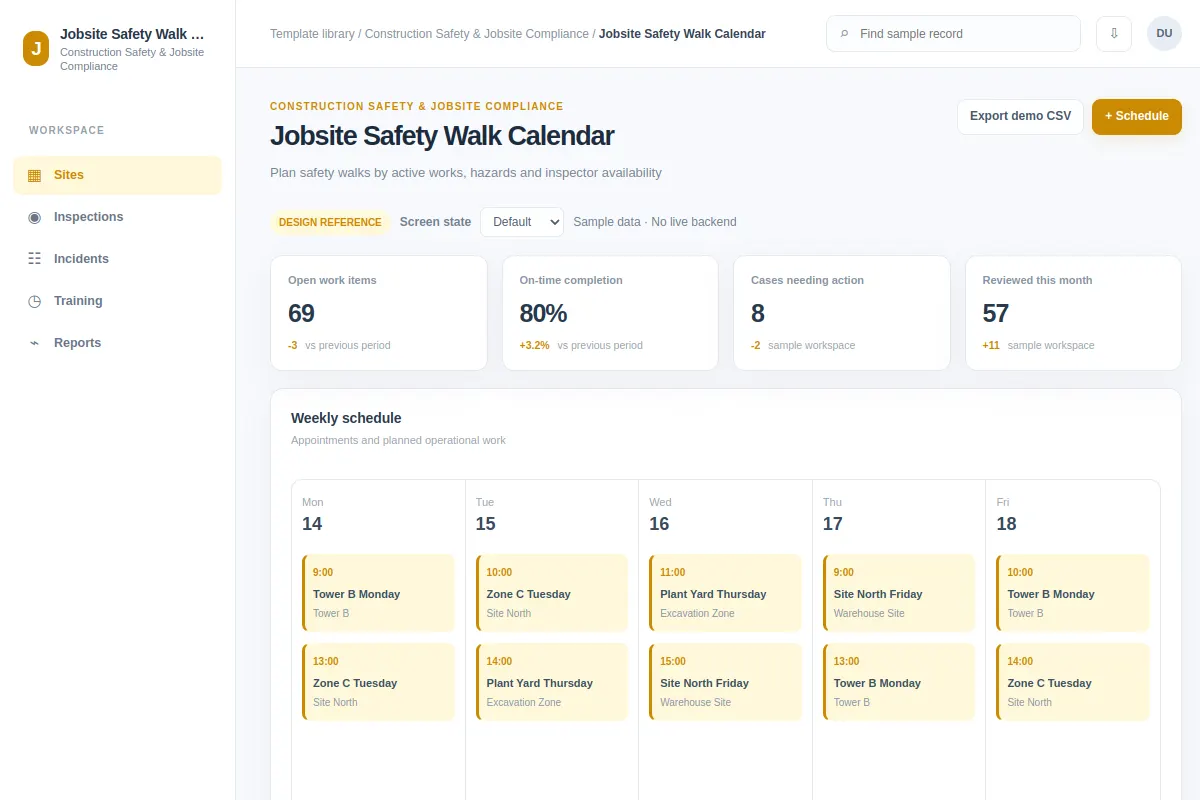
Explore how to schedule in Construction Safety & Jobsite Compliance software. This calendar includes Tower B Monday and Zone C Tuesday. Adapt the sample workflow to your product and design system. Records and metrics are fictional.
BUILD ON THIS
Explore this screen, then bring in your own product and design system to shape the next version.
Calendar
Schedule
calendar with status, filters and selected-record details
Default, Selected, Filtered, Empty, Loading, Warning, Error, Success
Independent product UI reference; no 1mg assets
Review Tower B Monday and Zone C Tuesday, identify blockers and schedule with the correct owner and status in view.
Sites → Inspections → Schedule
calendar, record search, selection, status chips, filtering, action feedback
Show event timing, resources and possible conflicts.
Adapt Jobsite Safety Walk Calendar to our existing product and design system. Inspect our current layouts, components, flows and permissions before changing anything. We need to schedule for records such as Tower B Monday and Zone C Tuesday. Explore two useful approaches, then design default, selected, filtered, empty, loading, warning, error and success states that our designers can keep editing. Example records are fictional.
KEEP EXPLORING
Browse other product UI examples, compare patterns, and pick the direction that suits your product.